Over the past couple of months, the popular GiveWP fundraising plugin has been undergoing some major changes.
If these changes have your nonprofit organization looking for a GiveWP alternative, this post will introduce you to some of the reasons to consider switching from GiveWP to Gravity Forms.
We’ll start by briefly summarizing what’s happening with GiveWP. Then, we’ll get into what we think are some of the most compelling reasons to consider making the switch.
Let’s dig into it…
What’s happening with GiveWP?
To understand what’s happening with GiveWP, you first need to know a bit about the history of the plugin. If you already know this, you can scan ahead.
GiveWP was originally launched back in 2015 by Devin Walker and Matt Cromwell, under their Impress.org brand.
The plugin became quite successful and eventually attracted the attention of larger players. In 2021, it was acquired by web host Liquid Web and placed underneath Liquid Web’s StellarWP brand.
StellarWP also housed a number of other Liquid Web plugin acquisitions, including Kadence, LearnDash, The Events Calendar, Restrict Content Pro, iThemes (later rebranded to SolidWP), and others.
Liquid Web itself has also gone through multiple private equity acquisitions, first by Madison Dearborn Partners (MDP) in 2015 and then again by One Equity Partners (OEP) in 2023.
For several years, both Devin and Matt stayed on at StellarWP, though both would end up leaving the company in 2025. In fact, a lot of the senior leadership team would end up leaving in 2025, which sets up what’s happening with GiveWP in 2026.
Big changes in mid-2026
In mid-2026, Liquid Web made the decision to retire StellarWP, merging and closing the many different products into several lines.
The GiveWP website no longer exists as a standalone entity. Instead, everything, including GiveWP, now exists as part of the Liquid Web website. Beyond a change to the URL, this also means that all of the licensing and account management is now handled through Liquid Web.
This rollout has generated some strong opinions, both with the previous GiveWP leadership team and the many organizations relying on GiveWP. This article from Rae Morey at The Repository does a great job of summarizing everything that’s going on.
For organizations relying on GiveWP, some customers have encountered issues during the migration, such as license problems or new cross-promotion in their WordPress dashboards.
There have also been changes to the GiveWP pricing, though existing customers are currently grandfathered into their existing plans.
At a higher level, some users are just generally concerned about the future and priority of GiveWP going forward, now that it’s no longer a standalone brand, especially when combined with the layoffs and departures at the company.
Perhaps everything is best summarized by the final paragraph from Rae Morey’s article:
For the founders who built these products and the teams who poured years into them, the reshuffling represents more than a business decision. It’s the end of well-known and well-loved brands that influenced verticals within the WordPress ecosystem. Whether the products themselves survive and thrive under their new packaging, or whether this marks the beginning of the slow decline Keith described, is a question that will take longer than a week to answer.
GiveWP vs Gravity Forms: Some reasons to switch
Depending on your organization’s use case, Gravity Forms could be a good GiveWP alternative with a well-established track record of stability.
First, we want to be honest: Gravity Forms is not a 100% one-to-one GiveWP alternative in that it doesn’t offer the built-in donor management and full fundraising campaign support that GiveWP does.
However, Gravity Forms does give you a lot of flexibility for creating flexible nonprofit donation forms, while also offering additional useful features for nonprofits that GiveWP does not support.
There are also ways to add more robust donor management to the donation forms that you create with Gravity Forms, such as integrating with the nonprofit plan of a CRM like Salesforce or HubSpot.
Let’s go through some specific reasons to consider the switch…
Flexible donation forms for one-time or recurring donations
If your organization primarily uses GiveWP to collect donations, Gravity Forms can more than handle that use case.
Some notable features for donation forms in Gravity Forms include the following:
- One-time and recurring payments – You can also let donors choose between both options from a single form.
- Unlimited preset donation amounts – You also have the option to let donors enter a custom donation amount.
- Support for multiple payment processors – These include big names like Stripe, Square, and PayPal. For European organizations, Gravity Forms also supports Mollie.
- Donor data capture – In addition to payment-related fields, you can also add any other needed fields to collect data from your donors.
- Integrations with tons of other platforms – These include email marketing services, CRMs, and lots more. You can also use Zapier or webhooks to connect with other services.
- Support for features like tributes and credit card fee capture – While Gravity Forms doesn’t have dedicated features for these like GiveWP, you can still easily set them up using the core functionality in Gravity Forms. For example, you can use conditional logic to cover the credit card processing fee if the donor agrees.
- PDF receipt generation – While Gravity Forms doesn’t have a built-in feature for PDF receipts, you can easily set it up using add-ons like Gravity Flow, Gravity PDF, or Fillable PDFs.
You can set all of this up using a simple drag-and-drop editor – no technical knowledge needed.
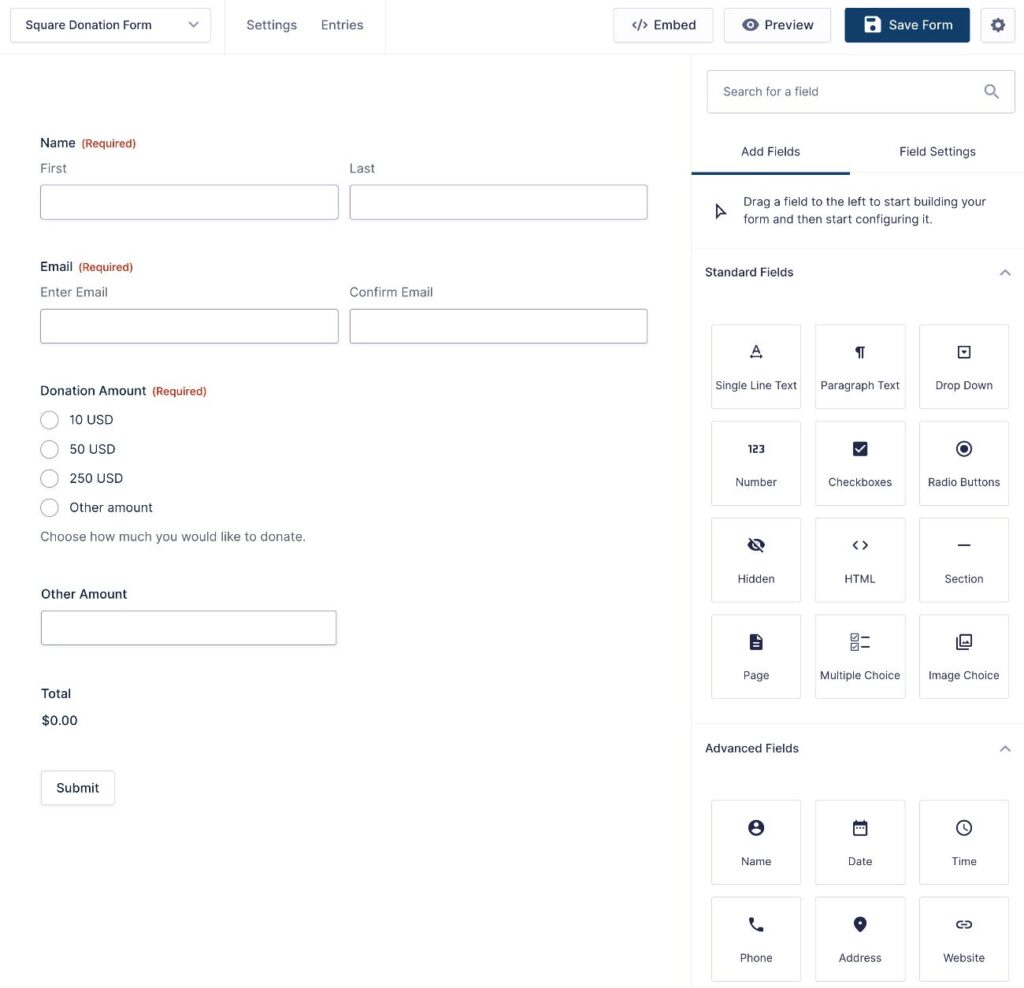
If you want to learn more and see Gravity Forms in action, we have a detailed guide on how to set up a WordPress donation form.
Dedicated integrations for other services (plus Zapier and webhooks support)
Gravity Forms also offers a broad selection of integrations that you can use to enhance your donation forms, along with any other forms that you create with Gravity Forms.
You can browse all of the integrations at this link, but here’s a quick summary of the different types of add-ons that you can access:
- Email marketing services – Connect to a variety of email marketing services including Mailchimp, ActiveCampaign, Brevo, Campaign Monitor, MailerLite, and many others.
- Customer relationship managers (CRMs) – Connect to popular CRMs including Salesforce, HubSpot, Agile CRM, and others.
- Communication – Connect to Twilio (send text messages to yourself and/or donors), Slack, and similar platforms.
- Google Analytics – Track form conversions and other events to monitor and optimize your donation forms.
- Anti-spam – Protect your forms with services like reCAPTCHA, Cloudflare Turnstile, and others.
- Email deliverability – Ensure that your form notification emails make it to donors’ inboxes by connecting to dedicated transactional email services like SendGrid, Mailgun, or Postmark.
- Others – you can access add-ons for Trello, Dropbox, Breeze, Help Scout, and other useful services.
In addition to offering a broader library of direct integrations, Gravity Forms also offers options to integrate with additional services beyond what’s directly offered:
- Zapier Add-On – Use this to connect your organization’s forms to any of the thousands of apps that Zapier supports.
- Webhooks Add-On – Set up your own custom integrations using webhooks, though this requires a little more technical knowledge to use.
In addition to just generally helping you build more effective forms, you can also use these integrations to add some of the donor management functionality that GiveWP offers.
For example, if you’re open to using a customer relationship manager (CRM) to manage your donors, you could sync donation details to your CRM. This could work with something like HubSpot’s or Salesforce’s nonprofit plans, both of which Gravity Forms offers direct integrations for.
A lot more than just donation forms
GiveWP focuses on donations and fundraising. However, nonprofits need to create other forms beyond just donation forms.
Another big benefit of switching to Gravity Forms is that you can also use it to create all of the other forms that your organization needs.
Examples can include:
- Contact forms
- Lead generation forms to grow your organization’s email lists
- Volunteer application forms
- Job application forms for paid employees
- Event registration forms, including fundraising event registration
- Internal process forms to help your organization optimize its internal workflows
- Forms for people or organizations to request help from your organization
- Etc.
Being able to manage all of your organization’s forms from one tool will simplify your tech stack, make it easier for your team to manage your forms, and likely save you money by eliminating the need to pay for a separate form tool.
More affordable pricing, including a dedicated Nonprofit license
Gravity Forms can also offer significant cost savings for a lot of nonprofits, especially for organizations that are currently paying for GiveWP’s current Pro ($399) or Elite ($599) licenses.
For registered nonprofit organizations, Gravity Forms offers a special Nonprofit license that gives you access to every single Gravity Forms add-on (along with Gravity SMTP) for just $129.
For $129, your organization can create unlimited donation forms, accept one-time and/or recurring donations, integrate with other services, and set up all of the other forms that your organization needs.
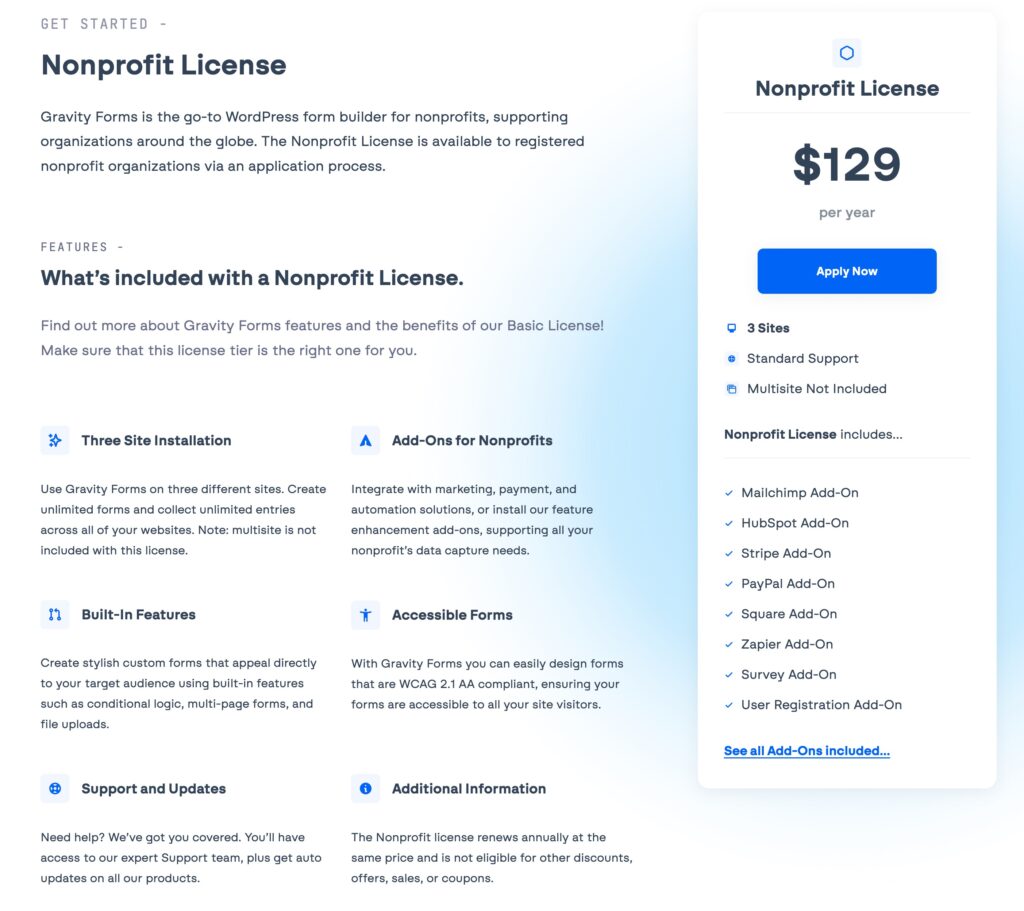
Even for other organizations that aren’t officially registered as nonprofits, Gravity Forms can also be more affordable than GiveWP.
You can already create flexible donation forms using the $159 Gravity Forms Pro license, while the Elite license gives you access to every single add-on for just $259.
Dedicated support from WordPress experts
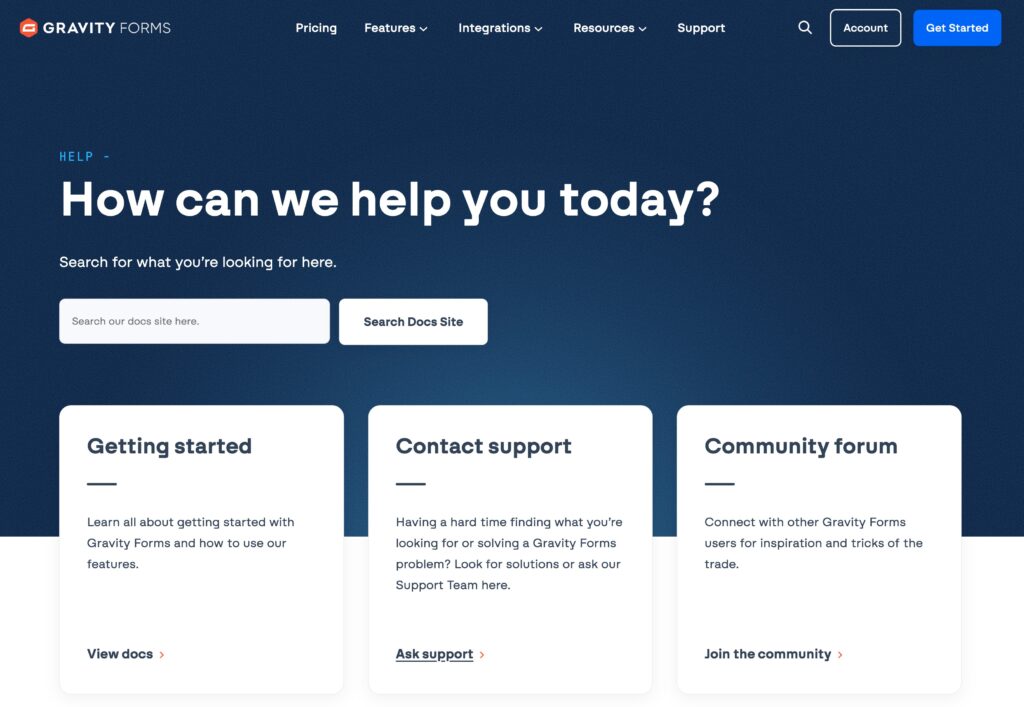
All Gravity Forms license holders get dedicated support from WordPress experts.
In addition to being able to contact support directly if you need help with your donation forms (or any other forms), you can also access plenty of other support resources.
Gravity Forms comes with detailed documentation for all of the core functionality and add-ons. There’s also a community support forum that lets you get help from the Gravity Forms community.
Useful tools beyond forms (Gravity SMTP and Gravity Flow)
In addition to the ability to create forms, the Gravity Forms ecosystem also offers some official tools that can be helpful for nonprofit organizations.
Gravity SMTP
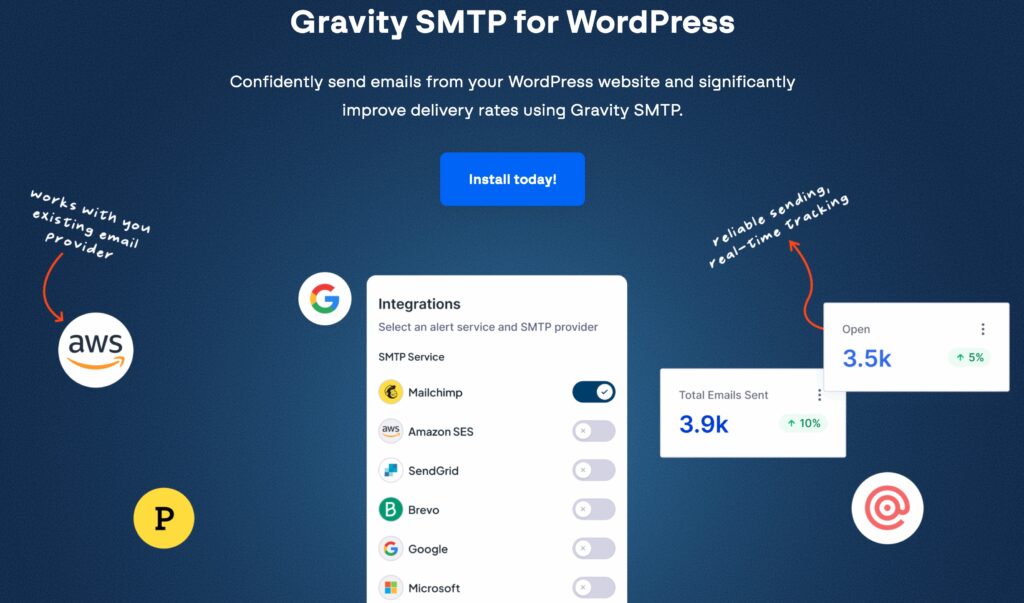
First off, the Gravity Forms Nonprofit license (and Elite license) include free access to the Gravity SMTP plugin.
Gravity SMTP lets you send all of your site’s transactional emails using your preferred service, while also offering additional features to help you monitor your organization’s transactional emails (such as email logging and open tracking).
You can learn more about it in our ultimate guide to Gravity SMTP.
Gravity Flow
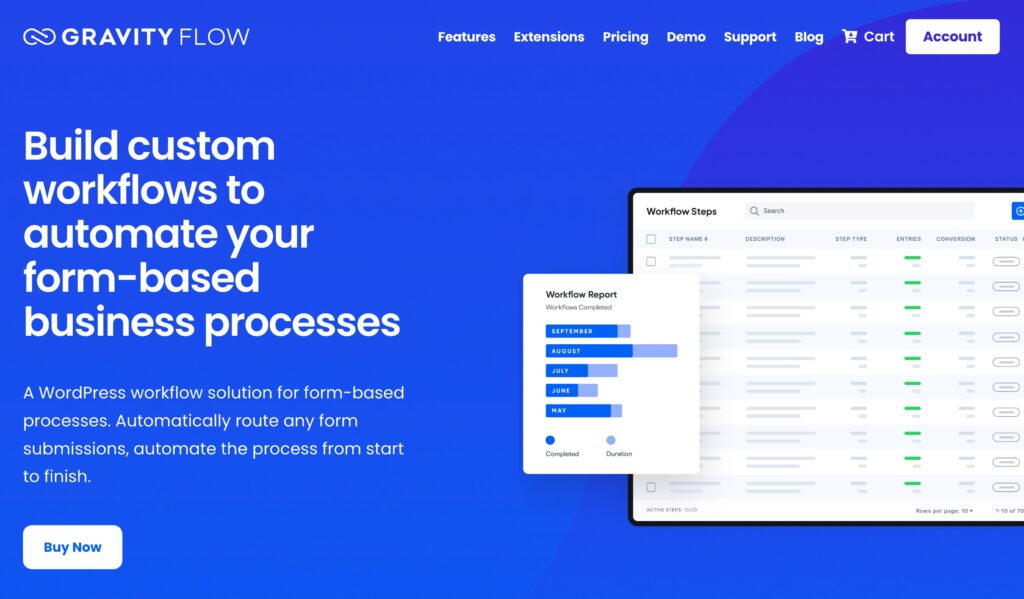
Gravity Flow lets you create workflow automations triggered by your forms, which can be really helpful for nonprofit organizations.
These workflows can include admin approvals, tasks, PDF generation, and lots more. In total, you can access over 40+ different action steps that you can include in your workflows.
For example, when someone makes a donation, you could automatically trigger a workflow that generates a PDF donation receipt for the donor, assigns a donation-related task to your admin team, etc.
While Gravity Flow comes from the same company behind Gravity Forms, it’s a separate purchase that starts at $99. You can learn more in our Gravity Flow overview.
An established, independent company with no private equity involvement
Launched in 2007, Gravity Forms has been around for almost two decades now. This track record should give you confidence in the longevity and reliability of using Gravity Forms for your organization’s donation forms.
Gravity Forms is also bootstrapped and has remained under the same ownership over those nearly two decades. Gravity Forms has never been acquired by an outside party and there’s no private equity involvement.
The latter means you won’t need to worry about how the motivations of a private equity firm might affect the plugin your organization relies on.
Huge marketplace of third-party add-ons
Everything that you’ve read so far is what you get with the core Gravity Forms plugin and official add-ons (or plugins from the same developer, in the case of Gravity SMTP and Gravity Flow).
However, another advantage that Gravity Forms has over GiveWP is the huge marketplace of third-party Gravity Forms add-ons.
These third-party add-ons come in two forms:
- Certified Add-Ons – While these add-ons come from third-party developers, they have still been certified by the Gravity Forms team.
- Community add-ons – These add-ons have not been certified by Gravity Forms. Many of them are still high-quality products, but we encourage you to do your own due diligence before installing them on your site.
You can use third-party add-ons in all kinds of useful ways, including adding new features to your forms, integrating with even more services, etc.
You can also find some community add-ons that are specifically tailored to nonprofits. For example, the Donorperfect add-on from GravityExtra offers a direct way to create donor records and record donations in Donorperfect when someone uses your Gravity Forms-powered donation form.
Move your organization to Gravity Forms today
If your organization is looking for a GiveWP alternative for WordPress, consider whether Gravity Forms can meet your needs.
Gravity Forms can help you create flexible donation forms for one-time and/or recurring donations, while also handling all of the other forms that your organization needs.
You can customize the form to your needs, integrate with other services that your organization relies on, and more.
You can also be confident that your forms are backed by an independent company that’s been a reliable business in the WordPress space for almost two decades, with no private equity involvement.
Registered nonprofits can access every single add-on for just $129 via the Gravity Forms Nonprofit license. Other organizations can get started by purchasing either the Pro ($159) or Elite ($259) licenses.
If you want to try everything before making your purchase, you can also create a free, fully functioning demo site here. It comes with access to every single official add-on and lets you fully test everything before committing.

Newsletter
If you want to keep up-to-date with what’s happening on the blog sign up for the Gravity Forms newsletter!
"*" indicates required fields