If your team regularly handles the same requests, approvals, handoffs, and follow-ups, there’s a good chance some of that work can be automated.
Workflow automation takes those repeatable tasks and moves them through a defined series of steps automatically. A form submission might trigger an approval, send a notification, assign work to the right person, or update a record without someone manually moving it along.
But it’s much easier to understand workflow automation when you see it in action. Below are 15 real-world workflow automation examples, including what triggers each one, how the workflow runs, and how you can build it in WordPress.
Workflow automation examples by industry
Every example here can be built in WordPress with Gravity Forms and Gravity Flow – no separate platform, no per-approver fee, no developer required for most of them.
HR and people operations workflows
Time-off and PTO requests
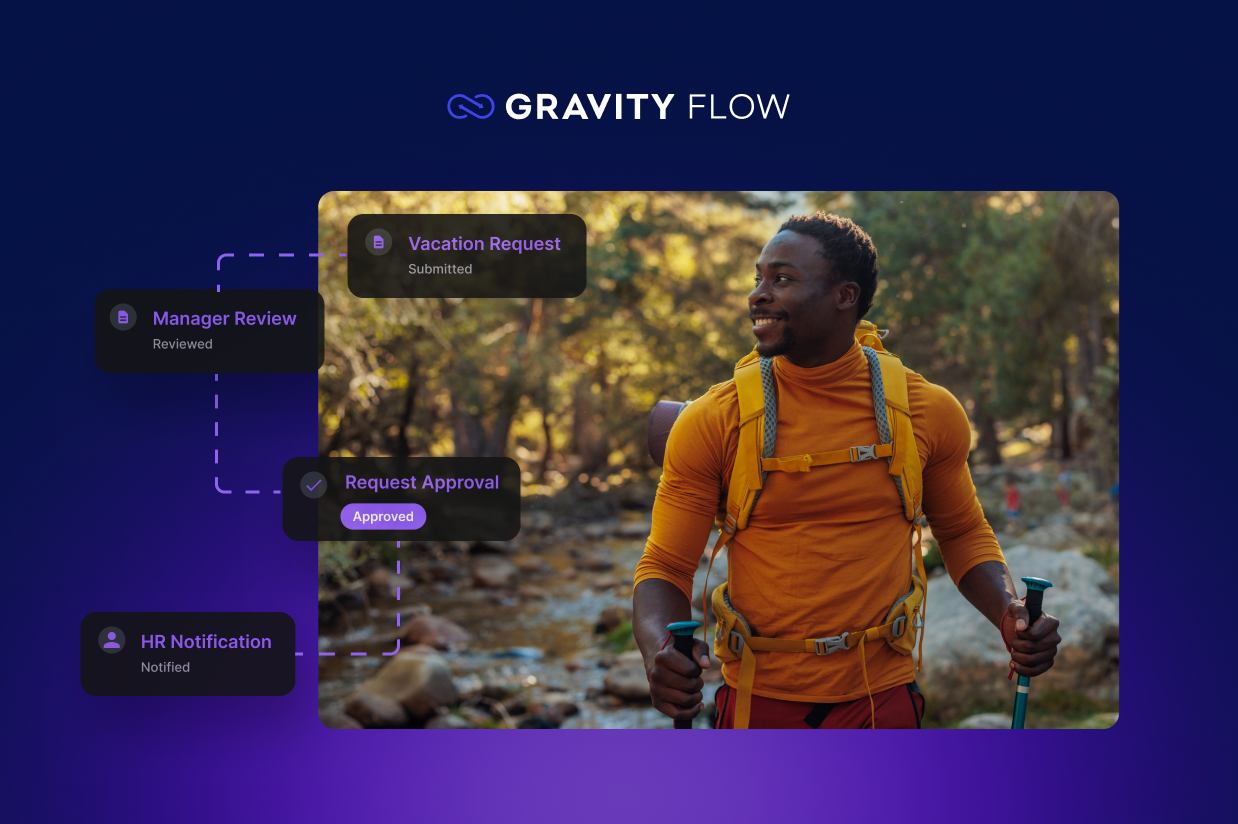
An employee fills out the time off request form. Gravity Flow routes the request to their manager for approval, which then notifies the employee and HR on a decision.No more time-off requests buried in a group chat.
Employee onboarding
HR or a hiring manager submits an employee onboarding form, triggering paperwork for the new hire and assigning tasks across HR, IT, and their manager, each one tracked to completion.
Expense reimbursement
An employee submits receipts and an amount. The request routes to their manager, then finance if it crosses a threshold, then triggers a payment task once approved. We covered this one in full, including the approval-threshold setup: how to build an expense reimbursement form with approval routing.
Finance and procurement workflows
Purchase request approval
Someone requests a purchase – a new monitor, a software subscription, a bulk supply order. The workflow routes it based on dollar amount: a manager can approve anything under $500, but a $3,000 request also needs a finance sign-off before a PO gets generated. To learn how, check out our article on how to build a purchase order form with multi-step approval.
Invoice and AP approval
An invoice comes in, gets logged through a form (or forwarded into one), and routes through one or two approvers depending on size before it’s marked ready for payment. The audit trail matters as much as the approval here – you want a timestamped record of who signed off on what.
Contract approval
Sales or legal submits a contract for review. The workflow can loop in legal first, then a department head, then route back to sales once it’s cleared – with every redline and comment attached to the same record instead of scattered across email threads.
Client and customer processes
Client onboarding and intake
A new client fills out an intake form, which triggers an internal handoff – project manager assigned, kickoff scheduled, contract routed for signature. Agencies get the most out of this one because it replaces the “who’s supposed to follow up?” gap between sales closing and delivery starting. Full walkthrough: how to build a client intake form that routes and assigns automatically.
Client approval and sign-off
A design proof, a draft deliverable, or a campaign asset goes to the client for approval. Instead of a “reply-all if this looks good” email, the client gets one link, and their decision – approve, request changes, reject – moves the project to its next stage automatically.
Membership or application review
A prospective member fills out an application. It routes to a review committee, collects their votes or comments, and only activates the membership once the workflow resolves – useful for associations, clubs, and any group that vets who gets in.
Content and marketing
Content approval workflow
A blog post, ad, or social caption gets submitted for review before it publishes. The workflow routes it to an editor, then legal or compliance if the content touches regulated claims, and only releases it once every reviewer has signed off – so nothing goes live on a “I thought someone else checked that” basis.
Operations, IT, and vendors
Internal request routing (IT, maintenance, supply)
One intake form handles requests that used to live in five different inboxes: a broken laptop, a facilities ticket, a supply order. The workflow reads the request type and routes it to the right team automatically, so nothing gets stuck waiting for someone to notice which inbox it landed in.
Vendor application and onboarding
A prospective vendor submits their info, insurance documentation, and references. The workflow routes it for internal review, collects the required paperwork, and only activates the vendor once every document clears – instead of procurement chasing down a W-9 for the third time by email.
Volunteer onboarding
A volunteer signs up, gets matched to a role based on what they submitted, and moves through background-check or orientation steps automatically, with a scheduled welcome sequence at the end. We walked through the full build here: how to build a volunteer onboarding workflow for your nonprofit.
Event or travel request approval
An employee requests approval to attend a conference or book travel. The workflow routes it to a manager, and – once approved – can kick off a separate booking or reimbursement-eligible task. Similarly to the time off request workflow we’ve written about.
Document or policy sign-off
A new policy, a compliance document, or an internal procedure needs acknowledgment from a list of people. The workflow tracks who’s signed and who hasn’t, and nags the stragglers automatically instead of someone manually checking a spreadsheet against an org chart.
What these examples have in common
Look past the department, and every one of these follows the same shape:
- A trigger: Something gets submitted – a request, an application, a piece of content.
- A route: The submission goes to the right person or team, sometimes based on conditions like amount or type.
- A record: Every decision gets logged, so nobody has to reconstruct what happened from memory or an email thread.
- A resolution: The workflow ends in a clear outcome – approved, rejected, published, activated – instead of trailing off unanswered.
If a process on your team follows that shape and currently runs through email, Slack, or a shared spreadsheet, it’s a workflow automation candidate.
Building these with Gravity Flow
All 15 examples start the same way: a Gravity Forms form collects the submission. From there, Gravity Flow adds the workflow steps – approvals, conditional routing, notifications, assignments – through a visual builder, without a separate system or login for the people approving requests.
Because it’s built on top of Gravity Forms, your team isn’t learning new software to submit a request, everything stays in WordPress, and approvers just get an email with a link to act on.
You don’t need to automate every process on this list to feel the difference. Pick the one costing your team the most time right now, and build it first.
Explore Gravity Flow for yourself in a free demo environment and see how quickly the first workflow comes together.
Frequently asked questions
What are some examples of workflow automation in WordPress?
Common workflow automation examples in WordPress include PTO requests, employee onboarding, expense approvals, purchase requests, client onboarding, content approvals, vendor applications, and document sign-offs. With Gravity Forms and Gravity Flow, these processes can be automated directly in WordPress with routing, approvals, notifications, assignments, and status tracking.
Can one tool really handle workflows this different from each other?
Yes, because the underlying pattern is the same across all of them – submit, route, decide, record – even though the department and the fields on the form change. Gravity Flow’s workflow steps are general-purpose enough to apply to HR, finance, content, or operations without switching tools.
How do I automate a workflow in WordPress with Gravity Forms?
Start by using Gravity Forms to collect the request, application, document, or other information that triggers your workflow. Gravity Flow then automates what happens after submission, including assigning tasks, routing entries to the right people, collecting approvals, sending notifications, and moving the entry through each workflow step.
Can I build approval workflows in WordPress without custom code?
Yes. Gravity Flow lets you create no-code approval workflows using Gravity Forms and a visual workflow builder. You can create single or multi-step approvals, assign requests to specific people, and use conditional routing to change the workflow based on form responses, such as a purchase amount or request type.
What business processes can I automate with Gravity Flow?
Gravity Flow can automate repeatable business processes across HR, finance, marketing, operations, client services, nonprofits, and other teams. Examples include employee onboarding, expense reimbursement, purchase approvals, client intake, content reviews, vendor onboarding, volunteer management, and internal request routing.
Can Gravity Flow automate workflows beyond approvals?
Yes. Gravity Flow can automate complete business workflows instead of stopping once something is approved. A Gravity Forms submission can trigger routing, assignments, notifications, additional information requests, and other workflow steps, giving the entire process a defined path inside WordPress.

Newsletter
If you want to keep up-to-date with what’s happening on the blog sign up for the Gravity Forms newsletter!
"*" indicates required fields