-
Gravity Connect: OpenAI
View Addon: Gravity Connect: OpenAIIntegrate Gravity Forms directly with OpenAI — and its latest models. Generate text, images, and audio via Gravity Forms. Access models like GPT-4, DALL·E, and Whisper directly from your forms. Bring images to life on the fly using DALL·E. Craft AI text using Gravity Forms fields and values. Use AI to analyze submitted entries, edit, rewrite, or automate content moderation. Convert speech to text transcripts…
-
Advanced Select
View Addon: Advanced SelectTurn massive lists into searchable, accessible fields. Advanced Select keeps any Drop Down, Multi Select, or Address field fast and searchable, whether it holds a dozen choices or even thousands. Here’s what you get: Populate massive datasets. Pair with Populate Anything to search, scroll, and load thousands of choices without slowing your form down. Display choice images. Pair with JetSloth’s Image Choices to turn a…
-
Gravity Geeks: PandaDoc
View Addon: Gravity Geeks: PandaDocGravity Geeks PandaDoc Integration Add-On Transform your Gravity Forms entries into legally-binding agreements and automated document workflows. The Gravity Geeks PandaDoc add-on connects your form submissions directly to PandaDoc templates—allowing you to dynamically set dynamic signers, and trigger signature requests automatically upon form submission. Key Integration Features Field Mapping: Effortlessly map standard Gravity Forms fields (Name, Email, Address, Custom Text, Dates) directly to PandaDoc documents/templates…
-
GravityActions: Bulk update Gravity Forms entries
View Addon: GravityActions: Bulk update Gravity Forms entriesGravityActions enables you to update hundreds of Gravity Forms entries at once, saving you hours of tedious manual work. You can also send bulk emails directly from Gravity Forms! Spend less time managing data, more time growing your business Manually updating entries one by one is time-consuming. With GravityActions, you can: ✅ Modify multiple entries at once with just a few clicks ✅ Ensure data…
-
Dynamic Lookup Field (free)
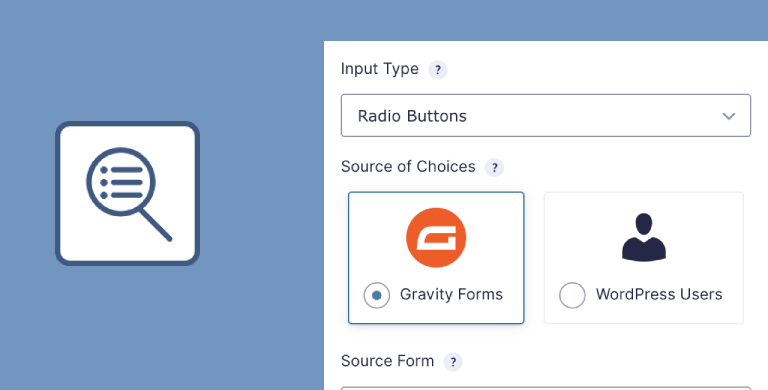
View Addon: Dynamic Lookup Field (free)Build smarter, more connected forms with Gravity Forms Dynamic Lookup. Dynamic Lookup adds a powerful new field type that enables you to dynamically populate field choices with: Gravity Forms Entries – Pull choices from any field in any form. WordPress Users – Display users dynamically, show the Display Name, Email, or User ID. Dynamically populate field choices with live data ✅Supports multiple input types (Drop…
-
GravityBoard: Visual workflow management
View Addon: GravityBoard: Visual workflow managementGravityBoard offers a visual workflow management system built on Gravity Forms, enabling you to track progress, boost productivity, and collaborate with your team. With GravityBoard you can create interactive, customizable kanban boards from your form entries. Think Trello-style task management right inside your WordPress site! Transform your data into smart kanban boards ➡️ Turn your form submissions into kanban cards ➡️ Organize and manage…
-
GravityEdit: Faster Entry Editing
View Addon: GravityEdit: Faster Entry EditingEdit Gravity Forms entries instantly—without reloading the page. GravityEdit lets you edit Gravity Forms submissions directly from the Entries screen. No need to open each entry individually. Save time and speed up your workflow Normally, updating an entry in Gravity Forms means clicking into the entry, modifying the fields, clicking “Update,” and going back to the Entries list. With GravityEdit, just click, edit, and save—it’s…
-
GravityExport Lite: Export entries to Excel (free)
View Addon: GravityExport Lite: Export entries to Excel (free)ℹ️ This is the free version of GravityExport, offering a limited set of features. Export your form data to Excel (.xlsx) using a secure download link. Create customized reports and share the URL with anyone who needs the data—no need to log in or create admin accounts for multiple users! Generate real-time Excel reports ✅ Reports update in real-time as you receive new entries ✅…
-
GravityImport: Import entries to Gravity Forms
View Addon: GravityImport: Import entries to Gravity FormsSeamlessly import entries into Gravity Forms from any CSV file. Just upload, map the columns, and let GravityImport do the rest—whether you’re migrating from WPForms, Ninja Forms, Formidable Forms, or another source. Smart field mapping & automation Easily map CSV columns to Gravity Forms fields, ensuring a smooth and accurate import process. Don’t have a form? GravityImport can auto-generate one based on your CSV structure.…
-
GravityMath: Advanced calculations for Gravity Forms
View Addon: GravityMath: Advanced calculations for Gravity FormsSupercharge your Gravity Forms data with advanced calculations. Whether you’re summing up responses, calculating averages, or building custom calculators, this add-on makes number-crunching easy—no coding required. Perform advanced calculations anywhere on your site With the [gravitymath] shortcode, you can embed dynamic calculations anywhere on your WordPress site. Display real-time data in confirmations, notifications, widgets, posts, and more! 🧮 Automate calculations on Gravity Forms submissions 📄…
-
GravityMigrate: Migrate Gravity Forms data
View Addon: GravityMigrate: Migrate Gravity Forms dataEffortlessly migrate Gravity Forms data between websites. Seamlessly move your entire Gravity Forms setup—from forms and entries to Views, feeds, and workflows—with a few simple clicks. Whether you’re switching domains, moving from staging to production, or backing up critical data, GravityMigrate makes it simple. Migrate Gravity Forms data the easy way Easily transfer all of your Gravity Forms data in one go! GravityMigrate ensures a…
-
GravityView: Display Gravity Forms Entries
View Addon: GravityView: Display Gravity Forms EntriesThe app builder for Gravity Forms! GravityView takes the power and versatility of Gravity Forms and adds a customizable front-end interface on top. Now you have a complete solution for building versatile web apps and information systems on WordPress. No CPTs or code required. Powering over 60,000 websites and counting! 🚀 “GravityKit is absolutely an essential plugin for our business. It gives us the ability…