-
Advanced Data Tables for Gravity Forms
View Addon: Advanced Data Tables for Gravity FormsAdvanced Data Tables (TableCrafter) turns your Gravity Forms entries into responsive, interactive data tables on the front end. It is built for customer portals, business dashboards, team collaboration, event and registration management, and inventory tracking. Free (WordPress.org): up to 3 tables, 8 columns, and 500 entries per table, with sorting, pagination, basic filtering, and a fully responsive design. Pro: unlimited tables, columns, and entries, plus:…
-
Krebit Sign for Gravity Forms
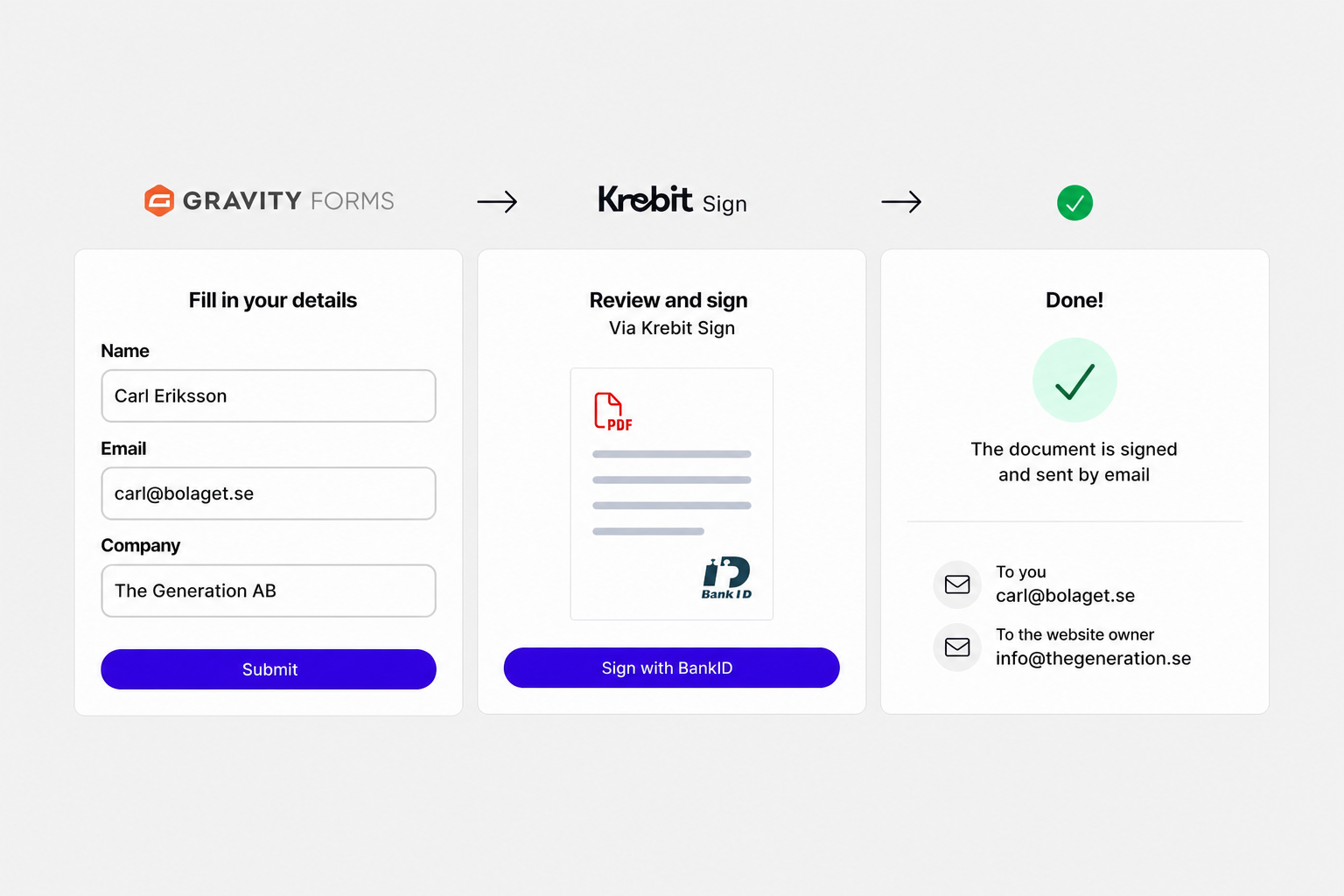
View Addon: Krebit Sign for Gravity FormsThis add-on connects Gravity Forms with Krebit Sign, allowing visitors to complete a form on a WordPress website and sign the submitted information with Swedish BankID. The form data is transferred to Krebit Sign, generated as a signable PDF, and sent to both the visitor and the website owner after signing.
-
Gravity Forms Advanced Conditional Logic
View Addon: Gravity Forms Advanced Conditional LogicRidiculously powerful conditional logic. Turn Gravity Forms conditional logic into a full rules engine. Advanced Conditional Logic lets you build complex workflows without custom code, controlling fields, pages, confirmations, notifications, submit buttons, feeds & integrations based on form data, user data, entry meta, formulas, date/time rules, and more. Rule groups – Stack multiple Any/All groups with logic both inside and between them. Date and time…
-
Siren Affiliates
View Addon: Siren AffiliatesSiren’s Gravity Forms integration lets you turn any form into a commission-tracking touchpoint. Forms without product fields automatically track leads for the referring collaborator. Forms with product fields trigger sale events and calculate commissions. You can also create Gravity Forms feeds that register new collaborators into your programs, assign specific products to specific collaborators from the form editor, and use custom merge tags in notification…
-
Free Plugin: Autogrow
View Addon: Free Plugin: AutogrowGive text fields room to grow, without overwhelming your forms. Gravity Forms Autogrow is a free plugin that automatically resizes Paragraph Text fields as you type, up to a height that you control. Great for support forms, applications, surveys, testimonials, intake forms, and anywhere users need room to write. Features Automatically expands textarea fields as users type Works with standard Paragraph Text and Rich Text…
-
Ultimate Affiliate Pro – Gravity Forms Tracking
View Addon: Ultimate Affiliate Pro – Gravity Forms TrackingUltimate Affiliate Pro adds affiliate referral tracking to your Gravity Forms. When a referred visitor submits any of your forms, the plugin attributes the submission to the correct affiliate and records a commission — a flat fee you define independently for each form. A consultation request form can pay affiliates $30 per lead while a webinar registration pays $5 per sign-up — and internal forms…
-
Leaflet Maps for Gravity Forms
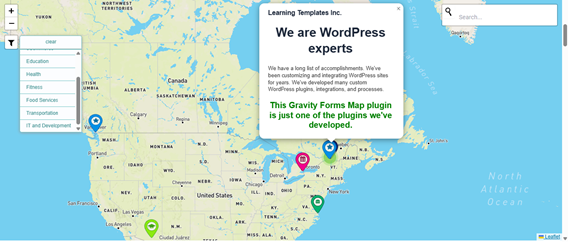
View Addon: Leaflet Maps for Gravity FormsUse Gravity Forms to let users create locations using the free Leaflet Maps. Display an unlimited number of maps controlled by any number of Gravity Forms anywhere in your site.
-
Form Data Vault
View Addon: Form Data VaultForm Data Vault automatically captures every Gravity Forms submission — including all field types, file uploads, and premium add-on data — and archives it into a secure, searchable cloud vault. No per-form configuration. No lost entries. No compliance gaps. What it does: Automatic capture — Intercepts submissions from every form on your site the moment the plugin is activated. New forms are captured immediately with no…
-
Product Table for Gravity Forms
View Addon: Product Table for Gravity FormsProduct Table transforms Gravity Forms product fields into a clean, visual order table with images, descriptions, and interactive quantity controls. Gravity Forms already handles products, payments, and order management. Product Table adds the visual layer—customers see exactly what they’re ordering, subtotals update as they shop, and the experience feels modern and intuitive. Behind the scenes, everything flows through Gravity Forms exactly as it should. Features…
-
Gravity Forms Sliders
View Addon: Gravity Forms SlidersInteractive, draggable sliders for Gravity Forms with full support for ranges and calculations. GP Sliders adds smooth, customizable sliders to Gravity Forms, giving users a more natural way to input values — and has full compatibility with existing Gravity Forms features. Replace plain number inputs with sliders Choose numeric scales or custom labeled steps Set precise min, max, and step values Capture range sliders with…
-
Dev Tools: Free Plugin
View Addon: Dev Tools: Free PluginMake building, testing, and debugging in Gravity Forms fast, easy, and… fun? Gravity Forms Dev Tools consolidates the utilities you reach for when you’re building or troubleshooting forms: preview tools, debugging visibility, test data generation, and workflow shortcuts, packed into one plugin. What can you do with Dev Tools? Preview your forms styled on the frontend with advanced testing controls Jump to any form or…
-
Gravity Forms Form Notices
View Addon: Gravity Forms Form NoticesDisplay scheduled messages above your Gravity Forms — automatically and without code. Gravity Forms Form Notices is a free plugin that lets you create time-based announcements that appear above your forms only when they’re relevant. Ideal for holiday closures, promotions, deadlines, events, and temporary notices. Features: Scheduled notices — Show messages within specific date ranges. Advance announcements — Display notices days or weeks before an…