Written by the editorial team at WPdirectdebit…
Credit and Debit cards expire, get lost and quietly fail. Reinstating payments is not always successful, and in any case takes time out of your day. Direct bank payments are different. That’s one reason why more and more organizations are switching their recurring payments to Direct Debit with WPdirectdebit and GoCardless, a route we covered in an earlier guide to taking bank debit payments with GoCardless and Gravity Forms.
Version 4 of WPdirectdebit is about making that route easier. You can build a recurring payment form in a few clicks, and the new enhanced dashboard inside WordPress is where you can manage your payouts, customers and subscriptions, so you no longer need to log in to GoCardless to see how things are going, and update your payments and customer data.
Note: The WPdirectdebit Add-On for Gravity Forms is a third-party solution. Gravity Forms does not offer support for this platform, nor is this article intended to be a Gravity Forms endorsement of this platform, its developers, or quality of support. As always, we recommend you extensively evaluate all solutions to ensure their suitability for your purpose.
What is WPdirectdebit?
WPdirectdebit is a WordPress plugin that connects Gravity Forms to GoCardless. It is designed for the people who actually run the money side of an organization, such as treasurers, membership secretaries and fundraising volunteers, not just developers.
You can use it to take:
- Recurring Bank Debit payments for donations, membership fees and subscriptions, as an alternative to card payments.
- Instant one-off payments with Instant Bank Pay in the UK and Germany, and PayTo in Australia.
- One-off Bank Debit payments for customers outside those countries.
Because it is built on Gravity Forms, it plays nicely with the Gravity Forms extensions you already use.
Build a recurring payment in minutes
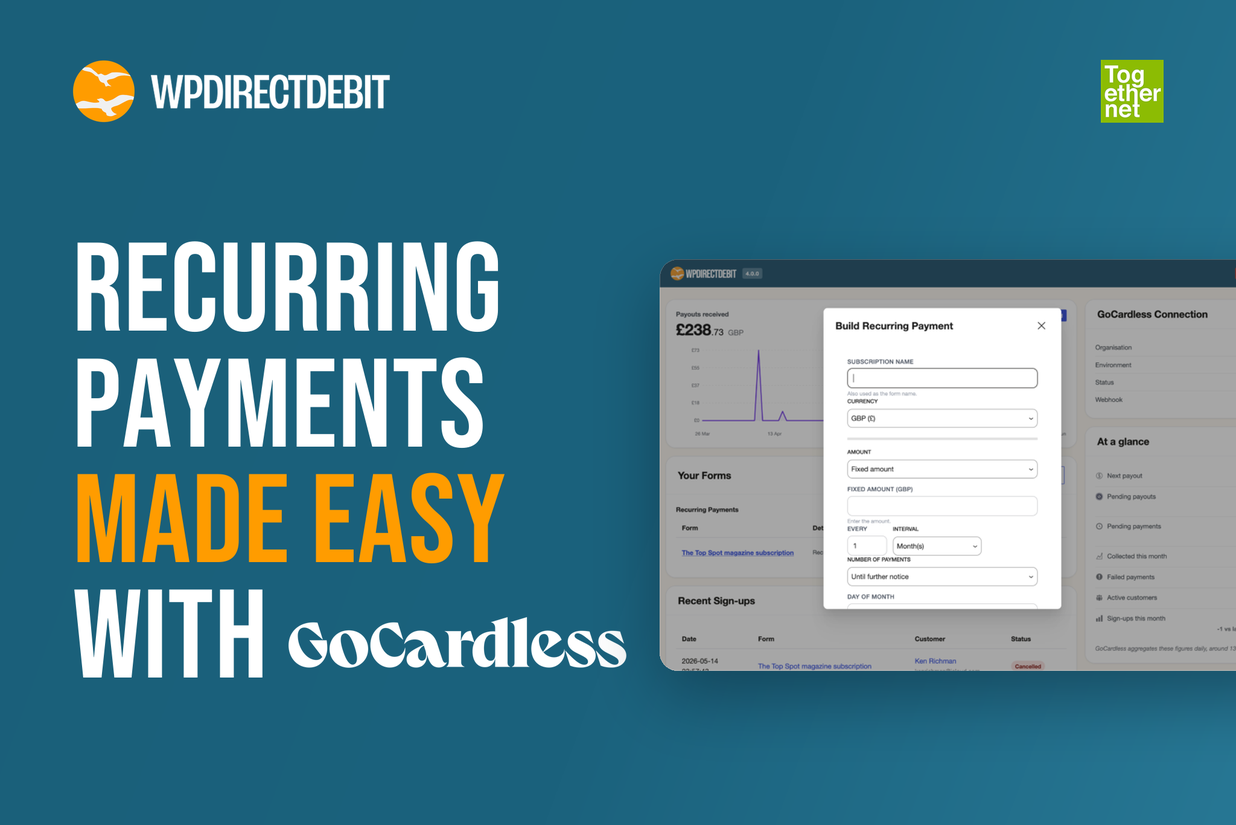
The Build a Recurring Payment tool in version 4 walks you through the setup step by step. You choose the options, and WPdirectdebit creates the form for you. You can set:
- the name and currency
- a fixed or flexible amount, which suits donations where supporters choose how much to give
- the frequency, such as monthly or annually
- whether payments run indefinitely or for a fixed term, such as a 12-month membership
- the day of the month the payment is collected
The form also optionally captures customer details, a Gift Aid declaration and acceptance of your terms and conditions, and it drafts the notification emails for you. Once saved, you can embed the form anywhere on your site.
Membership sites get extra flexibility. You can combine a joining fee with a regular payment, offer a choice of payment options and intervals, add free trials and send automated emails.
Not everyone starts from your website, so you can also create payment links and QR codes to share. Put a QR code on a leaflet, a poster or an event badge, and people can set up their Direct Debit from their phone.
Your GoCardless account, inside WordPress
Perhaps the biggest change in version 4 is to the dashboard. It connects securely to GoCardless and brings the information you check most often into your WordPress admin.
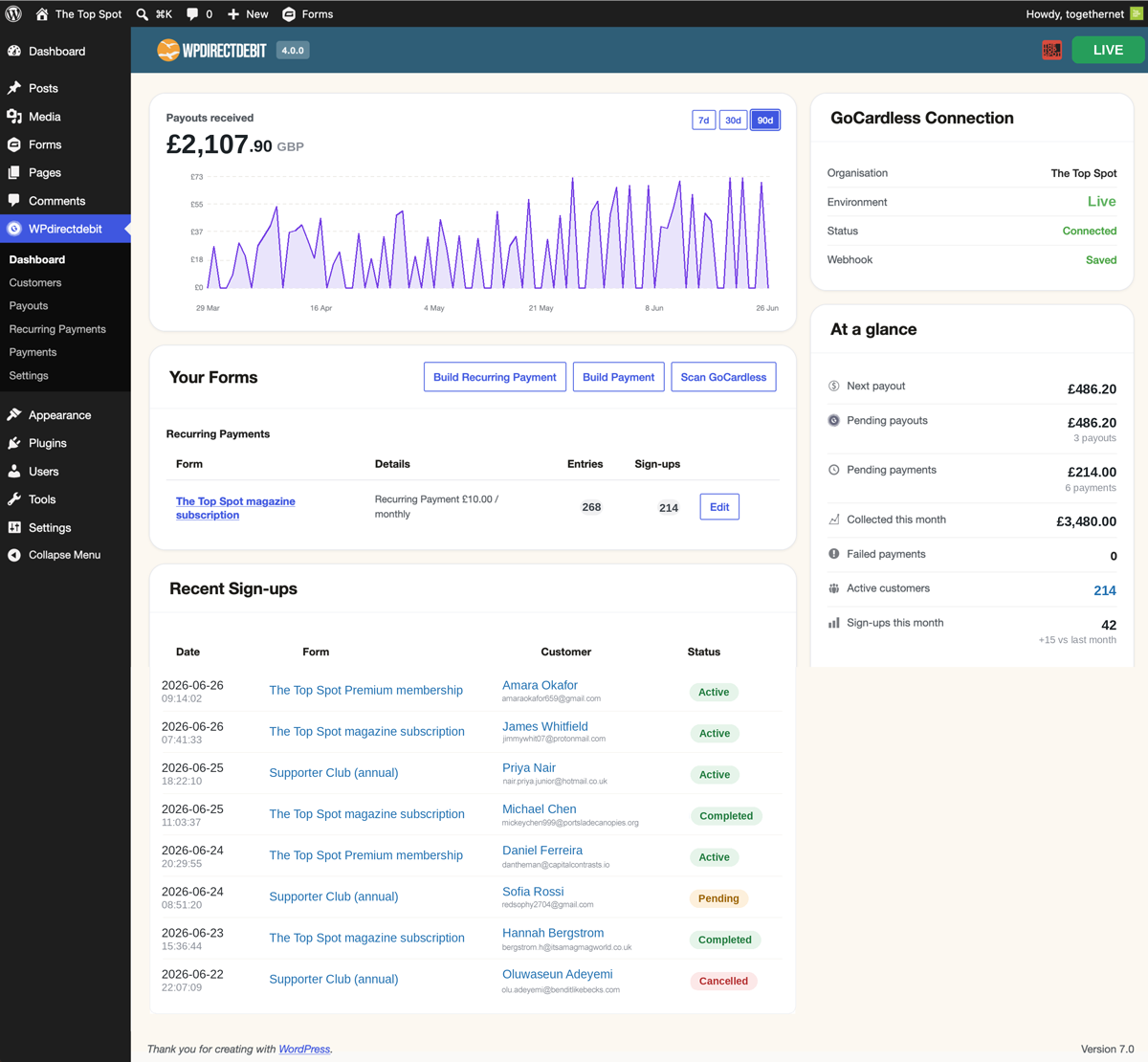
The main dashboard puts payouts received, pending payments, active customers and recent sign-ups on one screen. It tracks what you have collected this month and flags failed payments, then links through to the detail behind each number.
Behind it sit four more screens:
- Customers – Everyone who has set up a payment or Direct Debit, with contact details, mandate status and sign-up date. Filter by mandate status, including lapsed mandates, search, export the list or click a name to open the full record.
- Payouts – Every GoCardless payout is logged automatically with its arrival date, amount and fees. Filter by date range or status, and export a breakdown with reference numbers to match against your bank feed.
- Payments – Each payment with its customer, description, amount and status. Search by name, filter by date range or status, and issue refunds from the same screen for any payments WPdirectdebit created.
- Recurring payments – Subscriptions and memberships with their amount, frequency and status. Pause, cancel or edit a plan in one click, or bulk edit subscriptions by a percentage, a fixed amount or a new value. This works for plans WPdirectdebit created.
If you run a membership or a charity, a price change or a lapsed mandate is no longer a job that waits until someone has time to dig through GoCardless.
Who WPdirectdebit suits
WPdirectebit is perfect for:
- Charities and fundraisers collecting regular gifts, with variable amounts and a Gift Aid declaration built into the form.
- Clubs and membership organizations charging a joining fee plus a regular fee, including fixed-term memberships.
- Businesses selling subscriptions or services that want recurring revenue from customers without storing cards.
Try version 4 free for 30 days
You can start a free 30-day trial of WPdirectdebit and have your first recurring payment form live the same day.
Don’t have Gravity Forms yet? Get your Gravity Forms license and start taking Direct Debit payments from your own forms.

Newsletter
If you want to keep up-to-date with what’s happening on the blog sign up for the Gravity Forms newsletter!
"*" indicates required fields