If you’ve ever run a call for speakers, you know the second-week feeling: the inbox bloat, the spreadsheet that’s quietly become the source of truth, the reviewer who hasn’t looked at their assigned proposals. Then someone asks “did we get back to that person?” and the entire afternoon goes into reconstructing where each proposal is in the process.
This post is about event speaker management – proposal collection, panel review, and accept/reject communications – without losing your mind, using Gravity Forms, Gravity Flow, and Gravity SMTP. It’s written for the kind of conference most readers of this blog will recognize: a 200-500 attendee professional event, run by a small ops team who are doing this alongside their other jobs.
A note upfront: there are dedicated tools for this (Sessionize is the obvious one for tech and community events, free for genuinely free conferences, paid for commercial ones). They’re good. If you’re running an academic conference with hundreds of abstract submissions and formal peer review, use OpenWater or one of the academic-focused platforms.
The Gravity stack is the right answer when your conference site is already on WordPress and you want the speaker workflow living there too – proposals stored in your own database, reviewers logging into your own site, accepted speakers feeding into your existing schedule and bio pages.
It’s also the right answer when “free for community events” doesn’t match your event’s status but the commercial tier of a dedicated tool is more than the rest of your conference budget combined.
What good event speaker management actually looks like
Before getting into the build, it’s worth being clear about what the workflow needs to do:
- Collect proposals through a public form, with enough structure that reviewers can compare them apples-to-apples
- Route each proposal to the right reviewers (often 2-3 per proposal) and let them score and comment
- Aggregate scores and surface the proposals that need a decision – the clear yeses, the clear nos, and the borderline ones that need a conversation
- Send accept and reject emails that don’t sound like they were sent by a robot
- Move accepted speakers into the next stage (slot assignment, bio collection, slides, travel) without making everyone start a new process
The trap most teams fall into is that step 1 happens in a form, steps 2-4 happen in a spreadsheet and email, and step 5 happens in someone’s head. The point of the workflow below is to keep the whole thing inside one system, with one source of truth.
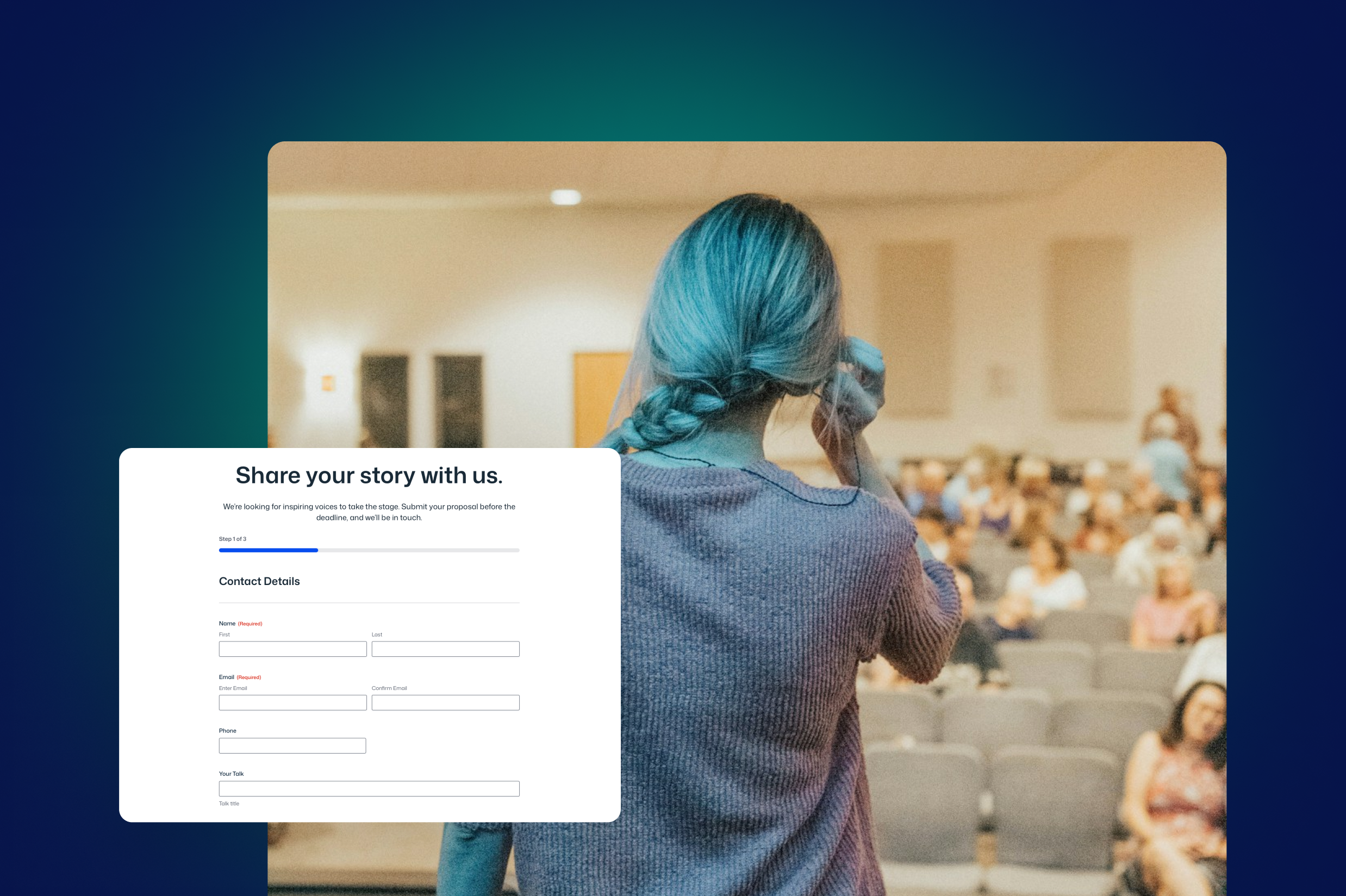
The submission form (Gravity Forms)
The submission form is where the data quality gets set for the entire process. If the form is sloppy, no amount of clever review process downstream will rescue it. A few specifics that matter:
Fields that prevent reviewer pain
Title, abstract (with a character limit – 1,500-2,000 characters is the sweet spot, long enough to convey the talk, short enough that reviewers will actually read all of them), session format (talk, workshop, panel, lightning), session length, target audience, prerequisites if any.
Add a “what will the audience leave knowing or able to do?” field – this single question separates good proposals from bad ones faster than anything else.
Conditional logic for special cases
If “workshop” is selected, show the equipment requirements field. If “panel” is selected, show the co-panelist fields. If first-time speaker, show the optional mentorship-request field. The form gets shorter for everyone except the people who genuinely need the extra fields.
A consent field about how the proposal will be reviewed
“We use a panel of three reviewers per proposal. Reviews are blind to speaker identity in the first round.” This is good practice and increasingly expected by speakers, particularly first-time and underrepresented ones.
An honest acknowledgment of timing
“You’ll hear back from us by [date].” Then make sure the workflow actually delivers on that. Nothing damages a conference’s reputation faster than ghosting speakers who took the time to submit.
A small but important detail: Your speaker data lives in your own WordPress database, which matters for two reasons. First, you can query, segment, and export data however you want without going through someone else’s dashboard.
Second, post-GDPR, you’re not sharing speaker personal data with a third-party processor unless you actively choose to.
The review workflow (Gravity Flow)
This is where Flow earns its keep. A submitted proposal needs to fan out to multiple reviewers, collect their scores and comments, aggregate the result, and surface a decision-ready summary to the program chair. None of that is possible in a normal form plugin.
The structure looks roughly like this:
Step 1 – Triage. Program chair (or whoever owns the call) does a quick first-pass check: is the proposal in scope, is it complete, is it from a real human and not a vendor pitch dressed up as a session? Out-of-scope or spammy proposals get rejected here before they consume reviewer time. Everything else moves forward.
Step 2 – Reviewer assignment. Flow assigns the proposal to 2-3 reviewers, ideally based on track or topic if your conference has them. You can do this manually for the first year and automate it once you know your reviewer pool. Each reviewer gets a notification (email, or via Slack if your reviewers live there) with a link to score and comment on the proposal.
Step 3 – Reviewer scoring. Reviewers use a User Input step to score on whatever criteria you’ve decided matter – typically relevance, originality, clarity, and speaker credibility, each on a 1-5 scale, plus free-text comments. Keep the reviewer form spare; the more fields you add, the more reviews get abandoned halfway.
For multi-reviewer setups, the simplest approach is to add separate score fields per reviewer (Reviewer 1 Relevance, Reviewer 2 Relevance, etc.) and configure each reviewer’s User Input step so only their own fields are editable.
Calculation fields can then average across the scores. If you’re running at a scale where reviewer counts vary or you want a cleaner data model, Gravity Flow’s Form Connector Add-On lets each review become its own entry – worth knowing it exists, not worth jumping to until you need it.
Step 4 – Aggregation. Once the reviews are in, a calculation field can average the scores, and the program chair makes the call from the entry list. You can get more elaborate – auto-routing the proposal based on the score average, with clear yeses going one way and borderlines flagged for panel discussion – but that takes extra setup. For a first-year call, the simple version is fine: collect, surface the average, decide. Automate later once you know your patterns.
Step 5 – Final decision. Program chair reviews the aggregated output and confirms accept/reject. This is where the human judgment happens; the workflow’s job is to surface the right proposals for that judgment, not to make it for you.
Step 6 – Communication. The workflow triggers the appropriate email (more on this in the SMTP section below) and updates the proposal’s status. Accepted speakers move into the next workflow (bio collection, slot assignment, etc.); rejected speakers receive their email and the entry is closed.
A note on where reviewers actually do the reviewing: it’s all inside your own WordPress site. Reviewers log into the dashboard (or a front-end inbox page if you’d rather not give them admin access) and see only the proposals assigned to them.
They use their existing WordPress account – you’re not creating a parallel user system or sending them to a third-party tool. Roles control who sees what: reviewers see proposals to score, the program chair sees aggregated results, the rest of your team sees nothing unless you want them to.
This is the real reason a WordPress-native workflow matters: you’re using the user system your site already has.
A few practical notes from teams who’ve done this:
- Set a realistic deadline per reviewer per proposal. A week is normal; less is unrealistic for volunteers.
- Build in a nudge step. If a reviewer hasn’t scored 48 hours before deadline, Flow sends a reminder. This sounds obvious; the number of teams who don’t do it is high.
- Decide your conflict-of-interest policy and bake it into the workflow. If a reviewer knows the speaker, they should be able to flag and reassign without it being awkward.
Accept and reject emails (Gravity SMTP)
The communications step is where most calls for speakers quietly fail. The accept emails go out fine. The reject emails either don’t go out at all (because someone meant to do them last week and forgot), or they go out as a generic “thanks for submitting” template that makes the recipient feel like they were filtered by a bot.
Two things to get right:
Deliverability
Speaker submission rejection emails are exactly the kind of message that lands in spam if your WordPress site is sending mail through PHP’s default mailer.
Gravity SMTP routes the mail through a proper transactional service (SendGrid, Mailgun, Postmark, Amazon SES – whichever you prefer), gives you delivery logs, and means the messages actually arrive.
Without this, you’ll have rejected speakers wondering why they never heard back, and accepted speakers missing the email that tells them they got in.
Tone
Reject emails should be human, brief, and not falsely consoling. Something like:
Hi [name],
Thank you for submitting “[proposal title]” to [conference]. We had [X] proposals this year and could only accept around [Y]. Yours wasn’t one of them — not because it lacked merit, but because the reviewers had to make some hard calls.
If you’d like, our reviewers’ feedback on your proposal is at the bottom of this email. We share it because we think it’s useful, not because we expect you to do anything with it.
We hope you’ll submit again next year.
Three things this does that most reject emails don’t: it’s honest about the volume problem, it offers reviewer feedback (which most conferences don’t bother to do, and which is a real differentiator), and it doesn’t pretend the rejection is a victory in disguise.
Accept emails should be specific, warm, and actionable: what they got accepted for, what the next steps are, what the deadlines are, who to contact. If the speaker has work to do (submit a final bio, send slides by a date, confirm travel), name it clearly here rather than scattering it across five emails over the next month.
Connecting back to your conference site
One advantage of running this on WordPress that’s easy to miss: accepted speakers feed back into your conference website with very little extra work.
Gravity Forms can create WordPress posts or pages from form entries, so an accepted proposal can become a draft session page on your conference site, ready for the team to publish once the schedule’s locked. Speaker bios, headshots, and social links all populate from the original submission.
If your schedule lives in WordPress (most conferences built on WordPress have it as a custom post type or a page), the accepted speakers slot into it directly. The thing you’re already maintaining for the public-facing site is the same data the workflow is producing.
What this stack doesn’t natively integrate with
Worth being upfront about a couple of things:
Gravity Forms doesn’t have native integrations with Google Calendar, Google Sheets, or Airtable. If you want accepted-speaker data piped into a master spreadsheet for slot scheduling, or sessions auto-created in a calendar as you confirm them, you’ll need Zapier (or a similar service like Make or n8n) sitting between Gravity Forms and the destination tool.
This is a fine setup – Zapier is fast to wire up and reliable for this kind of one-direction data flow – but it’s worth building in from the start rather than discovering it later.
If your conference uses a dedicated scheduling or attendee tool (Sched, Eventbrite, Hopin), the Zapier connection lets the workflow feed those tools too. Accepted speakers go into the schedule; rejected speakers don’t, and you only need to do the work once.
What this doesn’t solve
A few honest limits – and a couple of places where the workflow can be extended if you want it to:
- Speaker travel and accommodation, by default. The workflow as described gets you to “speaker accepted” and stops. But you can extend the Flow workflow into a travel-and-accommodation stage: a follow-up form for accepted speakers to submit travel preferences, conditional logic for international vs. domestic, an approval step for whoever signs off on travel budgets, and notifications to whoever does the booking. It’s the same pattern as the review workflow, just continued past the accept stage. Whether it’s worth doing depends on how many speakers you’re handling – for ten speakers a year, a spreadsheet might be faster; for fifty, the workflow pays back quickly.
- Honoraria and payment processing. Same story. Gravity Forms has Stripe, PayPal, Square, and Mollie Add-Ons, so the same form can collect bank or invoicing details from accepted speakers and route them into an approval workflow before payment goes out. If your honoraria are fixed amounts, you can pre-fill them; if they vary, the program chair confirms the figure as a Flow step. Whether you want speaker payments running through your conference website is a finance and accounting decision rather than a technical one – but the technical capability is there if you want it.
- Live schedule changes during the event. Once the conference is running, the speed of decision-making moves to Slack, WhatsApp, and a clipboard. No form-based workflow keeps up with “the 2pm speaker just cancelled.”
- Bias in review. Anonymous review reduces some kinds of bias but doesn’t eliminate them. The workflow can enforce process; it can’t replace a thoughtful program committee.
- Volume at scale. Past a few hundred submissions, dedicated tools start to earn their cost. Below that, the Gravity stack is the better answer.
Getting started
If you’re running a call for speakers in the next six months and want to use this approach:
- Build the submission form first. Get one or two trusted speakers to test-submit before you open it publicly. They’ll spot the field that’s confusing or the mandatory question that shouldn’t be.
- Build the Flow workflow with one reviewer first. Test the full path – submit, review, accept/reject, email – with dummy data. The first time you do this, something will be wrong, and finding it with a dummy proposal is much better than finding it with someone’s real submission.
- Set up Gravity SMTP before opening the call. If your reject emails land in spam, you’ll find out months after the damage is done.
- Write the accept and reject email templates before opening the call, not after the deadline. Past-you with three weeks of decisions still to make won’t have time to find the right tone.
The work pays off in the second year, when the form, the workflow, and the templates are all there ready and the only job is updating the dates. By year three it’ll be one of the calmer parts of running the conference, which is the real bar to aim for.

Newsletter
If you want to keep up-to-date with what’s happening on the blog sign up for the Gravity Forms newsletter!
"*" indicates required fields