
Autocomplete Addresses — Then See Distance, Travel Time, and Routes
- Autocomplete addresses as users type. Google-powered suggestions fill in the complete Address field.
- Map addresses and routes. Show an address on an interactive map or draw a route between two addresses.
- Calculate distance and travel time. Choose two addresses as the origin and destination for each Travel Estimate.
- Put travel estimates to work. Use distance and travel time in calculations, conditional logic, notifications, confirmations, and feeds.
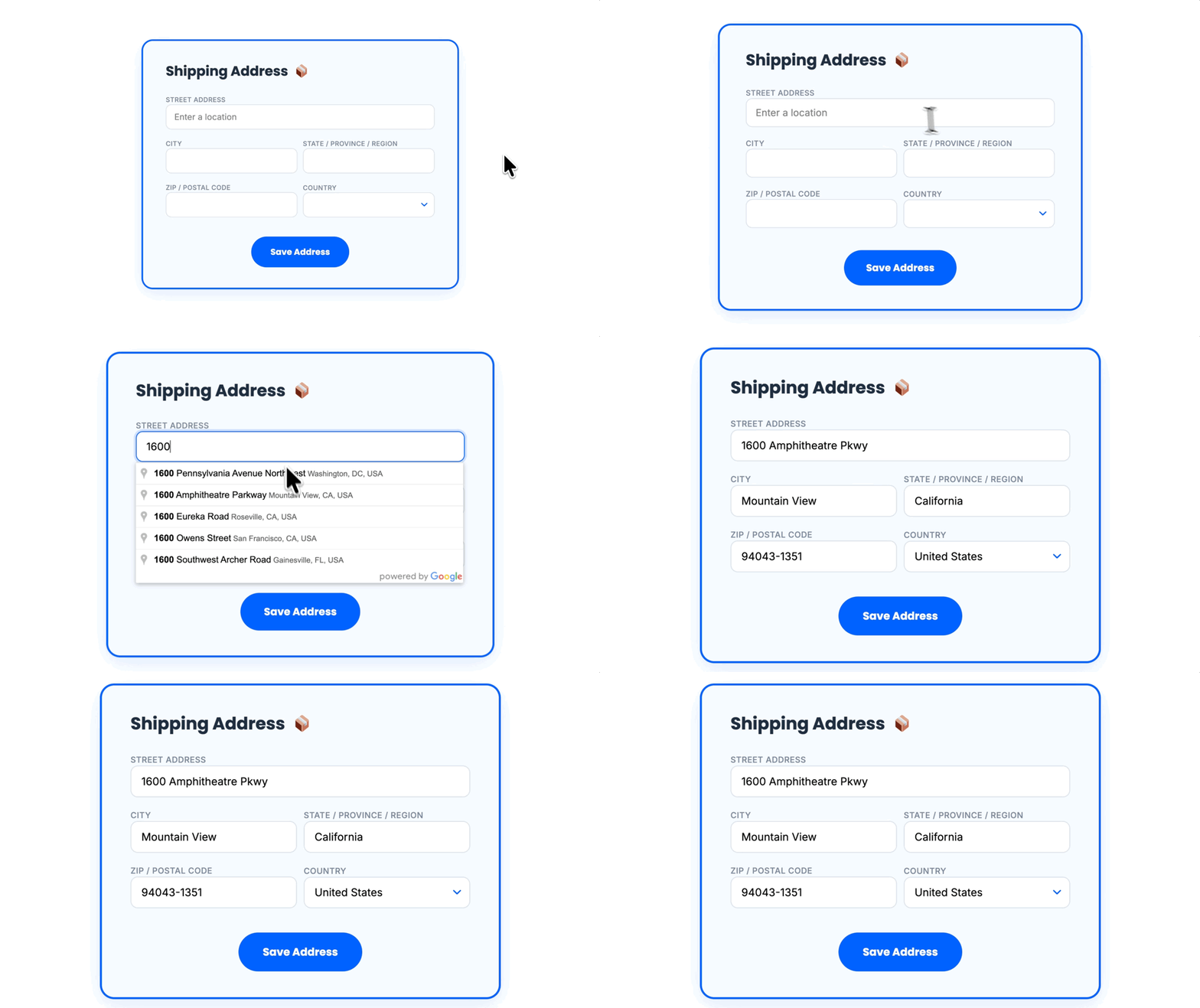
Autocomplete a Full Address as You Type
Type at least three characters, choose a suggestion, and Address Autocomplete fills in the rest of the Address field.
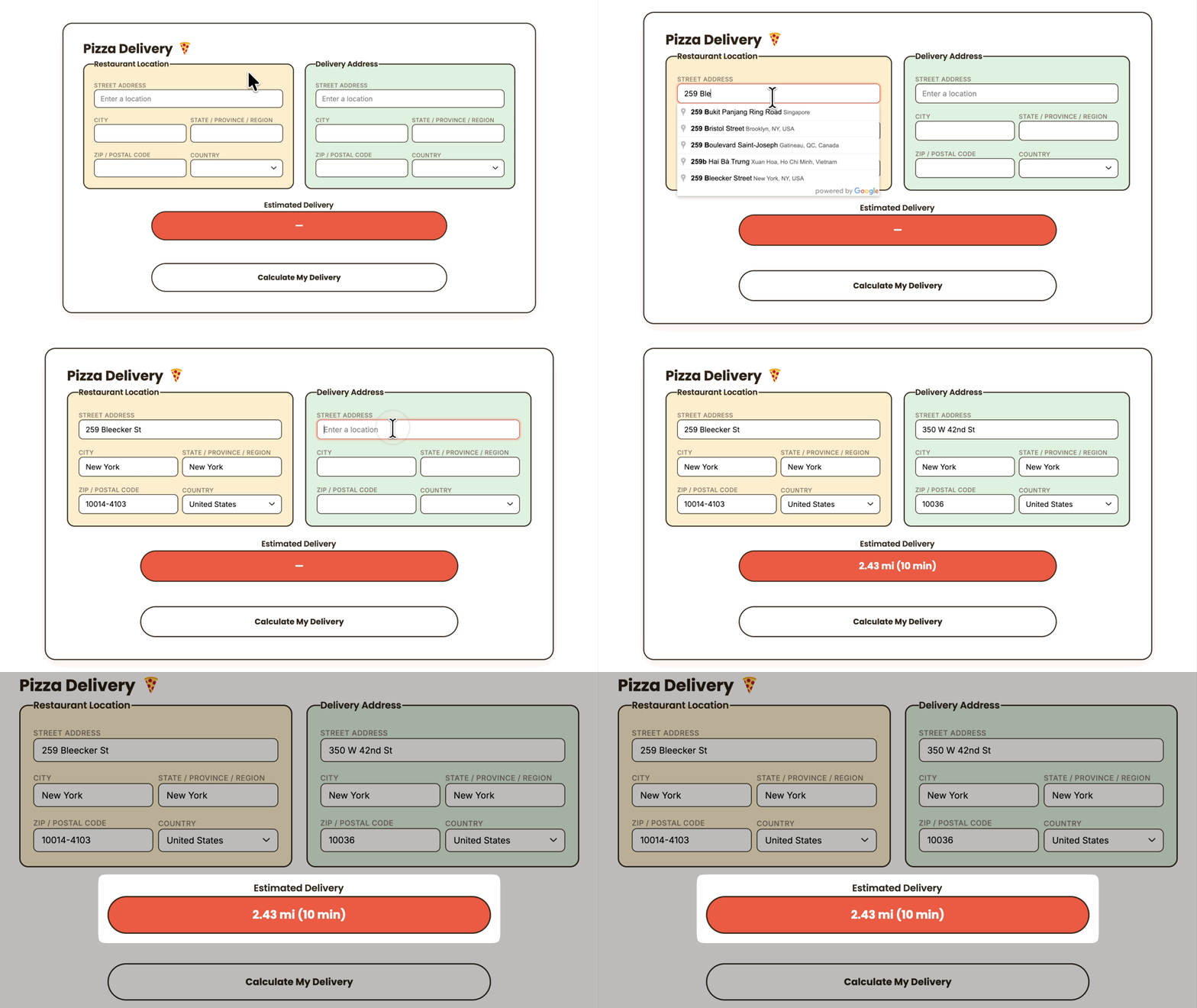
See the Distance and Travel Time Between Two Addresses
Choose an origin and destination, select a travel mode, and calculate distance, travel time, or both.
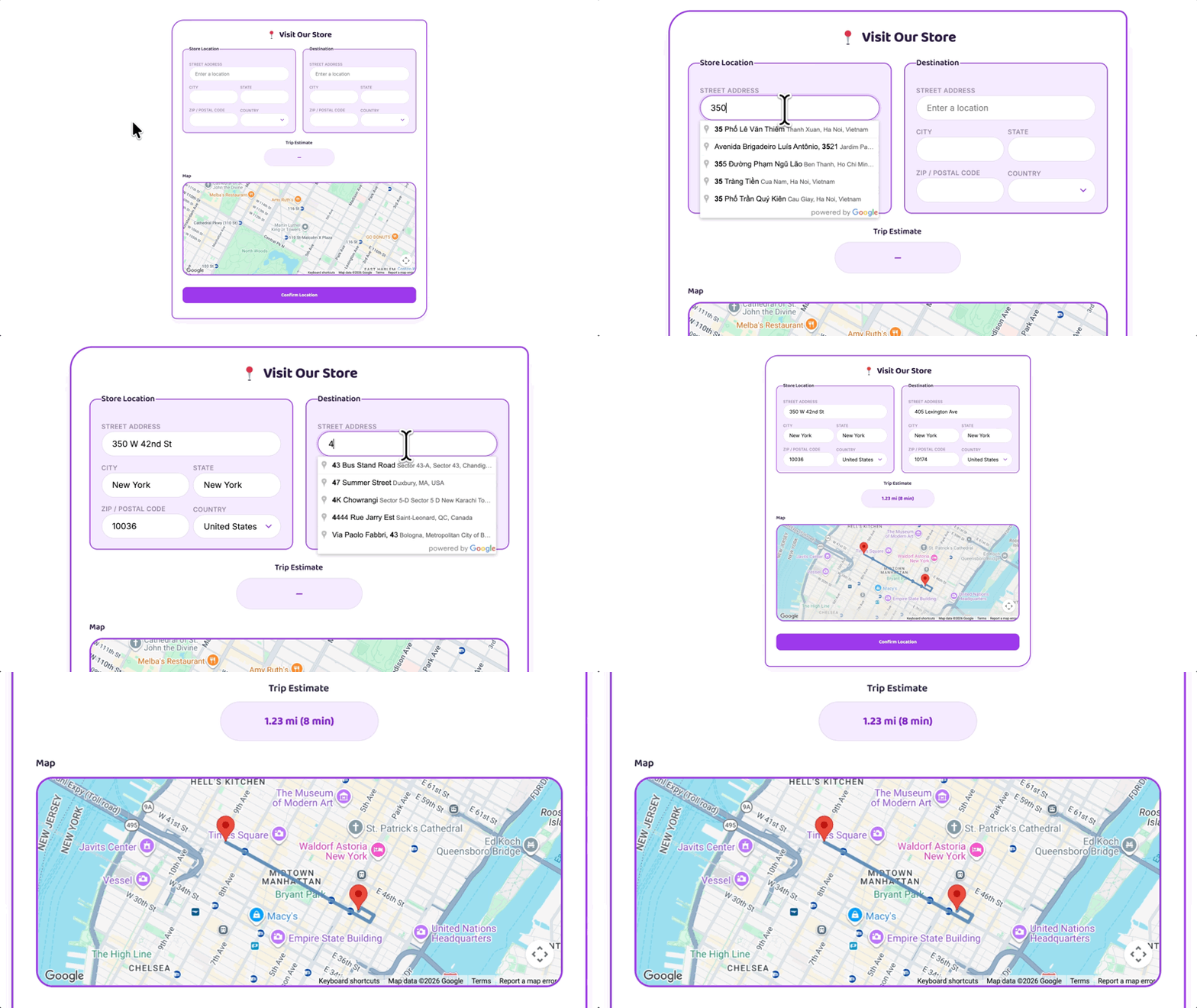
Add a Map That Updates With the Address
Use a Map field to follow an entered address as it changes, or show the calculated route from a Travel Estimate.
Address Autocomplete Works Well For:
- Delivery and service pricing. Use travel estimates to calculate fees or prices based on how far a customer is from a destination.
- Directories and local listings. Make it easier for users to add accurate location details when creating or updating a listing.
- Event and community maps. Collect addresses and coordinates that can be used to place submitted events or locations on a map.
Gravity Wiz Supports Over 150,000 WordPress Websites

Made by Gravity Forms Developers 
🧑💻 Our founder helped build Gravity Forms. And now, we’re certified developers.
🚀 14 years shipping Gravity Forms add-ons.
🤝 Legendary support you can count on from real experts. See for yourself.
✨ Something new every week. 70+ plugins and counting, dozens of free ones.
🛡️ Zero risk to use. Try it for 30 days — if it’s not right for you, we’ll refund it.

Get Address Autocomplete
Address Autocomplete is available with Gravity Perks — a suite of 48+ plugins for Gravity Forms.