We’re pleased to announce the release of Gravity SMTP 2.2. In this update, we’ve added three new integrations – Cloudflare Email Service, SMTP.com, and Mailtrap – along with the ability to resend emails to different recipients, new SendGrid regional and IP pool name settings for EU/GDPR compliance, and an important update to our Emailit integration.
Gravity SMTP is available for free to anyone with an active Gravity Forms Elite, Nonprofit, or Developer license. If you hold one of these licenses, simply head on over to your Gravity Forms Account section to download Gravity SMTP today!
Let’s take a closer look at what’s new in Gravity SMTP 2.2…
New integration: Cloudflare Email Service
With Gravity SMTP 2.2, you can now send your WordPress emails through the new Cloudflare Email Service, currently in public beta.
Cloudflare Email Service is built with agentic workflows in mind, making it a natural fit for developers who are building AI-powered applications and need reliable, programmatic email sending as part of the stack.
For those already using Cloudflare for CDN or hosting, this integration makes it straightforward to consolidate your transactional email sending within the same platform. And with Cloudflare’s global network behind delivery, you can count on reliable email deliverability, with emails reaching recipients quickly, wherever they are in the world.
It’s important to note that, as Cloudflare Email Service is currently in public beta, API behavior, limits, and pricing may change.
For step-by-step setup instructions, head to our Gravity SMTP Cloudflare Email Service documentation.
New integration: SMTP.com

Gravity SMTP 2.2 also adds support for SMTP.com, a long-established email delivery platform that has been helping businesses send reliably since 1998.
SMTP.com is a strong choice for businesses and high-volume senders who need a proven, deliverability-focused service. Dedicated IPs are included on all plans, alongside inbox placement monitoring and access to deliverability experts – making it a good fit for teams where email performance is business-critical.
SMTP.com offers a 30-day free trial with up to 50,000 emails to get you started. Paid plans start from $25/month (at time of writing). Head to the SMTP.com website for full pricing details.
For setup instructions, check out our SMTP.com documentation.
New integration: Mailtrap
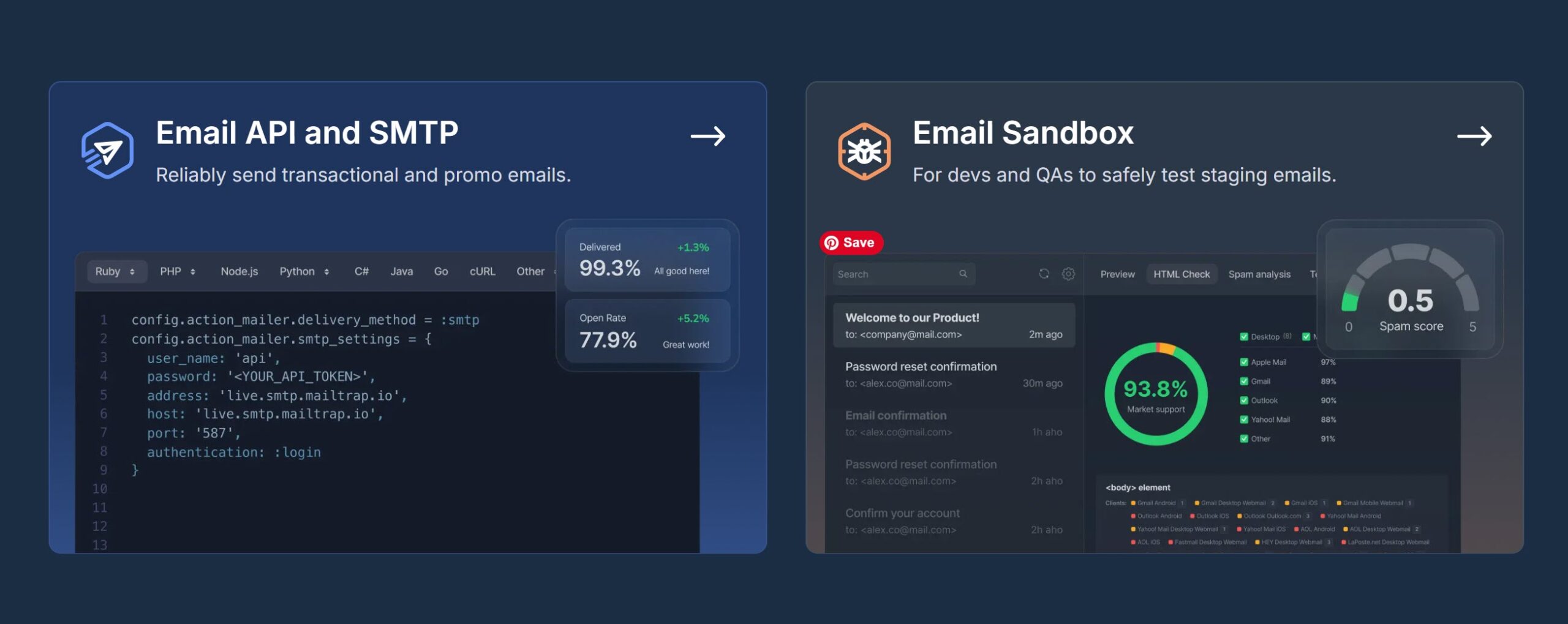
Rounding out the new integrations in 2.2 is Mailtrap – a popular choice among developers and agencies for managing email across clients’ sites.
Mailtrap covers the full journey from testing to live sending. Its built-in email sandbox lets you test email flows safely without the risk of messages reaching real recipients – making it easy to validate everything is working before you go live.
On the sending side, Mailtrap offers high deliverability and detailed analytics. A free plan is available, with paid plans starting from $15/month for 10,000 emails (at time of writing). Head to the Mailtrap website for full pricing details.
For more information on getting set up, see our Gravity SMTP Mailtrap documentation.
Resend emails to a different recipient
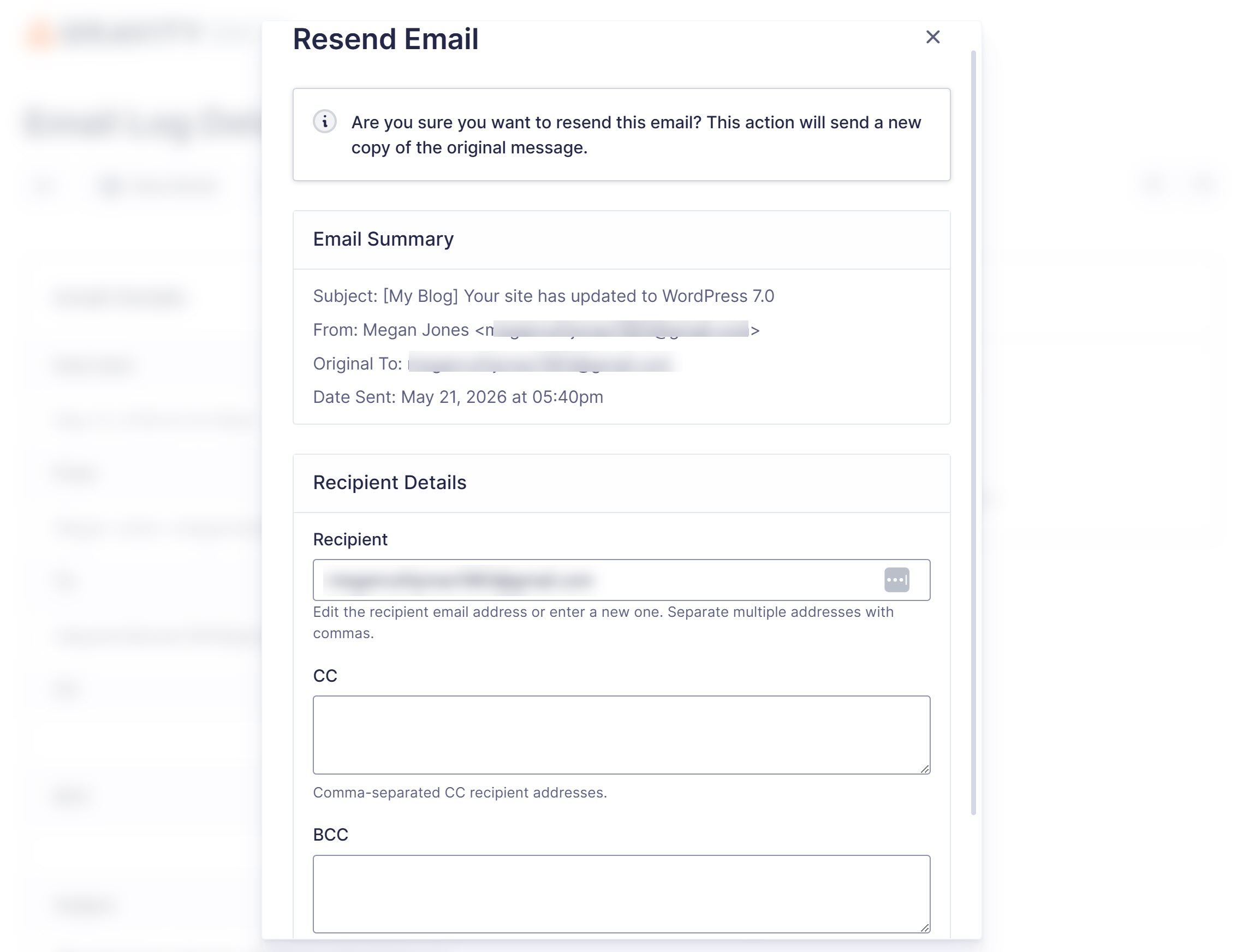
Alongside new integrations, Gravity SMTP 2.2 adds a handy improvement to the email log. When resending an email, you can now edit the recipient address – you’re no longer limited to resending to the original address. You can also add CC and BCC addresses at the same time.
This makes it easy to forward a failed email to a different inbox, redirect a test email to a QA address, or send a copy to a client, all without leaving Gravity SMTP.
To find out more, see the Gravity SMTP Email Log documentation.
Additional updates
Gravity SMTP 2.2 also includes the following updates:
- SendGrid: Added Region (Global/EU) and IP Pool Name settings – SendGrid users with EU data processing requirements can now specify a region (Global or EU) and an IP pool name when sending emails, allowing you to route mail through a designated EU IP pool to support GDPR compliance.
- Emailit: API v2 update – Due to Emailit discontinuing API v1, Gravity SMTP 2.2 ships with support for Emailit API v2. If you’re using this email service, we recommend updating to 2.2 and reconnecting with Emailit as soon as possible.
Get Gravity SMTP today!
As mentioned, Gravity SMTP is available for free with a Gravity Forms Elite, Nonprofit, or Developer license. If you hold one of these licenses, or want to upgrade simply head on over to your Gravity Forms Account section to download Gravity SMTP today.
Alternatively, if you’re not yet a customer, head on over to the pricing page to make a purchase.
Want to find out more? You can explore our ultimate guide to Gravity SMTP for step-by-step plugin setup instructions and detailed coverage of its extensive range of features.
Gravity SMTP 2.2 changelog
- Added Cloudflare Email Service connector with API-based domain validation.
- Added Mailtrap email connector with sandbox mode support.
- Added SMTP.com email connector.
- Added an action which fires as soon as the Primary connector type fails.
- Added the ability to edit recipient, CC, and BCC email addresses before resending an email from the activity log.
- Added Region (Global/EU) and IP Pool Name settings to SendGrid connector for EU data residency and GDPR compliance.
- Fixed an issue where Postmark emails sent to a mix of active and suppressed recipients would log a generic success message instead of surfacing the suppression details from Postmark.
- Security enhancements.
- Updated Amazon SES setup instructions to recommend least-privilege IAM permissions instead of full access policies.
- Updated Emailit connector to use API v2.
As always, if you have any questions about Gravity SMTP or how to get started, our expert Support team is available to help!

Newsletter
If you want to keep up-to-date with what’s happening on the blog sign up for the Gravity Forms newsletter!
"*" indicates required fields