Written by the editorial team at Gravity Wiz…
The best-converting popups aren’t always the shiniest ones. They’re the ones that earn the right to ask – like a well-timed newsletter signup after reading an article, or a targeted offer for the right person, on the right page.
Gravity Perks Popups (aka GP Popups) lets you earn that. It turns any Gravity Form into a popup, lets you place it anywhere on your site, style it, control who sees it and when, and reuse the same popup with a different form whenever you need to. It even remembers when a visitor dismisses a popup, so it won’t overstay its welcome.
Here’s what it takes to make yours convert.
Note: Gravity Wiz is a third-party certified developer and its add-ons are not supported by Gravity Forms. As always, we recommend you extensively evaluate all plugins to ensure their suitability for your purpose before installation on your website.
1 – Trigger popups at the right moment
A popup fired the second someone lands has no business popping up yet. Wait for a signal first. NN/g, one of the leading UX research firms in the world, puts it plainly: never show a popup before users can get value from your site.
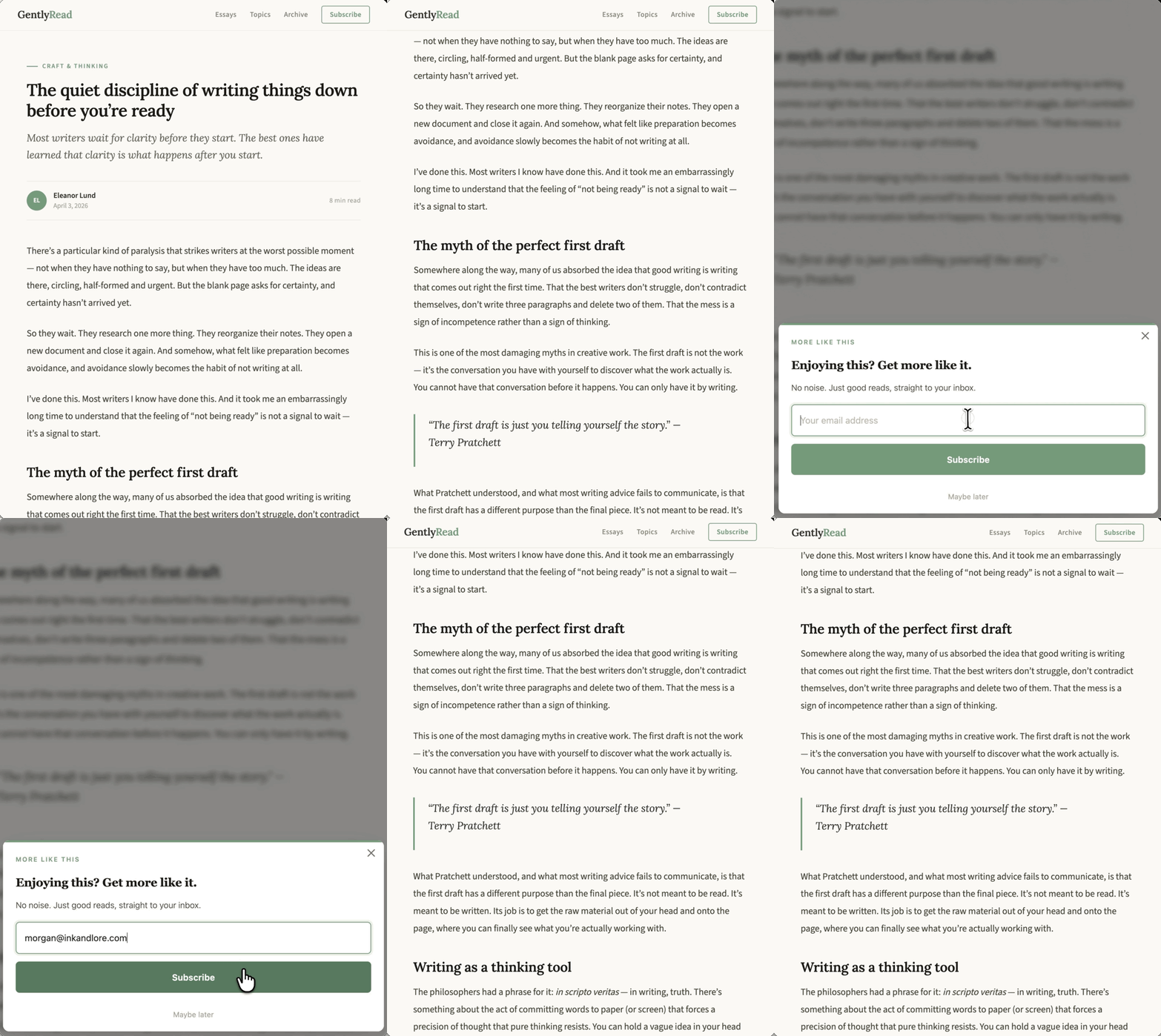
Scroll depth is one good signal to wait for. A visitor who’s reached 50% of your article has already decided your content is worth their time. That’s your moment to ask.
GP Popups gives you five ways to control exactly when a popup fires: a time delay, a button or link click, scroll depth, exit intent, and a URL hash.
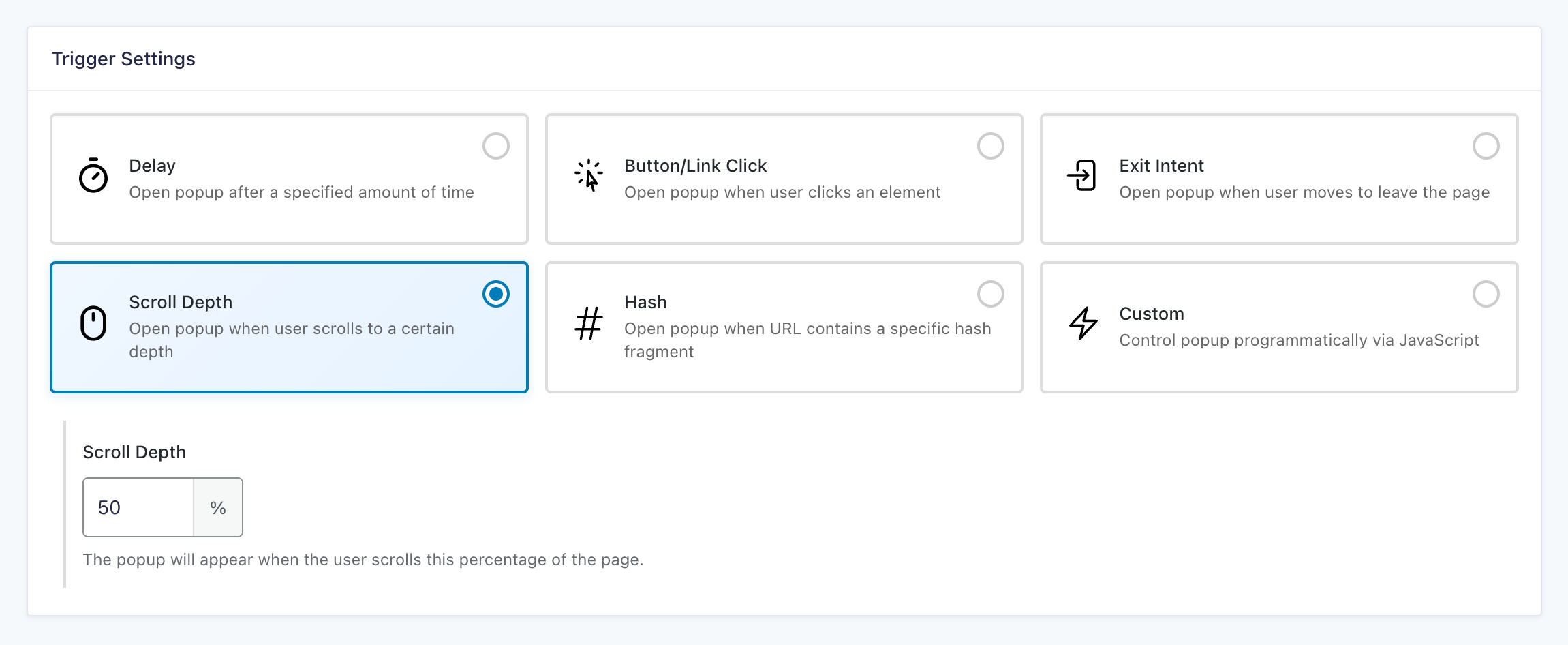
2 – Show the right popup on the right page
Showing a popup on the right page can convert 2.3x the rate of untargeted ones. Data from over 1 billion popups backs this up.
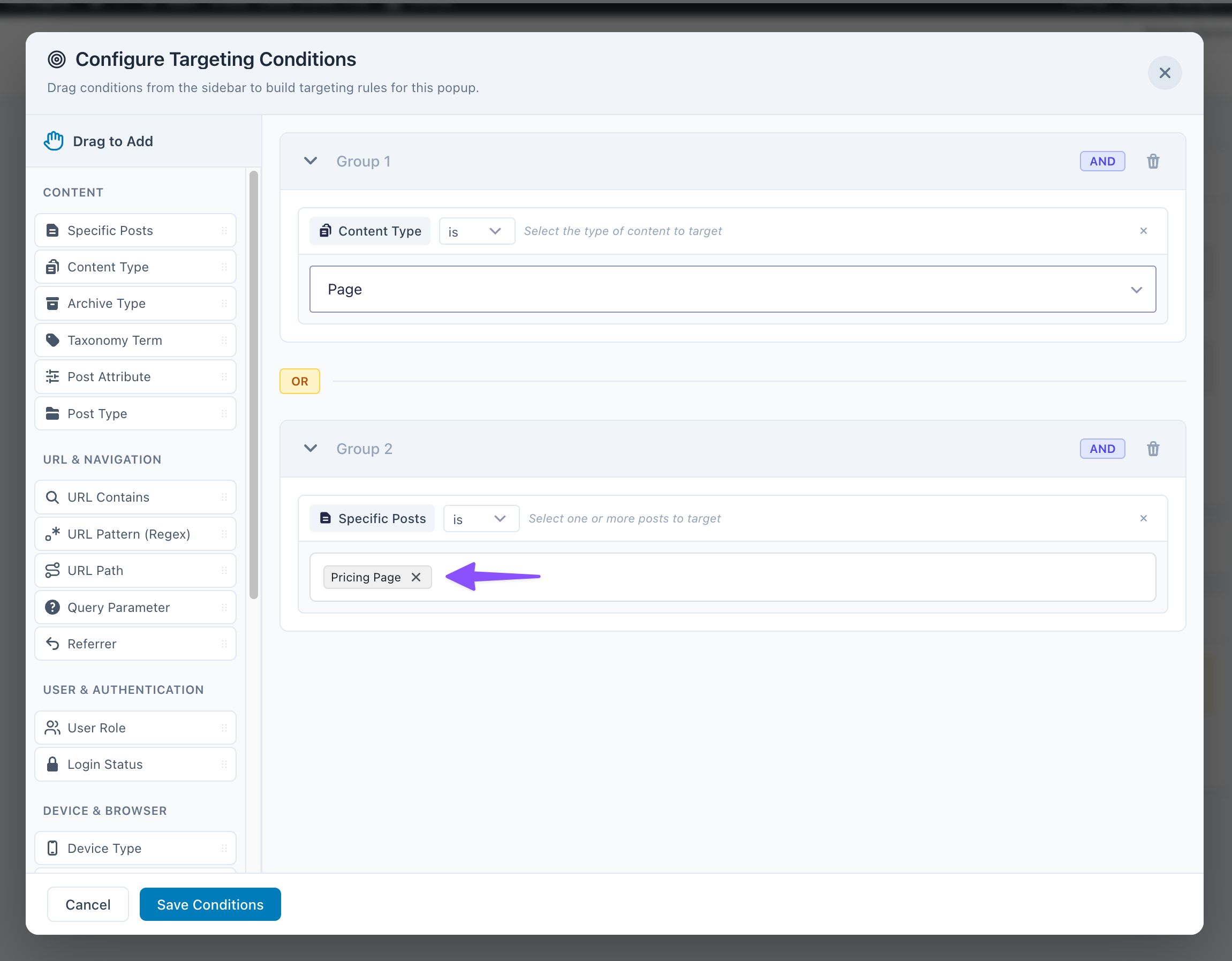
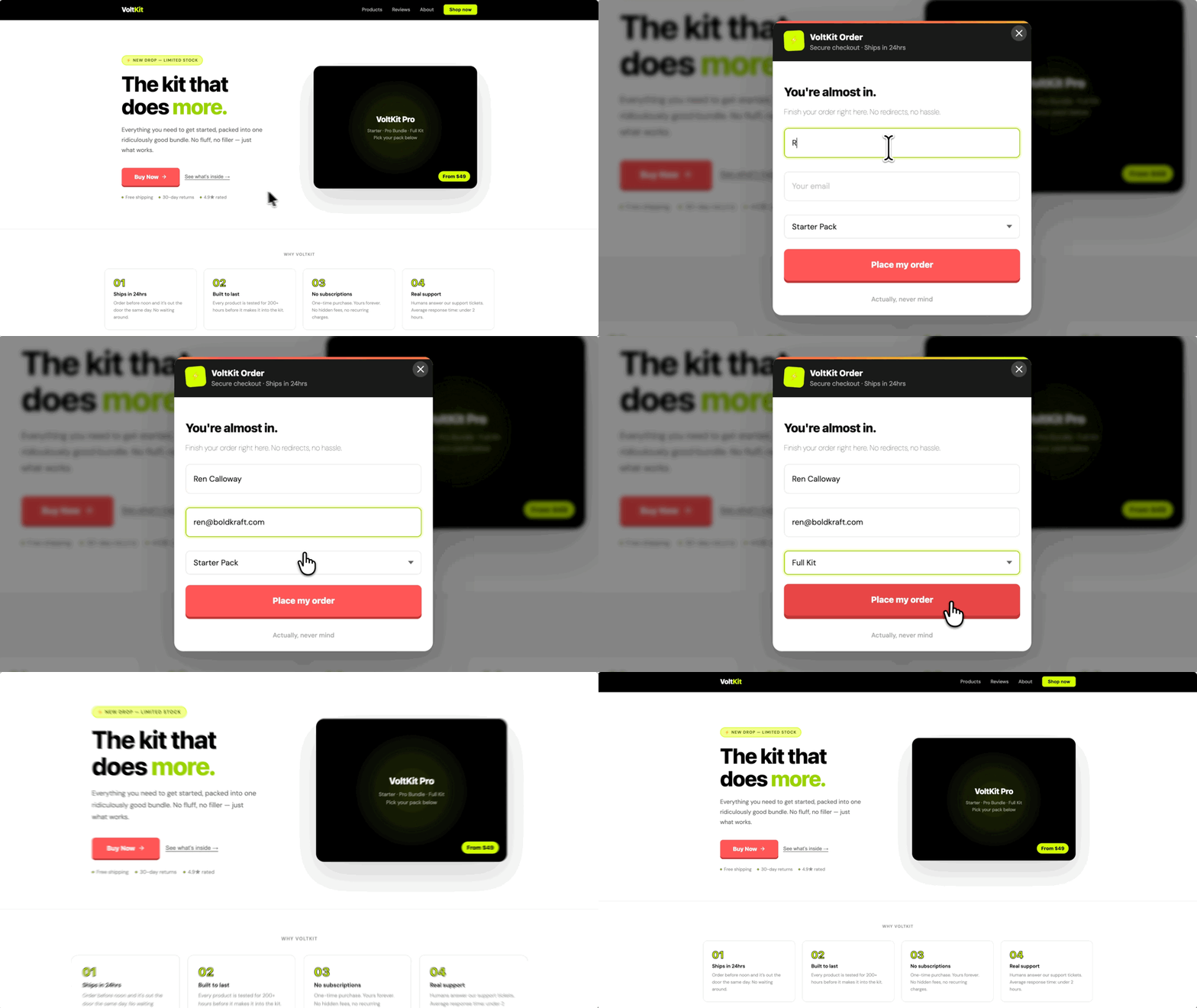
Through page-targeted popups, you leverage a combination of relevance and user behavior: they have already demonstrated interest in a specific product or article, and you can suit the messaging and offer to match.
GP Popups lets you set targeting rules that control which pages a popup appears on and who sees it, by page, URL, device type, user role, referrer, and more.
3 – Target visitors by where they came from
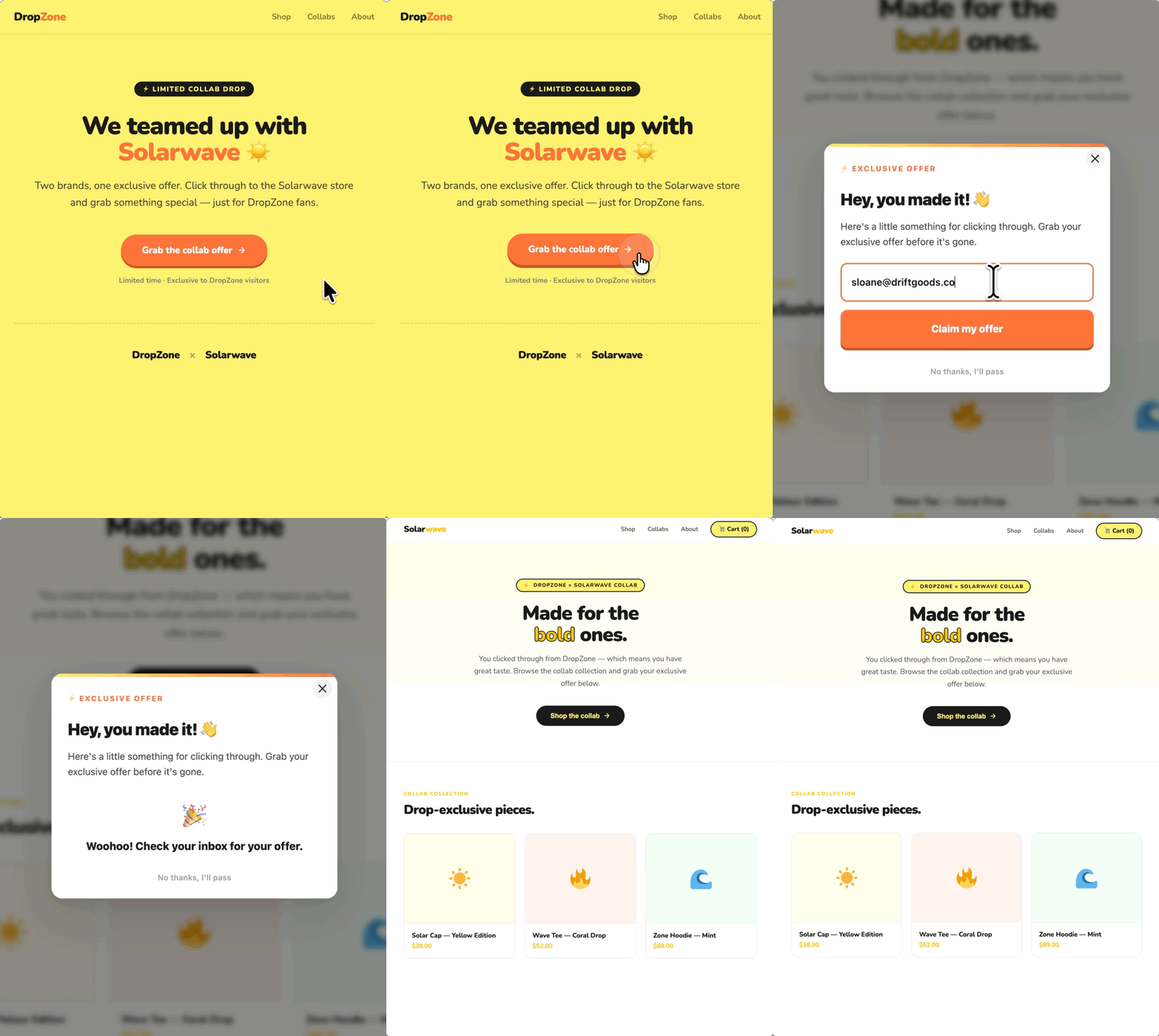
Visitors coming in from a referral site are your warmest traffic. When they click through, show them a popup that matches exactly what they came for, and watch it push your conversion rates higher.
We do this ourselves at Gravity Wiz. Every Black Friday, when Gravity Forms promotes our sale on their site, visitors click through expecting an offer. So we can use GP Popups to show our deal only to those visitors. The popup meets them with the right context, and we let it do what it does best… convert.
GP Popups’ Referrer and URL Contains targeting rules make this possible. Target a specific domain or a specific link, and the popup only fires when a visitor arrives from there.
4 – Use the right display for better conversions
How you display a popup sets the tone before anyone ever reads a word. A fullscreen popup, for example, says this matters, while a corner popup says it’s optional.
Benchmark data across 677 million popup impressions shows corner formats (aka slide-ins) are less intrusive than centered popups. For lighter asks like newsletter signups, low pressure gets more yeses.
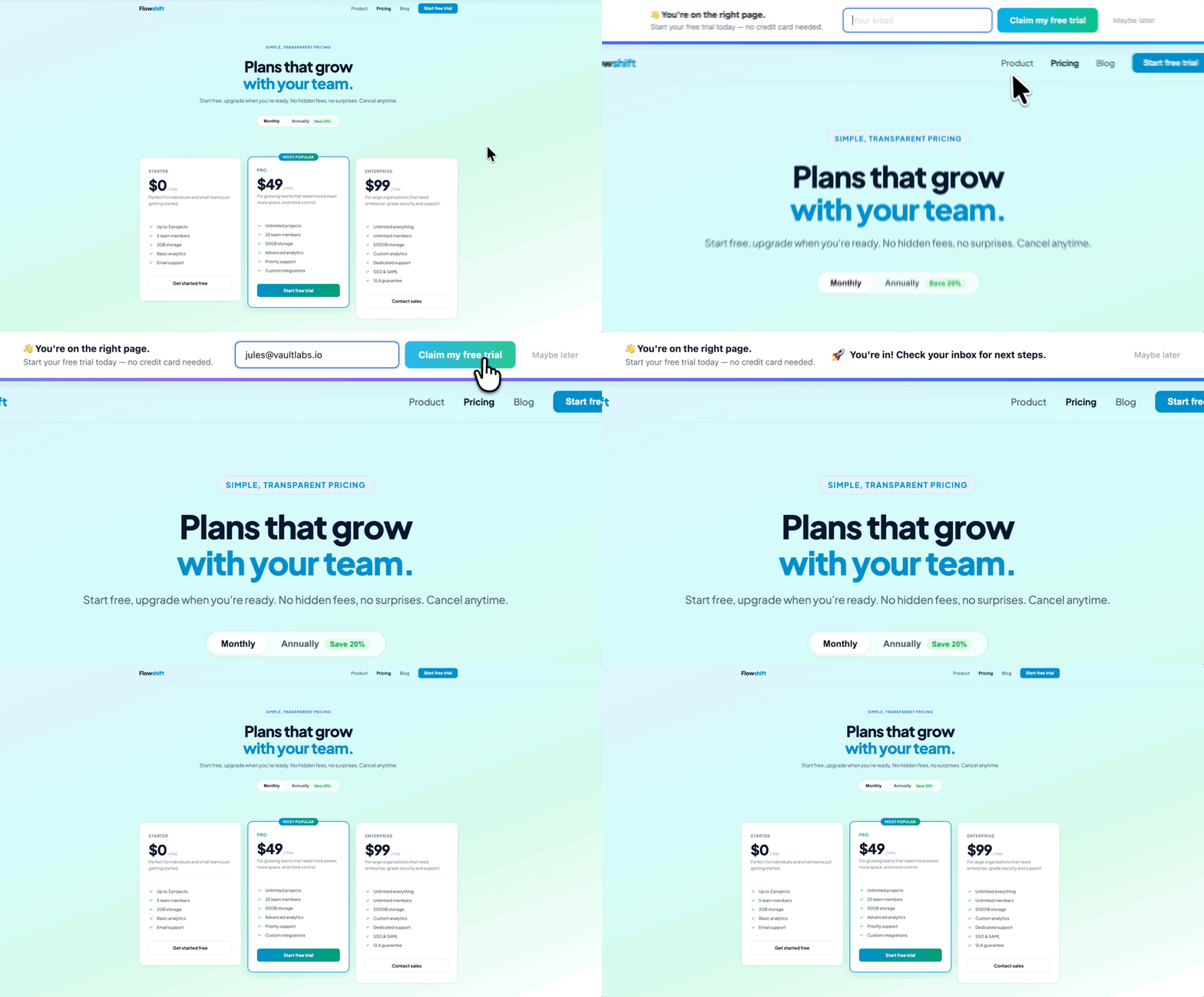
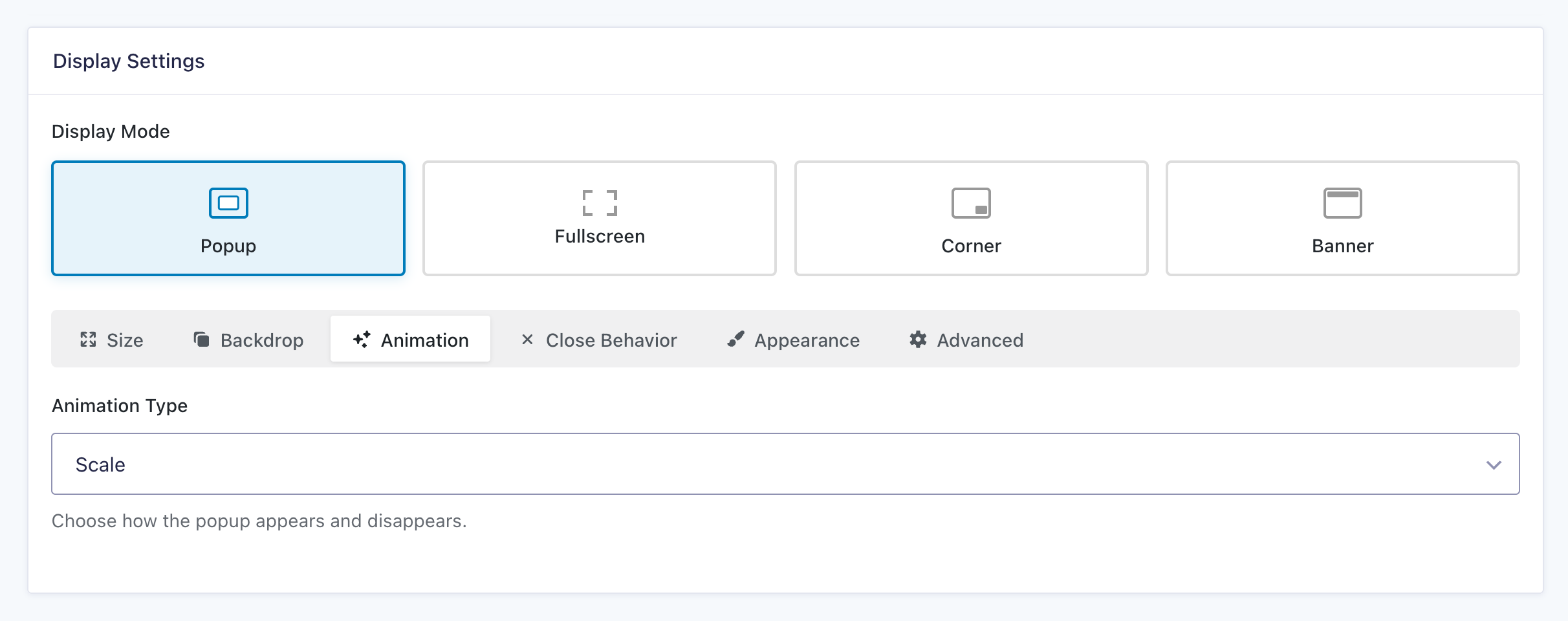
GP Popups gives you four display modes to choose from: Popup, Fullscreen, Corner, and Banner.
Ready to pop those forms?
Each popup also comes with built-in analytics, so you can see exactly what’s working and keep improving over time.
Check out the Gravity Perks Popups docs to see everything it can do and get started.