Written by Aaron Beashel of Converly…
Gravity Forms makes it really easy to build a form and drop it onto your WordPress site to start generating leads. That part is simple.
The hard part is tracking those leads as conversions in your ad platforms.
If you have ever tried to do this with Google Tag Manager, you know the pain. You have to write custom code to detect a Gravity Forms submission, push an event into the dataLayer, and then wire up variables, triggers and tags to get the data across to Google Ads, Meta Ads and the rest. And that is just for a basic conversion event. It does not include the name, email and click IDs that Google and Meta actually need to match a conversion back to the ad that drove it.
Fortunately, there is an easier (and better) way.
In this article, we will show you how to use an AI tool called Converly to send conversions to Google Ads, Meta Ads, LinkedIn Ads, Microsoft Ads, and more every time someone submits a Gravity Form on your site.
Note: Converly is a third-party solution. Gravity Forms does not offer support for this platform, nor is this article intended to be a Gravity Forms endorsement of this platform, its developers, or quality of support. As always, we recommend you extensively evaluate all solutions to ensure their suitability for your purpose.
3 simple steps to send server-side conversions to Google Ads, Meta Ads, LinkedIn Ads, and more from Gravity Forms
Follow these three steps to get server-side conversion tracking set up between Gravity Forms and your ad platforms. The whole thing takes about five minutes.
Step 1: Build a conversion flow
Converly is a tool that makes it really easy to send server-side conversions from Gravity Forms to Google Ads, Meta Ads, Microsoft Ads, and more.
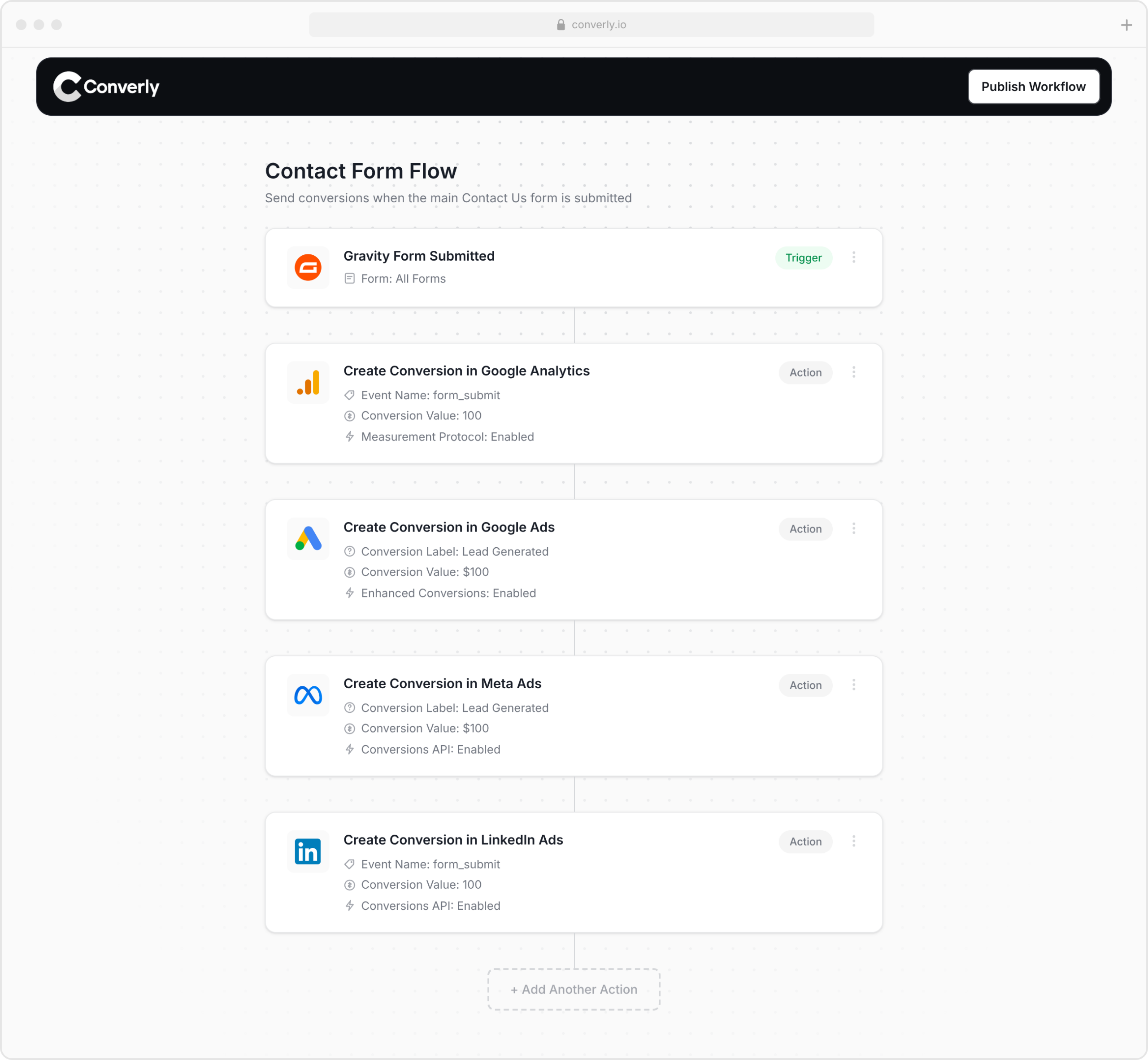
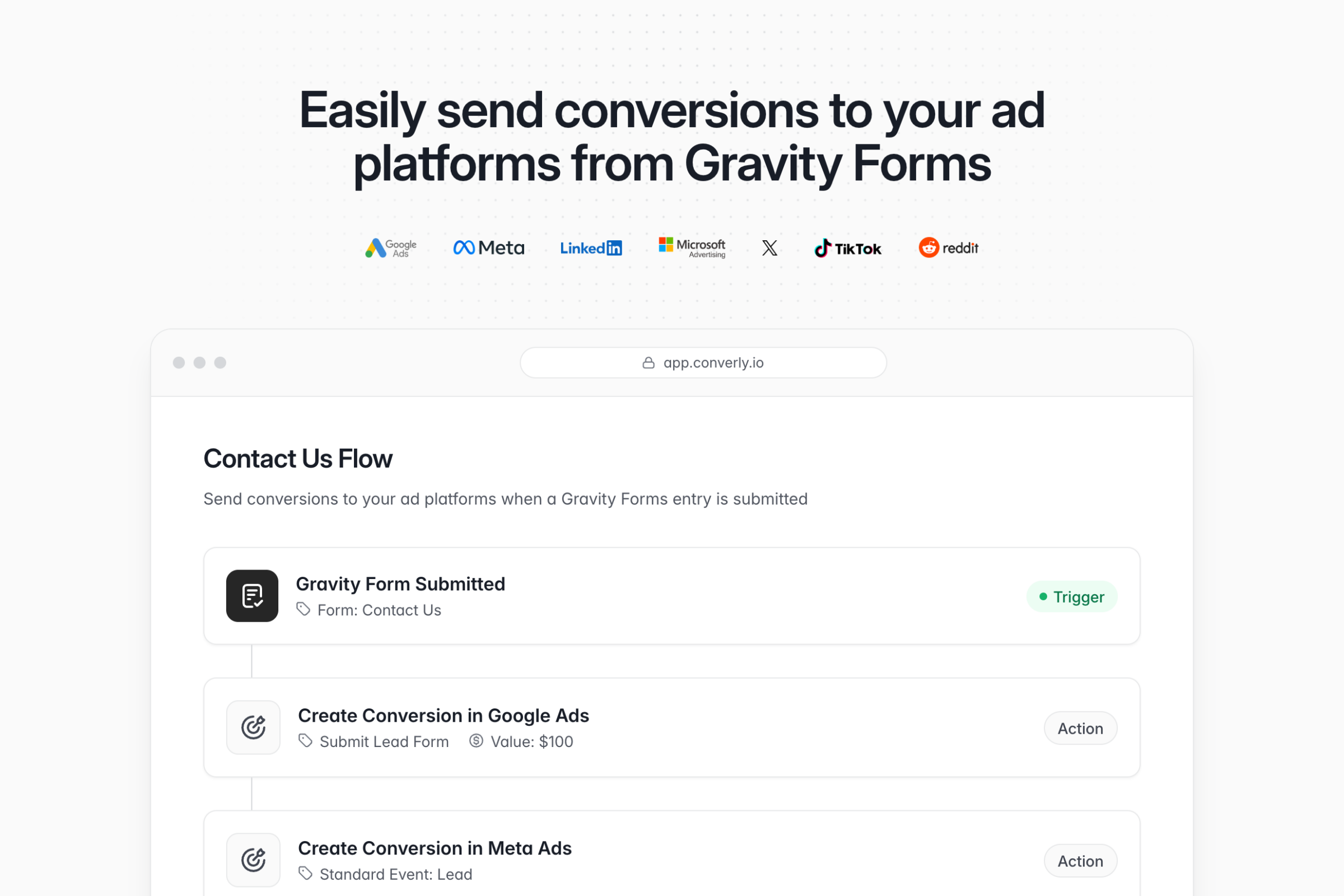
It comes with a simple workflow builder that will feel familiar if you have ever used Zapier, Gravity Flow, or any marketing automation tool. You simply pick your trigger (a Gravity Form being submitted) and then choose your actions (send a conversion to Google Ads, Meta Ads, LinkedIn Ads, or wherever else you advertise).
That is all there is to it. In a few clicks, you have set up server-side conversion tracking, no code required.
Step 2: Add the snippet of code to your website
Once your conversion flow is published, Converly gives you a small snippet of code to add to your website.
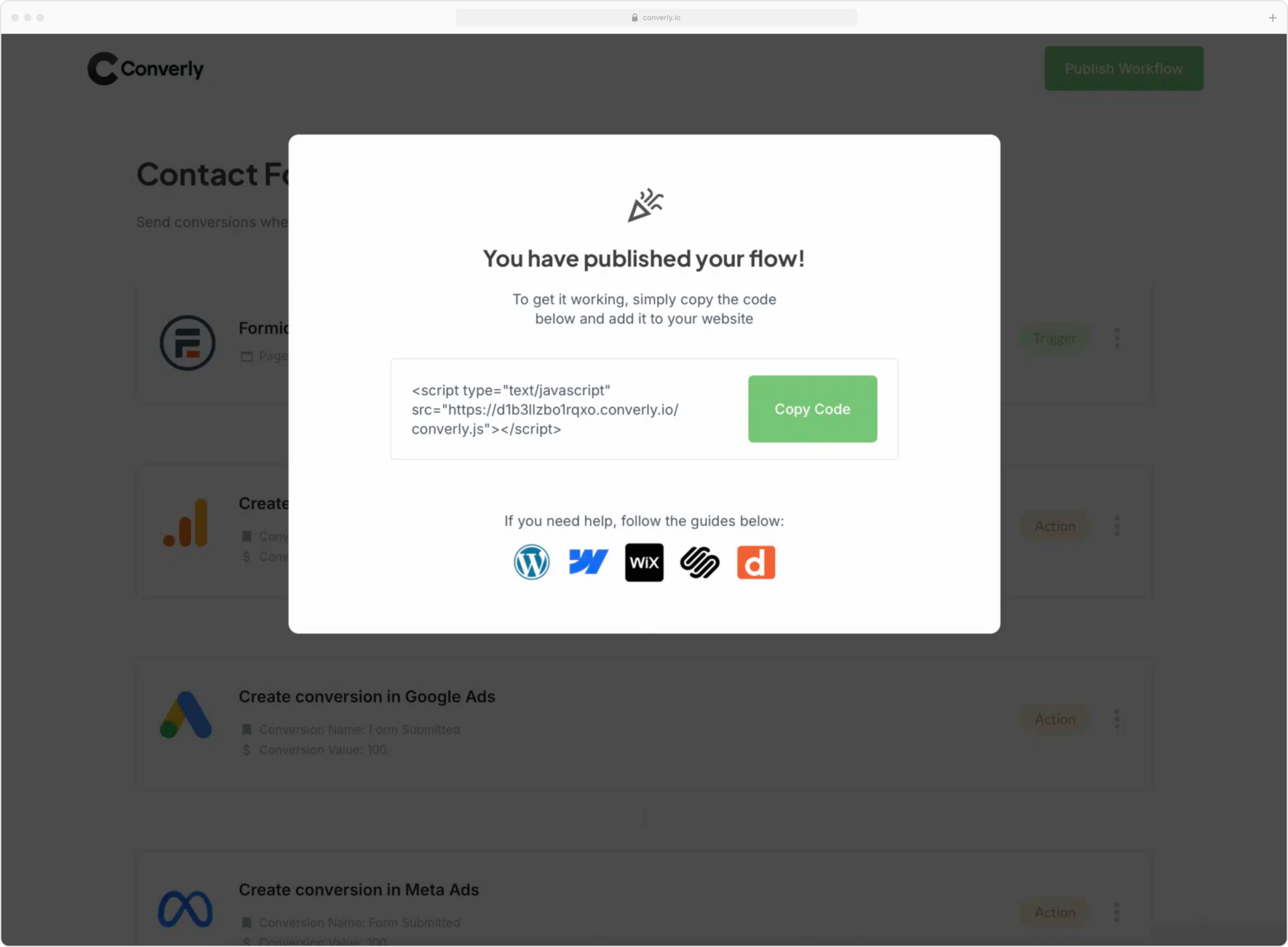
The snippet does the heavy lifting for you. It automatically detects Gravity Forms submissions, extracts the lead’s details (name, email, phone), hashes that data using SHA-256 (the ad platforms require it), and sends it directly to your ad platform’s servers (Google, Meta, LinkedIn and so on).
Adding the code to your WordPress site is simple. Most themes gives you a place to add custom code to the site, or you can use a header/footer code plugin. Alternatively, if you already use Google Tag Manager to manage code snippets on your site, you can add it through there.
Step 3: Test it works
The last step is to make sure everything is firing correctly. To do this, navigate to your website and submit one of your Gravity Forms, then head to the Conversion Log in your Converly account.
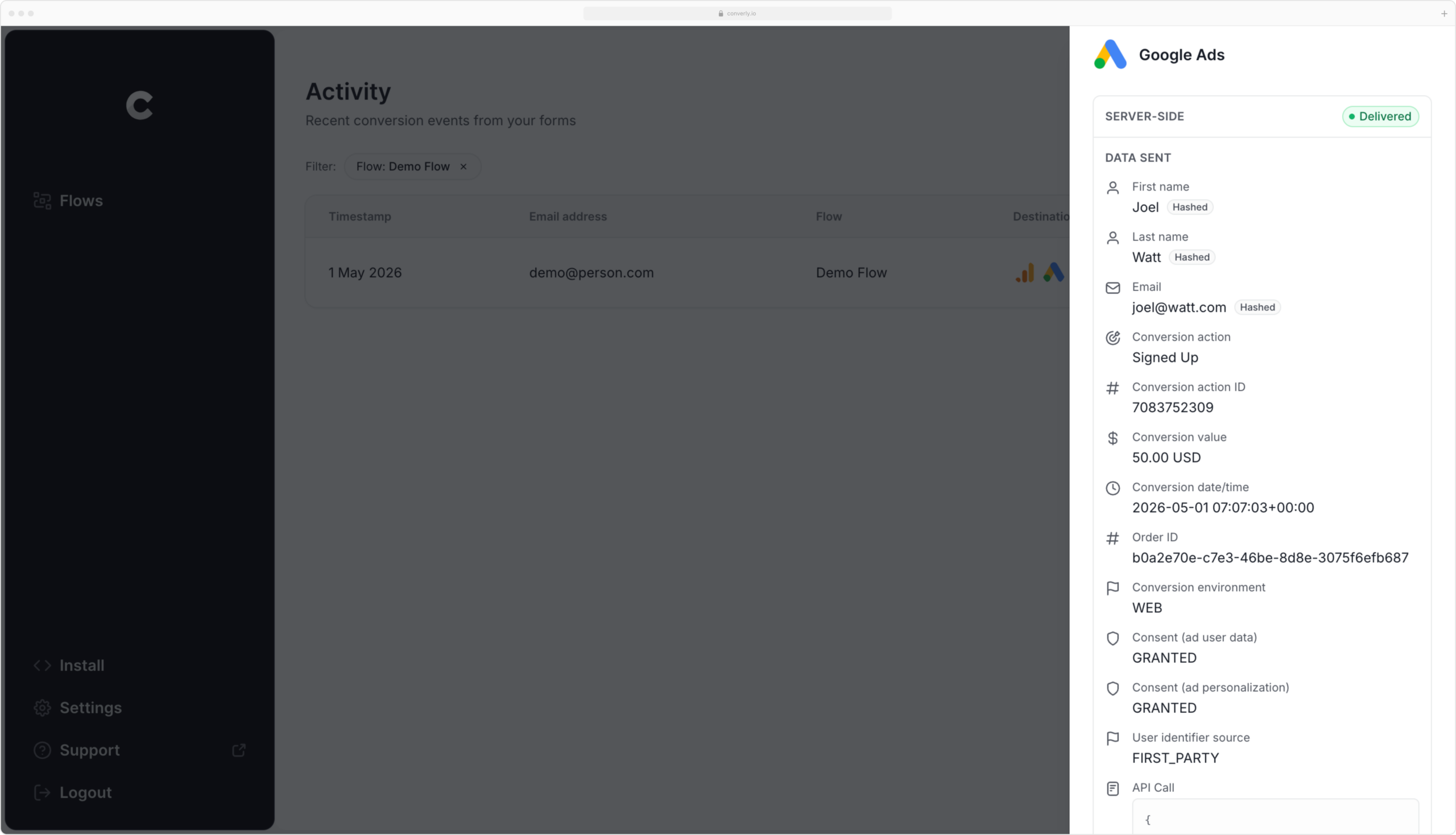
You will see a full list of every conversion, including what data was captured, where it was sent, and whether it was delivered successfully.
If your test submission is there and shows as sent, your tracking is working!
Why Converly is the best way to send conversions from Gravity Forms
There are other ways to send conversions from a Gravity Form, so why Converly? A few reasons stand out.
1. Easy to set up
One of the common methods of setting up conversion tracking is Google Tag Manager. But getting this set up properly means writing custom code to catch form submissions (the built-in Form Submission trigger doesn’t work with Gravity Forms), writing more custom code to pull the name and email into the dataLayer, configuring SHA-256 to hash the data (ad platforms require it), and then configuring variables, triggers and tags.
Unless you are a GTM expert, that is hours of trial and error.
Converly is so much simpler. You just pick a trigger (a Gravity Forms submission) and choose your actions (a conversion sent to Google Ads, Meta Ads, Microsoft Ads, etc). Or if you use an AI tool like Claude or ChatGPT, you can connect it to Converly and just tell it to ‘Set up conversion tracking from Gravity Forms to Google Ads’ and it will do it for you using our MCP server and API.
2. Not affected by ad blockers and privacy restrictions
If you’re using a tool like Google Tag Manager (or doing something basic like tracking thank you page visits), then a significant percentage of your conversions aren’t going to make it back to your ad platform due to ad blockers and privacy-focused browsers preventing the tags from loading in the visitor’s browser when they land on your site.
In fact, a study that analyzed over 7 million conversions actually found that tag-based tracking was missing roughly 30% of conversions.
But because Converly sends conversions directly to Google’s servers rather than through the visitor’s browser, it isn’t impacted by ad blockers or privacy-focused browsers, so you’ll get far more accurate results.
3. Works across devices
It’s pretty common for a lead to first click your ad on one device (like their phone) but wait until they’re back at a computer to actually fill out a form.
If you’re just sending conversions in the browser (using tools like Google Tag Manager), it can’t connect those two sessions because fundamentally they happen in different browsers on different devices.
Converly solves this by passing identity details like name and email straight to Google’s servers. That gives Google what it needs to link the conversion back to the original ad click on the phone, so your campaigns finally get credit for the leads they actually generated.
4. Sends more data
Not only does Converly send the lead’s name, email, phone, etc, to help the ad platforms match ad clicks to conversions, it also captures and sends technical data like the Google Click ID (GCLID), Facebook Click ID (FBCLID), Microsoft Click ID (MSCLKID), IP address, User Agent, etc.
This gives the ad platforms a ton of data on the person who converted, and they then use that information to better match the conversion back to the original ad click (even if that ad click happened on a different device several weeks ago).
The end result for you is more accurate conversion tracking, which gives Google Ads, Meta Ads, etc. more data to work with to optimize your campaigns.
5. Full conversion log and email alerts
When you send conversions to Google Ads with a tool like Google Tag Manager, you have no real way of knowing whether it’s still working. You can run a few tests when you first set it up, but unless you repeat them every week, your tracking can quietly break (someone tweaks the form, changes a tag in Google Tag Manager, or edits something in Google Ads) and you’d have no idea.
Converly takes the guesswork away. You get a full conversion log that shows every conversion that fired, exactly what data Converly captured, what it sent to Google Ads, the response Google Ads sent back, and more.
You can also turn on email notifications. Get an email every time a conversion is sent to Google Ads, or set them to only fire when a send fails, so the moment your tracking breaks you’ll know about it.
6. Supports multiple platforms
Converly can send conversions to Google Analytics, Google Ads, Meta Ads, LinkedIn Ads, Microsoft Ads and plenty of other platforms, so if you ever start advertising somewhere new, you do not have to rebuild your tracking from scratch. A few clicks inside Converly and you are connected.
3 things you can do once you are properly tracking conversions from Gravity Forms
When you have real, accurate conversion tracking flowing into your ad platforms, it opens up a whole heap of things you could not do before.
1. Report on conversions by campaign, ad group, keyword and more
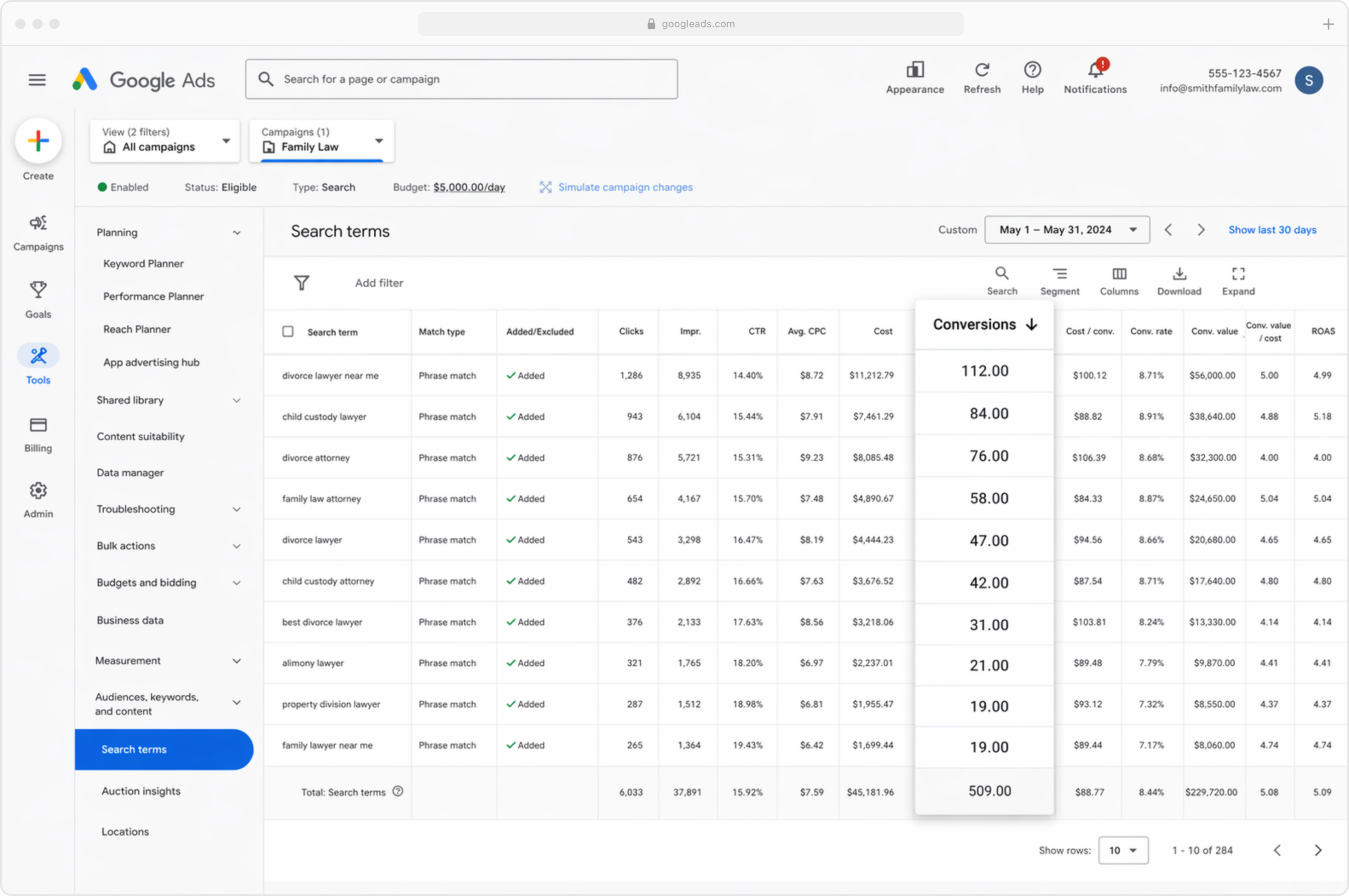
Once accurate conversions are flowing in, your ad platform shows you far more than impressions and clicks. You can see the number of conversions, your conversion rate, the cost per conversion, your return on ad spend and a lot more.
Better still, you can break all of that down by site (i.e. Instagram vs Facebook), campaign, ad group, keyword, ad, country and more. That gives you a much clearer picture of what is actually working and where the biggest opportunities to grow really are.
2. Use smart bidding
With manual bidding, you’re basically telling your ad platform “spend up to $3 per click” and it does that regardless of who the user is and how good of a fit for your business they are.
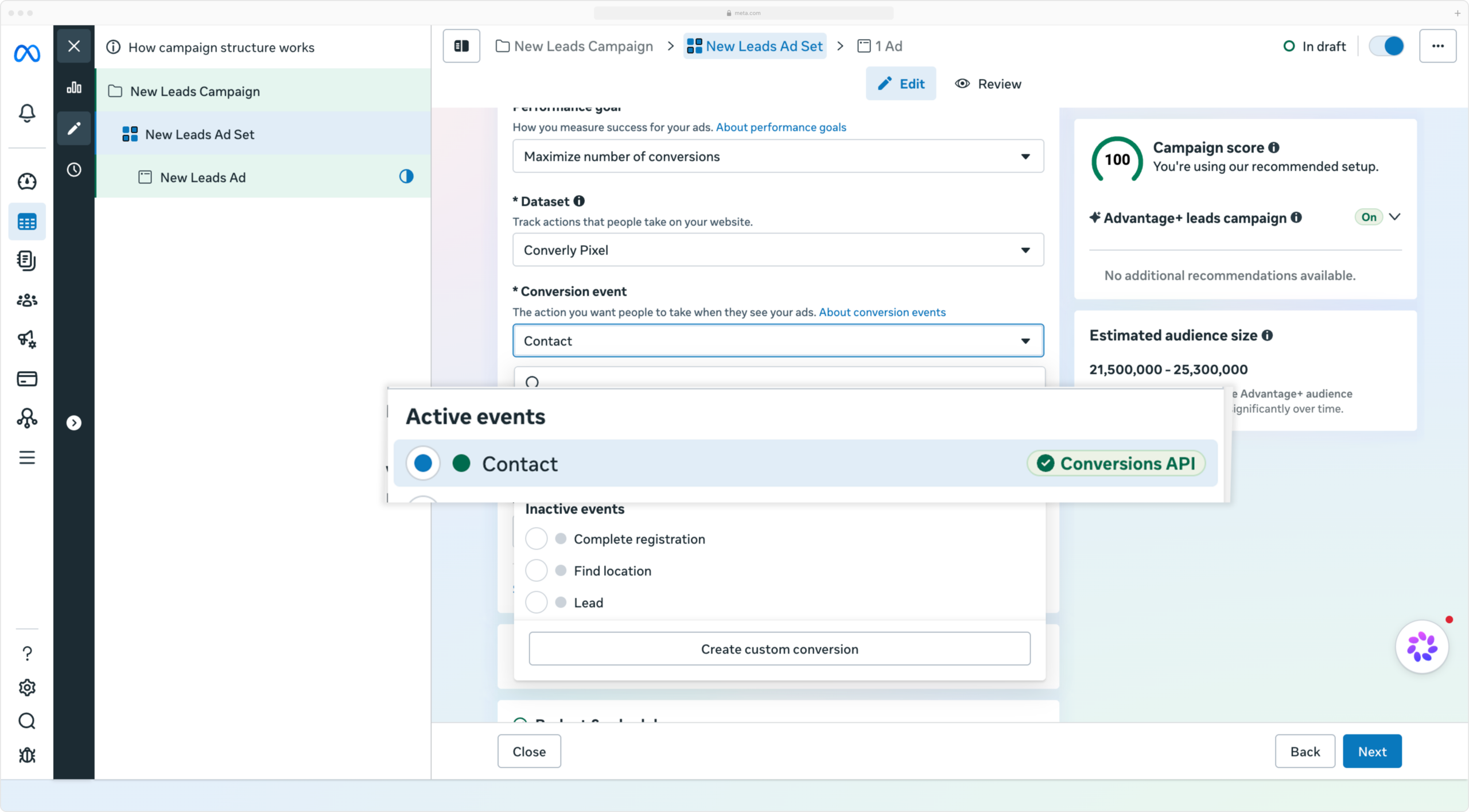
Smart bidding flips that around. You give your ad platform a target, like $45 per lead, and it handles the bidding for you in each auction. It factors in everything it knows about the user (age, location, device, interests, past purchases, etc) and decides whether to bid higher or lower, based on how likely that person is to convert.
It’s a super powerful way to get more leads for less spend (and is fast becoming the default on ad platforms like Meta & LinkedIn), but it only works if you are feeding it accurate conversion data. Without it, the platform has no idea what a good lead looks like for you, so it burns budget chasing the wrong people.
By using Converly to send accurate server-side conversions to your ad platforms, you can take advantage of their AI ad optimization systems to get more leads at a lower cost.
3. Retarget people who visited but did not convert
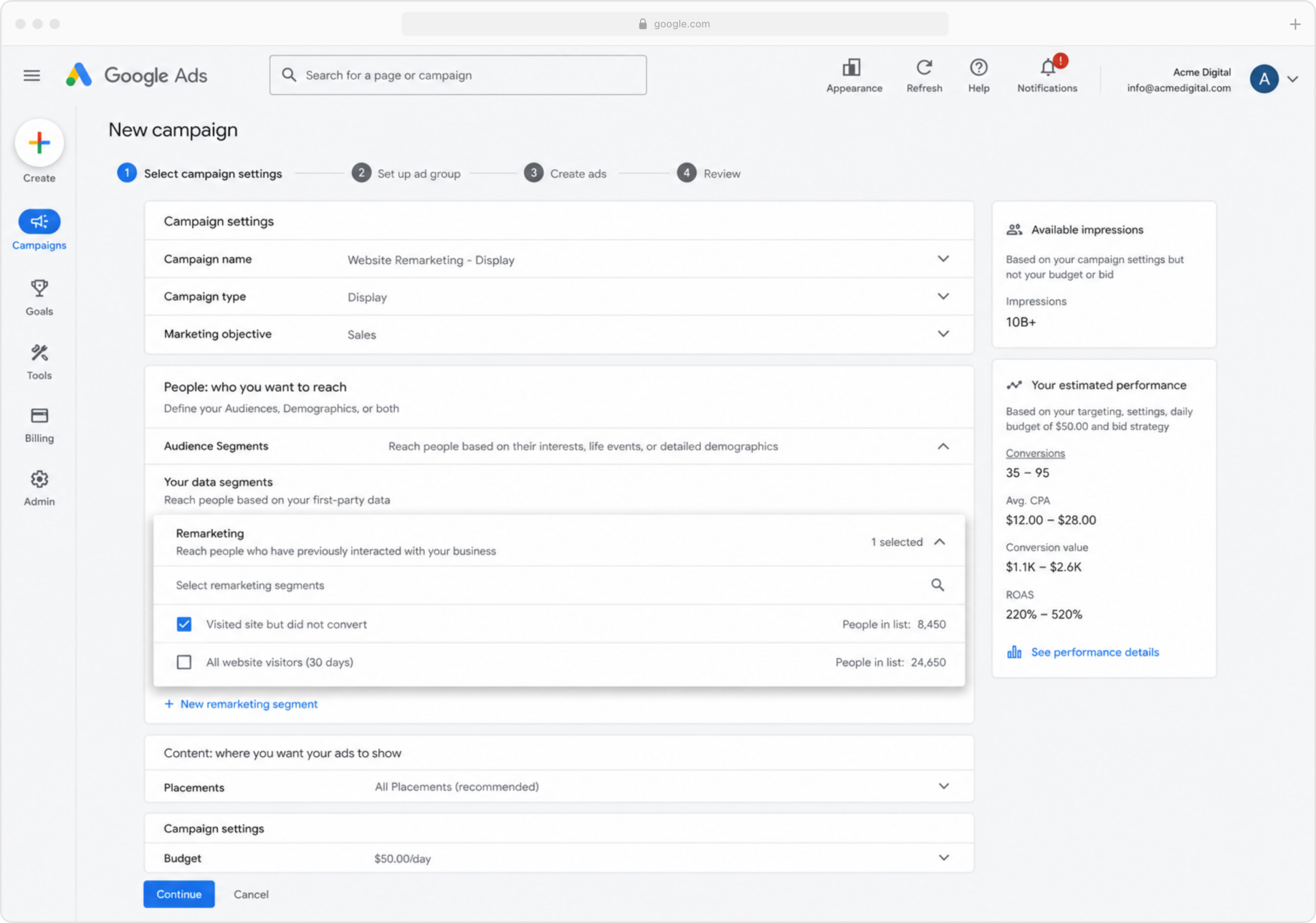
Accurate conversion data also lets you build remarketing lists of the people who visited your site but did not fill out your form. You can then win them back in a few different ways:
- Search – Bid higher (or lower, if you prefer) for these people when they next search your keywords.
- Social – Run social ads aimed only at them, so your brand keeps showing up as they scroll their feeds.
- YouTube – Run YouTube ads targeted just at this group, so they keep seeing you there too.
Wrap up
If you want to send conversions to Google Ads, Meta Ads, LinkedIn Ads, and more every time someone submits a Gravity Form on your site, Converly is a great way to do it.
It sends conversions straight to the ad platforms’ servers, so ad blockers and privacy browsers cannot block them, and it passes along rich lead data (name, email, phone, IP address, User Agent and more) to give each platform the best possible chance of matching the conversion back to the original ad click.
Best of all, it takes just a few minutes to set up and comes with a 14-day free trial, so give it a try today.

Newsletter
If you want to keep up-to-date with what’s happening on the blog sign up for the Gravity Forms newsletter!
"*" indicates required fields