We are pleased to announce that we’ve updated the HubSpot integration. With HubSpot 3.0.4 you’ll find a number of updates…
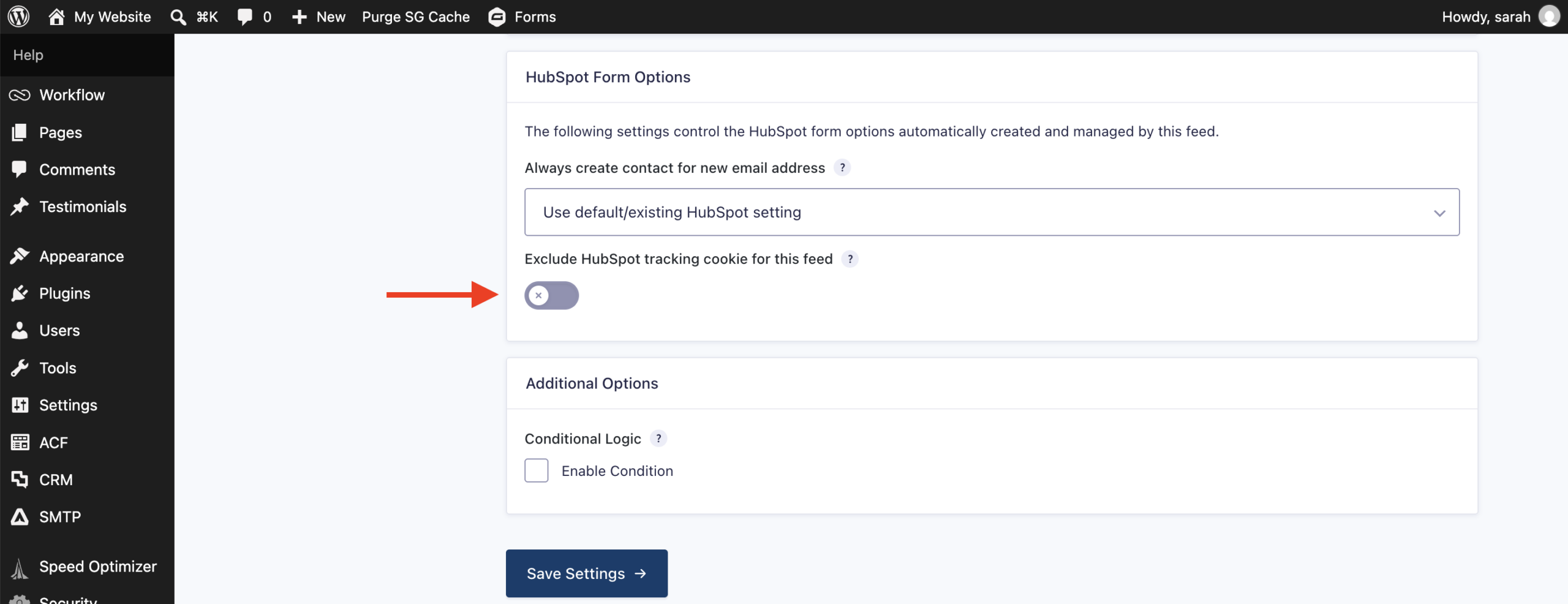
- Added a setting to disable the add-on’s HubSpot tracking script for sites where HubSpot tracking is already loaded another way.
- Fixed HubSpot form being saved when feed fails validation due to a missing required setting.
- Removed the Contact Owner feed setting since the HubSpot Forms API no longer supports assigning a contact owner.
Control your own HubSpot tracking
If you already load HubSpot’s tracking script on your site through HubSpot’s own embed code, a tag manager, or another plugin, having the HubSpot Add-On load its own copy alongside it can create duplicate tracking.
With HubSpot 3.0.4, you can now turn off the add-on’s tracking script entirely from the integration’s settings, so it works cleanly alongside whatever tracking setup you already have in place.
Contact Owner feed setting removed
HubSpot’s own Forms API no longer supports assigning a contact owner, so the Contact Owner feed setting has been removed to match.
If your existing feeds used this setting, it will no longer appear in your feed configuration. No other feed settings are affected, and no action is needed on your part.
If you have custom code that relies on the add-on’s get_hubspot_owners() or get_contact_owner() methods, the OWNER_ID_DISABLED constant, or the $retry_on_error parameter of the API’s create_form() or update_form() methods, know that these have been deprecated and should be removed from your code.
Connect Gravity Forms with HubSpot
The Gravity Forms HubSpot integration sends your form submissions straight into your HubSpot CRM, automatically creating and updating contacts as people fill out your forms. There’s no exporting, no copy-pasting, and no gaps in your data – every submission becomes a contact record you can act on right away.
Key features of the Gravity Forms HubSpot integration
- Automatic contact management – Every submission adds a contact to HubSpot automatically, keeping your CRM current without manual work.
- Field mapping – Send form data to specific HubSpot contact fields and map additional properties as needed.
- Contact routing – Set lead status and lifecycle stage, and route contacts to the right team members.
- Behavioral tracking – Keep track of the pages visited, forms completed, and interests of your leads.
- Conditional logic support – Control exactly when entries are sent to HubSpot based on criteria you set.
For more information on setting up and using HubSpot, be sure to check out the Gravity Forms documentation.
Note: HubSpot is available with all Gravity Forms licenses. Visit our pricing page for more information on the features and other add-ons available on each plan.
HubSpot 3.0.4 changelog
- Added a setting to disable the add-on’s HubSpot tracking script for sites where HubSpot tracking is already loaded another way.
- Fixed HubSpot form being saved when feed fails validation due to a missing required setting.
- Removed the Contact Owner feed setting since the HubSpot Forms API no longer supports assigning a contact owner.
- Deprecated the get_hubspot_owners() and get_contact_owner() methods, the OWNER_ID_DISABLED constant, and the $retry_on_error parameter of the API create_form() and update_form() methods.
If you are a Gravity Forms license holder, HubSpot 3.0.4 can be updated in your WordPress dashboard, or downloaded manually from your Gravity account.

Newsletter
If you want to keep up-to-date with what’s happening on the blog sign up for the Gravity Forms newsletter!
"*" indicates required fields