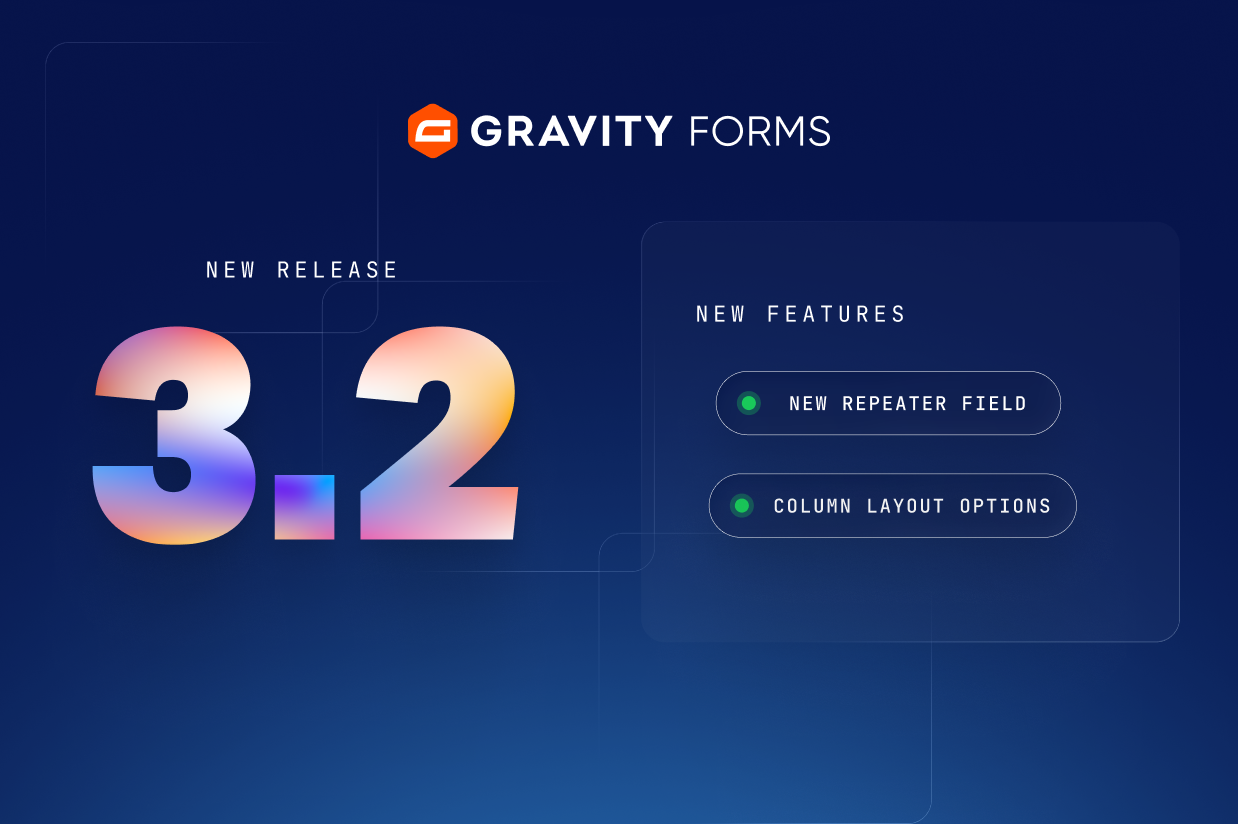
We’re excited to announce the release of Gravity Forms 3.2, featuring the new Repeater field!
The Repeater field lets you group any fields you like into a set, and gives the people filling in your form the ability to add additional sets, as many times as they need, all in a single submission.
That means a job application can gather every position in someone’s work history, each with its own employer, job title, and dates. Or a membership form can sign up a whole household at once, with everyone’s name, email address, and date of birth.
Gravity Forms 3.2 also adds a new Column Layout setting, so you can choose how fields in multi-column layouts behave when conditional logic is applied.
Let’s take a closer look at what’s new in Gravity Forms 3.2…
Collect repeating information with the new Repeater field
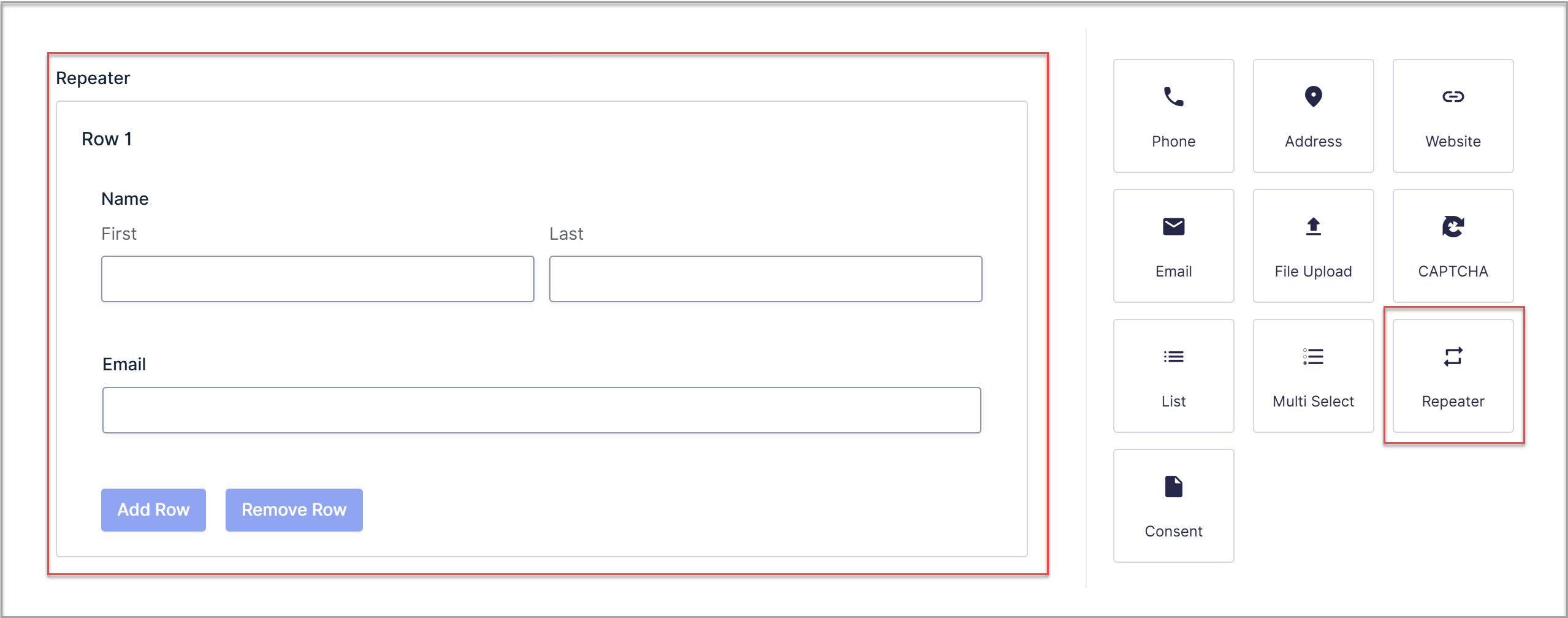
Plenty of forms need to collect the same set of details more than once. Until now, that meant adding a fixed number of duplicate fields and hoping you’d added enough, or reaching for the List field, which handles simple text well but not dropdowns, date pickers, or validated email addresses in its rows.
The Repeater field removes those limitations. Drag the fields you want into the Repeater, and together they become a set that can be repeated as many times as a submission needs. Every row gets full Gravity Forms fields, with the same types, settings, and validation you’d configure anywhere else in your form.
How you can use the Repeater field
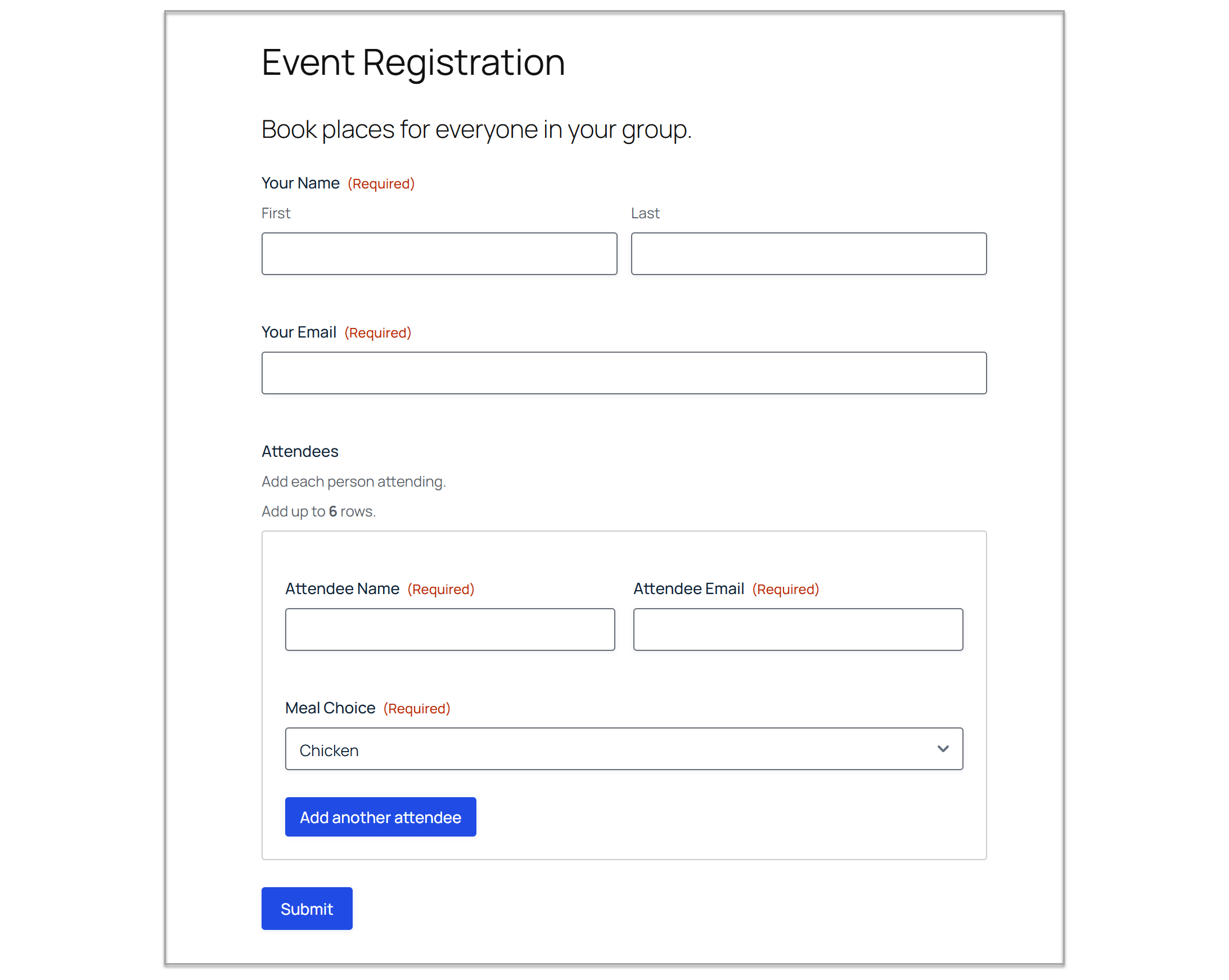
Here are a few ways to put the Repeater field to work:
- Event registration: Collect each attendee’s name, a validated email address, and their meal choice from a dropdown, all in one booking.
- Insurance quotes: Take the details of every driver on a policy, including their date of birth and license type.
- Expense claims: Give each expense its own row, with a date, an amount, a category dropdown, and a short description.
- School enrollment: Let parents enroll all of their children in one visit, with each child’s name, grade, and class preferences.
Whatever you’re collecting, everything arrives in a single submission. That saves the people filling in your form from submitting it over and over, and saves you from piecing the full picture together from separate entries afterwards.
Nested repeaters for more complex forms
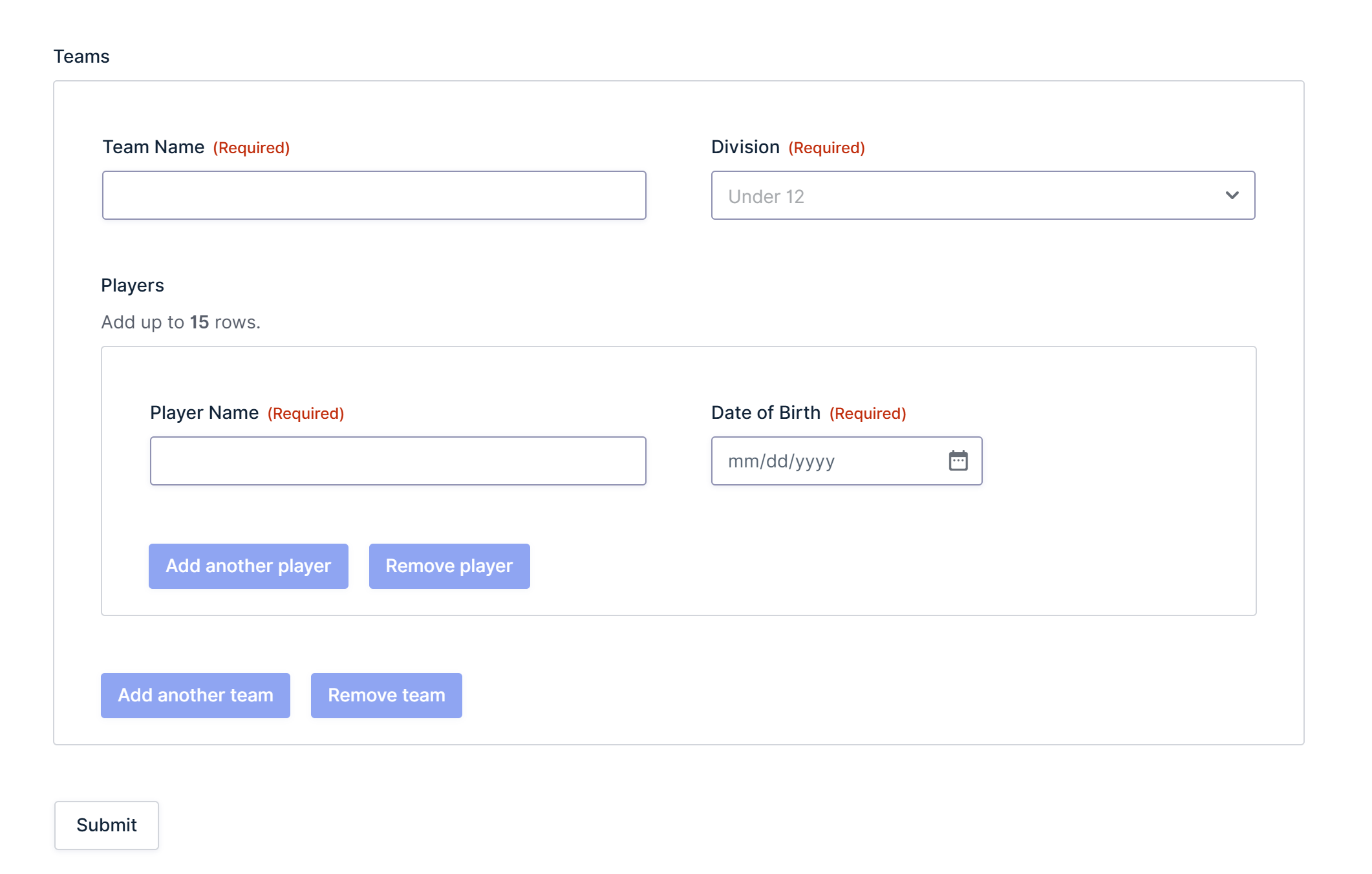
You can also place a Repeater field inside another Repeater field to collect information at more than one level. A tournament sign-up could register several teams, with a nested repeater inside it so each team can list its own roster of players. Or a group travel booking could reserve several rooms, with each room listing the guests staying in it.
Nesting captures the relationships as well as the details. Every player arrives tied to their team, and every guest to their room, so there’s no collecting one team per submission and no matching names up by hand afterwards.
Repeater field settings
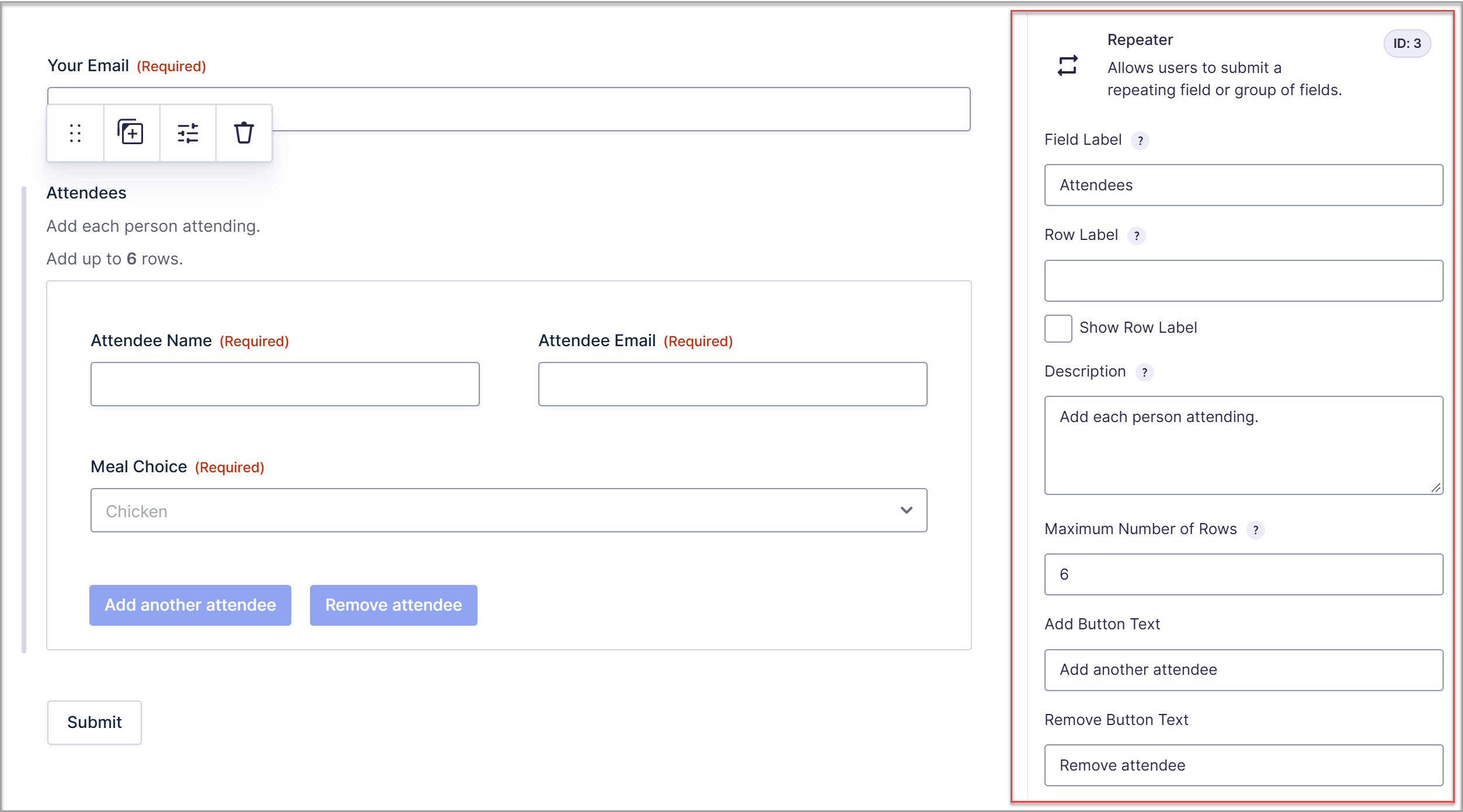
Each Repeater field comes with its own settings, so you can control how it works and what it says:
- Row label: Give each set its own label, such as “Attendee” or “Child”, and choose whether to display it.
- Maximum number of rows: Cap how many sets can be added, which is handy when an event only has so many places.
- Add and remove button text: Customize the buttons so they read naturally to the person filling in the form, like “Add another attendee.”
Works with the features you already use
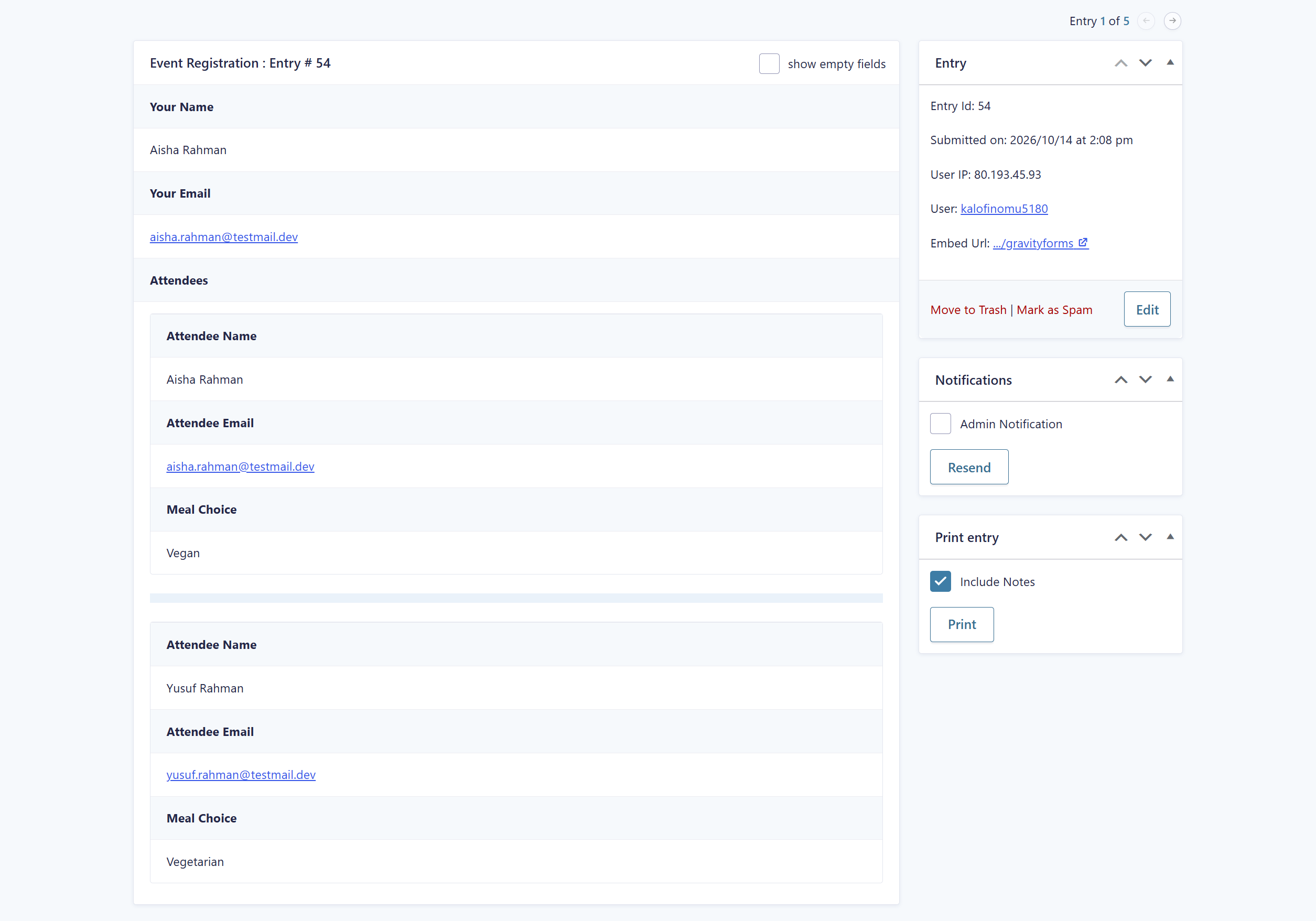
Repeater data fits into the rest of Gravity Forms, too:
- Entries: Every row is displayed and editable when you view or edit an entry, with nested rows indented so they’re easy to read.
- Exports: You can export entries with repeater data, and filter your export by the values inside a repeater.
- Save and Continue: Users can save a partly completed form, rows and all, and come back to it later.
- Dynamic population: Fields inside a repeater can be populated using merge tags or query string parameters.
- Merge tags: Use repeater merge tags in notifications and confirmations to include all rows, specific fields, or a count of how many rows were submitted. A confirmation could thank someone for registering four attendees, for example.
- Add-On feeds: Repeater fields can be mapped in your feed settings, sending the whole structure, a nested repeater, or one field’s values from every row. With the Webhooks Add-On, the full structure arrives as JSON.
A few field types, including File Upload, CAPTCHA, and some payment fields, can’t be added inside a Repeater field, and conditional logic can’t be applied to fields within a repeater.
For the full details, check out the Repeater field documentation.
Already using the beta Repeater field?
If you’ve previously added a repeater to your forms with code, it will continue to work as it does today.
However, converting it only takes a few steps, and once it’s done you can edit your repeater directly in the Form Editor, with no code to maintain.
Check out our guide on How to Make a Repeater Field Editable within the Form Editor for the full walkthrough.
For developers
The Repeater field also comes with new and updated hooks:
- gform/repeater/post_item_add: A new JavaScript action that fires after a row is added to a Repeater field, useful for reinitializing components such as datepickers on the new row.
- gform/repeater/post_item_delete: A new JavaScript action that fires after a row is removed from a Repeater field.
- gform/repeater/item_pre_add: This existing filter now supports asynchronous logic, so you can fetch data to prefill a row before it’s added.
- gform_repeater_sub_field_input: A new PHP filter for adjusting the markup of fields inside a Repeater field before they’re rendered.
More control over column layouts
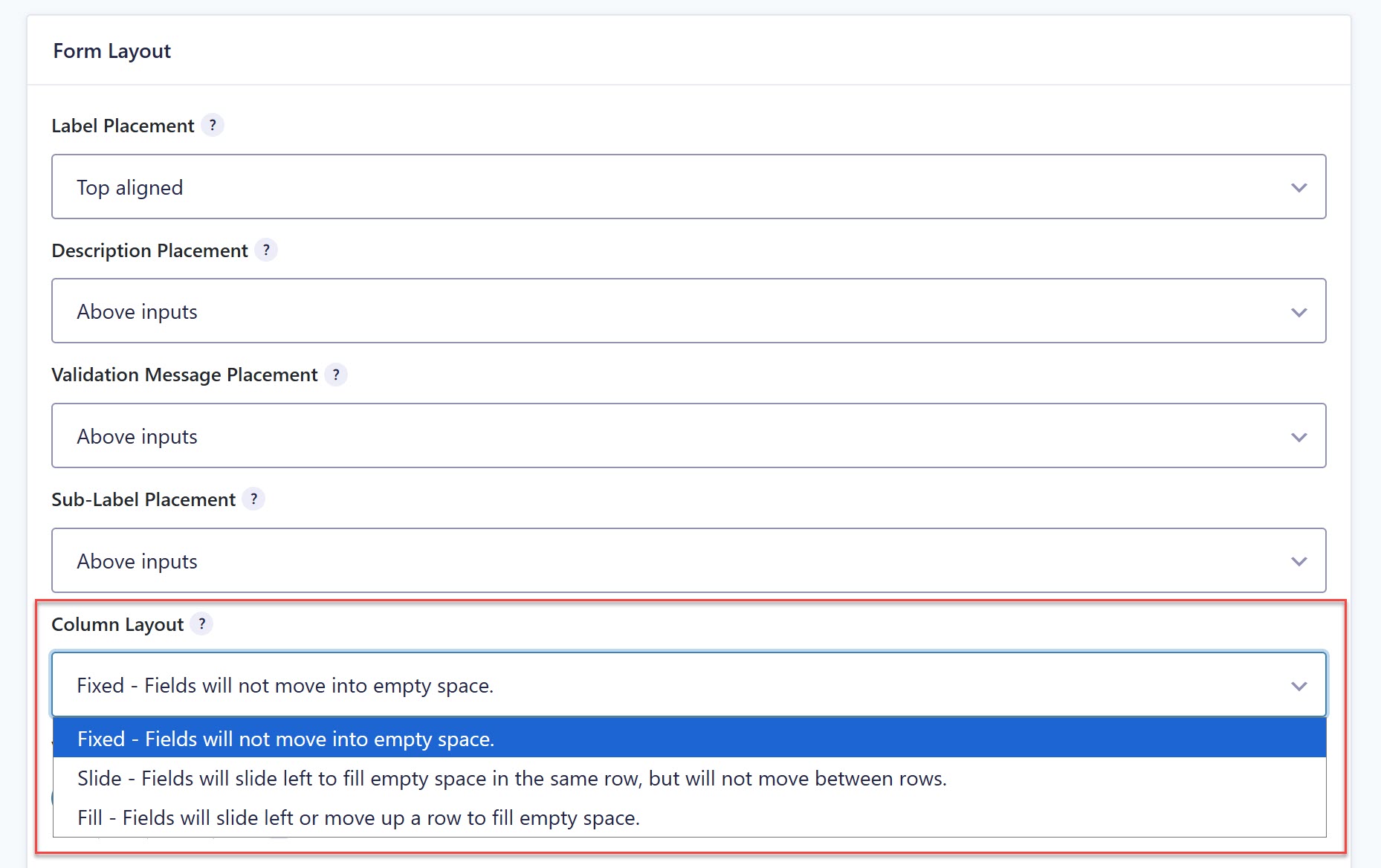
As well as the Repeater field, Gravity Forms 3.2 ships with a new Column Layout setting that provides more options when conditional logic is applied to a form.
Currently, when a field in a multi-column layout is hidden by conditional logic, the fields around it slide left or move up a row to fill the empty space. The new setting lets you control exactly how your columns behave.
You’ll find it under Form Settings, with three options to choose from:
- Fixed: Fields stay in place and don’t move into the empty space.
- Slide: Fields slide left to fill the empty space in the same row, but don’t move between rows.
- Fill: Fields slide left or move up a row to fill the empty space.
New forms use Fixed by default. Existing forms stay on Fill, which matches how they behave today, so nothing changes when you update. If you’d like an existing form to use Fixed or Slide, you can switch it in that form’s settings.
For developers, there’s also a new JavaScript action, gform/conditional_logic/field_action/end, which fires after conditional logic shows or hides a field. It replaces gform_post_conditional_logic_field_action, which is still supported for now.
For more information on the new Column Layout options, check out the Form Settings documentation.
Update to Gravity Forms 3.2
Gravity Forms 3.2 is available now to all customers with an active license. If you have automatic updates enabled, you’re all set.
Otherwise, you can update from your WordPress admin or download the latest version from your Gravity Forms account.
New to Gravity Forms? Check out our pricing to find the right license for you, or try the demo.
Changelog
- Added new Repeater field allowing users to add multiple sets of fields to a form and submit them all at once.
- Added security enhancements.
- Added a “copy” button next to the endpoint URL in the MCP settings.
- Added a Column Layout form setting to control how columns behave when they are hidden by conditional logic.
- Fixed: Fields will not move into empty space.
- Slide: Fields will slide left to fill empty space in the same row, but will not move between rows.
- Fill: Fields will slide left or move up a row to fill empty space.
- Added a meta tag to the default HTML template for notifications to define the content type and charset.
- Added aria attributes to the first inputs in fieldsets to ensure screen readers read the labels and descriptions correctly.
- Added MCP compatibility for Repeater fields.
- Added support for linking to a page within a multi-page form, and improved accessibility by making links in the validation summary go to the correct page.
- Added the
gform/conditional_logic/field_action/endJS event, which fires when a field is shown or hidden by conditional logic. - Updated the About page link to point to the general release tag instead of the security release tag.
- Fixed a bug that prevented the “Reset Defaults” button in the block editor from working.
- Fixed a PHP fatal error that could happen if entry retrieval failed during a call to GF_Results_Cache::update_entry_status()
- Fixed a PHP fatal error that occurs when some field values are sanitized and the theme or another plugin is using the
wp_kses_allowed_htmlfilter incorrectly. - Fixed an issue that caused the field id to not change in the form editor when switching between fields in Firefox.
- Fixed an issue that prevented Multi-File Upload from working on the Post Custom Field type.
- Fixed an issue that prevented the value for Text fields from being saved when the field uses conditional logic and is set to Hidden visibility.
- Fixed an issue where ampersands in Radio and Checkbox field values could prevent matching entries from appearing in search results and cause
GFAPI::get_entries()to return encoded values. - Fixed an issue where conditional logic comparisons could fail when field values contained an ampersand, preventing those values from appearing in confirmations and notifications.
- Fixed an issue where embedding a form in an existing page or post when the Gravity Forms block is not registered on the site caused the block editor to hide all other blocks.
- Fixed an issue where screen readers were not notified when users selected or cleared the Address field’s “Same as previous” option.
- Fixed an issue where the Month and Year dropdown selections in the Datepicker did not stick on the first try on mobile.
- Fixed an issue where the side arrows for the Month and Year dropdowns in the Datepicker are not in the correct position on mobile.
- Removed the
gform_enable_repeater_field_buttonfilter. Repeater fields are now always enabled. - AF: Fixed an issue where
GFFeedAddOn::delay_feed()is not called when a conditional logic rule based on the payment status is being used to delay feed processing. - AF: Fixed an issue where updates aren’t offered for the AbuseIPDB Add-On.
As always, if you have any questions about this release, our expert Support team is available to help!

Newsletter
If you want to keep up-to-date with what’s happening on the blog sign up for the Gravity Forms newsletter!
"*" indicates required fields