Searching for a native WordPress CRM plugin? Our hands-on FluentCRM review will help you decide whether it’s the right option for your business.
FluentCRM offers a self-hosted, WordPress-native CRM solution with a focus on email marketing and automation, rather than sales pipelines.
It comes from WPManageNinja, the same company behind the many other Fluent-branded products, such as Fluent Forms, FluentBooking, Fluent Support, and others.
In our review, we’ll dig into FluentCRM in more detail, covering the following information:
- A rundown of key features in FluentCRM
- A hands-on look at the FluentCRM interface, and how those key features work on a real website
- FluentCRM pricing, including how its prices stack up against similar tools
Let’s get into it…
FluentCRM key features
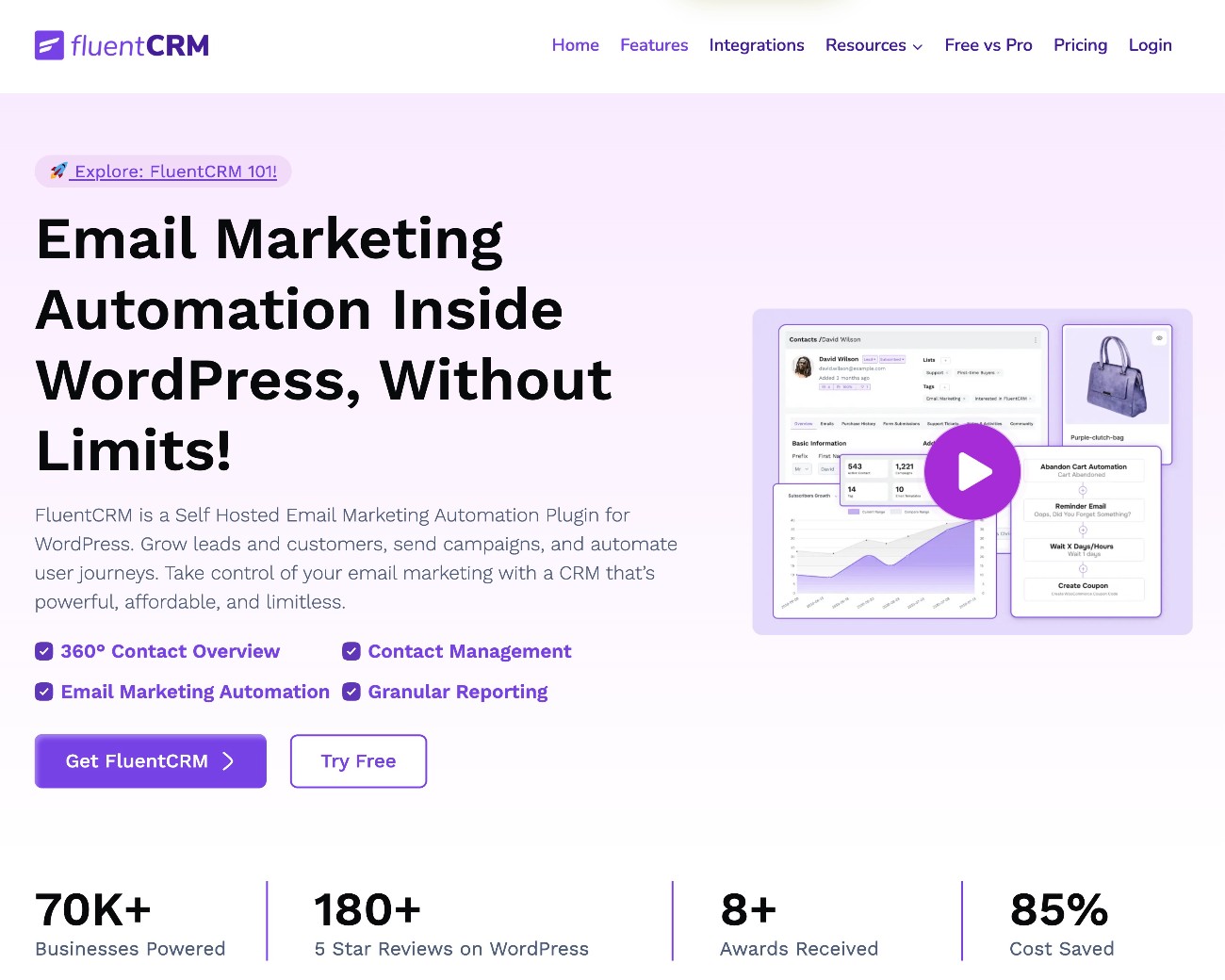
As we mentioned in the introduction, FluentCRM’s key features are primarily focused on email marketing and automation, rather than sales or customer support.
If you’re specifically looking for a CRM to help with those areas, it has a lot to offer. However, if you’re looking for a more sales-focused CRM solution, you might find that the plugin is missing some important features in those areas.
The core FluentCRM is available at WordPress.org. Then, there’s also a Pro version that adds more advanced features. We’ll discuss FluentCRM pricing information later in our review.
With the free version, you already get access to most of the core CRM functionality, including the following key features:
- Contact management – you can manage all of your contacts and store detailed information about each individual contact, including support for custom fields, tags, and other important details.
- Basic contact segmentation – you can organize your contacts into different segments using lists and tags.
- Send one-off email blasts – you can send one-off emails* to some or all of your contacts. The free version lets you design email content using the native WordPress block editor while the premium version adds a custom visual builder.
- Dynamic email content – you can use merge tags to dynamically insert information in your emails, including contacts’ personal information, website details, and more.
- Visual automation builder – the free version gives you a visual interface to build basic automations, such as a re-engagement automation that automatically cleans your email lists if a contact doesn’t engage with the automation.
*Note – if you’re using FluentCRM to send marketing emails, it’s essential to configure your WordPress site to use a dedicated email sending service. Otherwise, your emails will almost certainly get flagged as spam (or just not be sent in the first place). You can easily connect WordPress to a dedicated email sending service using an SMTP plugin like Gravity SMTP.
If you upgrade to the premium version, you can access a number of additional features, including the following:
- Email sequences – you can set up automated email sequences, such as a welcome email sequence that all new users receive.
- Recurring emails – you can also send automatic recurring emails, such as a weekly newsletter that automatically includes all of the blog posts that you’ve published that week.
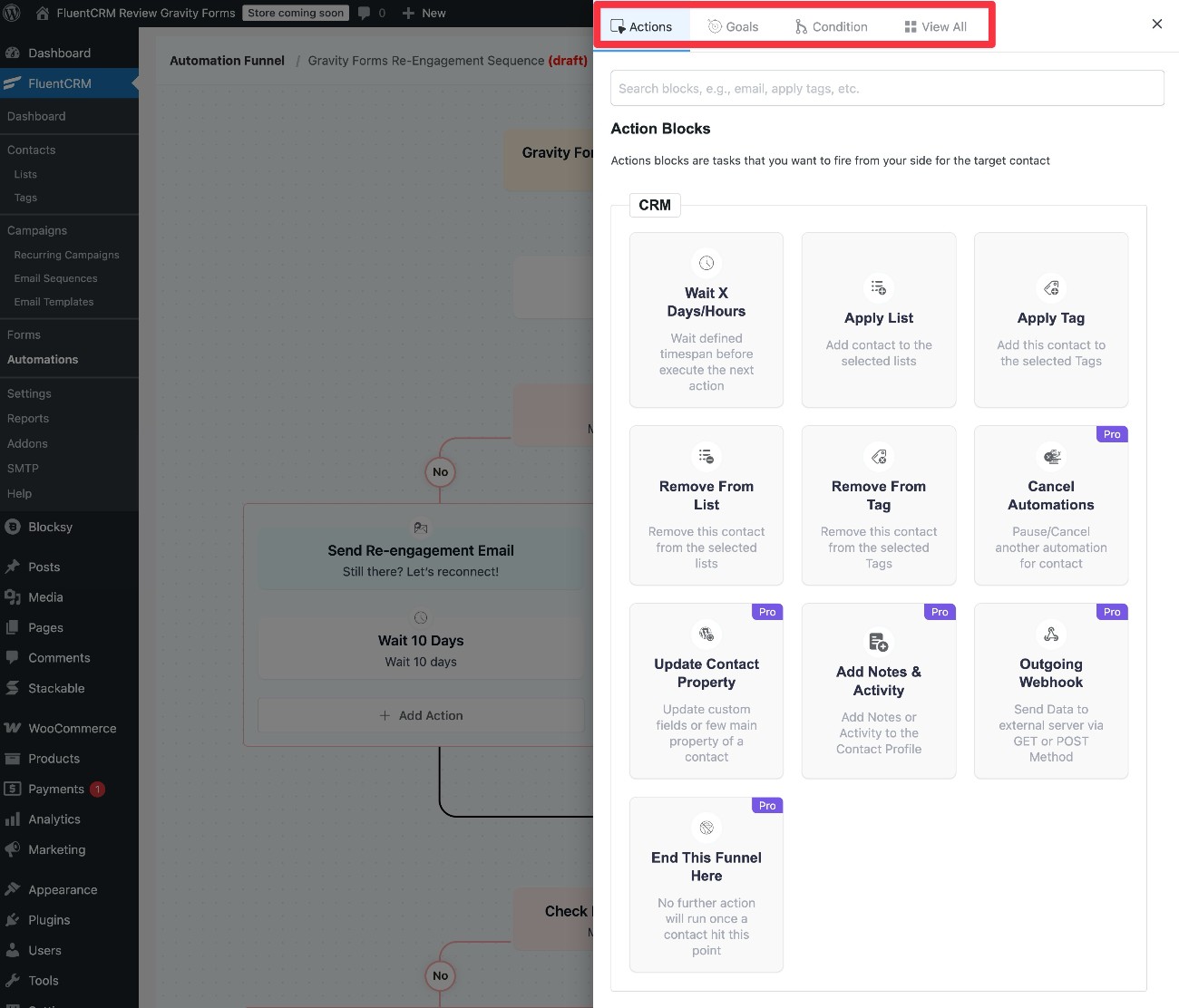
- More flexible automations – the Pro version adds more triggers and actions to the automation builder that you get in the free version. You can use these for abandoned cart recovery, upsells, and lots more.
- Detailed reporting – the Pro version gives you more detailed insights into all of your site’s emails and automations, including emails sent, clicks, revenue attribution (in supported plugins), and more.
- 45+ integrations with third-party plugins and services – you can integrate your CRM with a variety of other WordPress plugins (or gain deeper integrations in some cases when free integrations are already available). Some of the many integrations include WooCommerce, LearnDash, Easy Digital Downloads, LifterLMS, Elementor, Paid Memberships Pro, and others. You can also integrate with SaaS automation platforms like Zapier and Pabbly.
Exploring the FluentCRM interface
Because FluentCRM is a native WordPress plugin (rather than a connector plugin like some other CRM plugins), you can manage everything from inside your WordPress dashboard.
In this section, we’ll take a hands-on look at some of the key features that we discussed above.
Main dashboard
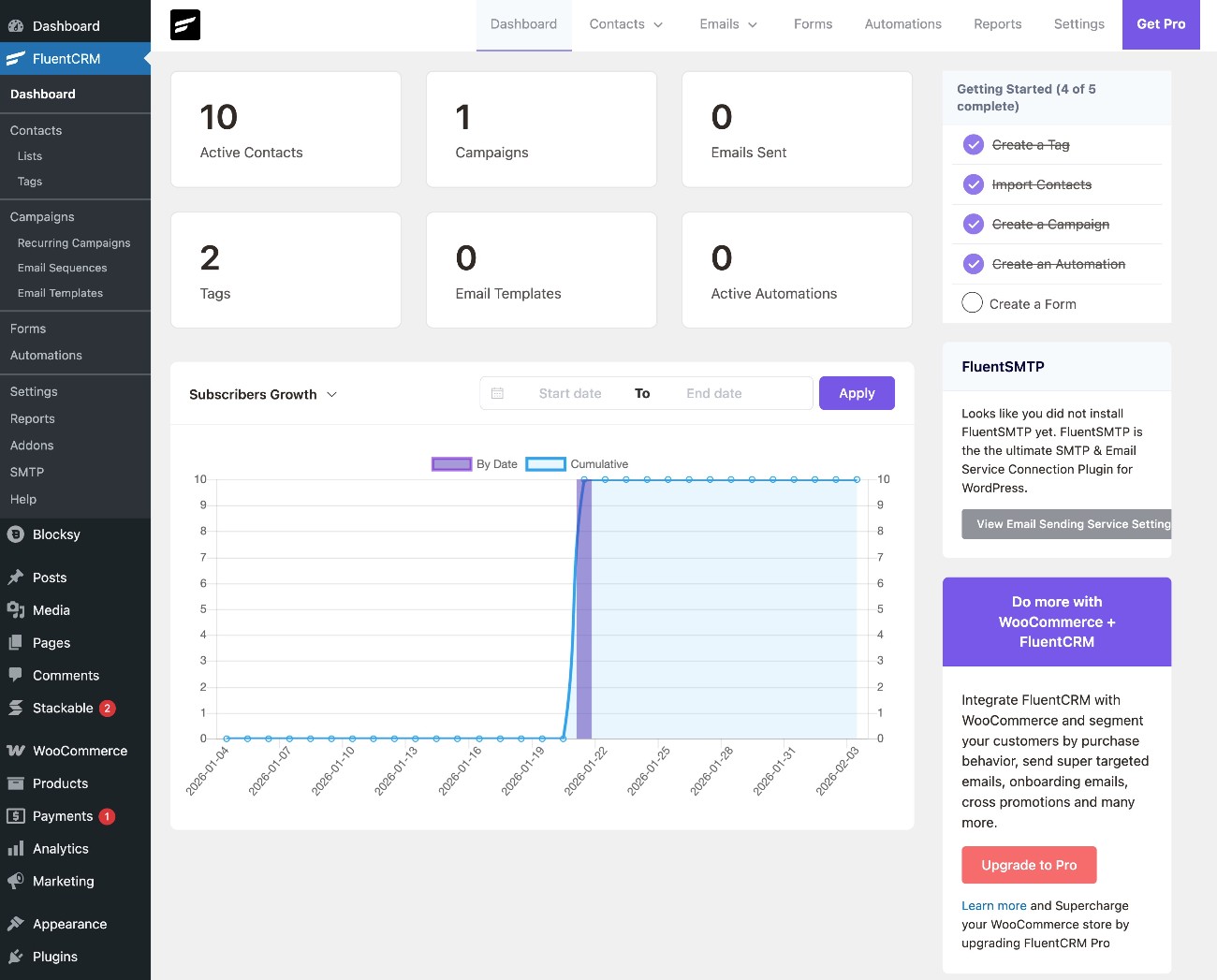
The main FluentCRM dashboard gives you an overview of everything that’s happening on your site, including the number of active contacts, emails sent, tags, automations, and other basic details.
Adding and managing contacts
You have a few different options for adding contacts to your CRM:
- Manually add individual contacts in the WordPress dashboard.
- Bulk import contacts, either by uploading a CSV file or importing your existing WordPress user accounts (the latter is helpful for membership websites or e-commerce stores).
- Create frontend lead gen forms to collect contact details (powered by the developer’s Fluent Forms plugin).
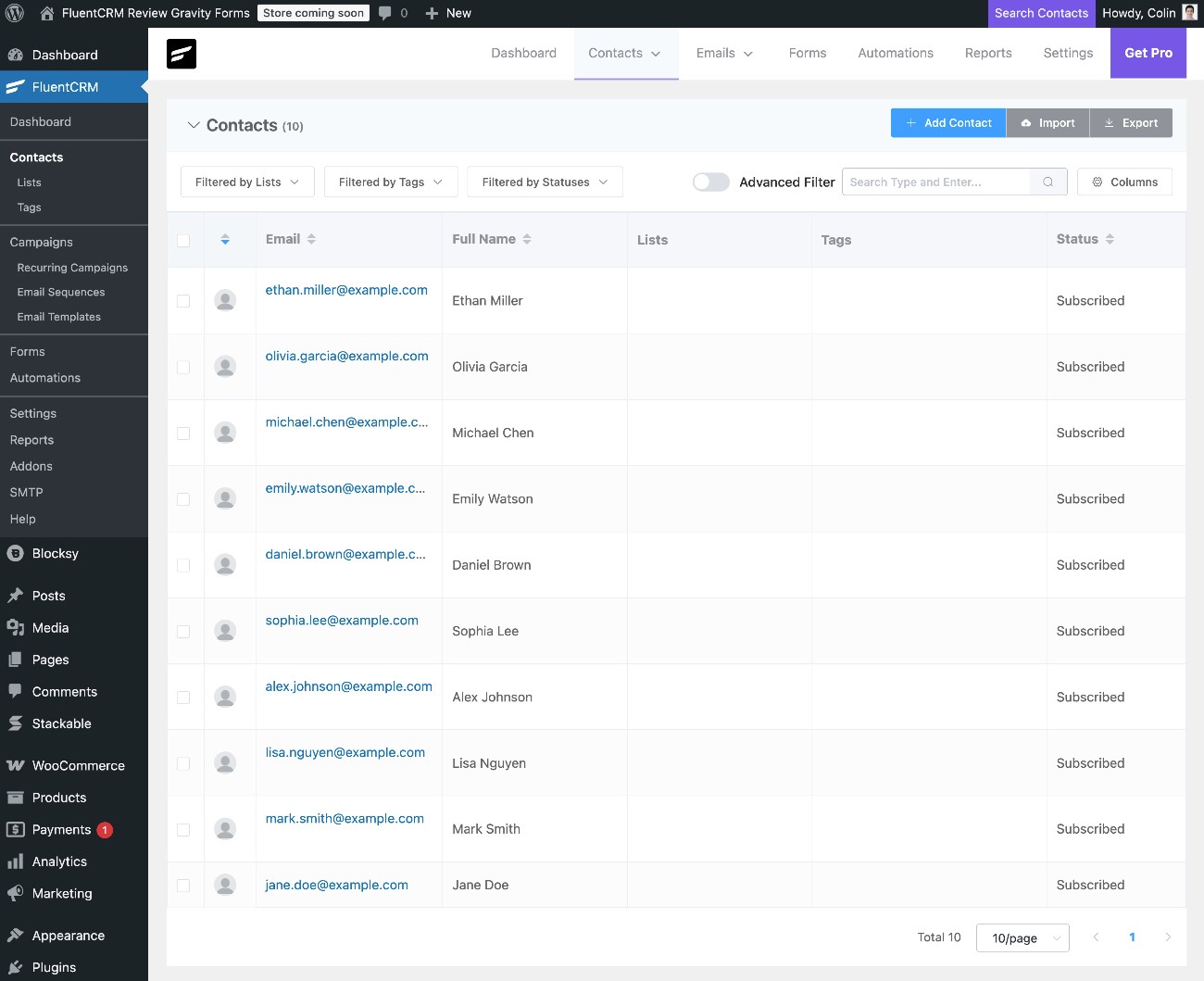
Regardless of how you add contacts, you’ll be able to manage them by going to FluentCRM → Contacts in your dashboard.
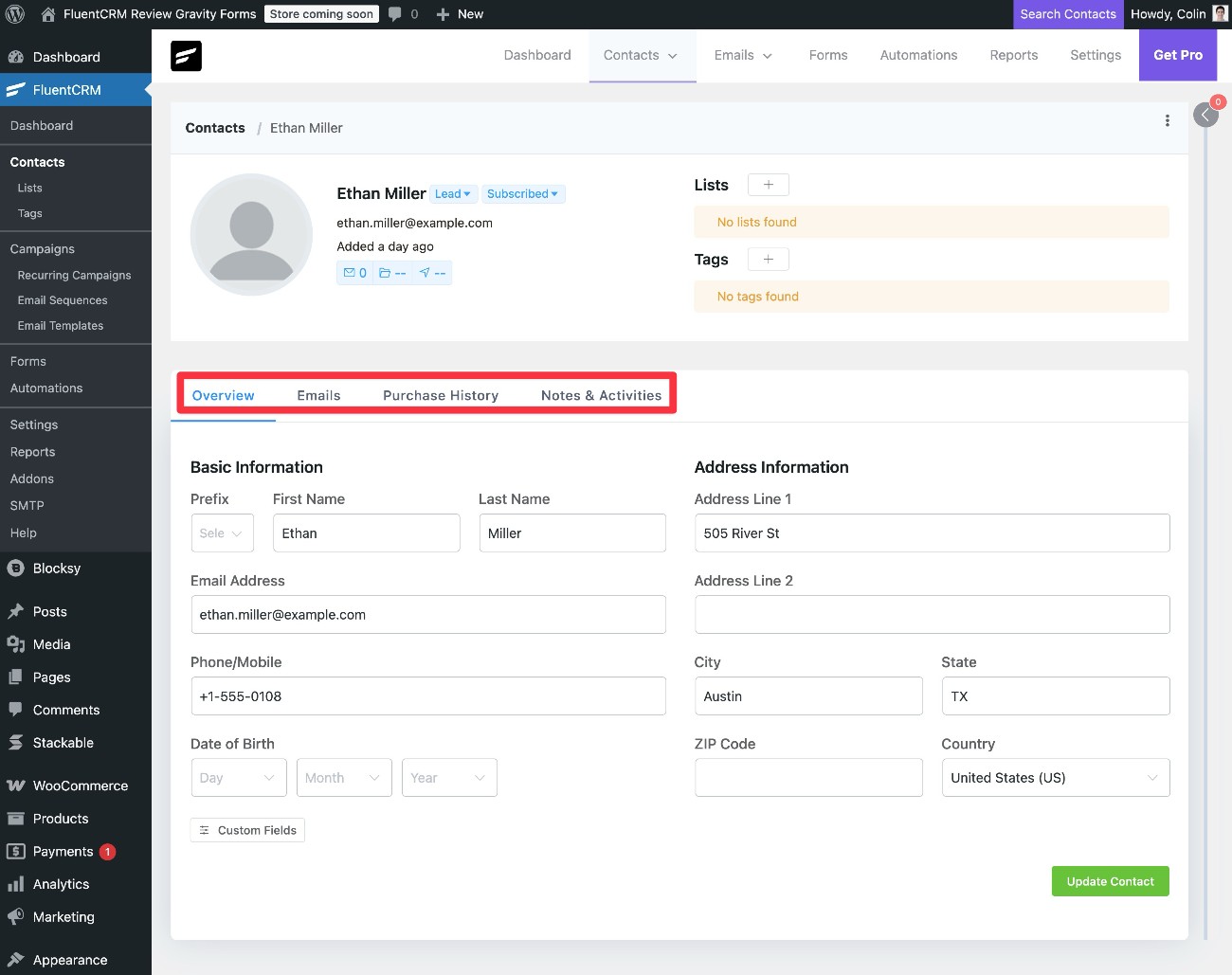
If you click on an individual contact, you’ll be able to see more details about that contact, along with other helpful information such as the emails that you’ve sent them, their purchase history, internal notes, and more.
With the Pro version, FluentCRM can also bring in details from a user’s activity in other plugins, such as their course progress if you’re using an LMS plugin like LearnDash or LifterLMS.
Sending emails
You can send emails to your contacts from the Campaigns area in the FluentCRM dashboard. It lets you send one-off messages, along with setting up automated sequences or recurring campaigns.
The free version lets you design your emails with a slightly customized version of the native WordPress block editor. However, if you upgrade to the Pro version, you can access a visual, drag-and-drop builder that’s native to FluentCRM.
FluentCRM also supports merge tags so that you can dynamically insert a contact’s details or other information in your emails.
You can choose between designing your emails from scratch or using a template. You can also save one of your custom designs as a template to reuse it later on.
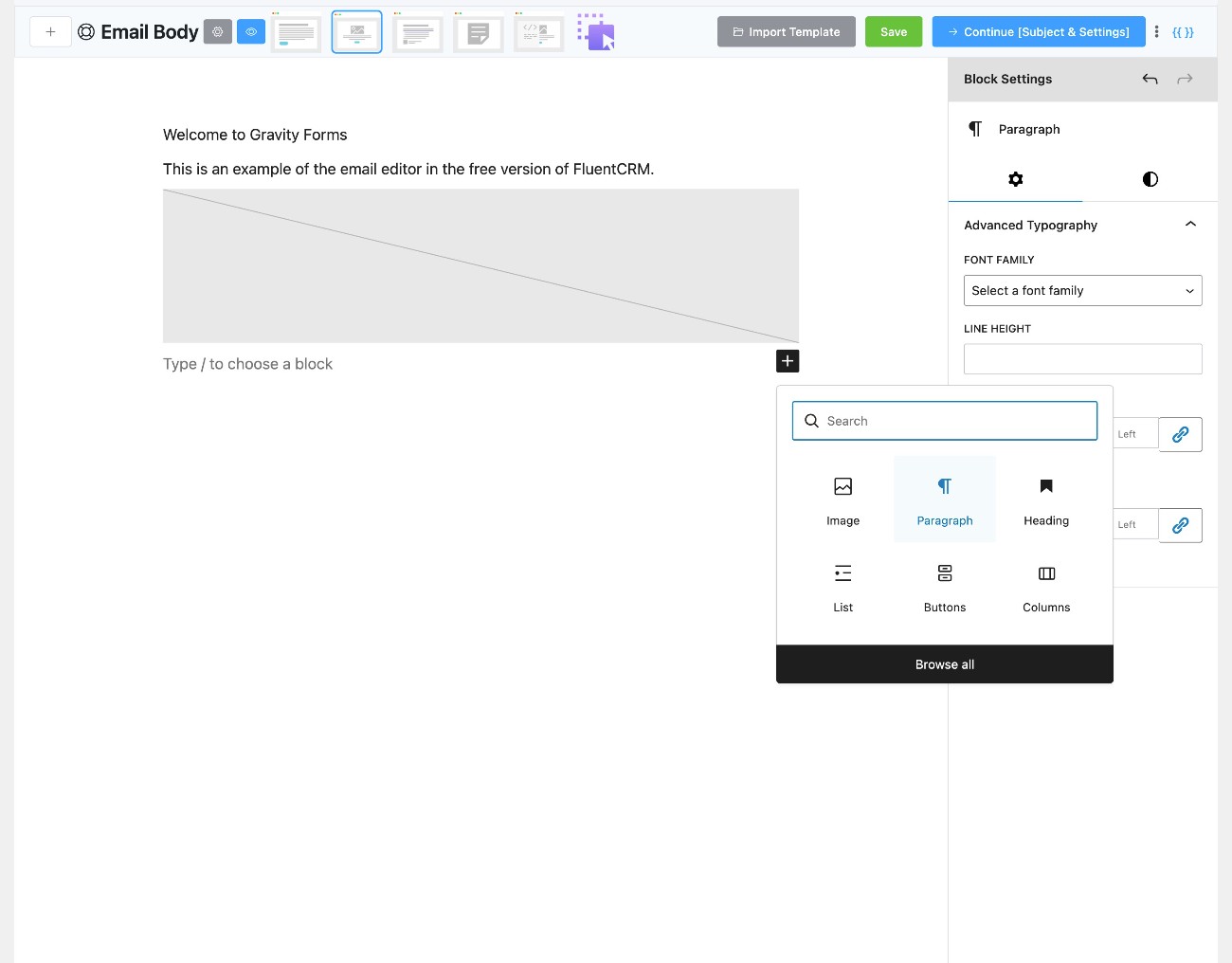
In the next tab, you can enter your email subject line and pre-header, both of which also support merge tags.
In the final tab, you can choose which contacts should receive the email. You can choose an existing segment or create a new one if needed.
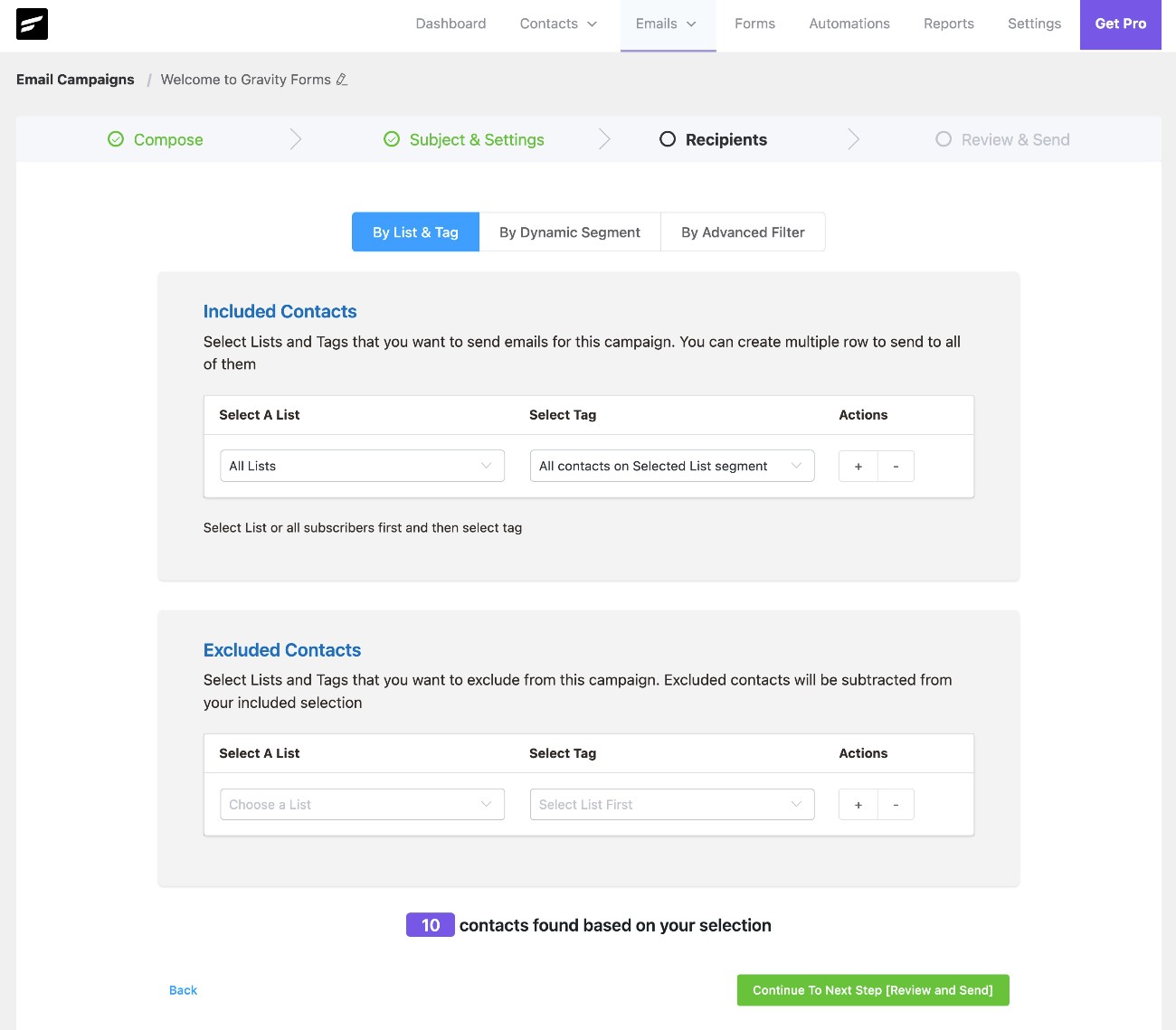
If you want to build email sequences or send recurring campaigns (such as a weekly digest of your recently published blog posts), you’ll need to upgrade to the Pro version.
Building automation funnels
In addition to letting you send email sequences, FluentCRM also lets you build automation funnels using a visual interface.
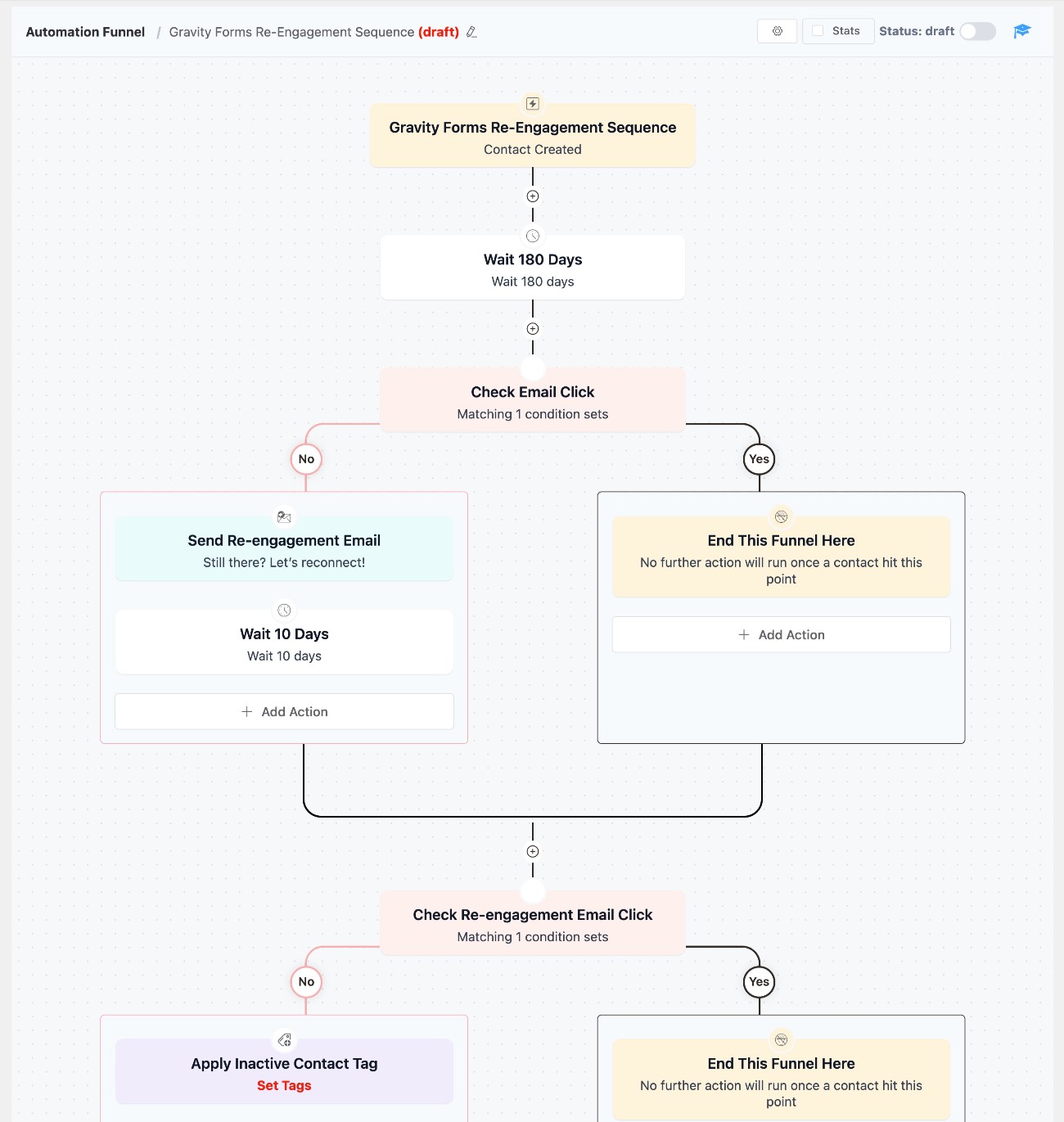
The free version gives you access to some basic triggers and actions, while the Pro version adds a lot more options (including more detailed integrations with other WordPress plugins).
What about sales features?
As we mentioned earlier, FluentCRM primarily focuses on email marketing and automation. As a result of that focus, it doesn’t include some of the features that you might find in other more sales-focused CRMs.
For example, there’s no dedicated way to assign a contact to a specific owner, which is something you’d want to do if you had a more one-on-one sales process. You could find workarounds to do this, such as adding a custom field or applying a certain tag, but it’s not really a core function of the CRM.
Similarly, there’s not currently any sales pipeline functionality, which is another important feature that you’d want in a sales-focused CRM. The FluentCRM team has talked about adding it in the future, but there’s no sales pipeline functionality at the time that we’re writing our FluentCRM review.
FluentCRM pricing
FluentCRM comes in both a free version and a premium version.
The free version gives you access to the basic CRM functionality, but businesses that are serious about marketing and sales will likely need to go with the Pro version.
Here are some of the most notable differences between FluentCRM free vs Pro versions, though this is not the complete list. The Pro version gives you…
- Many more integrations (the free version integrates with other WPManageNinja products, but you’ll need the Pro version for most third-party integrations).
- More flexible segmentation and filtering for CRM contacts.
- More triggers for marketing automation.
- More in-depth reporting.
- Email marketing features such as email sequences, recurring campaigns, and A/B testing for subject lines.
- A visual, drag-and-drop builder for emails.
You’ll also need the Pro version to remove FluentCRM branding from the emails that you send.
To view all of the differences, FluentCRM maintains a free vs pro comparison table.
In terms of the premium version, FluentCRM seems to run perpetual discounts to make the price more attractive. Typically, they always have a deal running that gives you somewhere between 20-40% off.
However, it’s important to note that this discount only applies to your first year. If you want to renew your FluentCRM license after the first year, you’ll need to pay the full price of the plan.
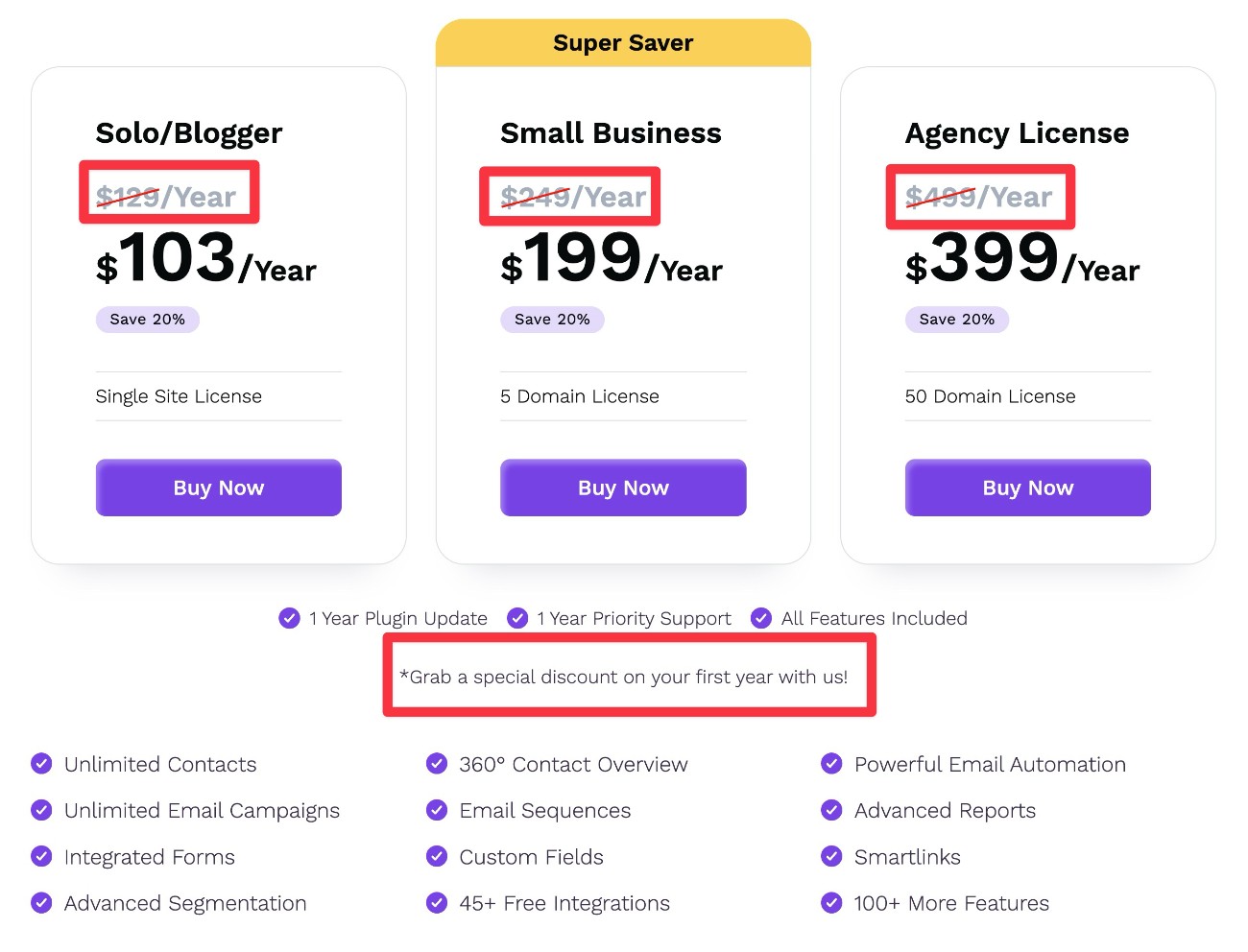
Every premium license includes access to all features – the only difference is the number of domains/sites on which you can use the plugin:
- 1 domain – $129 per year.
- 5 domains – $249 per year.
- 50 domains – $499 per year.
In the screenshot below, the crossed-out prices are what you will pay after the first year (we’ve highlighted them in red to make that clearer):
FluentCRM pricing vs other CRM tools
If you compare FluentCRM vs SaaS CRM platforms like HubSpot, Salesforce, Zoho CRM, and others, FluentCRM will generally be significantly more affordable (this is true of most native WordPress CRM plugins).
In addition to just generally having a lower cost, one of the big pricing differences is that FluentCRM doesn’t place any arbitrary limits on the number of users/seats that you can have.
Most SaaS CRM platforms will charge you based on the number of “seats”, which is the number of people that you want to have access to your CRM. So, if your business has five employees who need access to the CRM, you would need to pay for five seats. If you have a lot of team members, these costs can quickly add up.
With FluentCRM, you can give unlimited people access to the CRM, even with the free version. All you need to do is create a WordPress user account for them. This is not a unique advantage of FluentCRM – it’s true of pretty much all self-hosted WordPress CRM plugins.
If you compare FluentCRM vs other native WordPress CRM plugins like Jetpack CRM or Groundhogg, it’s still generally on the more affordable side of the spectrum.
Final thoughts on FluentCRM
If you’re searching for a native WordPress CRM plugin with an emphasis on email marketing and automation, FluentCRM can be a solid option to consider.
It makes it easy to store and segment your contacts, send them emails, and build automations to improve your conversion rates and recover abandoned orders.
On the other hand, if you’re primarily looking for a self-hosted sales CRM, there might be better CRM plugins out there. While you could use FluentCRM as a sales CRM, that’s not really the plugin’s main focus and there are other CRM plugins that offer more flexible sales functionality.

Newsletter
If you want to keep up-to-date with what’s happening on the blog sign up for the Gravity Forms newsletter!
"*" indicates required fields