Generate and Scan QR Codes in Gravity Forms
Turn form data into QR codes, and use a phone or tablet camera to scan codes into your forms.

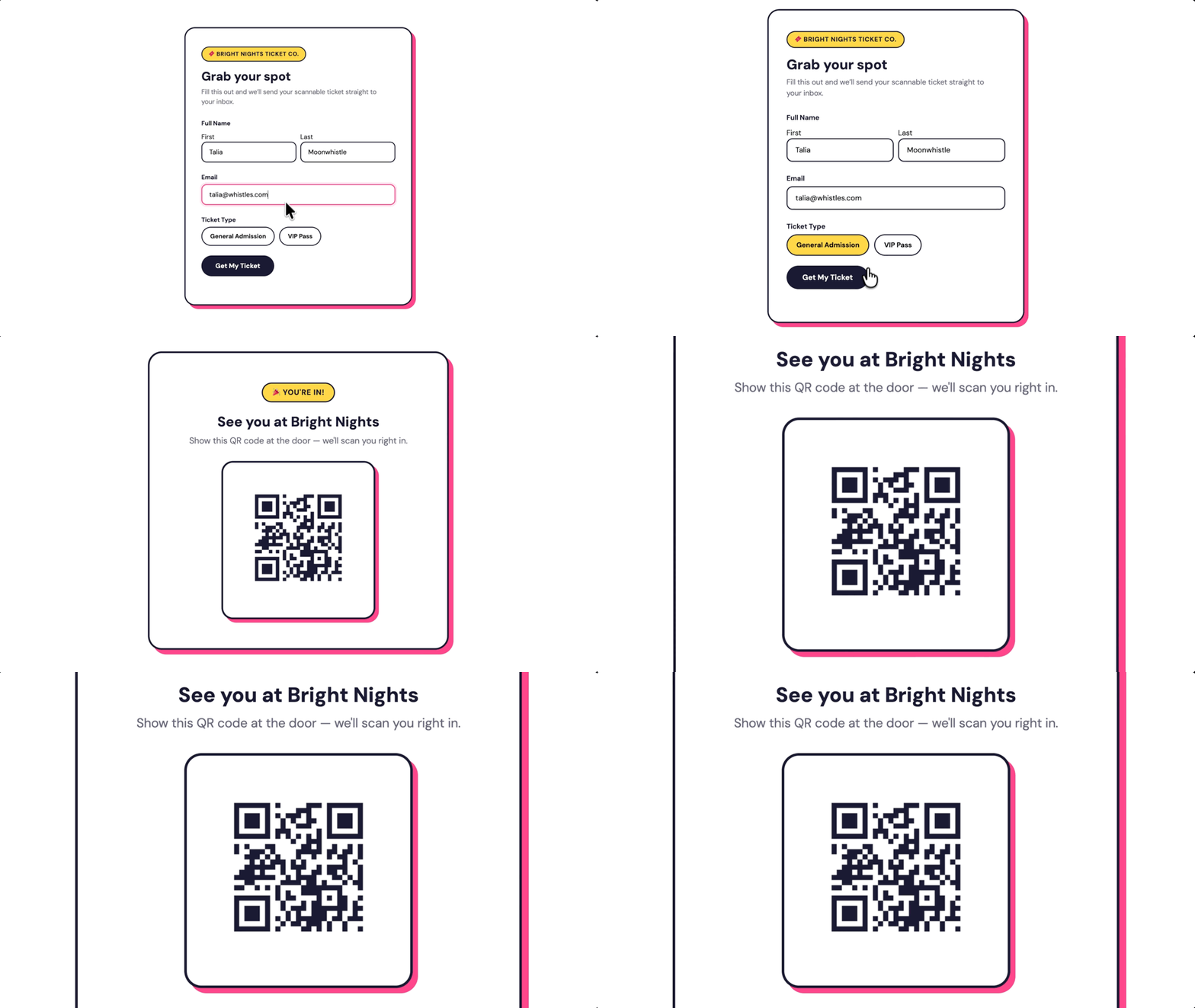
Generate QR codes from form data
Show any field’s value as a QR code in notifications and confirmations.

Scan codes into form fields
Fill a Single Line Text field by scanning with a device camera.

Combine values in one code
Mix several field values and your own text in a single QR code.

Customize size, color, and format
Set the size and colors, or output barcodes like PDF417 and UPC-A.
Generate
Turn Any Form Value Into a QR Code
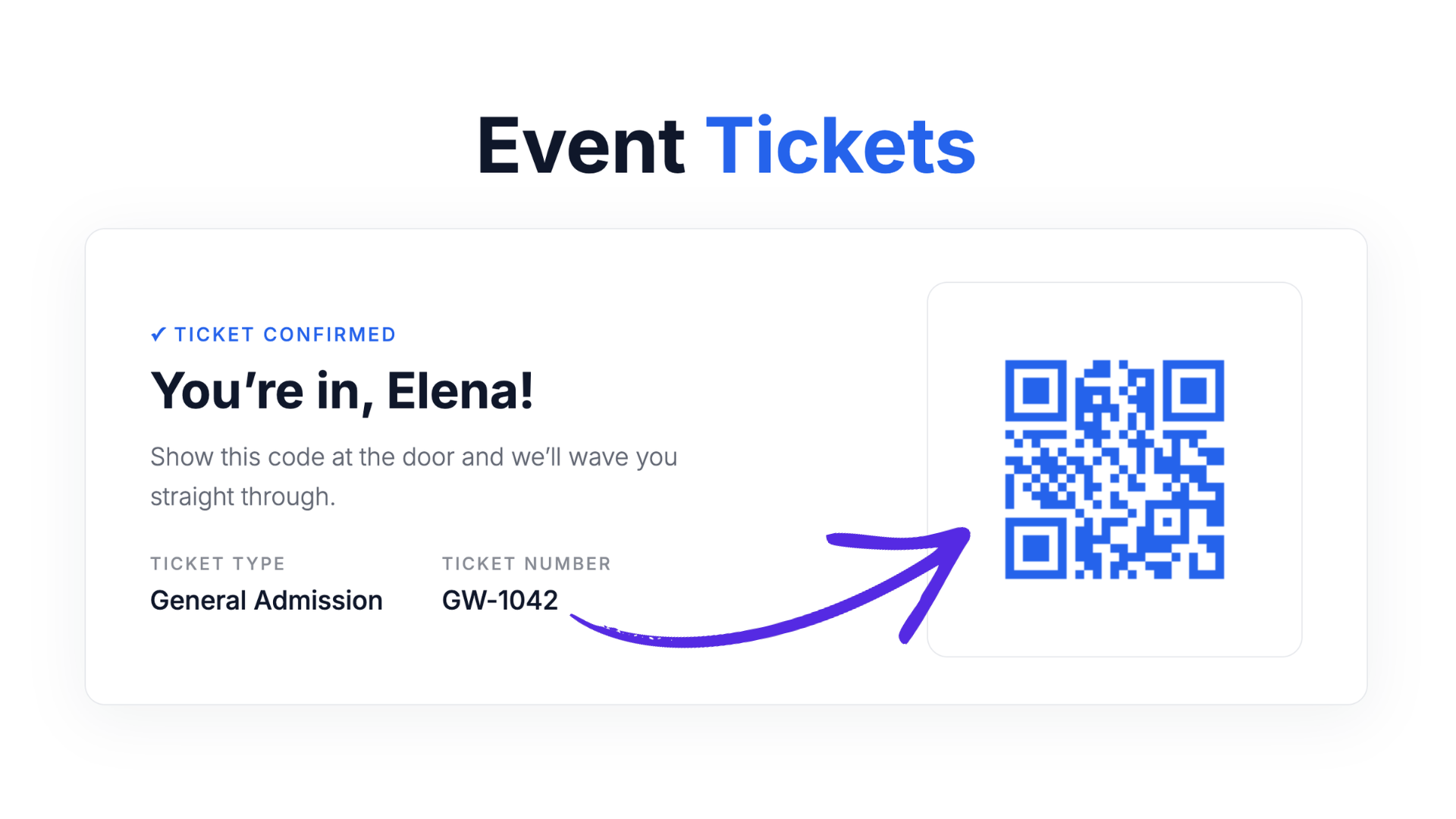
- Works wherever merge tags do. Output a field’s value as a QR code in notifications, confirmations, and other places merge tags are supported.
- Combine values in one code. Mix several field values with your own text, like a ticket label plus its ID.
- Links and phone numbers. Encode a URL, or a phone number people can scan to call.
- Use a choice’s value. Generate the code from a Drop Down or Radio Buttons value instead of its label.
Scan
Scan a QR Code to Fill a Form Field
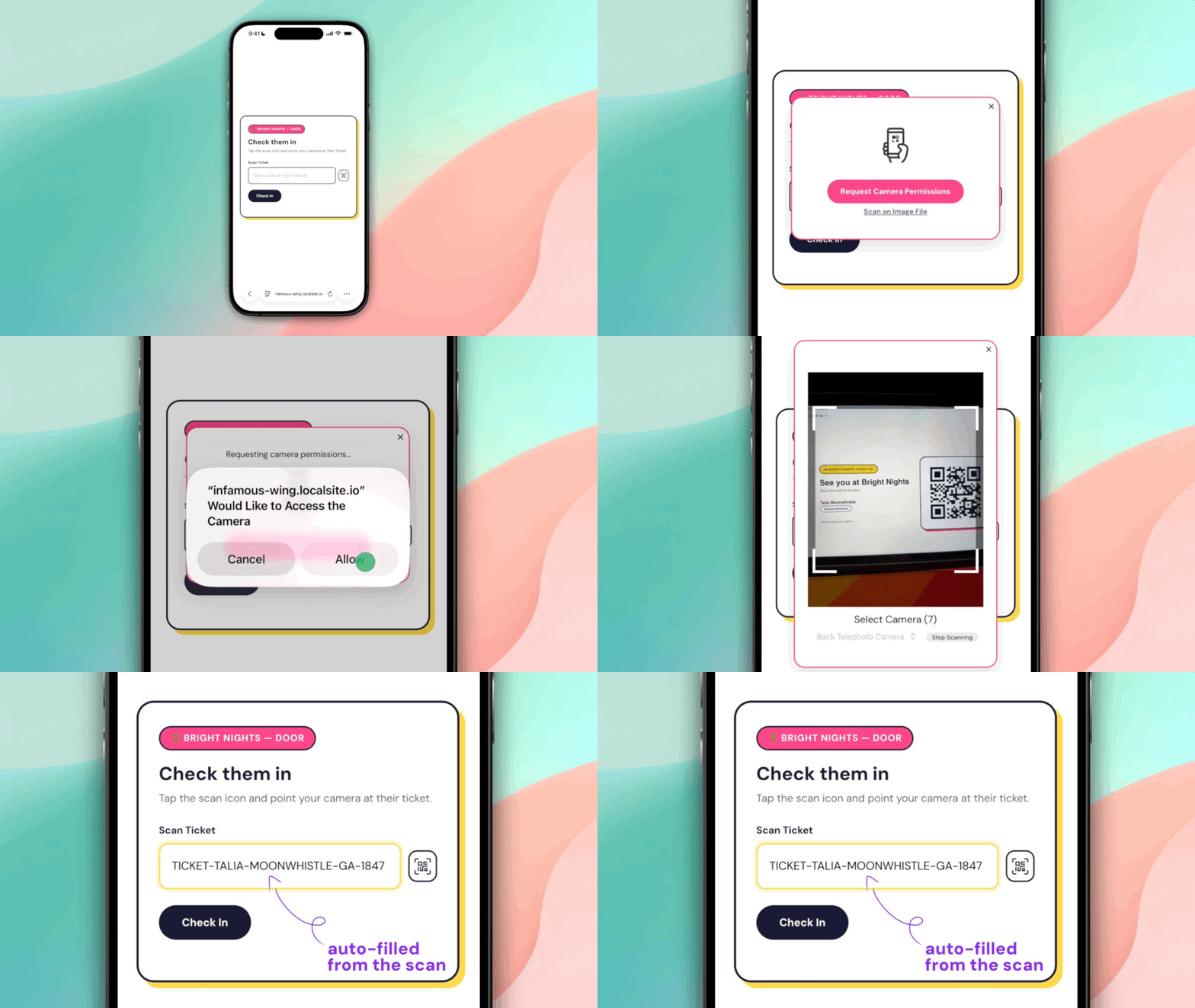
- Scan with the device camera. Turn on the scanner for a Single Line Text field, and a scan button appears beside it.
- Drag and drop on desktop. On a computer, drop an image containing a QR code onto the field.
- Other fields and formats need a snippet. Scanning into other field types, or reading UPC and EAN codes, is enabled with a filter.
Customize and display
Customize Your Codes and Show Them Anywhere
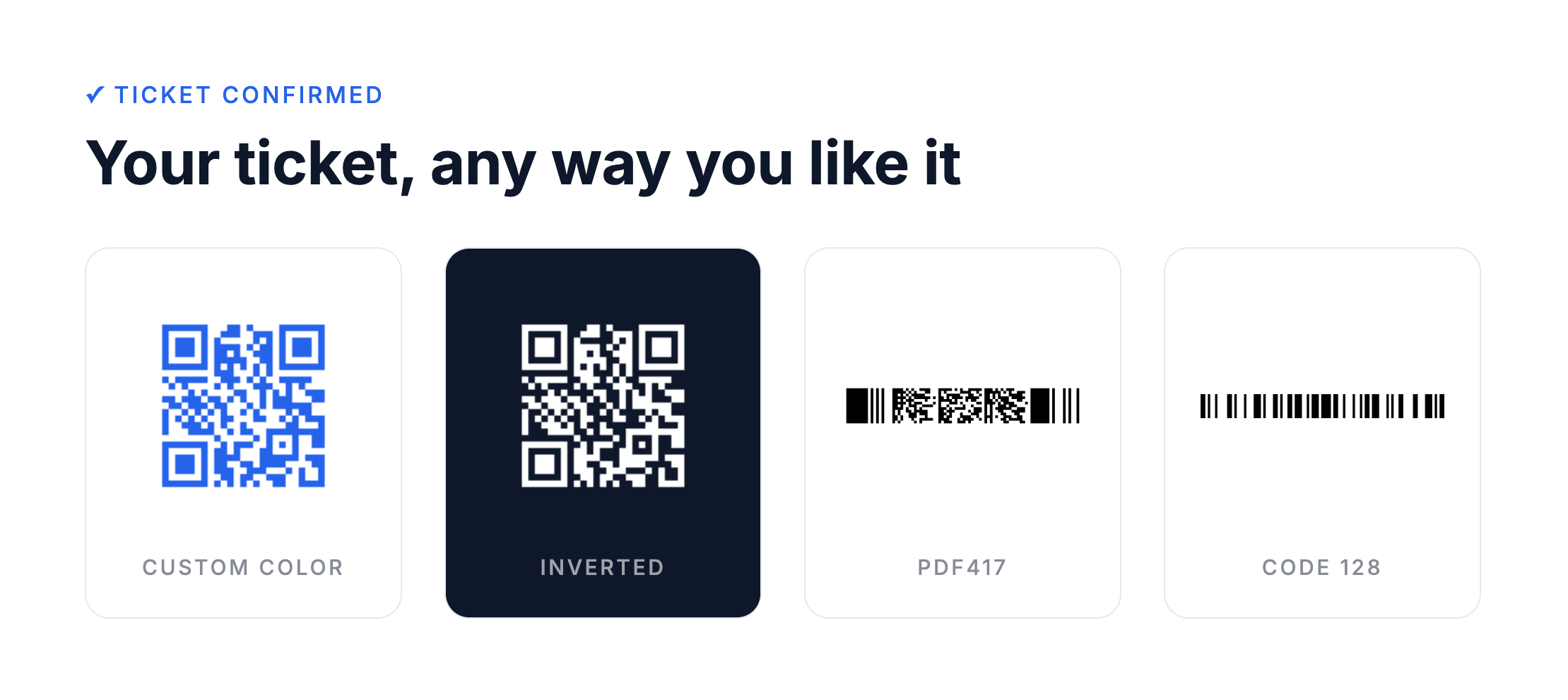
- Size and colors. Set the pixel size and the foreground and background colors.
- Other barcode formats. Output PDF417, UPC-A, Code 128, Data Matrix, and dozens of other barcode types.
- Works with other add-ons. Show codes in Gravity PDF, GravityView, Entry Blocks, and Preview Submission.
Use cases
QR Code Works Well For:

Event tickets and check-in
Pair QR Code with Easy Passthrough to email each buyer a QR code, then scan it at the door to pull up their registration.

Scannable coupon codes
Pair QR Code with Unique ID, the Gravity Forms Coupons add-on, and a coupon snippet so customers can scan a code at checkout.

Product inventory
Generate a QR code for each product SKU, then scan it into a restock form that uses Populate Anything to fill in the product details.

Digital business cards
Use Populate Anything’s Live Merge Tags to build a vCard QR code that people can scan to save a contact.
Why Gravity Wiz
Made by Certified Gravity Forms Developers 

Gravity Wiz provides the kind of support others only claim to provide in marketing materials.
Clay Asbury, Twelvetwo

Our founder helped build Gravity Forms.
And now, we’re certified developers.

Trusted on 150,000+ sites.
Building add-ons for 14 years and counting.

Legendary support from real experts.
See for yourself. We’ve got receipts.

Something new every week.
Across 70+ plugins, dozens of them free.
 Zero risk to use. Try it for 30 days or get your money back.

Get QR Code
QR Code is available with Gravity Perks — a suite of 48+ plugins for Gravity Forms.