Dynamically Populate Gravity Forms Fields
Fill field choices and values with posts, users, taxonomy terms, Gravity Forms entries, or database tables, and filter them by what someone enters.

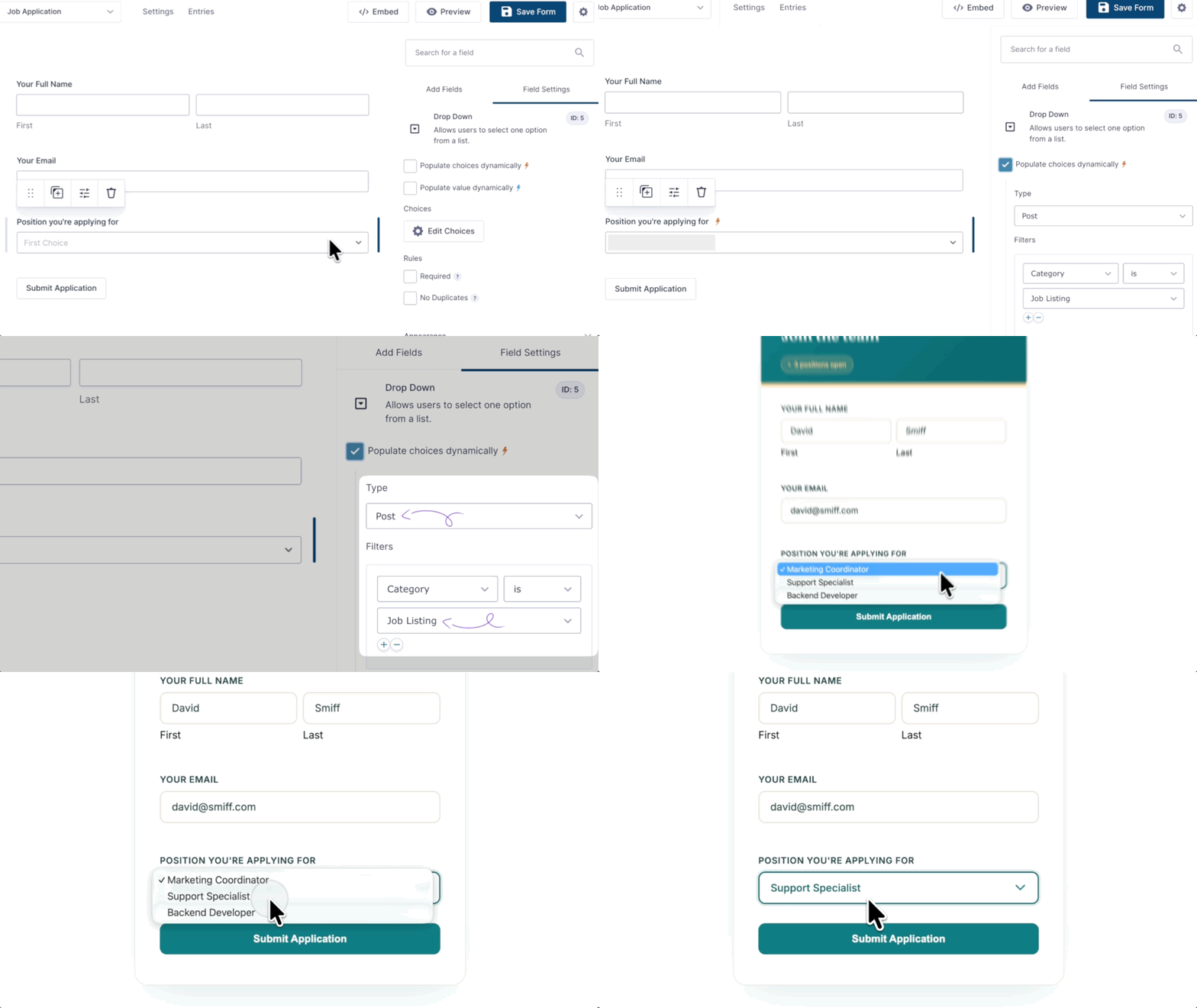
Populate choices and values
Fill Drop Down, Radio Button, Checkbox, and text fields from your data.

Filter one field by another
Show only the results that match what someone already picked.

Pull from outside sources
Add Google Sheets, Notion, or any REST API with Gravity Connect.

Live Merge Tags
Update labels, descriptions, and content as someone fills out the form.
Data sources
Populate Data From Anywhere
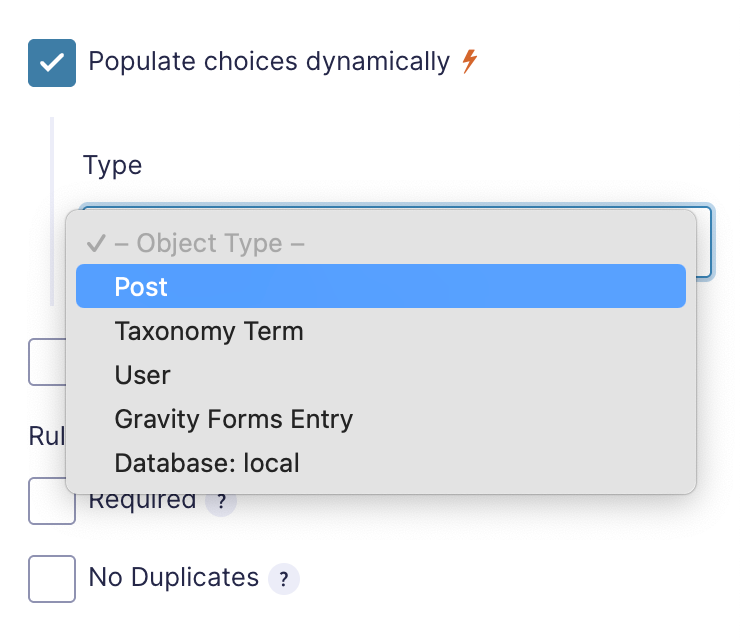
- Built-in object types. Posts (including pages and custom post types), taxonomy terms, users, and Gravity Forms entries, each with its own properties and filters.
- Any table in your WordPress database. For everything else, populate from a single database table or a MySQL view.
- Google Sheets, Notion, and REST APIs. Connect them with GC Google Sheets, GC Notion, or API Alchemist.
- Set the label and value separately. Choice and value templates control what people see and what the entry saves, and Custom Value templates combine several properties.
- Preview results in the editor. See the exact data that will be populated right in the field settings.
Filtering
Filter One Field by Another
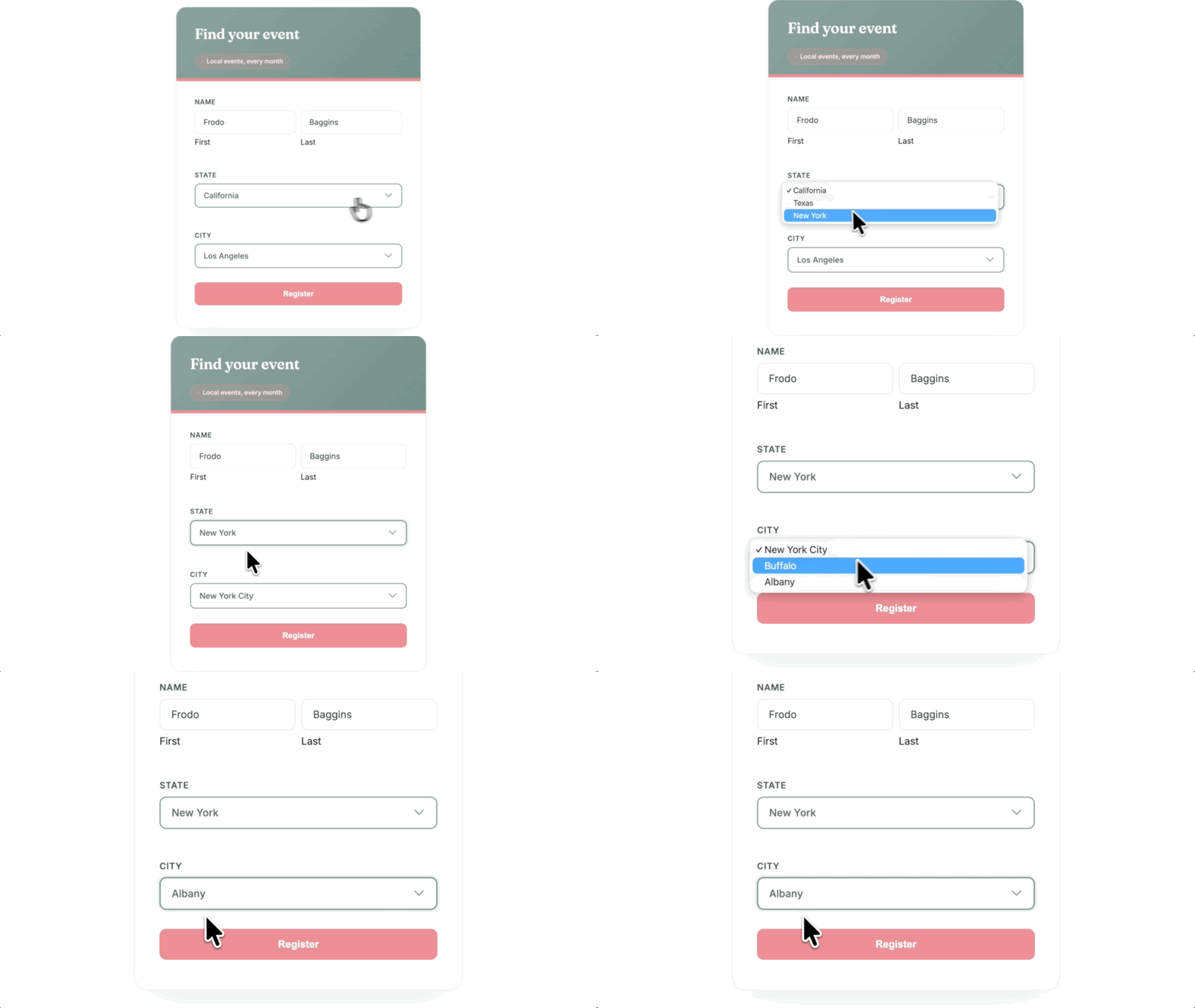
- Filter by what someone enters. Choose a department, and only its job openings show up. Choose a state, and only its cities appear.
- Chain selects, radio buttons, and more. Each field’s choices narrow based on selections in other fields.
- Filter groups and operators. Conditions in a group must all match, any group can match, and operators include is, contains, starts with, and greater than.
- Sort results. Order by any filterable property, ascending, descending, or random.
- Make dropdowns searchable. Pair with Advanced Select to let people type instead of scroll — even with thousands of choices.
Live Merge Tags
Update Labels and Descriptions as Someone Types
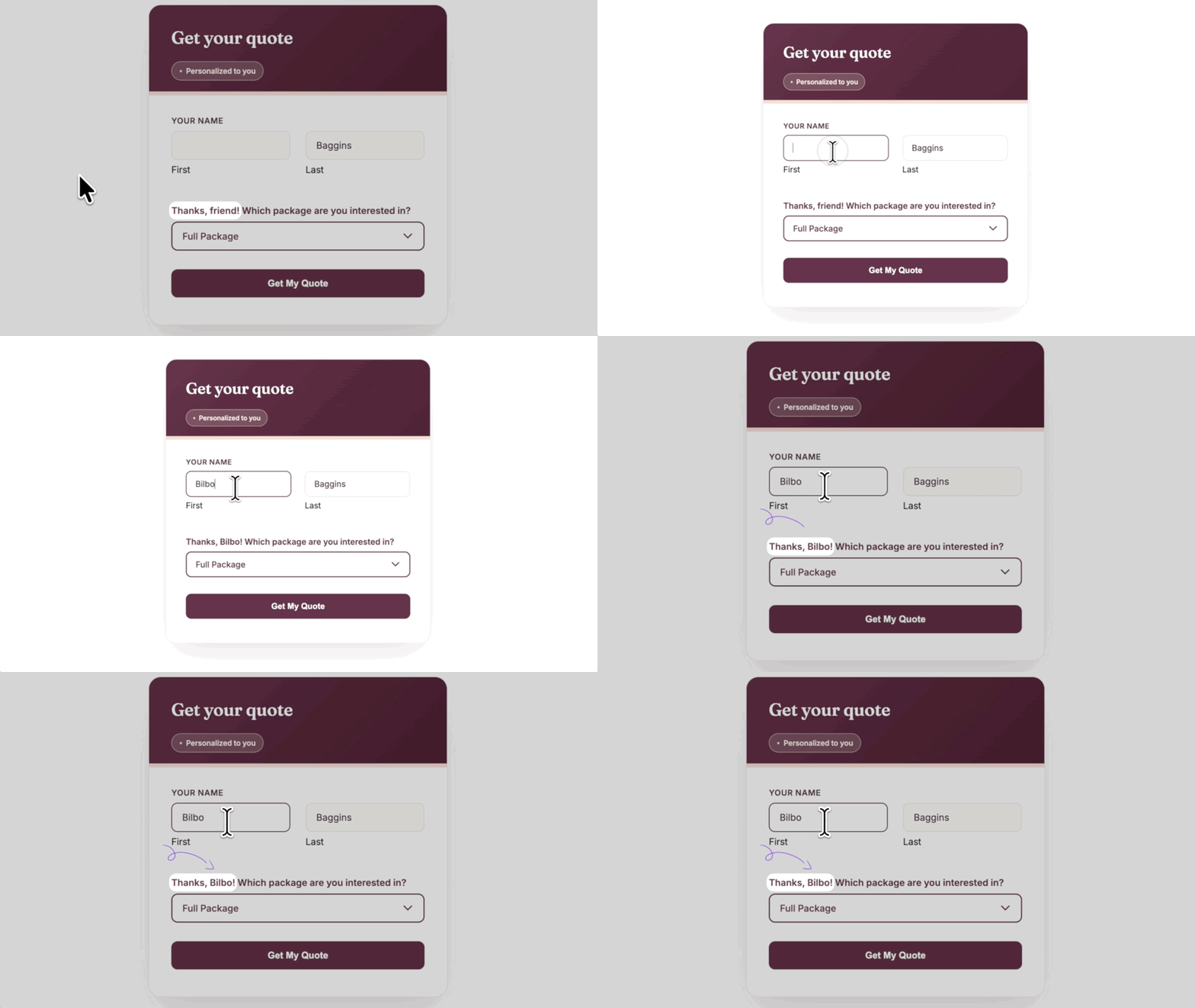
- Reuse answers anywhere in the form. Prefix a merge tag with @ and it updates in labels, descriptions, choices, values, and HTML content when its field changes.
- Greet people by name. Type a name, and any label you reference can greet them by name immediately.
- Set a fallback. The :fallback modifier shows default text when the field is empty, such as “Hello there.”
- Show a running total. Put the order total right in the submit button.
Use cases
Populate Anything Works Well For:

Membership registration
Approve signups automatically when the email matches a pre-approved domain.

Returning customer and student forms
Prefill forms with details someone already gave you, so they don’t enter them again.

Quote and package selectors
Select the right service package automatically based on earlier answers.

Directories and job boards
Let people pick from listings, staff, or openings already on your site.
Why Gravity Wiz
Made by Certified Gravity Forms Developers 

I have never been happier when buying a plugin. Your products are perfect but the support is even more perfect. I made a big project happen in a few hours.
Tasos Tiligadis, West SA

Our founder helped build Gravity Forms.
And now, we’re certified developers.

Trusted on 150,000+ sites.
Building add-ons for 14 years and counting.

Legendary support from real experts.
See for yourself. We’ve got receipts.

Something new every week.
Across 70+ plugins, dozens of them free.
 Zero risk to use. Try it for 30 days or get your money back.

Get Populate Anything
Populate Anything is available with Gravity Perks — a suite of 48+ plugins for Gravity Forms.