Embed forms within forms. Collect repeatable, structured data.
Nested Forms solves the problem of repeatable data entry. Users fill out nested (“child”) forms, you get grouped data with each submission — and you can view and manage those entries from a tidy table in the main form.
- Embed any form as a nested child inside a parent form (ahem, infinitely 😉)
- Collect multiple entries per submission via a customizable modal interface
- Display child entry summaries in a compact table on the parent form
- Pass data between parent and child forms for population, calculations, and more
- Show or hide the Nested Form field based on conditional logic
- Fully navigable by keyboard with screen reader support
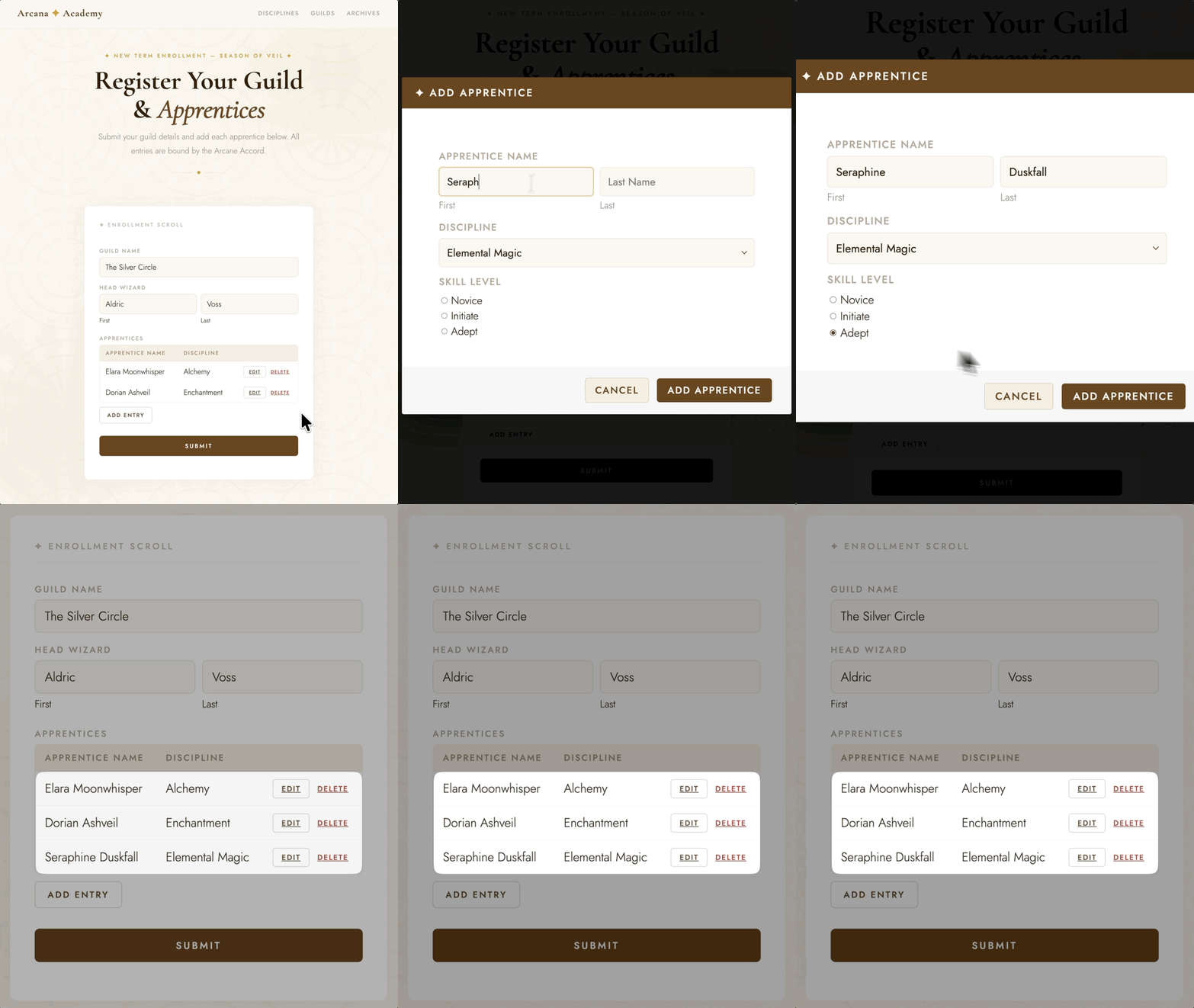
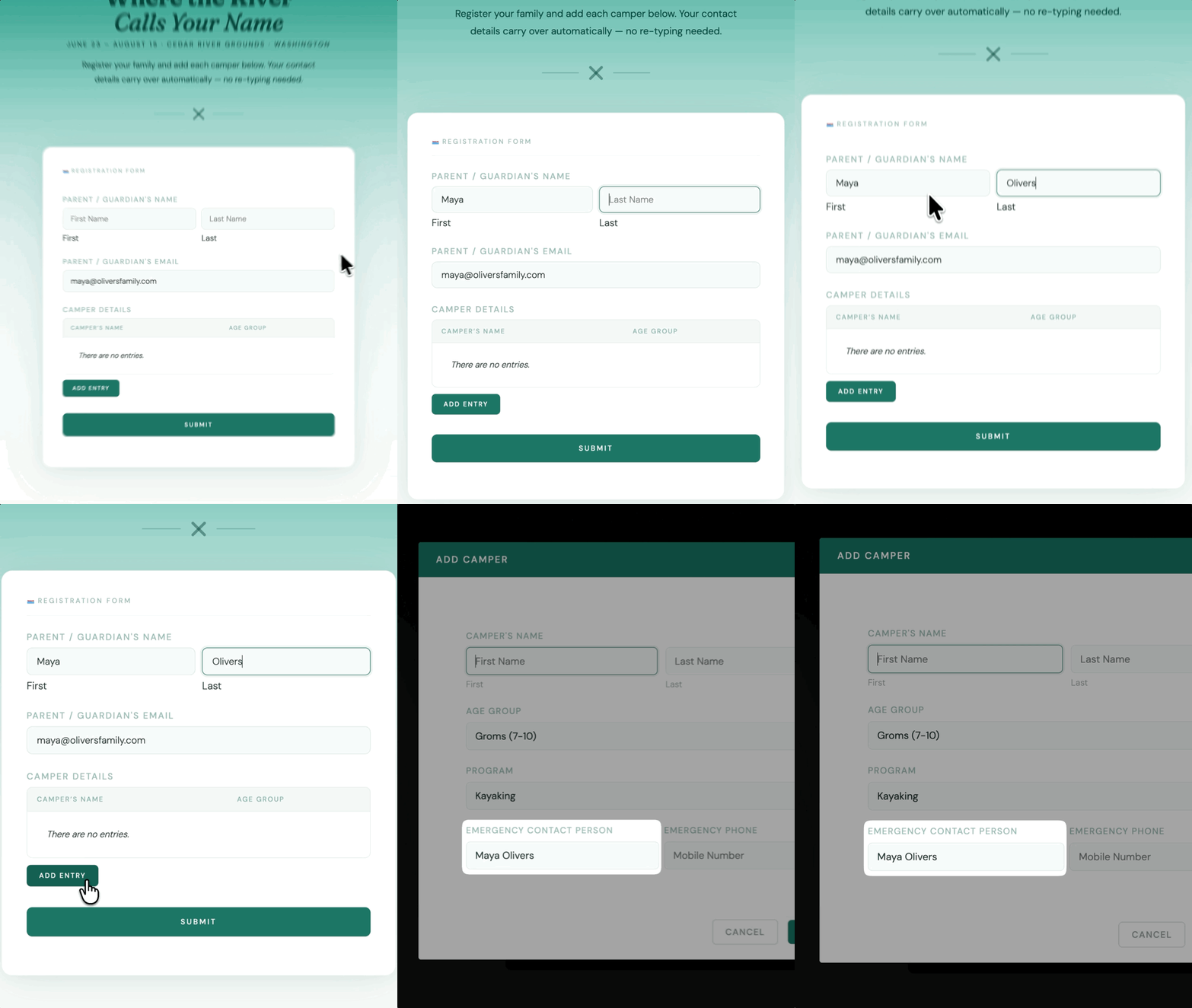
Complex Data Collection, Simple UX
Use focused modals to do things like register attendees of a group, log multiple work shifts, or add different products. Entries then land in a customizable table on the parent form — ready for edits, calculations, or submission.
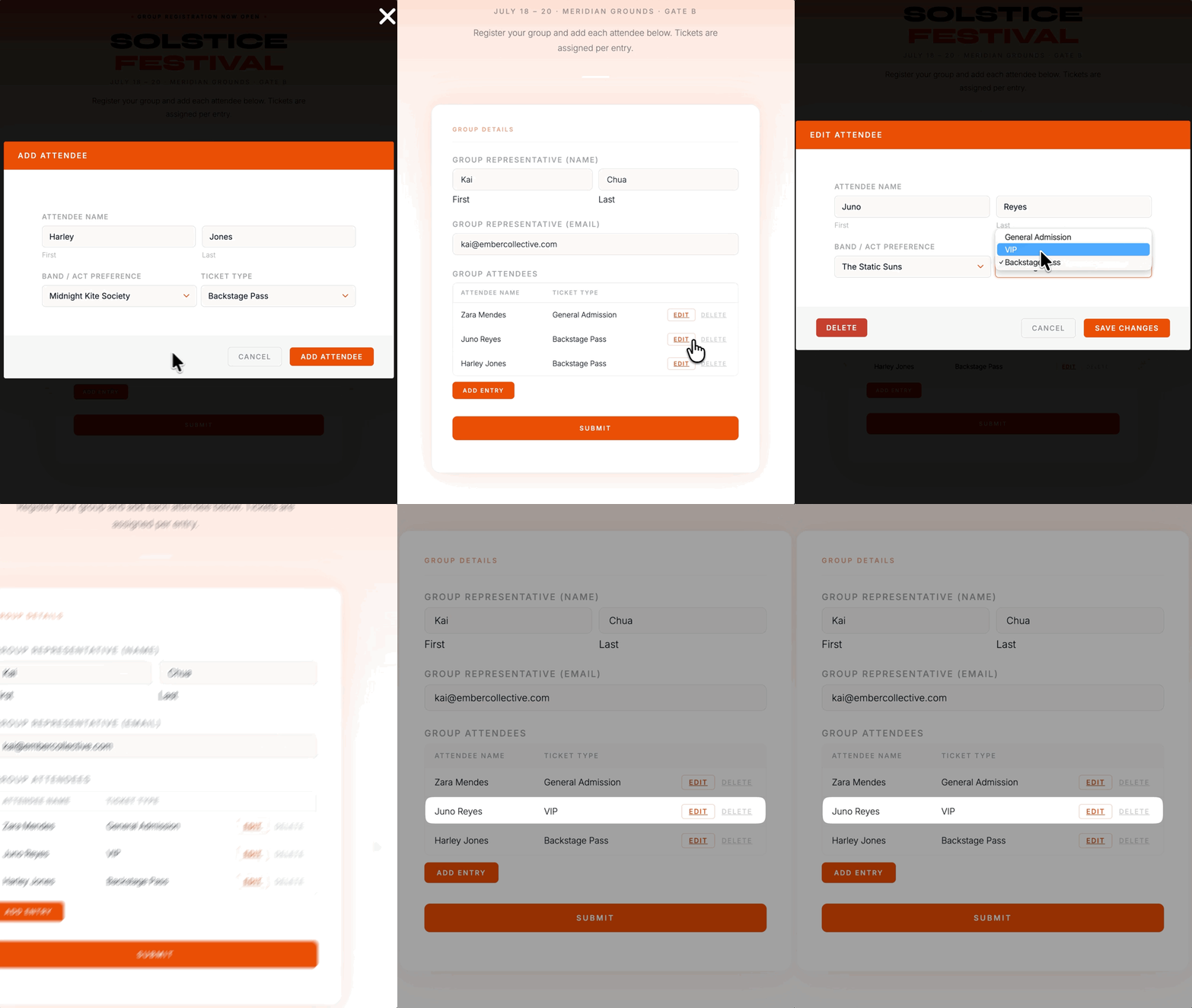
Save Time with Dynamic Population
Nested Forms makes it easy to pull data between parent and child forms. Pre-fill a child form field with the submitter’s name, pass a selected service into a nested entry, or reference parent data in child form notifications.
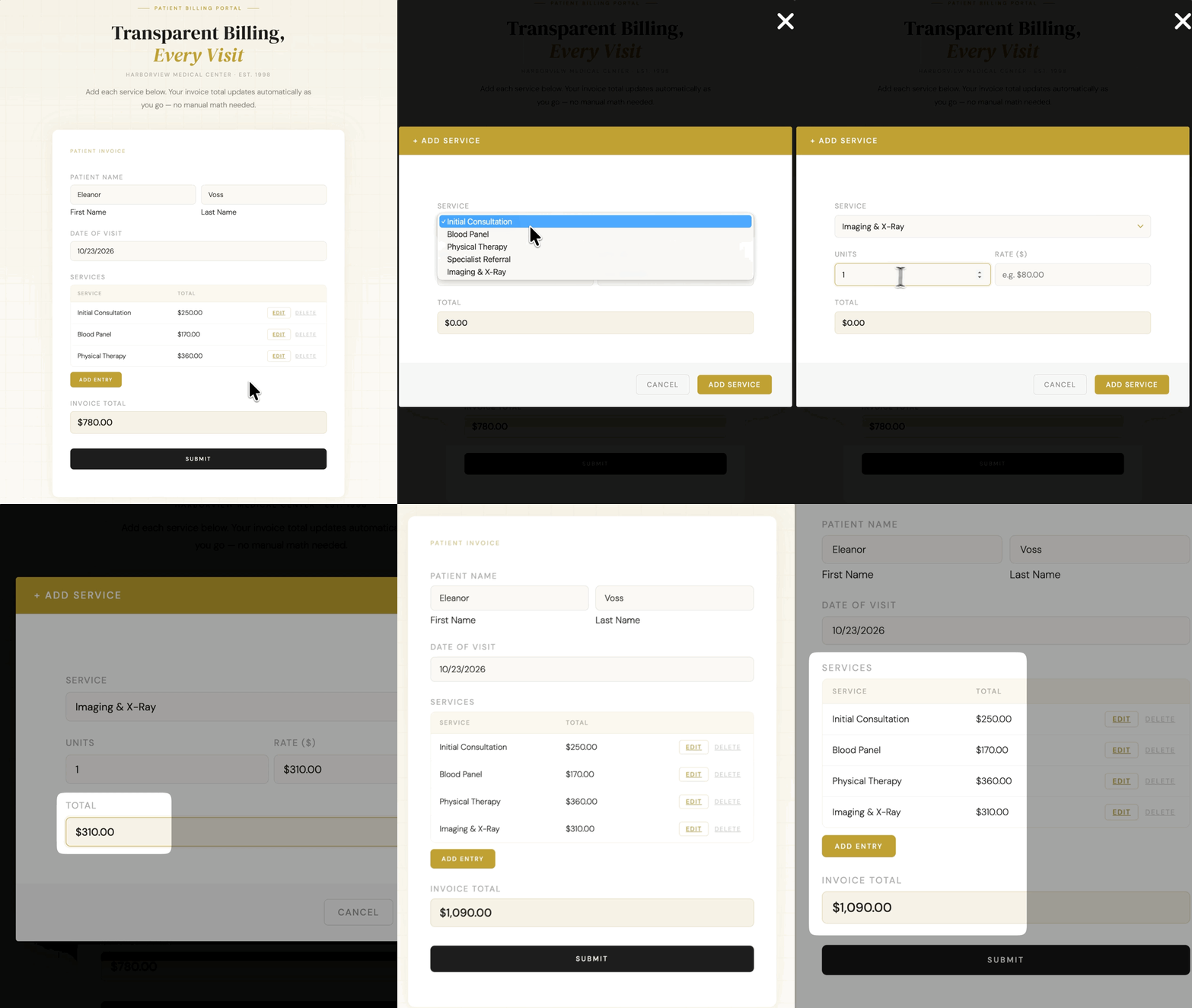
Run Calculations Between Nested Form Fields
Bring child entry values directly into your parent form. Sum up all hours worked across multiple timesheet entries, count the number of guests, or calculate total fees across multiple products.
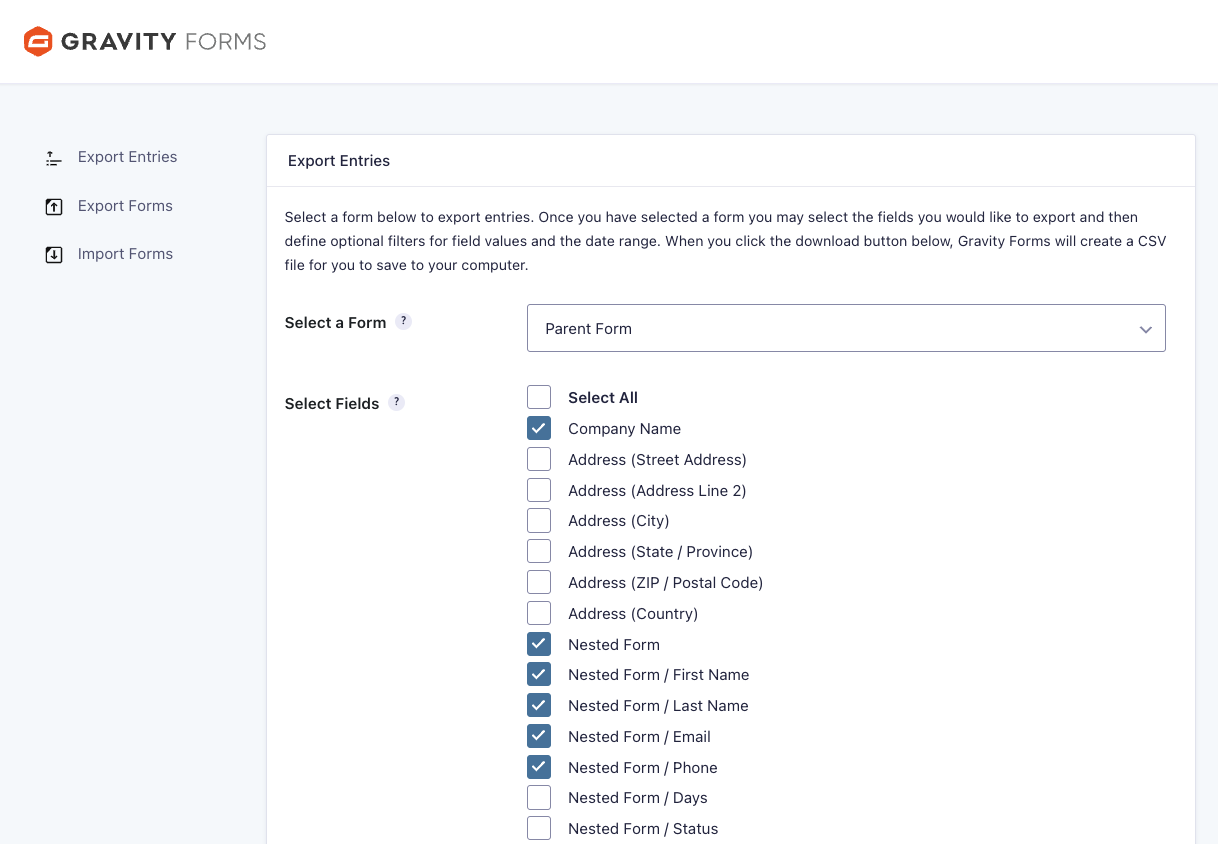
Control how data moves through Gravity Forms
Choose how child forms process in relation to their parent form — to trigger notifications, register users, or run integrations when you want. Child entry data is also exportable alongside its parent entry — just select which child fields to include when exporting from the parent form and you’re golden.
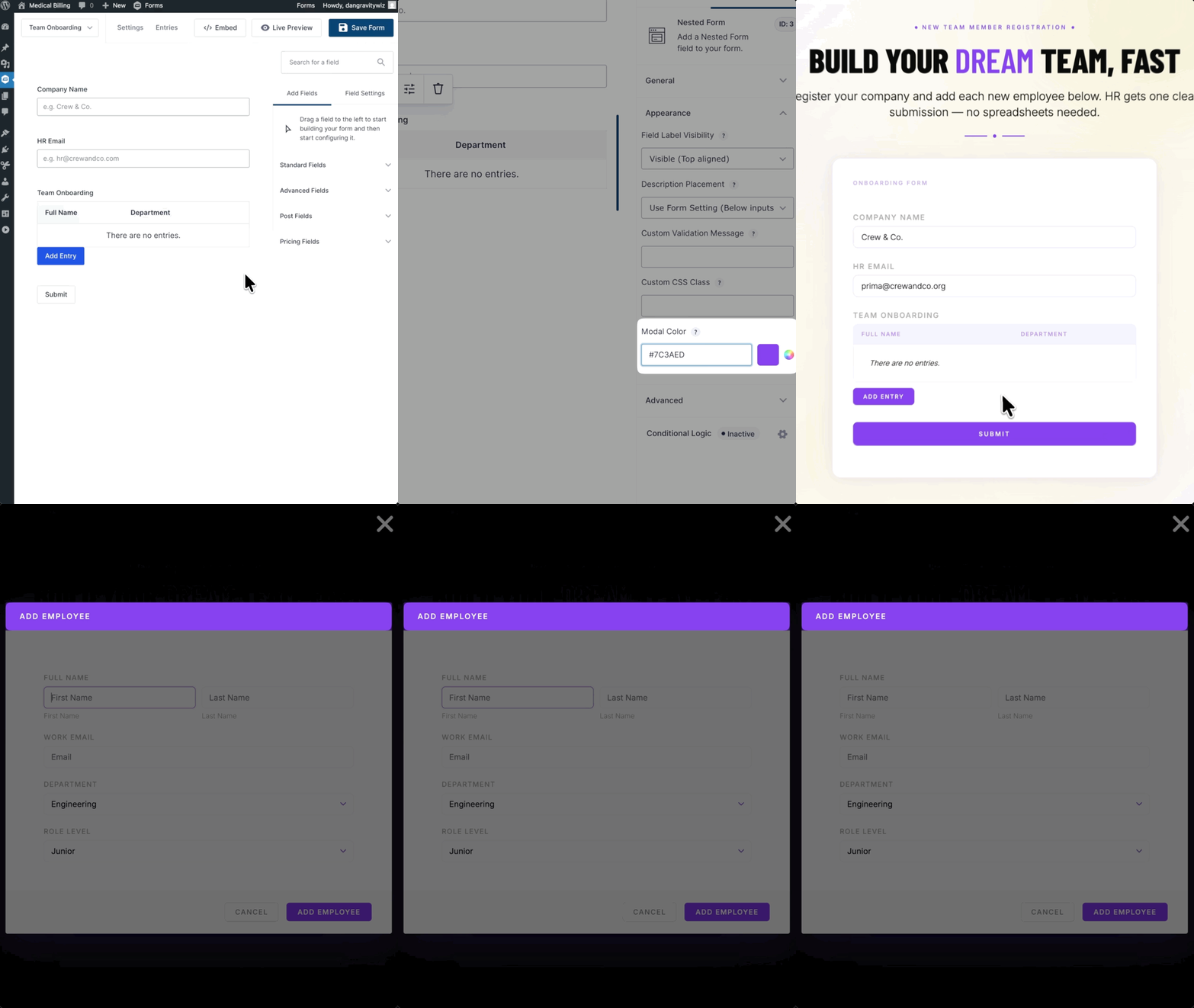
Customize Your Design, Create Templates
Adjust the modal header color directly in the field settings. For deeper control, Nested Forms includes a flexible templating system — copy the template files to your theme and take full control over how the child entry table and modal render.
Nested Forms works well for:
- Event and tournament registration — one organizer registers a team and each player’s details in the same submission
- Timesheet entry — employees log multiple shifts with start/end times, totaled automatically
- Multi-item quoting — quote for multiple products, vehicles, or insurance items from a single form
- Group enrollment — register a company and individual employees, or a parent and multiple children
- Invoice and order forms — collect line items with quantities, prices, and descriptions per row
- Multi-beneficiary donations — assign a donation amount to each of multiple recipients
Gravity Wiz Supports Over 150,000 WordPress Websites

Made by Gravity Forms Developers 
🧑💻 Our founder helped build Gravity Forms. And now, we’re certified developers.
🚀 14 years shipping Gravity Forms add-ons.
🤝 Legendary support you can count on from real experts. See for yourself.
✨ Something new every week. 70+ plugins and counting, dozens of free ones.
🛡️ Zero risk to use. Try it for 30 days — if it’s not right for you, we’ll refund it.

Build More with Spellbook
Get access to 70+ Gravity Wiz plugins, including 18+ free ones, and turn Gravity Forms into almost anything you need.