Set checkbox limits in Gravity Forms
- Limit how many checkboxes users can select. Use it on any Gravity Forms Checkbox field.
- Set a minimum and maximum. Use either limit on its own, or combine both.
- Span limits across fields. Selections from multiple Checkbox fields count toward one shared limit.
- Works beyond checkboxes. Stop extra selections in real time and span limits across Multiple Choice and Image Choice fields.
Stop extra checkbox selections
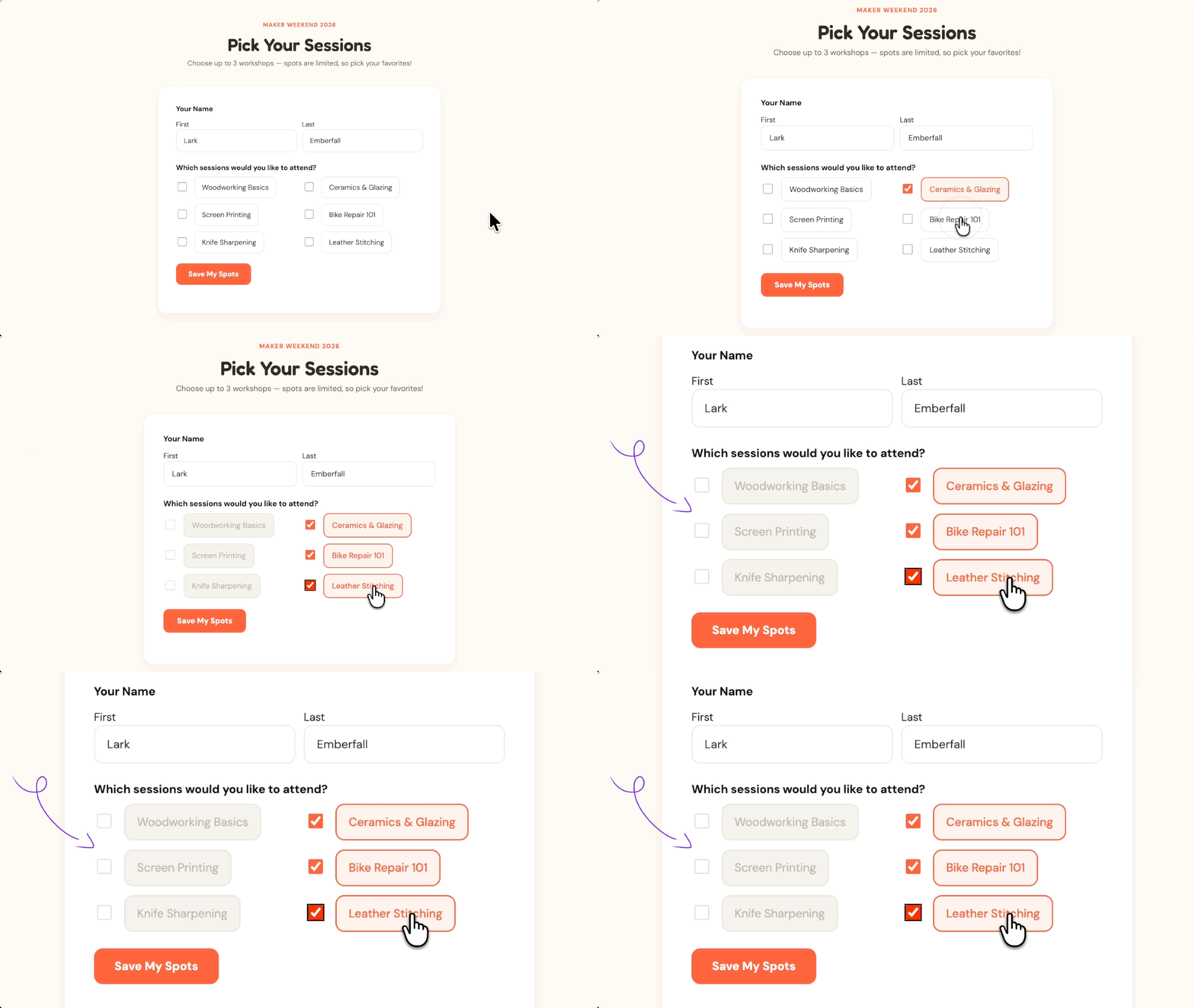
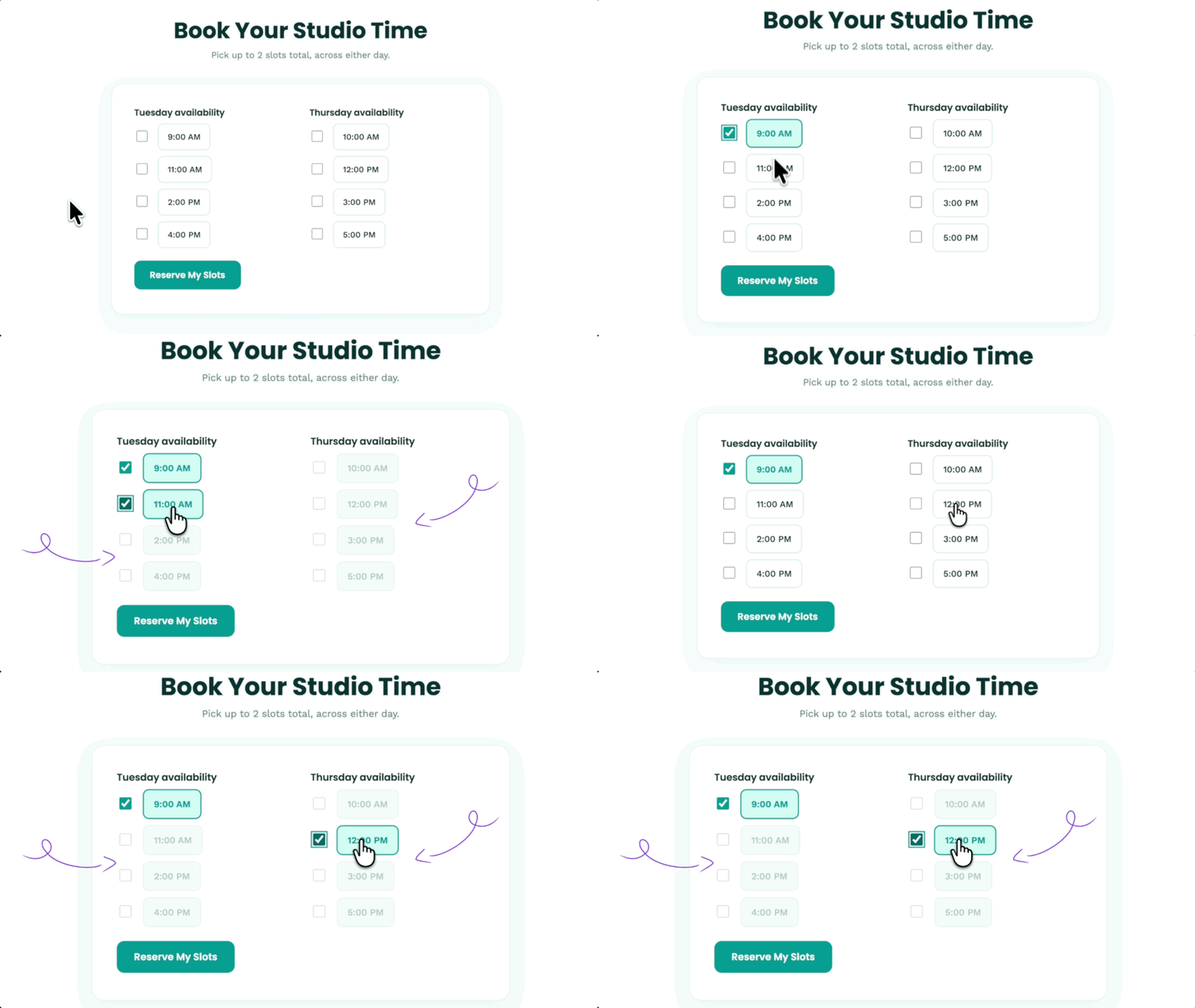
Set a maximum for a Checkbox field, and once users reach it, the remaining options become unavailable. Uncheck one, and they’re available again.
Require a minimum before the form goes through
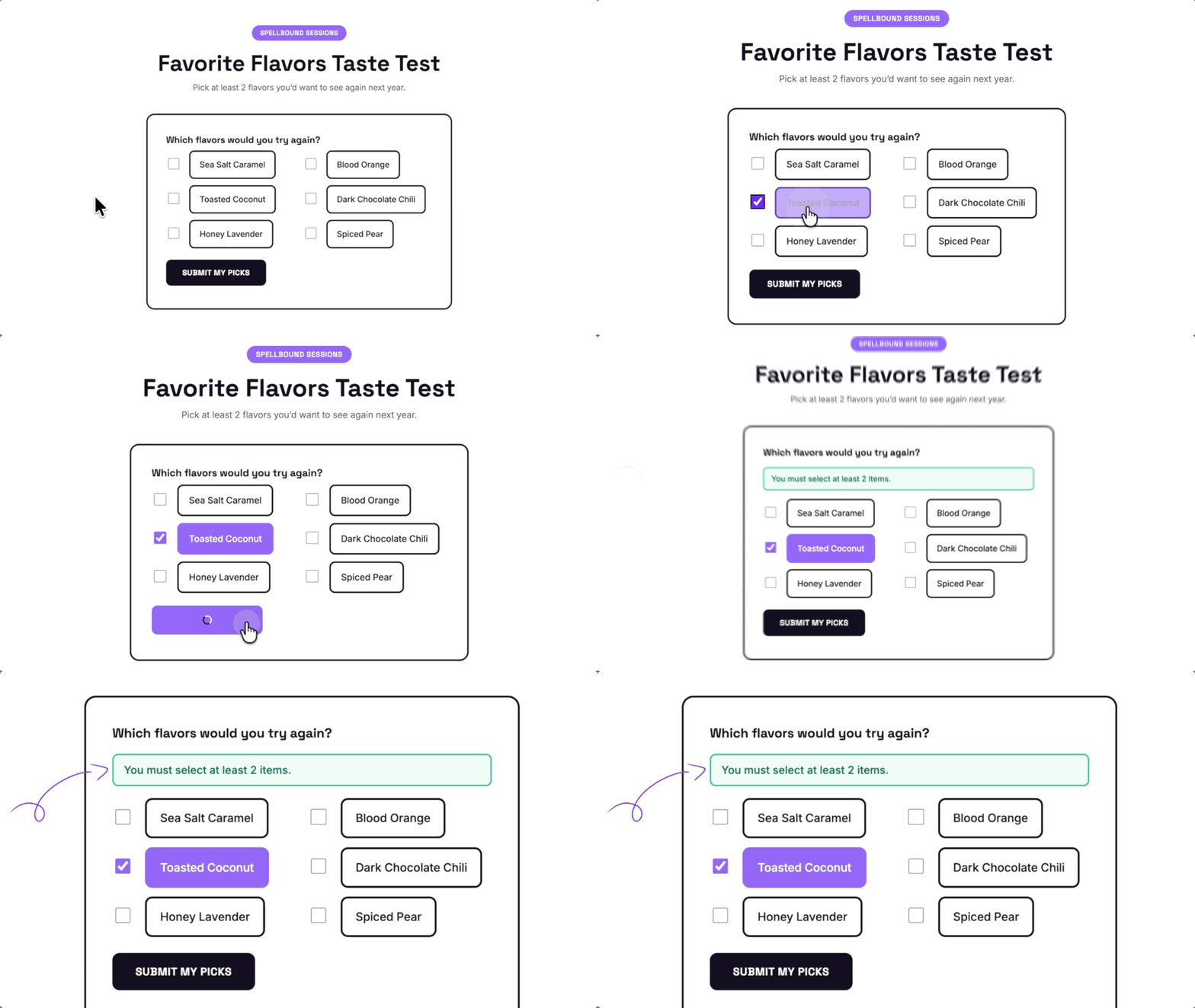
If someone selects too few checkboxes, the form won’t submit and shows how many they need to select.
One limit, multiple fields
Choose which Checkbox fields share a limit, and selections across them all count toward the same total.
Limit Checkboxes Works Well For:
- Surveys and rankings. Require users to select a specific number of answers before moving on or ranking their choices.
- Bookings and scheduling. Limit users to one time slot or another set number of available times.
- Event registration. Let attendees choose only a certain number of activities or sessions.
Gravity Wiz Supports Over 150,000 WordPress Websites

Made by Gravity Forms Developers 
🧑💻 Our founder helped build Gravity Forms. And now, we’re certified developers.
🚀 14 years shipping Gravity Forms add-ons.
🤝 Legendary support you can count on from real experts. See for yourself.
✨ Something new every week. 70+ plugins and counting, dozens of free ones.
🛡️ Zero risk to use. Try it for 30 days — if it’s not right for you, we’ll refund it.

Get Limit Checkboxes
Limit Checkboxes is part of the Gravity Perks suite — 48+ plugins to help you build more with Gravity Forms.