Email Anyone (or Everyone) Who Submitted Your Form
- Email people who submitted your form. Send to addresses collected through its Email field.
- Filter recipients with conditional logic. Send only to people whose submissions match the conditions you set.
- Personalize with merge tags. Pull entry data into the subject, message, sender details, and more.
- Preview before sending. See each recipient’s personalized email before it goes out.
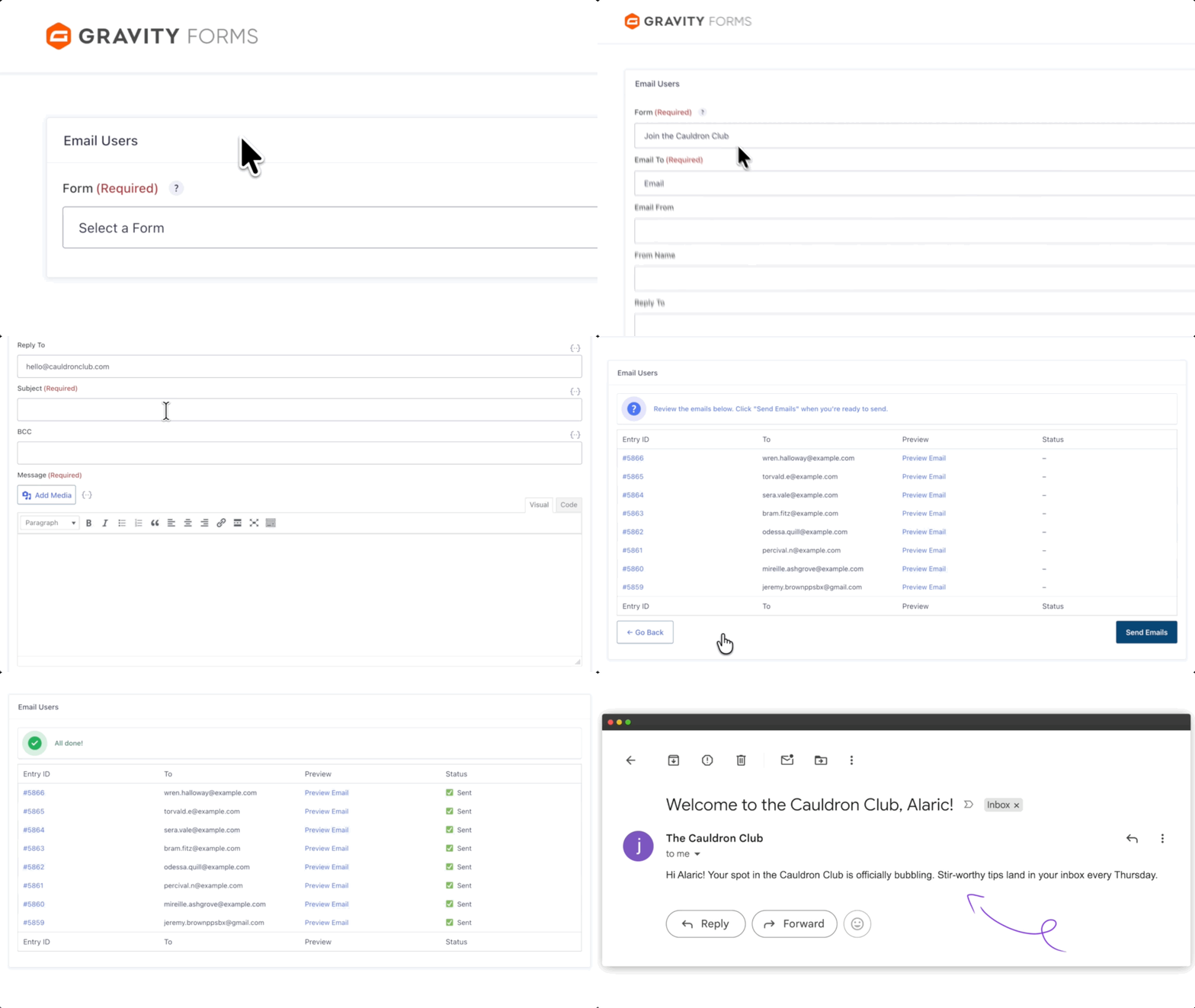
Pick a Form. Write Your Email. Hit Send.
Choose your form and Email field, then compose and send your message — all from the same screen.
Filter Who Gets Your Emails
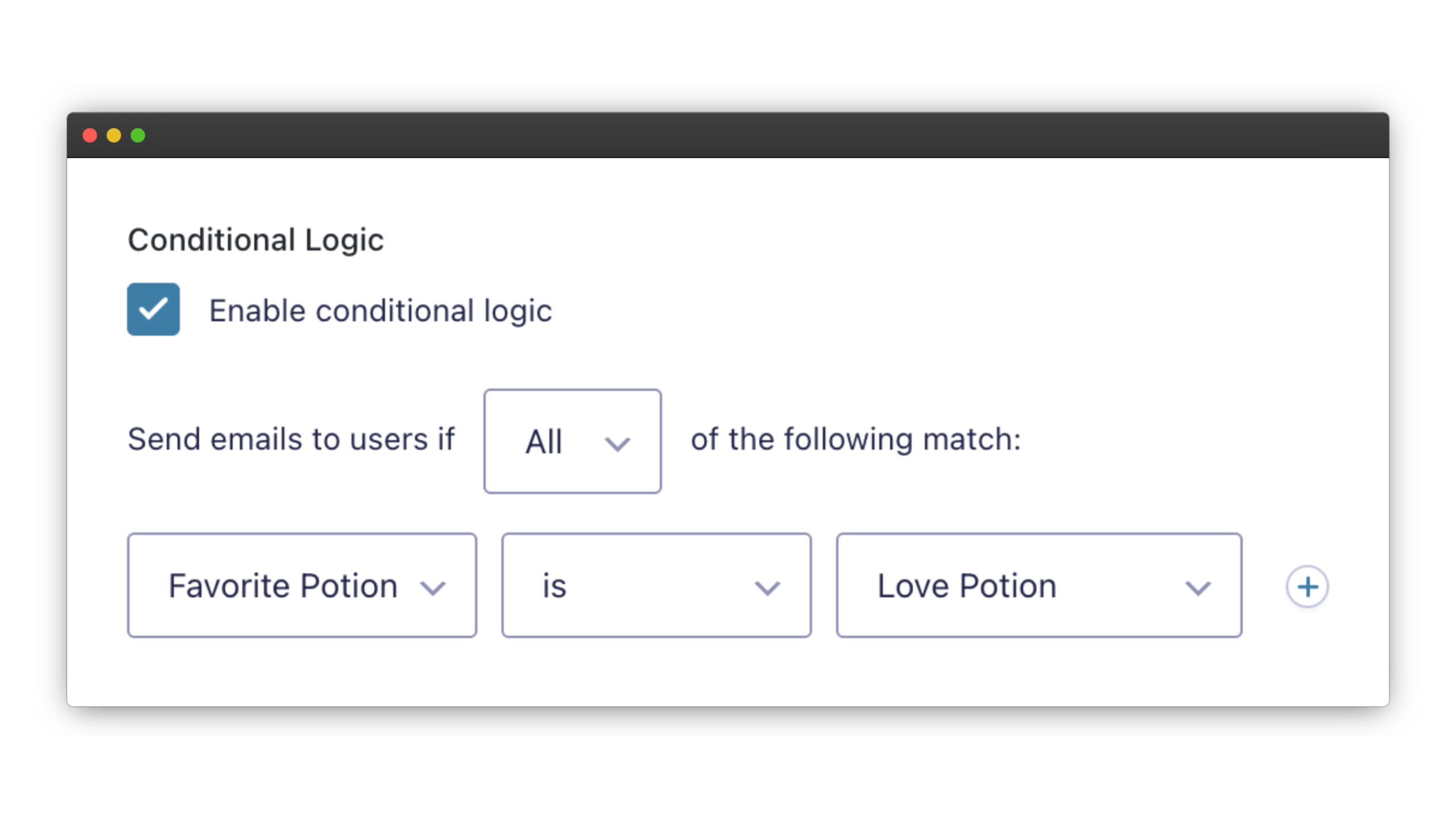
Use conditional logic to email only people whose submissions match your conditions — like customers who chose a specific product.
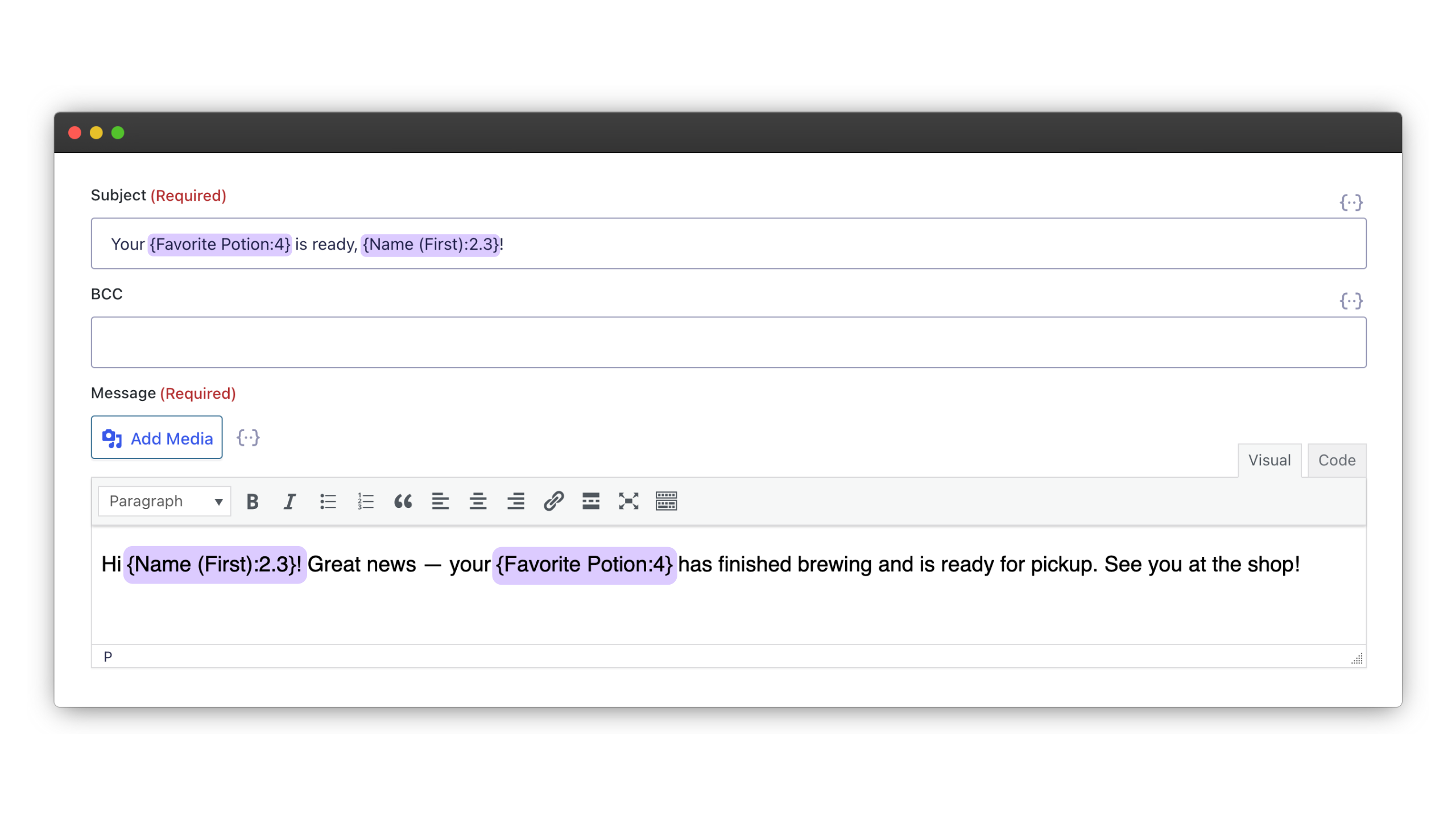
Add Personal Details to Every Email
Use merge tags to include details from each person’s submission — like their name, registration choice, or other form responses.
Email Users Works Well For:
- Events and workshops. Send reminders, live links, updates, and follow-ups to people who registered through your form.
- Fundraising campaigns. Keep donors updated on campaign progress, or target different messages based on their donation amount.
- Follow-up forms and surveys. Send previous submitters a survey, RSVP, or another form when you need more information.
Gravity Wiz Supports Over 150,000 WordPress Websites

Made by Gravity Forms Developers 
🧑💻 Our founder helped build Gravity Forms. And now, we’re certified developers.
🚀 14 years shipping Gravity Forms add-ons.
🤝 Legendary support you can count on from real experts. See for yourself.
✨ Something new every week. 70+ plugins and counting, dozens of free ones.
🛡️ Zero risk to use. Try it for 30 days — if it’s not right for you, we’ll refund it.

Get Email Users
Email Users is part of the Gravity Perks suite — 48+ plugins to help you build more with Gravity Forms.