

Add Tax, Discount, and Subtotal Fields to Gravity Forms
eCommerce Fields calculates live as someone fills out the form, and Gravity Forms’ Coupon and Shipping fields work correctly alongside it.

Tax fields
Charge a percentage on the whole order or chosen products.

Discount fields
Take a flat amount or percentage off when the order qualifies.

Subtotal fields
Show a running total for all products or one group.

Order summary
Send the full order breakdown in emails and confirmations.
Tax
Charge the Right Tax, Automatically
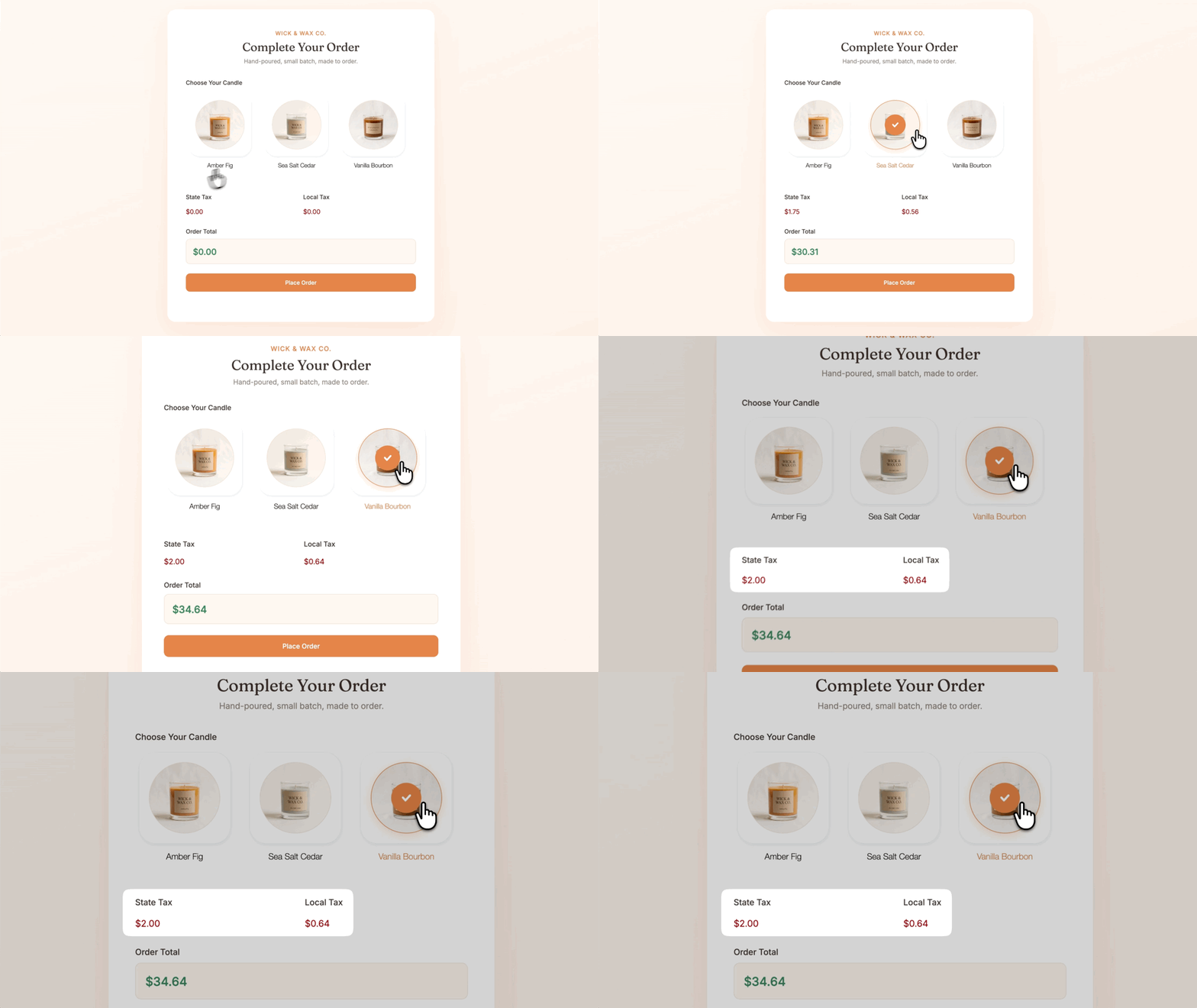
- Percentage-based. Apply it to every product, specific products, or everything except the ones you exclude.
- Multiple Tax fields. Each carries its own rate, such as a state tax and a local tax calculated separately.
- Shipping and coupons handled. Tax includes shipping by default, and coupons lower the amount it applies to.
Discounts
Apply Discounts on Your Terms

- Flat or percentage. Take a set amount or a percentage off the order.
- Whole order or chosen products. Apply it to the total, specific products, or everything except a few.
- Only when the order qualifies. Add Gravity Forms conditional logic, such as a bulk discount once someone picks three or more items.
Order summary
A Ready-Made Order Summary for Any Confirmation or Notification

- One merge tag, the whole order. It lists products, subtotal, discounts, coupons, shipping, tax, and the total in one table.
- Subtotal fields. Total all products, or just one group, as customers make their picks.
- Calculation merge tags. Use the subtotal, coupon, or discount total in calculated Number and Product fields.
Use cases
eCommerce Fields Works Well For:

Event registration
Take a percentage off registrations once the order passes a set total.

Invoices with tax or VAT
Charge sales tax or VAT and show it as its own line in the order summary.

Custom order and quote forms
Pair with Advanced Calculations to price custom orders live, like Sticker Mates’ tiered sticker pricing.

Stripe payment forms
Add tax, discounts, and a subtotal to a form that charges through Stripe.
Why Gravity Wiz
Made by Certified Gravity Forms Developers 

I have never been happier when buying a plugin. Your products are perfect but the support is even more perfect. I made a big project happen in a few hours.
Tasos Tiligadis, West SA

Our founder helped build Gravity Forms.
And now, we’re certified developers.

Trusted on 150,000+ sites.
Building add-ons for 14 years and counting.

Legendary support from real experts.
See for yourself. We’ve got receipts.

Something new every week.
Across 70+ plugins, dozens of them free.
 Zero risk to use. Try it for 30 days or get your money back.

Get eCommerce Fields
eCommerce Fields is available with Gravity Perks — a suite of 48+ plugins for Gravity Forms.