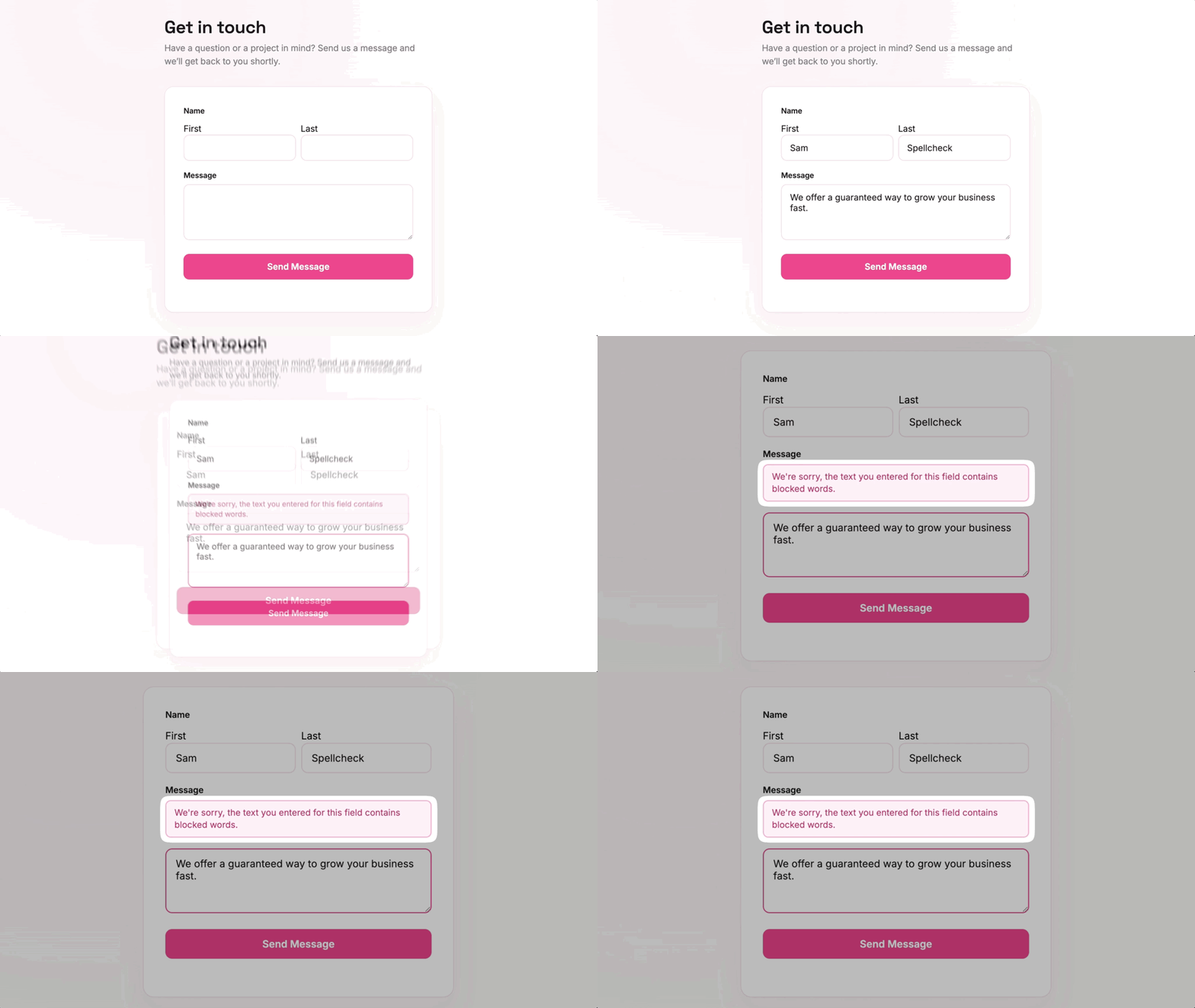
Block Words, Phrases, and IPs in Gravity Forms
Blocklist checks form submissions against your WordPress Disallowed Comment Keys and rejects the ones that match.

Block words and phrases
Reject any submission that contains a key on your list.

Block IPs and IP ranges
Stop submissions from single IPs or whole ranges in CIDR notation.

One field or the whole form
Check a single field, several fields, or every field on the form.

Reuse your WordPress list
Use the Disallowed Comment Keys you already keep for comments.
Your blocklist
Block Words, Emails, and IPs From One List
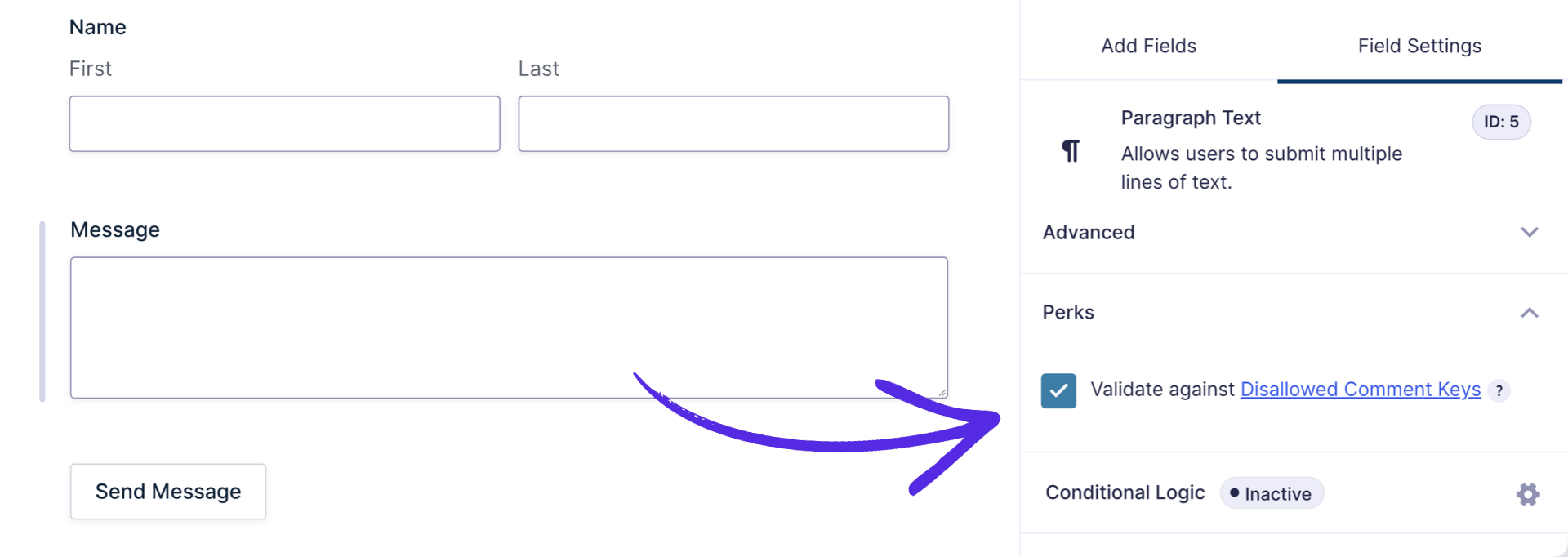
- Shared with WordPress comments. Add keys under Settings › Discussion › Disallowed Comment Keys, and they block both comments and form submissions.
- Words, phrases, and emails. Any submission containing a key on the list is rejected.
- Single IPs or whole ranges. Add an IP, or a range in CIDR notation (e.g. 198.51.100.0/24), to reject every submission from it.
- Matches inside longer words. A key like “race” also blocks “racer,” so choose keys carefully.
Where it applies
Turn It On for One Field or the Whole Form
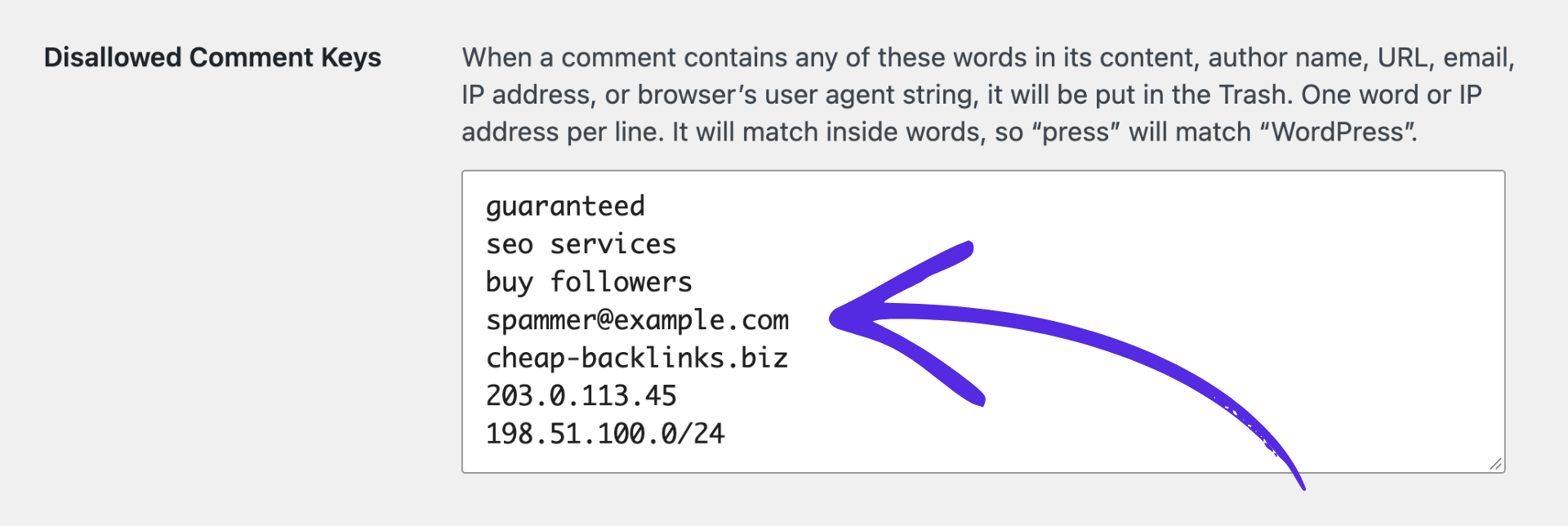
- Per field. Check Validate against Disallowed Comment Keys in the field’s Perks settings.
- Form-wide. Turn it on under Form Settings › Restrictions to check every supported field.
- Errors show on the field. Visitors see which field contains a disallowed word, and no entry is saved.
Use cases
Blocklist Works Well For:

Contact form spam
Add phrases that keep showing up in spam so future submissions with them are rejected.

Nomination forms with an opt-out
Let people add their own email to the blocklist so they can’t be nominated again (uses the Add to Blocklist snippet).

Reserved usernames
Keep terms like “admin” or your brand name out of username fields.

Inappropriate content
Reject submissions containing offensive words before they’re saved.
Why Gravity Wiz
Made by Certified Gravity Forms Developers 

Unbelievable support. Fast, kind, knowledgeable, helpful. The best support I’ve ever had in over 15 years of web development.
Luca Ottolini, Codeable

Our founder helped build Gravity Forms.
And now, we’re certified developers.

Trusted on 150,000+ sites.
Building add-ons for 14 years and counting.

Legendary support from real experts.
See for yourself. We’ve got receipts.

Something new every week.
Across 70+ plugins, dozens of them free.
 Zero risk to use. Try it for 30 days or get your money back.

Get Blocklist
Blocklist is available with Gravity Perks — a suite of 48+ plugins for Gravity Forms.