You just closed a new client. The proposal’s signed, the kickoff call is on the calendar, and everyone’s excited. Then the momentum stalls: someone forgets to send the intake questionnaire, the account manager is waiting on brand assets that never arrive, and three people are cc’d on an email thread trying to figure out who’s supposed to approve the project scope before design work can start.
None of that is a talent problem or an effort problem. It’s a process problem – and it’s one almost every agency runs into, because most client onboarding still happens the same way it did five or ten years ago: a shared checklist, a handful of email templates, and someone’s memory carrying the rest.
This guide breaks down what a client onboarding process actually is, where agencies typically lose time and clients, and how to turn the steps you already run for every new client into something that moves on its own – without hiring a project coordinator just to chase down paperwork.
Client onboarding, defined simply
A client onboarding process is the set of steps that take a new client from “signed” to “set up to succeed” – collecting the information, assets, and approvals a project needs before real work can begin.
Strip away the project-management language and it’s really just this: every agency needs roughly the same things from a client every time (a signed agreement, background information, brand or account access, an internal green light, a kickoff date), and every one of those things has to come from somewhere and go somewhere else. Onboarding is the plumbing that moves it.
For a web design agency, that might mean a discovery questionnaire, a hosting access request, and a design-brief sign-off. For a marketing agency, it might mean a brand questionnaire, ad account access, and budget approval from a senior strategist. The specifics vary, but the shape is the same everywhere: repeatable steps, done the same way, for every client who comes through the door.
If you find yourself running the same handful of steps, in the same order, for every new client – and if those steps mostly involve moving information rather than making judgment calls – that’s a strong sign your onboarding is ready to be systemized instead of repeated by hand.

Client onboarding process vs. a client onboarding checklist or template – what’s the difference?
When agencies start looking for a fix, they usually search for a client onboarding checklist or a client onboarding template first. That makes sense – a checklist is easy to picture and easy to build. It’s a static document: a list of steps someone is supposed to follow in order.
The problem is that a checklist only works if a person remembers to open it, follow it, and update it every single time. It doesn’t send anything, remind anyone, or notice when a step has been skipped. It’s documentation of your process, not the process itself.
A client onboarding process, in the automated sense, is different: it’s software actually carrying out those steps. Gravity Forms is where that starts – it’s the tool that captures a client’s onboarding information via a form on your site. Gravity Flow then takes that submission and routes it: to the right team member, through the right approvals, and with reminders if something stalls.
A good rule of thumb: if all you need is a shared reference document so nobody forgets a step, a checklist or template is fine. If you’re tired of being the one who has to remember to run it, you’re looking for a process – one that runs itself once it’s triggered.
How client onboarding automation works: Trigger → Steps → Action
Once you get past the terminology, agency onboarding automation runs on the same simple structure as any other workflow: a trigger, a set of steps, and an action.
The trigger is what starts onboarding in the first place. For most agencies, it’s a new client filling out an intake questionnaire on your site, or a signed proposal or contract. Nothing else happens until this fires.
The steps are the rules that decide what happens next, based on what came in. This is where conditional logic does the work:
- If the project is a website build, route the questionnaire to your design lead
- If the monthly budget is over a certain threshold, require sign-off from a senior strategist or account director before the project is scheduled
- If an essential piece of information hasn’t been submitted – like brand guidelines or platform access – is missing, hold the workflow and flag it rather than letting it move forward incomplete.
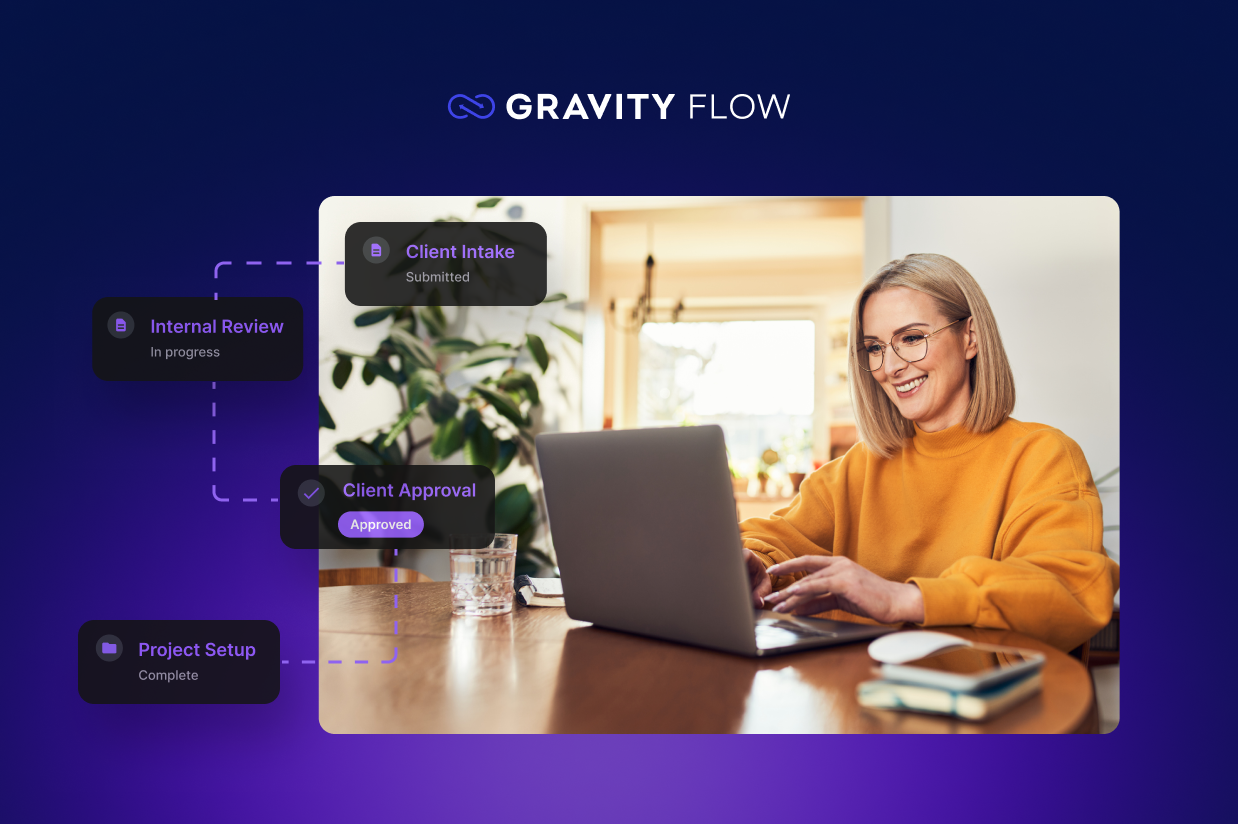
Strung together, a real onboarding flow might look like this: a client signs their proposal (trigger) → they’re automatically sent an onboarding questionnaire, and their answers are checked for project type and budget (steps) → the questionnaire is routed to the right department lead for approval, the client gets a confirmation with what to expect next, and a kickoff task is created for the account manager (actions).
Nobody had to remember to do any of that – it happened the moment the contract was signed.
Real examples of client onboarding automation, stage by stage
Client onboarding usually breaks down into the same handful of stages, whether you’re a three-person shop or a fifty-person agency. Here’s where automation tends to make the biggest difference at each one.
- Intake and discovery questionnaire: Instead of emailing a Word doc or PDF, a client onboarding form captures project details, goals, and preferences directly, and that data can be routed immediately to whoever needs to act on it.
- Contract and proposal sign-off: Once the project is signed off, it can automatically kick off everything downstream – no one has to remember to “start onboarding” separately, because the signature is the trigger.
- Asset and access collection: Login credentials, brand assets, domain access, and similar handoffs are easy to lose in email. A structured form with conditional logic can request exactly what’s needed based on project type, and flag what’s still missing.
- Internal approvals and resourcing: Before work starts, someone often needs to sign off – on scope, on budget, on which team members are available. Automated routing sends that approval to the right person and nudges them if it sits too long.
- Kickoff scheduling and handoff: Once every prerequisite is met, scheduling the kickoff call and notifying the assigned team can happen automatically instead of waiting for someone to notice the project is ready.
The thread running through all of it: every stage that used to depend on someone remembering to check, forward, or follow up can instead fire the moment the stage before it is actually complete.
Benefits of automating your client onboarding
For agencies specifically, the payoff of automating onboarding shows up in a few very tangible ways.
- Faster time to kickoff: Projects start sooner when the intake-to-approval chain doesn’t sit in someone’s inbox waiting to be noticed.
- Fewer dropped handoffs: Missing assets, unsigned approvals, and forgotten follow-ups are the main reason projects start late or start messy – automation catches what a busy inbox misses.
- A more consistent client experience: Every new client gets the same clear, professional onboarding sequence, regardless of how busy the team is that week.
- Better visibility for account managers: Instead of asking around to find out where a new project stands, a workflow shows exactly which step it’s on and who it’s waiting on.
- Scalability without adding headcount: An onboarding process that works cleanly for five new clients a month can keep working at fifteen, without needing a dedicated coordinator just to keep the paperwork moving.
None of this replaces the parts of onboarding that actually need a person – the kickoff call, the relationship-building, the judgment calls on scope. It just clears the administrative work out of the way so your team can spend their time on those instead.
Getting started with client onboarding automation in WordPress with Gravity Forms + Gravity Flow
If your agency’s website already runs on WordPress, you have a natural place to build this – starting with the forms your new clients already fill out.
Gravity Forms is where onboarding begins: a client onboarding questionnaire or intake form that captures project details, contact information, and requirements the moment a client submits it, instead of that information arriving as a scattered email.
Gravity Flow picks up from there and manages everything after the submission: routing the questionnaire to the right team member based on project type or budget, requiring internal approval before a project is scheduled, sending reminders if a step stalls, and giving you a clear view of exactly where every new client stands in the process.
Together, the two cover the full loop – Gravity Forms captures the trigger, Gravity Flow manages the steps and actions that carry it through to kickoff.
If you’re not sure where to start, look at the one onboarding step your team manually chases most often – usually approvals or missing assets – and build the automation around that first before expanding to the rest of the process.
You can see this in action without committing to anything: spin up a free Gravity Flow demo and watch a real approval and onboarding workflow run start to finish.
Frequently asked questions about client onboarding automation
What is the difference between a client onboarding process and a client onboarding checklist?
A client onboarding checklist is a static document listing the steps to follow for each new client. A client onboarding process, when automated, is software that actually carries out those steps – routing forms, requiring approvals, and sending reminders without someone having to run the checklist manually. Gravity Forms and Gravity Flow let agencies turn a checklist into a real, running process directly in WordPress.
Can I build a client onboarding form without coding?
Yes. Gravity Forms lets agencies build a client onboarding questionnaire or intake form with drag-and-drop fields, conditional logic, and file uploads, with no development work required. Gravity Flow can then route each submission through approvals and notifications automatically.
What should a new client onboarding questionnaire include?
Most agency onboarding questionnaires cover project goals, timeline, budget range, brand or account access needs, and key contacts. Building this in Gravity Forms means the answers can immediately trigger the right next step in Gravity Flow – like routing a larger budget to a senior approver — instead of just landing in an inbox.
How do I automate approvals during client onboarding?
Gravity Flow adds approval steps directly to a Gravity Forms submission, so a form can be routed to a specific person or role, held until they sign off, and automatically reminded if it stalls. This is commonly used for scope approval, budget sign-off, or resourcing decisions before a new project moves to kickoff.
Do agencies need separate CRM or onboarding software if they already use WordPress?
Not necessarily. If an agency’s website already runs on WordPress, Gravity Forms and Gravity Flow can handle intake, routing, approvals, and notifications directly on that site, without adding a separate onboarding platform for that part of the process.
How long should agency client onboarding take?
There’s no universal number, but the more of the process that depends on someone remembering to forward an email or chase an approval, the longer it tends to take. Automating the handoffs between signing, intake, and approval is usually what shortens the timeline most, since work isn’t waiting on someone noticing it’s their turn.