Automatically create and sync calendar events directly from your forms.
Send Gravity Forms data to Google Calendar — create events, sync updates, invite attendees and more.
- Build flexible event dates from form fields, merge tags, fixed dates, submission time, or relative values.
- Secure two-way sync keeps events and entries in lockstep — updates and deletions in Gravity Forms are reflected in Google Calendar.
- Use conditional logic to create events only after payment, approval, or any other condition you define.
- Invite attendees and set event titles, descriptions, and more — all mapped from your form data.
- Add Google Meet links and invite attendees automatically.
The best part? You can do it in minutes!
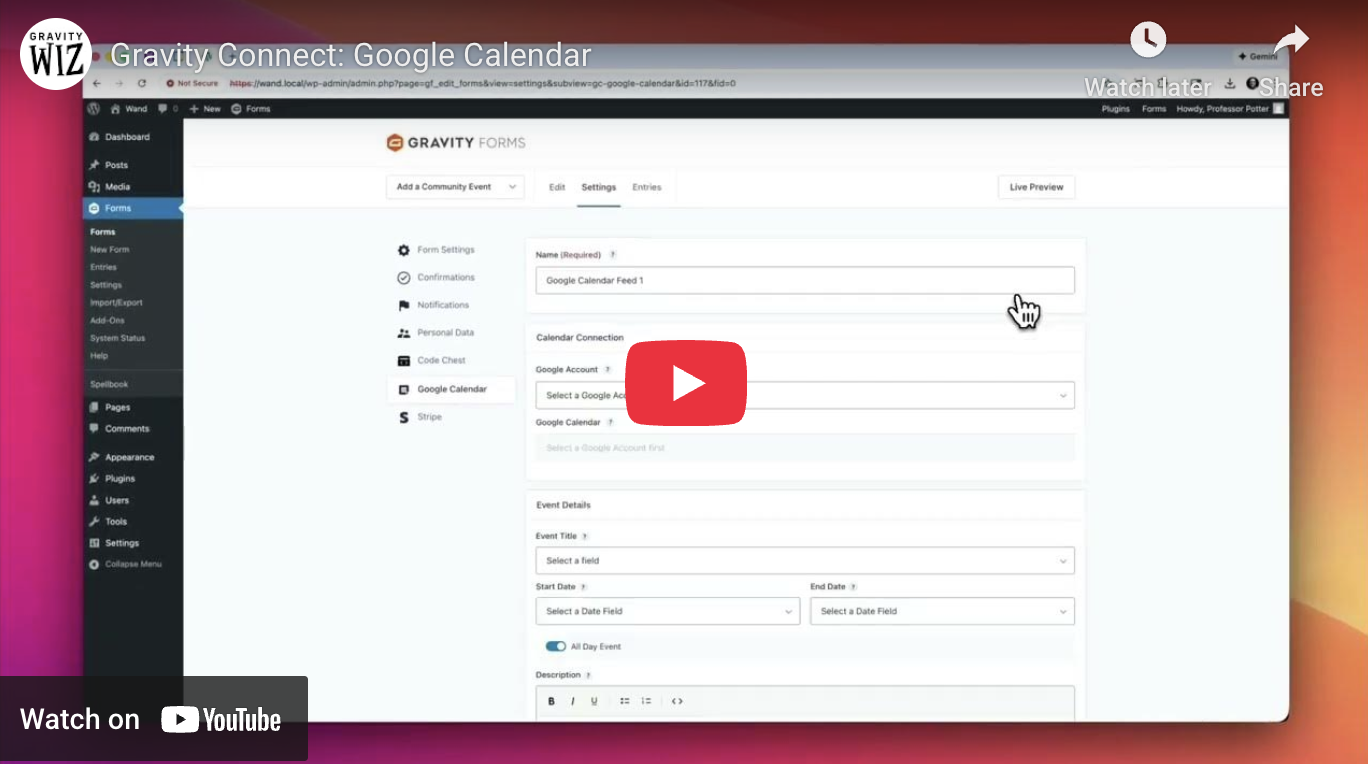
Flexible and dynamic scheduling
Switch between all-day and timed events as needed, just like in Google Calendar. Build event dates from virtually anything — form fields, merge tags, or even relative values like “Next Monday” or “+3 hours.” Forms can adapt to your scheduling needs — not the other way around.
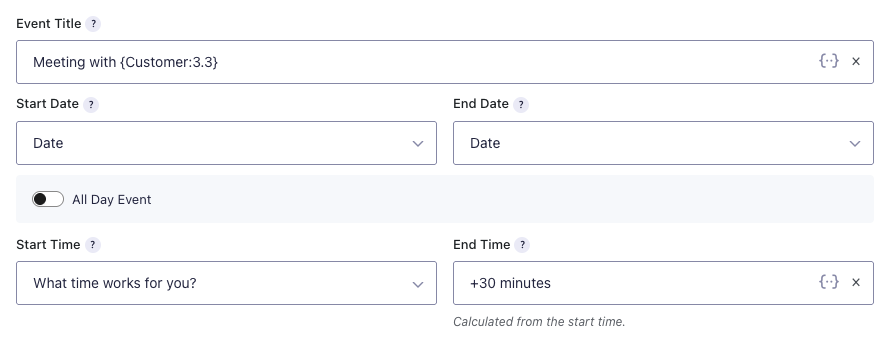
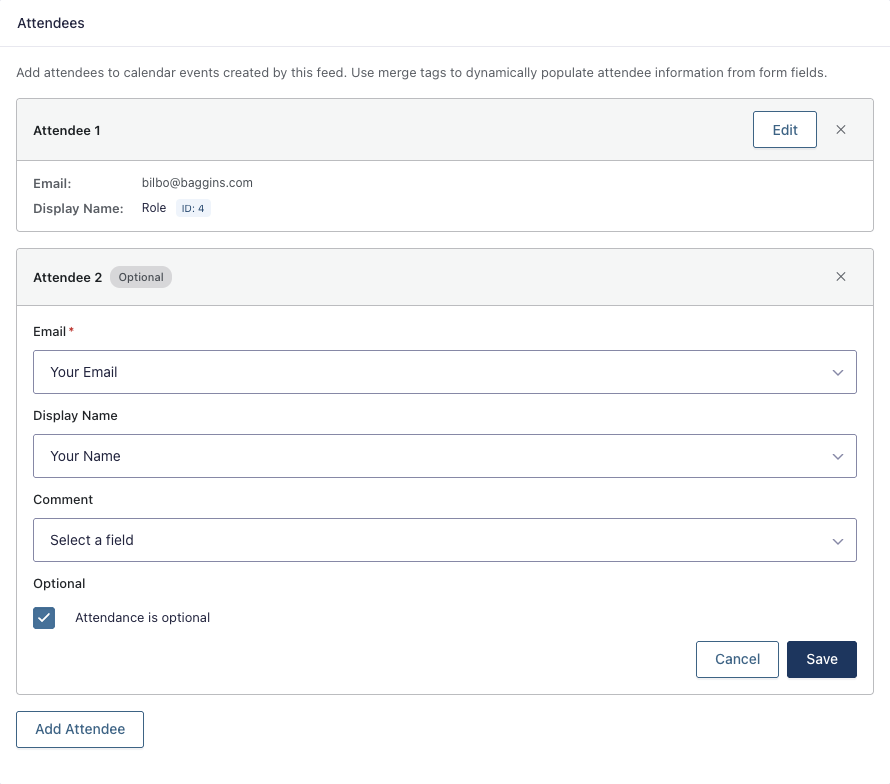
Personalized events, created automatically
Set event titles, add detailed descriptions, and invite attendees automatically from Gravity Forms. Use merge tags to dynamically populate event details from any form field, unlocking personalized titles like “Meeting with {Name:3.3}” and custom event descriptions. Hosting an online event? Have the Google Meet link generated automatically.
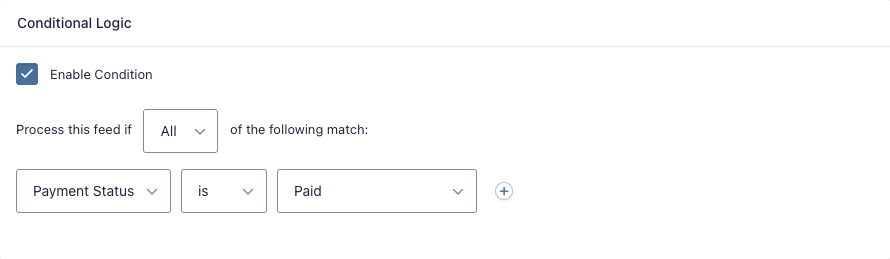
Conditionally create events
Use conditional logic to add events to Google Calendar only after conditional requirements are met — for example, when a payment is processed or manual approval is granted. Plus, when enabled, events stay connected to their corresponding entries. Edit or delete an entry in Gravity Forms and Google Calendar updates automatically.
A Security-first approach
GC Google Calendar connects directly to Google using OAuth — your data never touches our servers. Built-in retry logic and error notifications ensure events are created reliably, even if Google’s API is temporarily unavailable.
Gravity Wiz powers over 150,000 WordPress websites.
“Without Gravity Wiz, hundreds of hours of custom work would have needed to be done. I’m a member for life.”
– Robert Fisher, LeadCroc
Made by Gravity Forms Developers.
- Legit Gravity Forms wizards.
We helped build Gravity Forms, and we’re certified developers. - Over 30,000 customers.
Join a community of Gravity Forms users, web developers and agencies. - Save time and money when developing using Gravity Forms.
Create custom, no-code solutions for your business from a growing list of 50+ plugins and three product suites. - Access to hundreds of free snippets.
Easily customize Gravity Forms to your exact needs. - Support you can count on.
Our Pro plan averages a one hour response time. - Zero risk to use.
A 30 day money-back guarantee.
Have a question? Reach out to us.