Considering Jetpack CRM as your WordPress CRM plugin? In our Jetpack CRM review, we’ll help you decide if it’s the right option for your situation.
In general, Jetpack CRM can be a good option to consider for small businesses and freelancers looking for a lightweight sales-focused CRM, with support for features like contact management, sales funnels, invoices, quotes, and other sales tools.
However, if you’re looking for a CRM plugin to help with marketing automation, you might want to consider other options.
In our full review, we’ll cover the following information about Jetpack CRM:
- A rundown of key features in Jetpack CRM
- A hands-on look at the Jetpack CRM interface, and how those key features work on a real website
- Jetpack CRM pricing, including how its prices stack up against similar tools
A quick introduction to Jetpack CRM
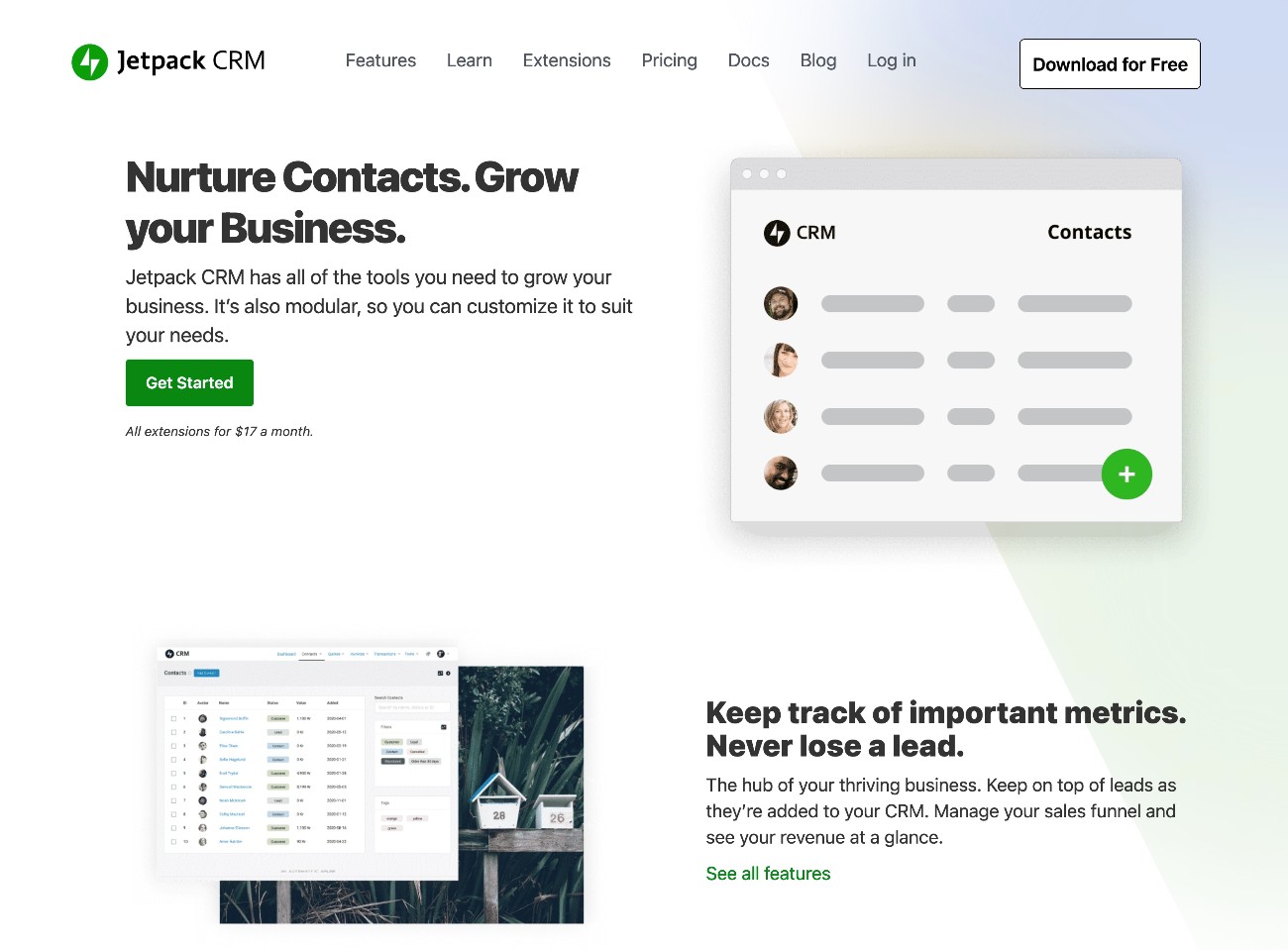
Jetpack CRM is a native WordPress CRM plugin from Automattic, the same company behind WordPress.com, WooCommerce, and other well-known WordPress properties.
The plugin was originally created by Mike Stott and Woody Hayday back in 2016, at which time it was named Zero BS CRM. Automattic then acquired Zero BS CRM in 2019 and later rebranded it to Jetpack CRM in 2020.
Jetpack CRM is primarily a sales CRM, with features to help you engage customers and get paid for your work. For example, it can help you offer quotes and invoices and provide a frontend client portal for your customers. It also offers more in-depth functionality for sales funnels and pipelines.
If you’re searching for that type of sales-focused functionality, Jetpack CRM can be a good fit.
Jetpack CRM does not place much emphasis on the marketing side of things, though. It does include an extension to send marketing emails, but only basic broadcasts and sequences.
If you’re searching for a CRM that offers flexible marketing automation functionality, it might not be the best fit. It does offer integrations for popular email marketing software like Mailchimp and AWeber, though.
Jetpack CRM key features
Jetpack CRM uses a modular approach to its feature set, similar to how the Gravity Forms plugin works.
The main Jetpack CRM plugin contains the core CRM functionality. This includes features such as the following:
- Contact management
- Basic support for quotes and invoices
- A frontend client portal where clients can view proposals, invoices, and files
- Basic contact segmentation
- WooCommerce integration (WooCommerce also comes from Automattic, the company behind Jetpack CRM)
Then, you can use optional add-on plugins to extend the core CRM with additional functionality.
At the time that we’re writing our Jetpack CRM review, Automattic offers over 30 official extensions.
You can browse the full list of extensions here, but here’s a summary of what we think are some of the most notable extensions:
- Gravity Forms Connect – this lets you sync forms that you create with the Gravity Forms plugin to the Jetpack CRM. While Jetpack CRM does include basic lead gen forms, using Gravity Forms will give you more flexibility.
- Mail Campaigns – this lets you send emails to targeted segments of your contacts. You’ll want to make sure you’re using a transactional email service if you want to send marketing emails. The Gravity SMTP plugin can help you configure WordPress to send emails using a transactional email service.
- Client Portal PRO – this extends the client portal functionality in the core CRM with additional options, such as tasks, tickets, file downloads, and more.
- Invoicing PRO – this extends the invoicing functionality in the core CRM, including a feature to let customers pay their invoices directly from your Client Portal.
- Sales Dashboard – this offers in-depth reporting for sales, including helping you track gross revenue, net revenue, discounts, fees, average revenue per customer, new/total customers, and many other important metrics.
- Automations – this lets you automate key tasks in your CRM using a variety of triggers and actions, along with conditional rules. These automations primarily focus on sales tasks, though you could use them for very basic marketing automation.
- Funnels – this helps you visualize your sales cycle and find the stages where customers drop off.
- Payment processors (PayPal and Stripe) to important customer data – while the Invoicing Pro extension helps you accept payments directly via PayPal or Stripe, these extensions help you import customer data from PayPal or Stripe to your CRM. For example, you could add all of your customers from Stripe as contacts in your CRM.
- Integration extensions – there are a number of extensions to integrate with separate email marketing or customer support services, including Mailchimp, AWeber, Kit (ConvertKit), Groove, Awesome Support, and more.
Again, the list above is not a complete list of every single extension. You can browse all of them here.
Exploring the Jetpack CRM interface
Next, let’s take a hands-on look at the Jetpack CRM interface, along with some of the key features that we discussed above.
Main CRM dashboard
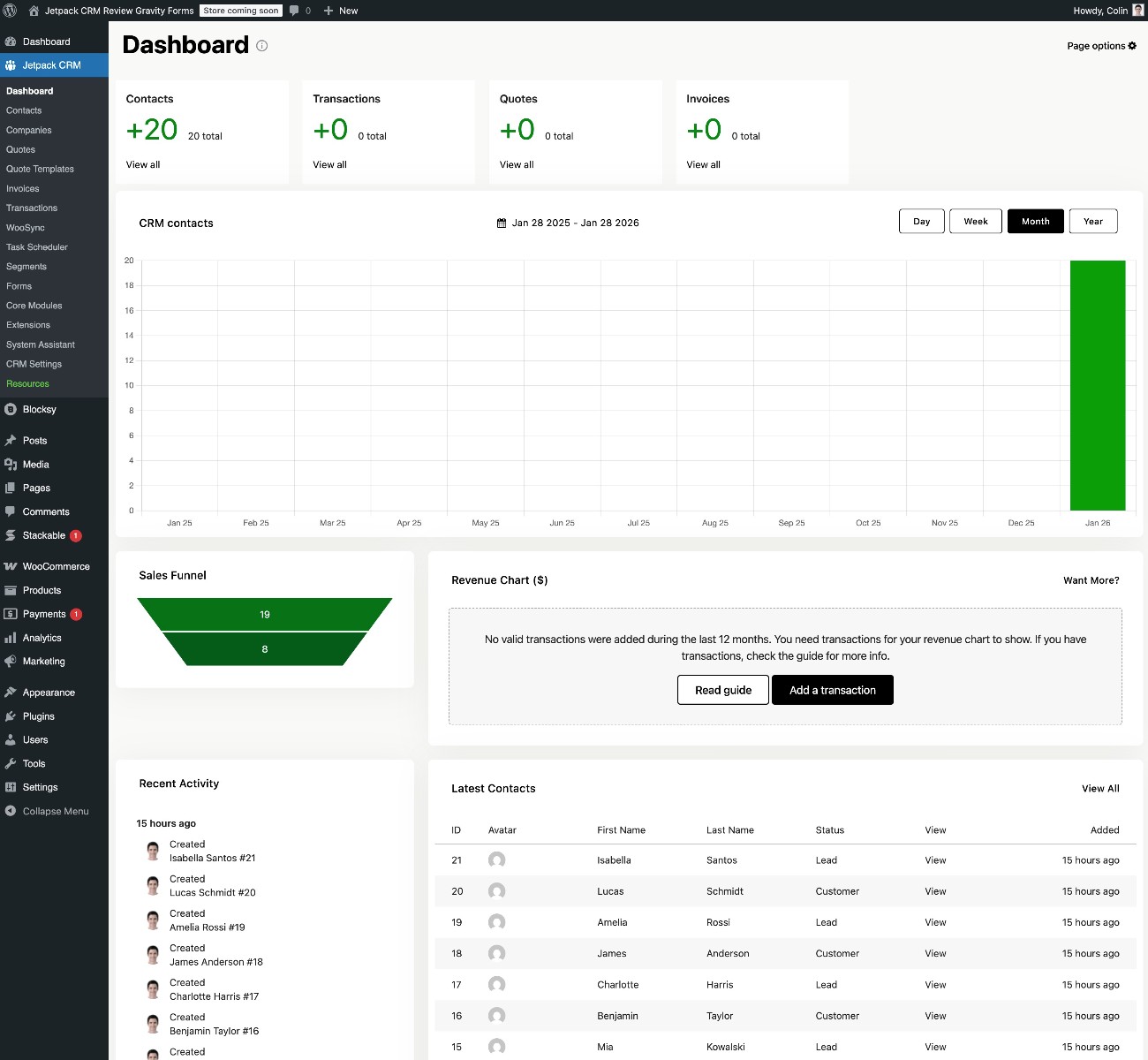
The main Jetpack CRM dashboard gives you a high-level look at everything that’s going on in your CRM, including contacts, transactions, quotes, invoices, revenue, sales funnels, and more.
Adding contacts
To add contacts, Jetpack CRM gives you a few different options.
First, you can import contacts by uploading a CSV file. If you have a WooCommerce store, there’s also an integration that lets you import your WooCommerce customers. You can also manually add contacts from the backend, if needed.
On the frontend, Jetpack CRM includes a built-in feature to create basic lead generation forms.
Jetpack CRM also offers its own extension to integrate with Gravity Forms, which lets you automatically sync form submissions from Gravity Forms to Jetpack CRM. This lets you use Gravity Forms to create your frontend lead generation forms, while still using Jetpack CRM on the backend.
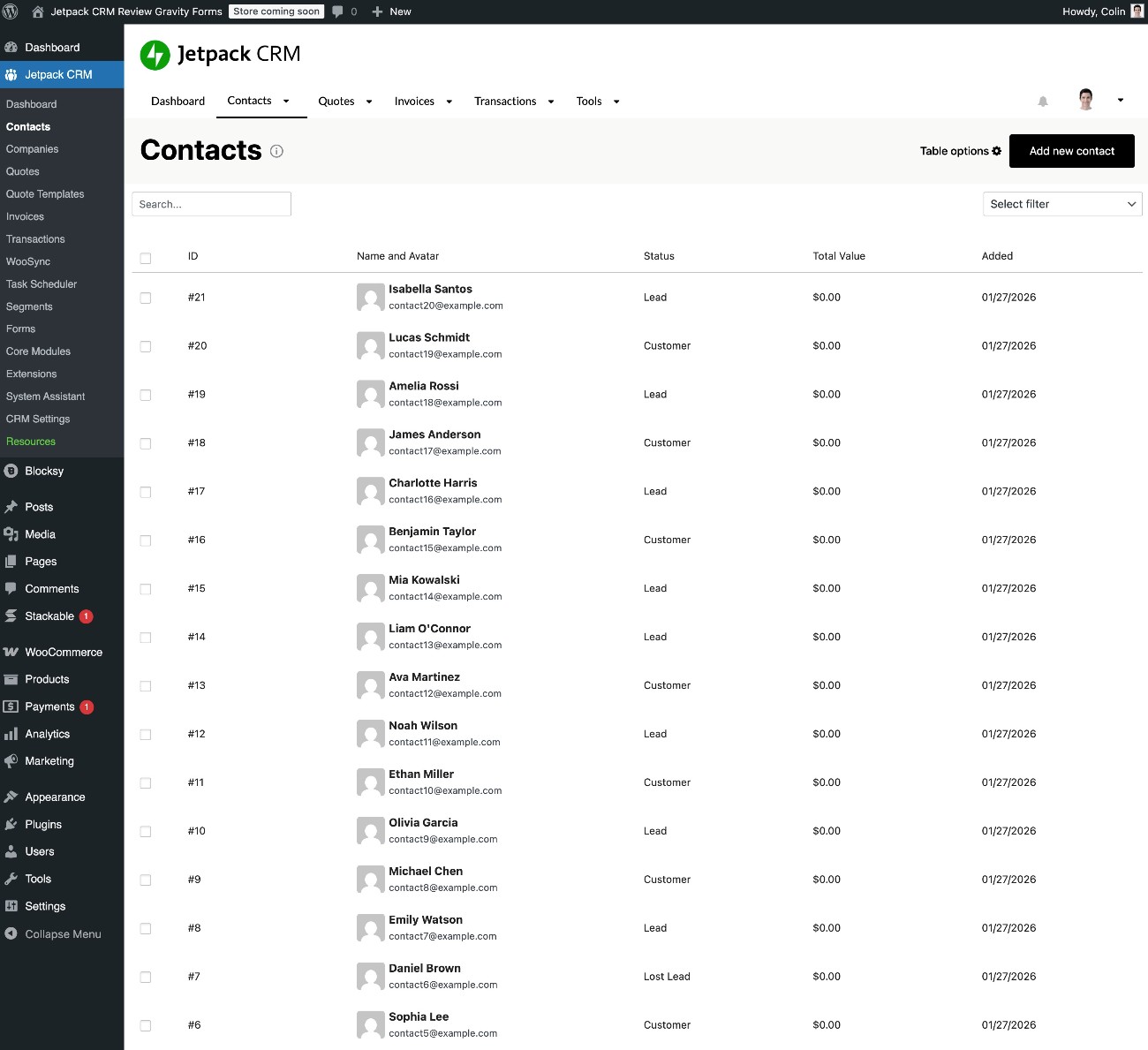
Once you’ve added some contacts, you can get a high-level view by going to Jetpack CRM → Contacts. In this interface, you can also filter contacts and apply bulk actions to multiple contacts.
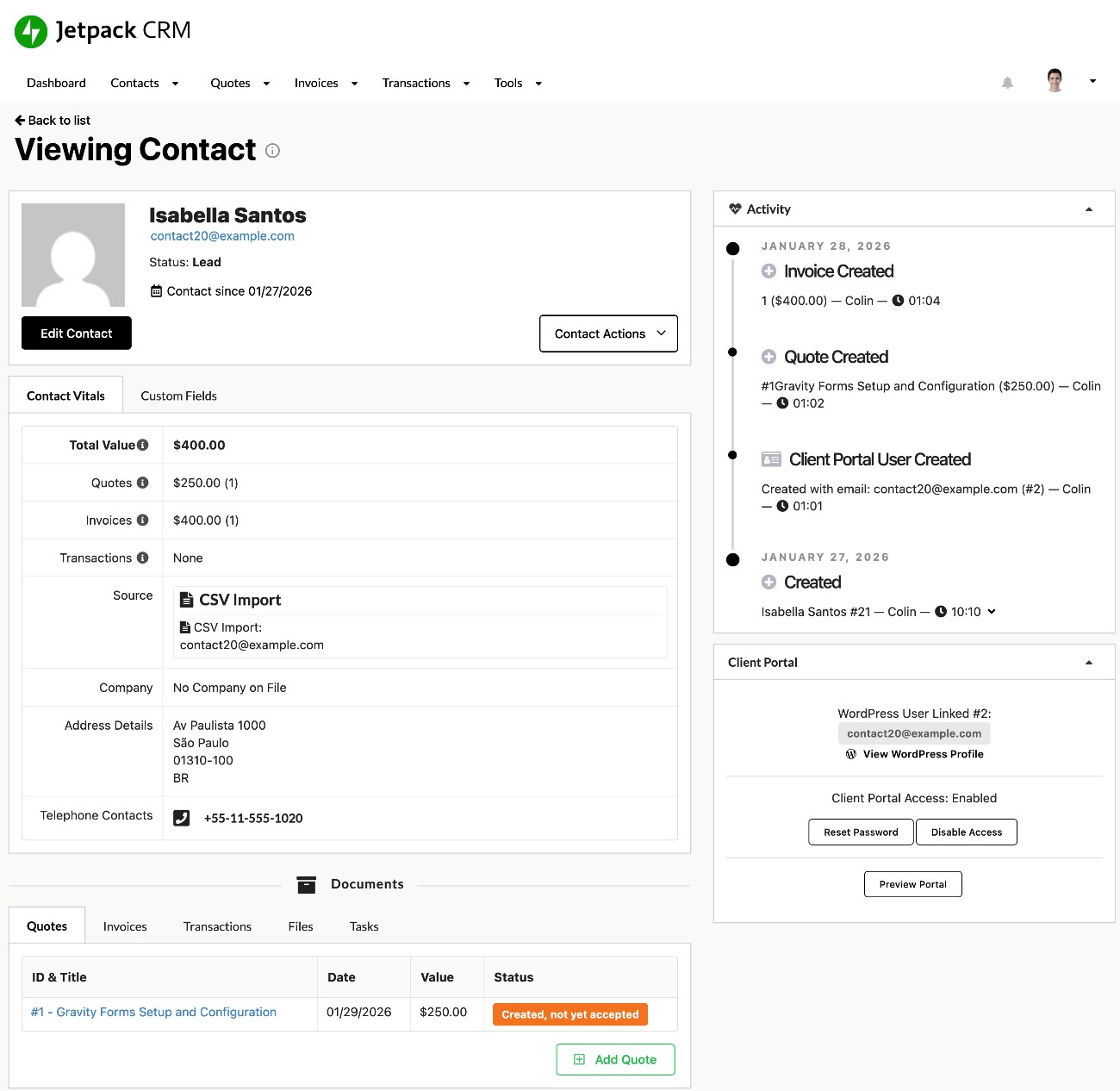
If you select an individual contact, you can view more details about that contact, including the following:
- Contact information
- Activity
- Custom fields
- Associated quotes, invoices, transactions, files, and tasks
Creating invoices or quotes
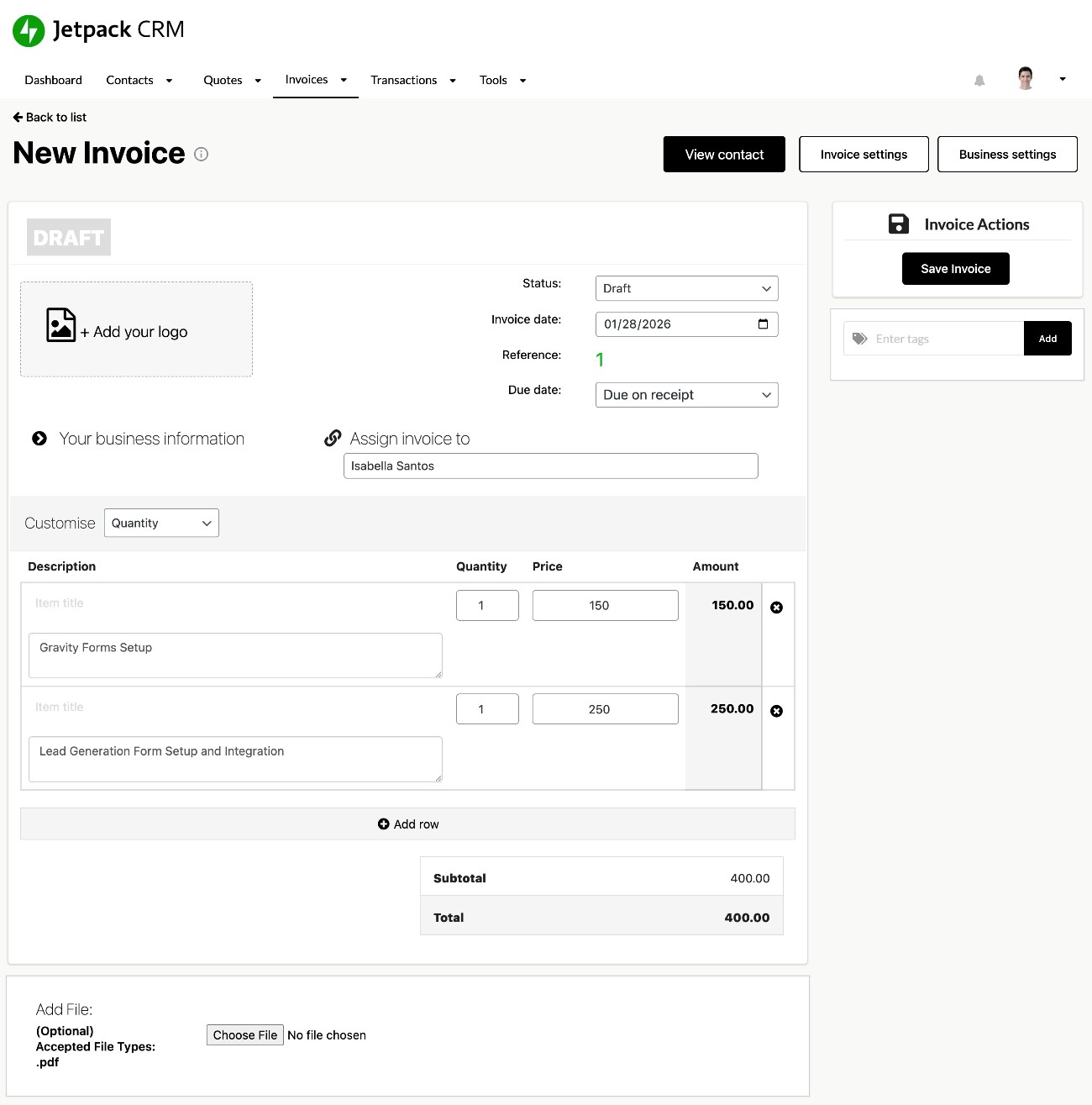
To create invoices and quotes, you can go to Jetpack CRM → Quotes and Jetpack CRM → Invoices, respectively.
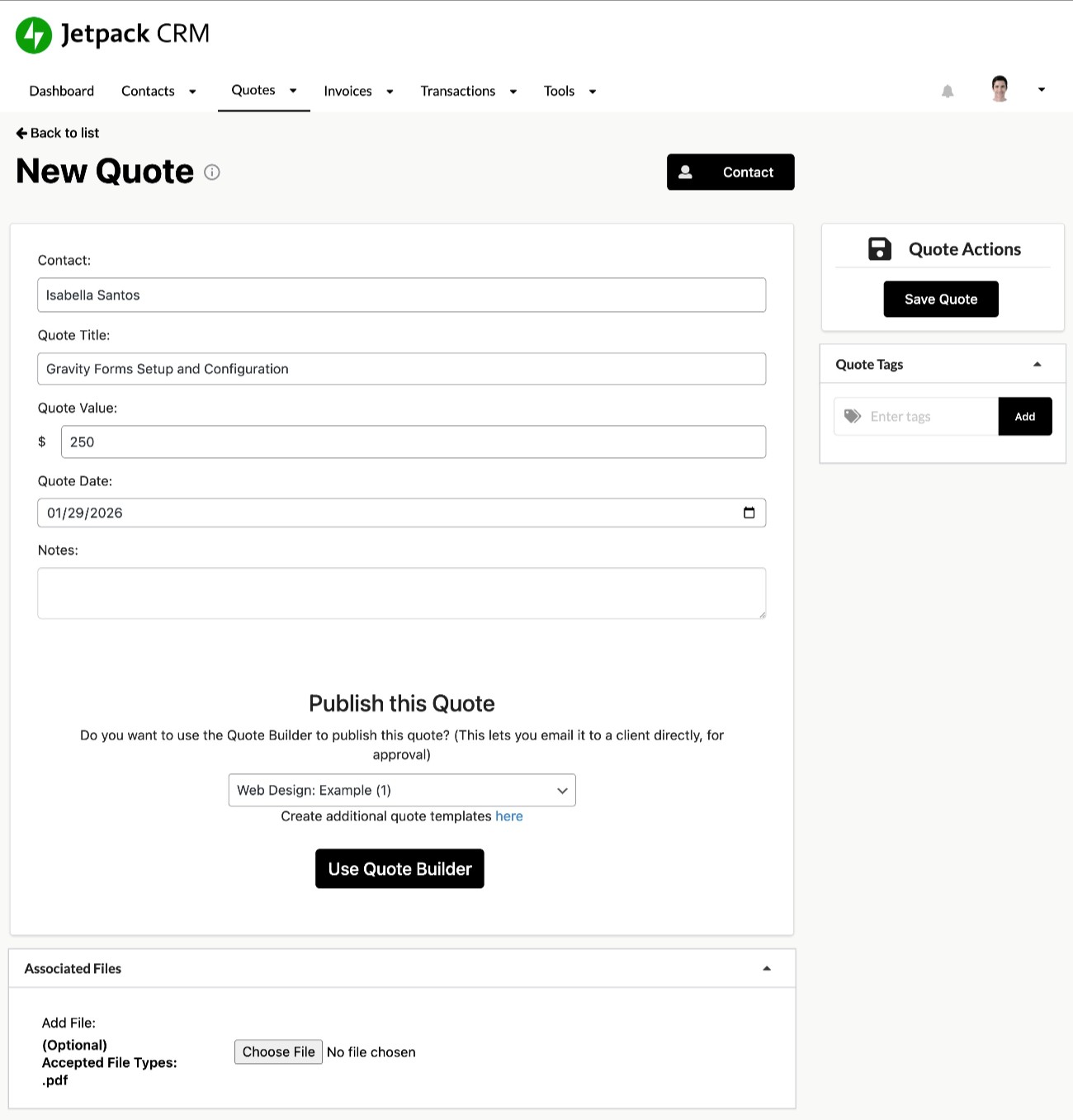
When adding a quote, you can choose an associated contact and set up important details. You can also add your own custom quote templates, if needed.
Invoices work in a similar way, just with a slightly different interface. Once you’ve created your invoice, you can download it as a PDF and/or send it as an email. If you’re using the client portal functionality (more on that in a second), clients can also see the invoice in their frontend dashboards.
Adding and viewing transactions
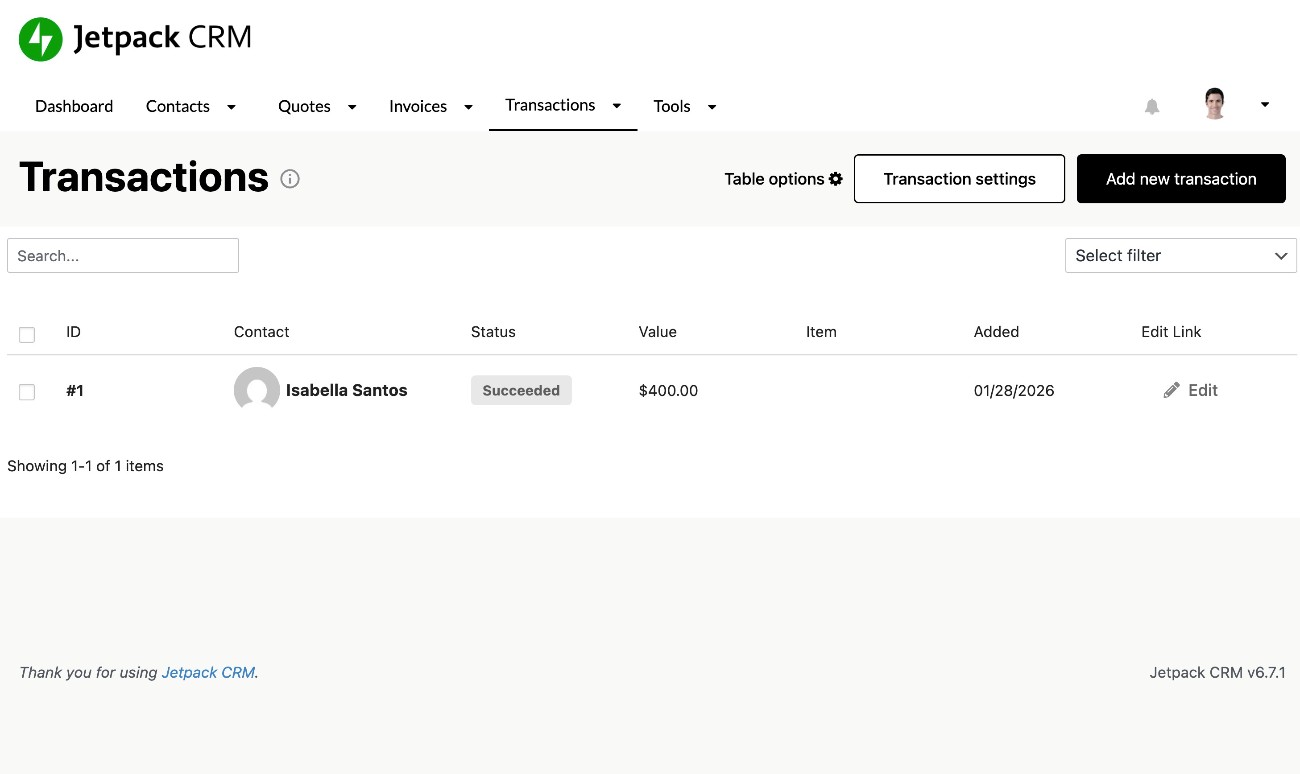
When clients pay their invoices, those payments will automatically show up as transactions in Jetpack CRM. You can also manually add transactions if needed, which can be helpful if a client makes a payment outside the built-in payment options.
You can view all your transactions by going to Jetpack CRM → Transactions and then selecting a specific transaction to view more information.
Building segments
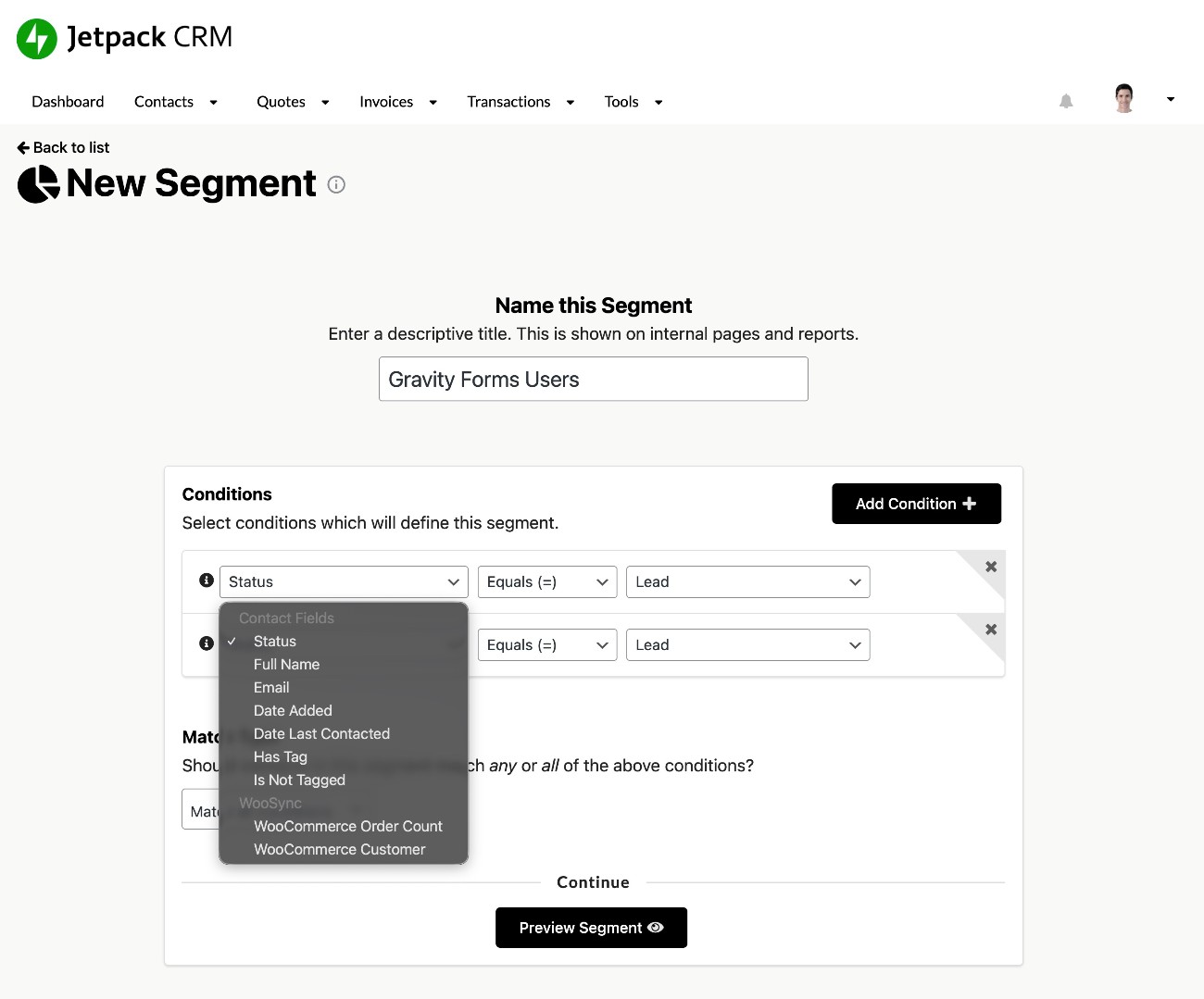
To help you more effectively view and target your contacts, Jetpack CRM lets you create your own custom segments.
The core CRM plugin supports basic segmentation and you can add more advanced segmentation with a premium extension.
You can set up your segments using a simple conditional builder.
Frontend client portal
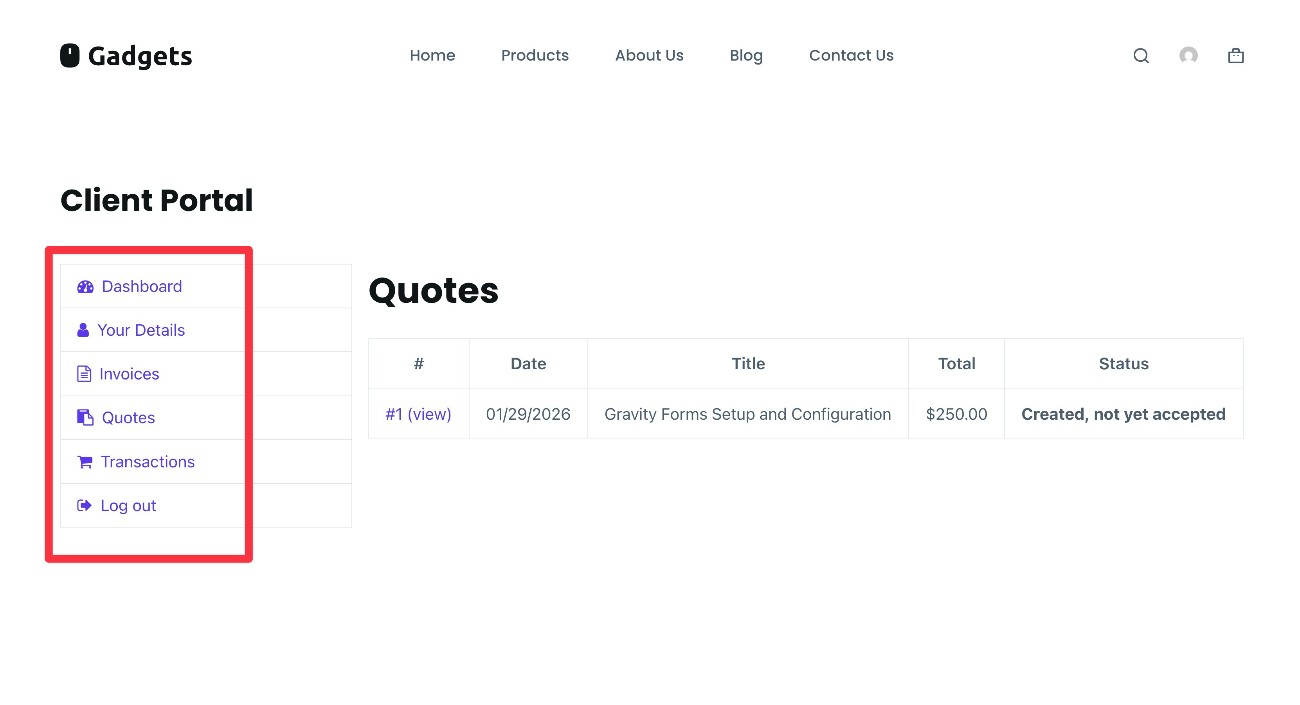
As we mentioned in the features section, Jetpack CRM also lets you create a frontend client portal area where clients can access quotes, invoices, documents, and other details. Clients can also update their contact information if needed.
The default design is basic but functional, and you can add your own custom CSS if you want to polish it.
Jetpack CRM Gravity Forms integration
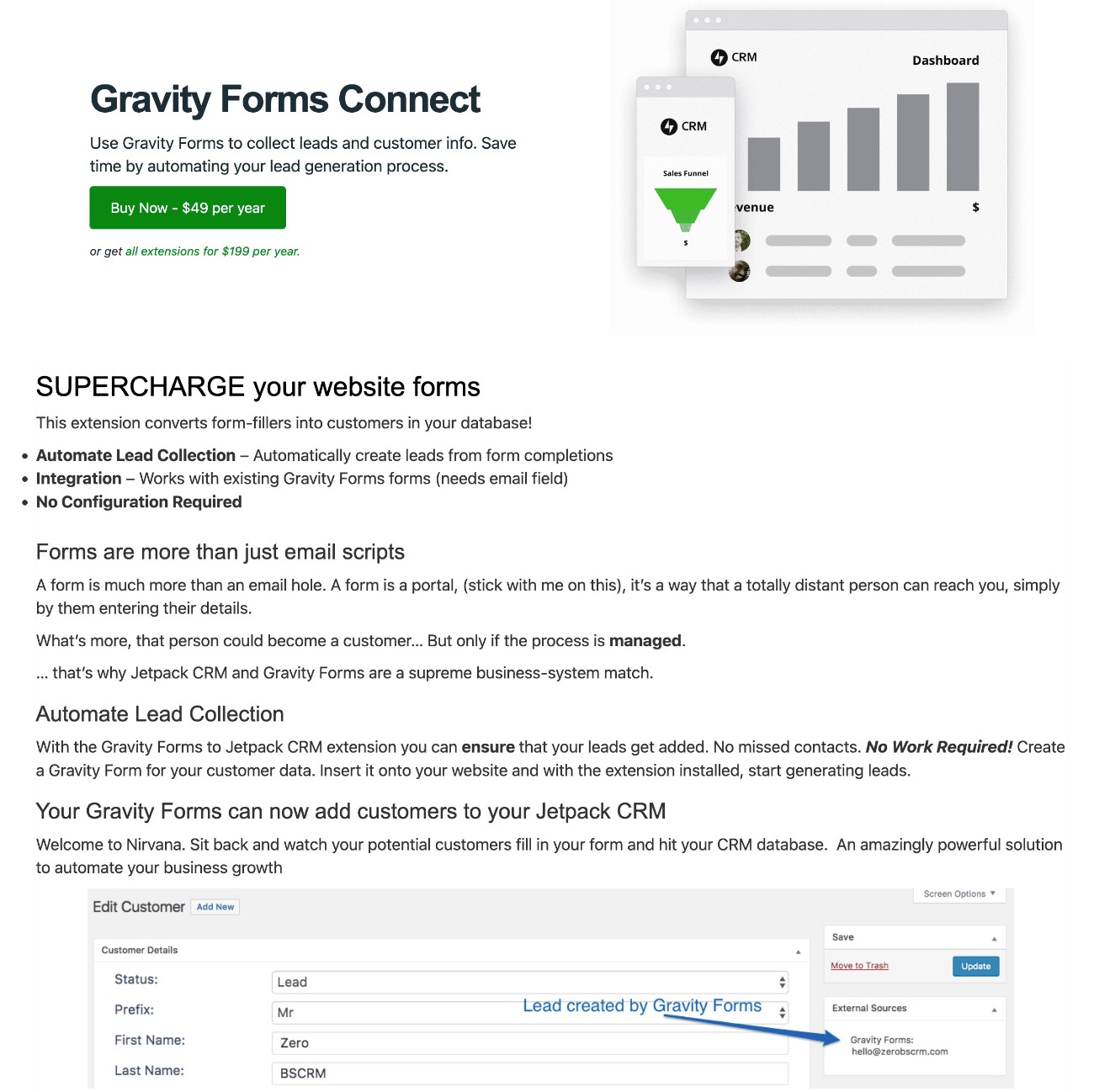
To help give you more flexibility for creating custom lead generation forms, Automattic offers its own Gravity Forms Connect extension for Jetpack CRM that lets you easily sync Gravity Forms submissions with Jetpack CRM.
With the extension, you can connect any form that you create with Gravity Forms to your Jetpack CRM. As part of this, you can sync customer data and map data from form fields to fields in Jetpack CRM.
Jetpack CRM pricing
The core Jetpack CRM plugin is available for free at WordPress.org.
Then, Automattic offers 30+ premium extensions that you can use to extend the core CRM.
You have two pricing options for accessing some/all of these extensions:
- You can purchase bundle plans that give you access to some or all of the extensions for one flat price.
- You can purchase individual extensions. This can make sense if you only need a couple of extensions, but the bundle plans are usually a better deal if you need multiple extensions.
Either way, Jetpack CRM will generally be considerably less expensive than most SaaS CRM tools, such as HubSpot, Zoho CRM, Salesforce, Capsule, etc.
In addition to just generally accessing lower pricing, one of the big advantages of Jetpack CRM (and other native WordPress CRM plugins) is that you won’t need to pay based on the number of users/seats that you need.
Most SaaS CRM tools charge you based on the number of seats you need, potentially with additional limitations on the number of contacts that you have. So, if you have five people working on your team, you would need to pay for five seats to give them all access to the CRM.
With Jetpack CRM, you can have unlimited seats and store unlimited contacts for no extra cost. Again, this is true of pretty much all self-hosted WordPress CRM plugins.
Let’s go into the specific pricing details for Jetpack CRM’s premium extensions…
Individual extension pricing
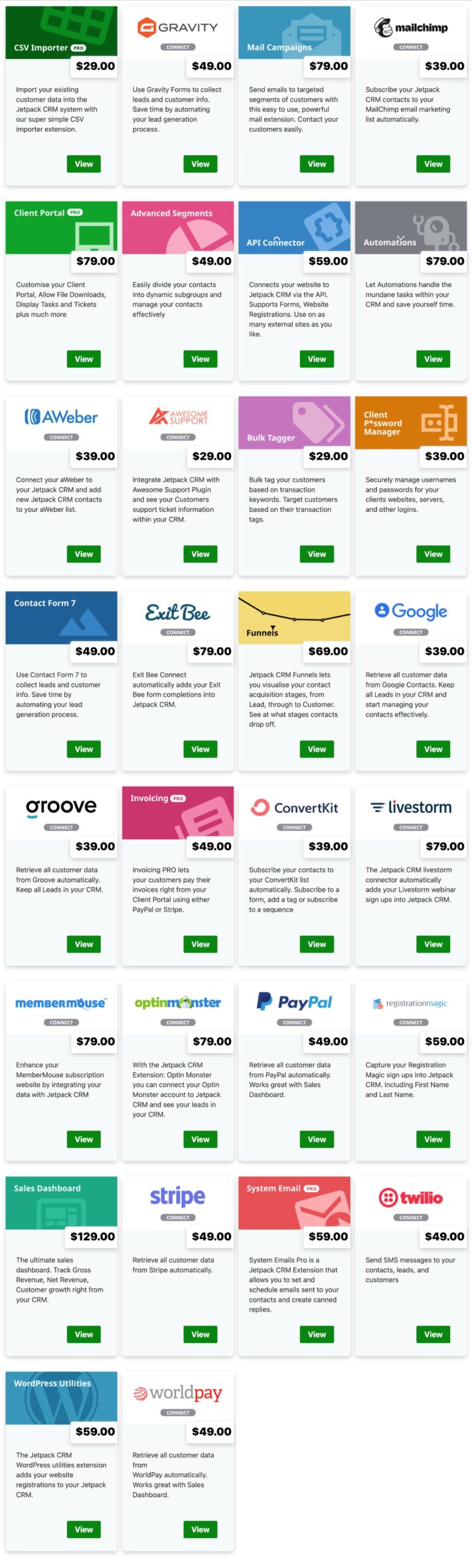
The individual extensions vary in price depending on the extension, running from $29 for the cheapest extension to $129 for the most expensive.
Here are the current prices for all of the extensions that Jetpack CRM offers:
Bundle plan pricing
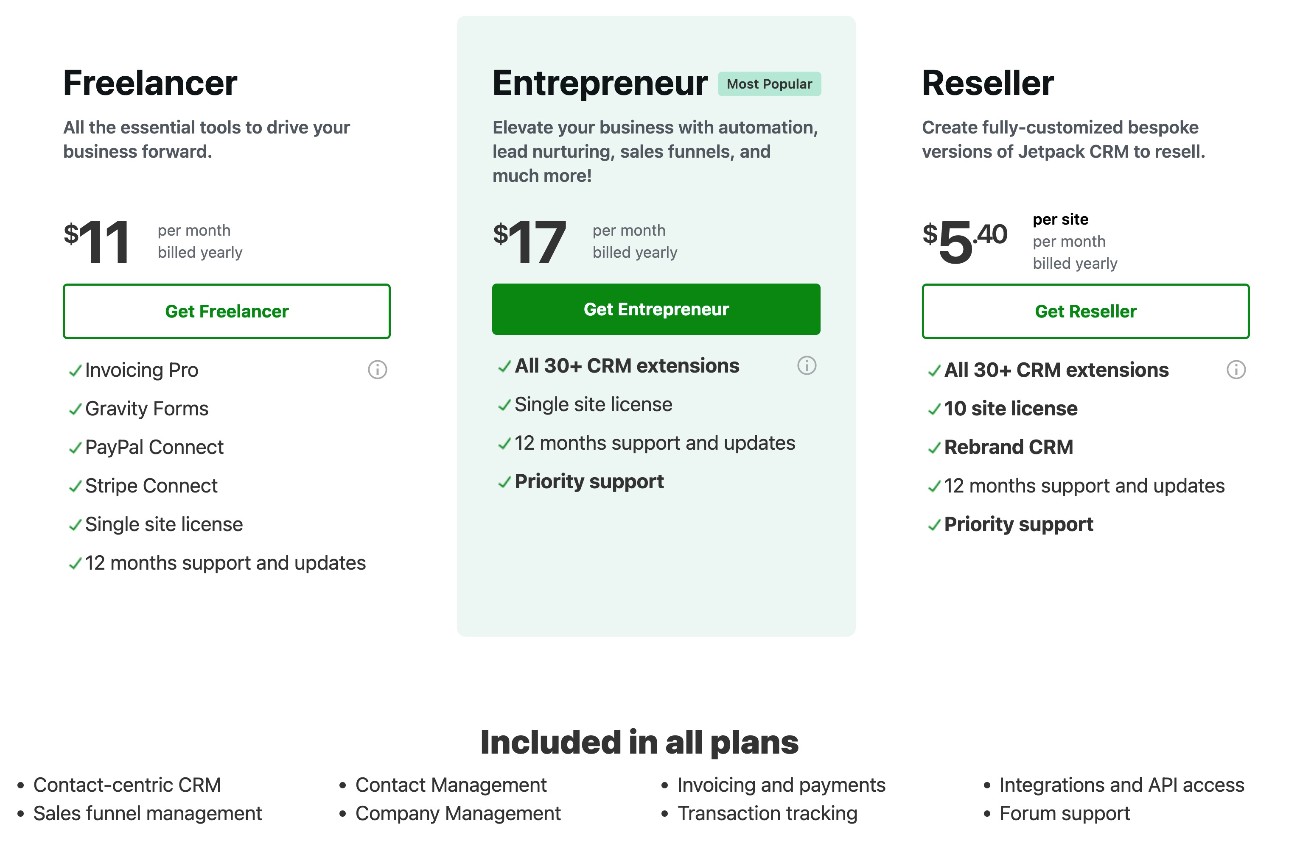
For the bundle plans, Jetpack CRM offers two plans for individual site owners, as well as a third “reseller” plan for individuals or agencies who want to use Jetpack CRM on multiple websites.
For individual sites, these are the two options:
- Freelancer – $129 per year. Includes four key extensions – Invoicing Pro, Gravity Forms Connect, PayPal Connect, and Stripe Connect.
- Entrepreneur – $199 per year. Includes all 30+ extensions, along with priority support.
If you want to use Jetpack CRM on more than a single site, Jetpack CRM also offers a Reseller plan. This plan costs $649 per year and lets you use every single extension on up to ten different websites.
Final thoughts on Jetpack CRM
If you’re searching for a native WordPress CRM with a focus on sales, Jetpack CRM can be a good option to consider. It offers contact management, quotes, invoices, and other essential features to sell products or services and get paid.
On the other hand, if you’re looking for a CRM built for marketing automation, you might want to consider a different option, as that’s not really the focus of Jetpack CRM (though it does let you send basic marketing emails and sequences, with a premium extension).
Because the core CRM is available for free at WordPress.org, you can install it at no cost to see how you like the interface and basic functionality.
Then, if you want to extend the core CRM with additional features, you can choose between purchasing individual extensions (this can be a good option if you only need one or two) or paying for one of the bundle plans.
With the Jetpack CRM team’s Gravity Forms Connect extension, you can also easily pair Gravity Forms with Jetpack CRM. This lets you access the flexibility of Gravity Forms for creating your site’s forms, while still letting you sync form submissions directly to Jetpack CRM.

Newsletter
If you want to keep up-to-date with what’s happening on the blog sign up for the Gravity Forms newsletter!
"*" indicates required fields