Check out our documentation for more information on using the gform_default_styles filter.
With Gravity Forms, it’s quick and easy to create beautiful forms.
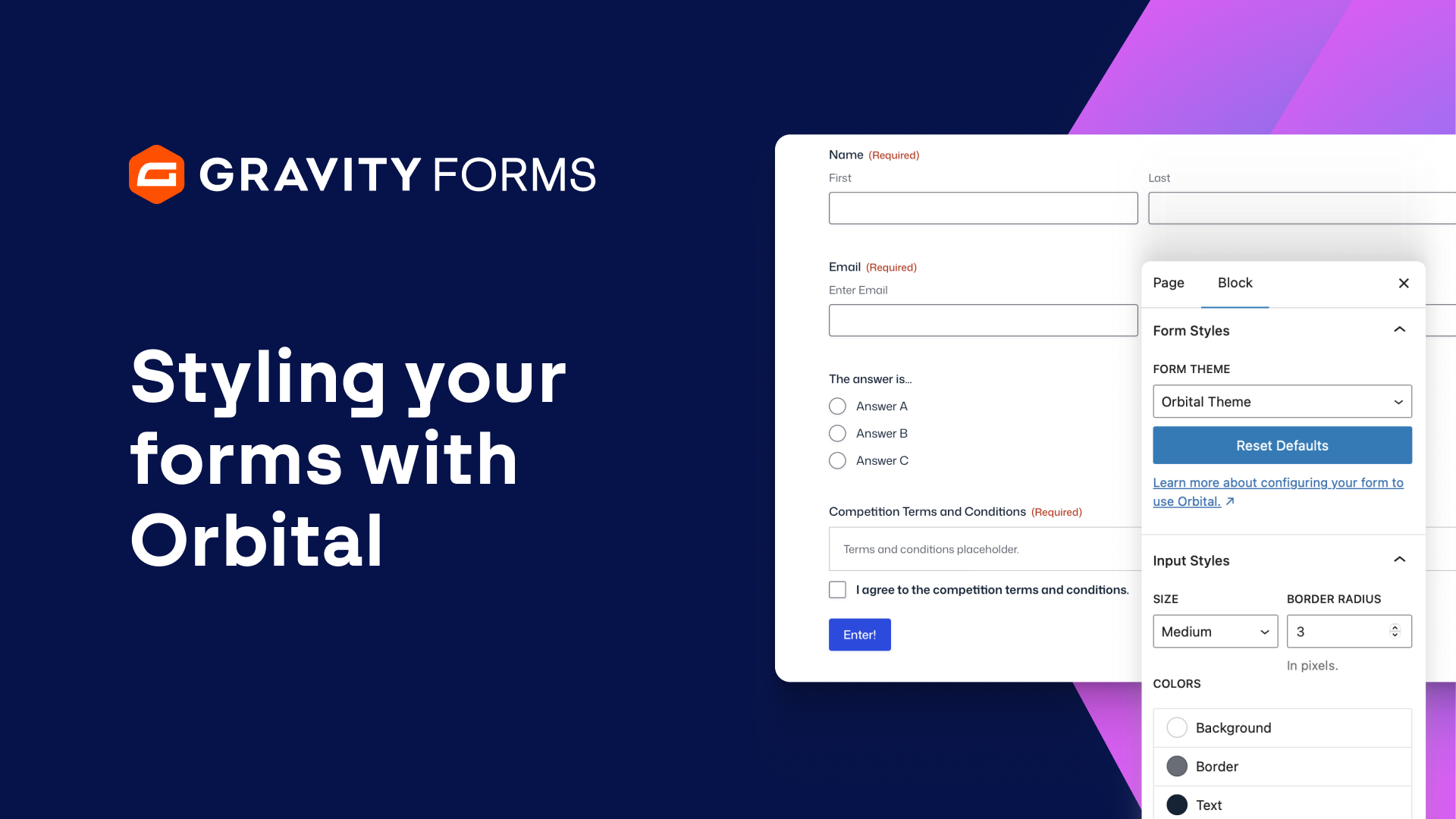
With our form theme Orbital, you can customize the look and feel of your forms directly from the block editor.
To get started, navigate to the WordPress page or post editor that contains the form you would like to customize.
Make sure that the preview option is toggled on, that way you can see how your form looks as you stylize it.
Then, underneath the Form Styles tab, set the form theme to Orbital.
You’ll then be greeted with several customization options that will let you fine-tune how your form will appear on the page or post.
Under the ‘Input Styles’ tab, you’ll be able to change the size of your fields and set the border radius.
You can also change the background color, border color, and text color.
The ‘Label Styles’ tab lets you change the font size and text color of the labels on your form.
Similarly, the ‘Description Styles’ tab allows you to change the font size and text color of your form descriptions.
Next, you can use the ‘Button Styles’ tab to change the background color and text color of the submit button.
And, if you want to revert all of your changes, you can simply click the ‘Reset Defaults’ button under the ‘Form Styles’ tab.
Once you get your form looking just right, there are ways of applying the styles to other form blocks!
Simply navigate to the block options menu, and select Copy Form Styles.
Then, you can go to any other Gravity Forms block and select Paste Form Styles.
You can even add a Gravity Forms block to a group and add styles to the group to help the form stand out.
And that’s not all. On the Gravity Forms Settings page, you can also opt to set Orbital as a global setting, ensuring that all of the forms on your site use the Orbital theme by default.
The gform_default_styles filter can even be used to apply the same styles to all forms on your site.
For more information on using this filter, check out our documentation.
If needed, you can still change the form theme on a case by case basis in the block settings or using a shortcode parameter.
When embedding a form using shortcode, you can easily specify Orbital using the parameter theme=”orbital”.
As you can see, with Gravity Forms and Orbital, it has never been easier to create beautiful, reusable styling options for your forms.
From everyone on the Gravity Forms team, thanks for watching!
Summary
Gravity Forms makes it quick and easy to create beautiful forms. In this video, learn how to use our form theme, Orbital, to customize the look and feel of your forms directly from the block editor.