Turn massive lists into searchable, accessible fields.
Advanced Select keeps any Drop Down, Multi Select, or Address field fast and searchable, whether it holds a dozen choices or even thousands. Here’s what you get:
- Populate massive datasets. Pair with Populate Anything to search, scroll, and load thousands of choices without slowing your form down.
- Display choice images. Pair with JetSloth’s Image Choices to turn a plain list into a visual one.
- Fully accessible by keyboard or screen reader. Every search, selection, and removal is announced — search, select, and remove, all from the keyboard.
- Address field search. Country and State fields become searchable by typing a few letters.
- Mobile-ready. Search works just as well on phones and tablets, whether you’re tapping or clicking.
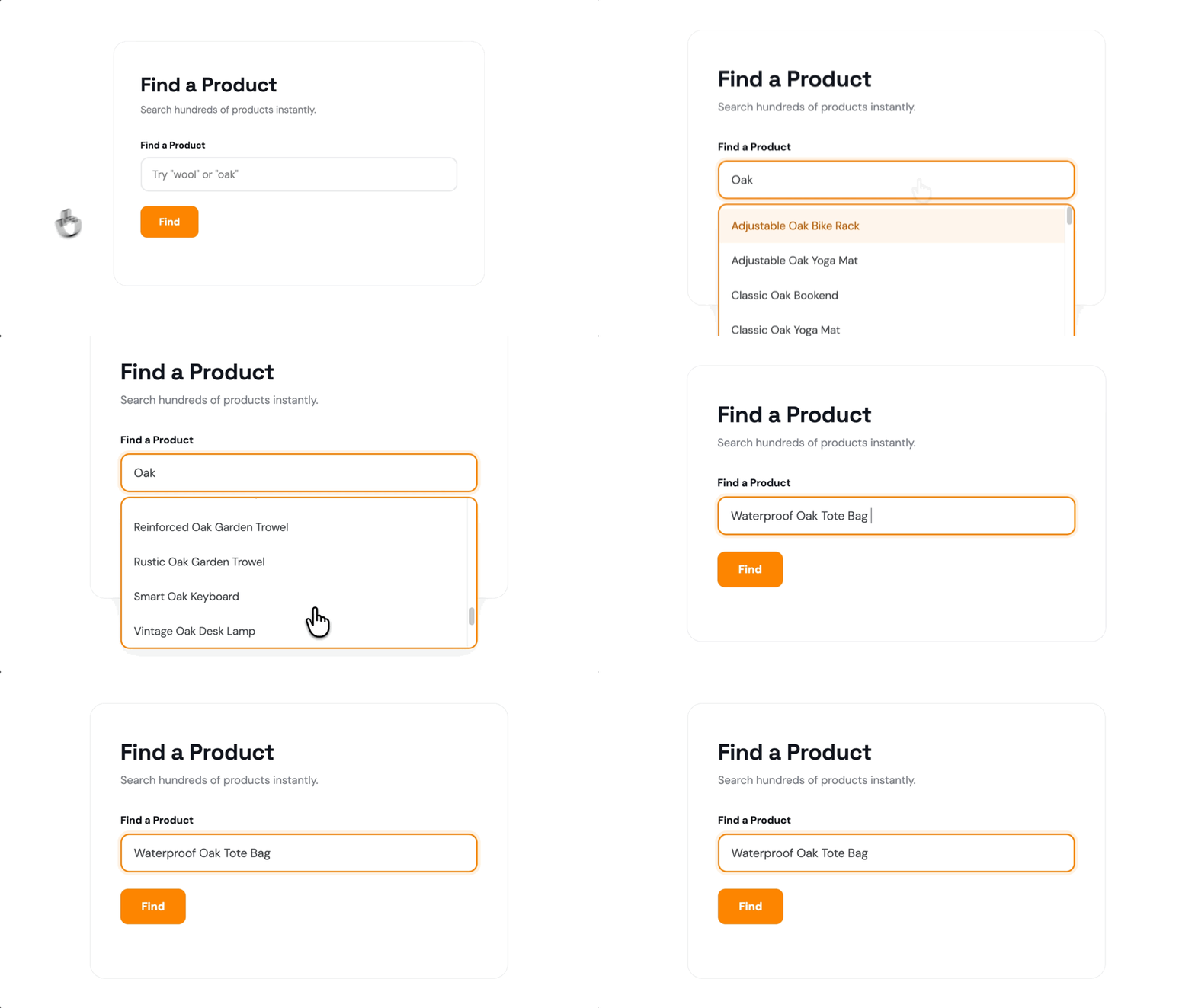
Search Massive Datasets Without Slowing Down
Populate Anything pulls field choices from posts, users, or nearly any other source. Pair it with Advanced Select to search through thousands of them instantly, loading more only as you scroll.
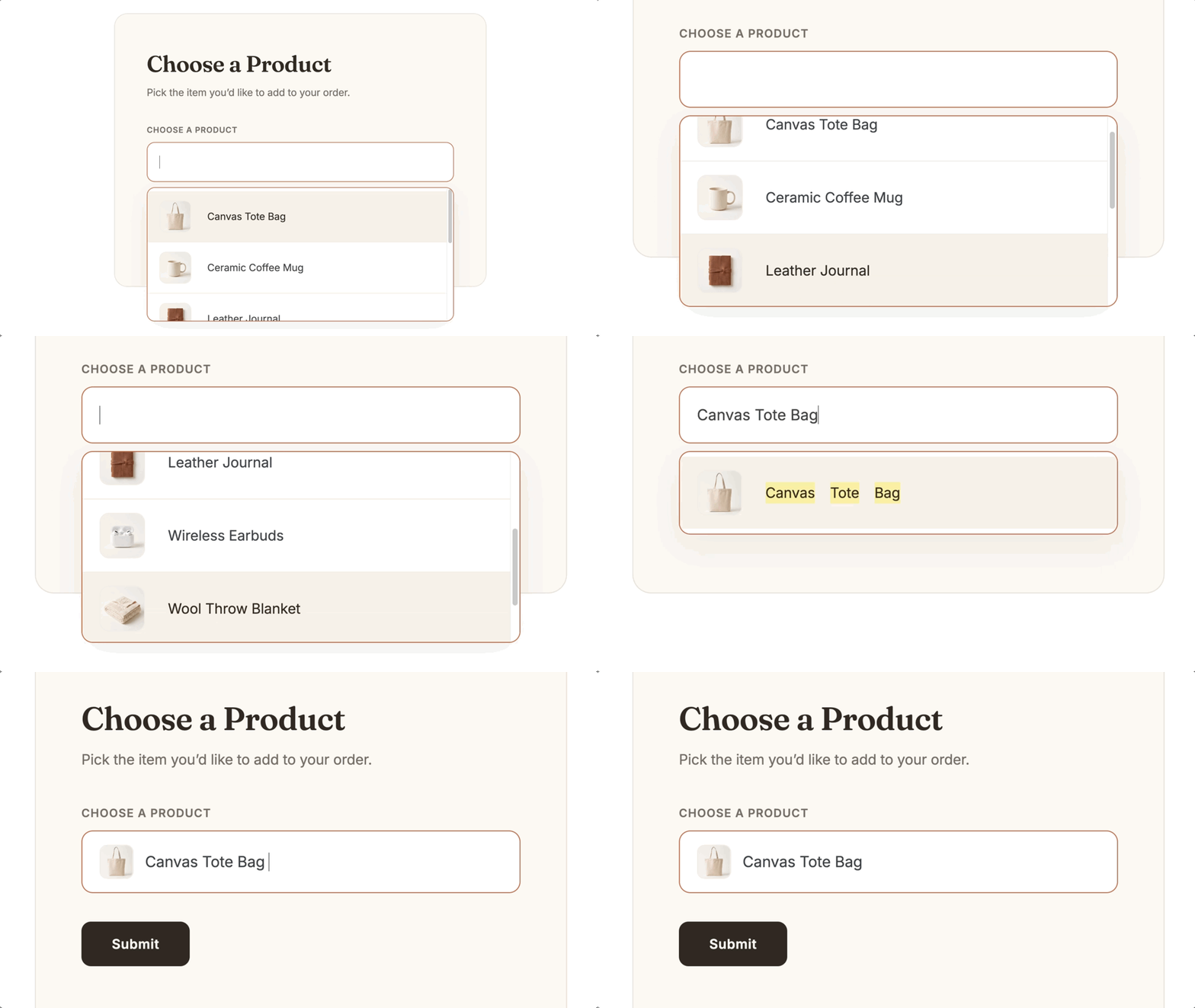
See Every Choice with Images
Pair Advanced Select with JetSloth’s Image Choices, and every option gets a photo or icon instead of plain text.
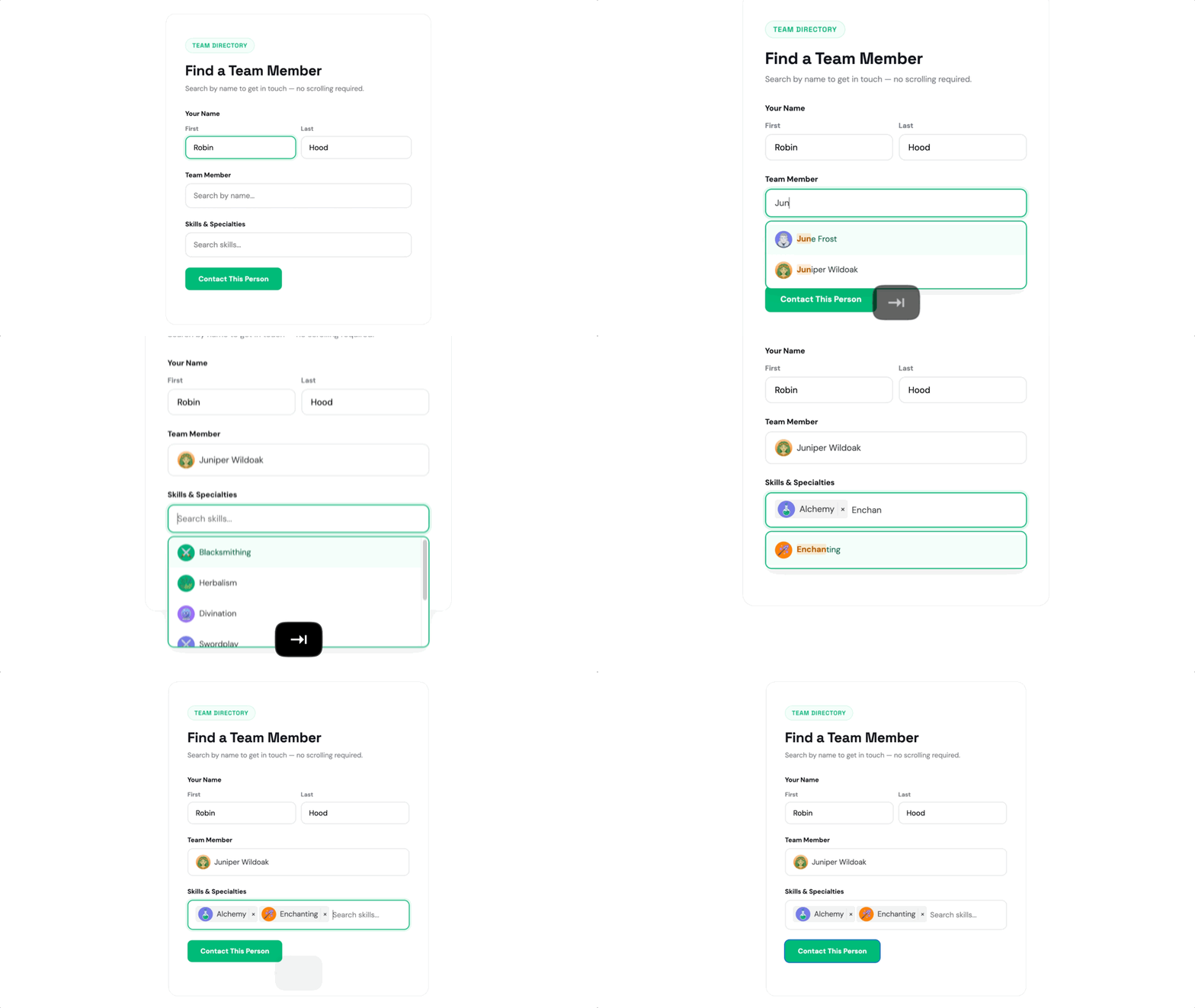
Fully Accessible by Keyboard or Screen Reader
Filter, select, and remove choices by keyboard alone, or let a screen reader announce each action clearly as it happens.
Advanced Select Works Well For:
- Product and service selectors. Search through long catalogs instead of scrolling to find the right item.
- Location and address forms. Searchable Country and State fields make international or multi-region forms faster to fill out.
- Directories and staff pickers. Populate a field with hundreds of team members, locations, or listings, and search by name instead of scrolling the list.
- Event and session registration. Attendees can search dozens of sessions, workshops, or time slots by name instead of scrolling to find one.
Gravity Wiz Supports Over 150,000 WordPress Websites
Made by Gravity Forms Developers 
🧑💻 We helped build Gravity Forms itself. And now, we’re certified developers.
🚀 14 years shipping Gravity Forms add-ons.
🤝 Legendary support you can count on from real experts. See for yourself.
✨ Something new every week. 80+ plugins and counting, dozens of free ones.
🛡️ Zero risk to use. Try it for 30 days — if it’s not right for you, we’ll refund it.

Get Advanced Select
Advanced Select is part of the Gravity Perks suite — 80+ plugins to help you build almost anything in Gravity Forms.