Email Gravity Forms Submitters From WordPress
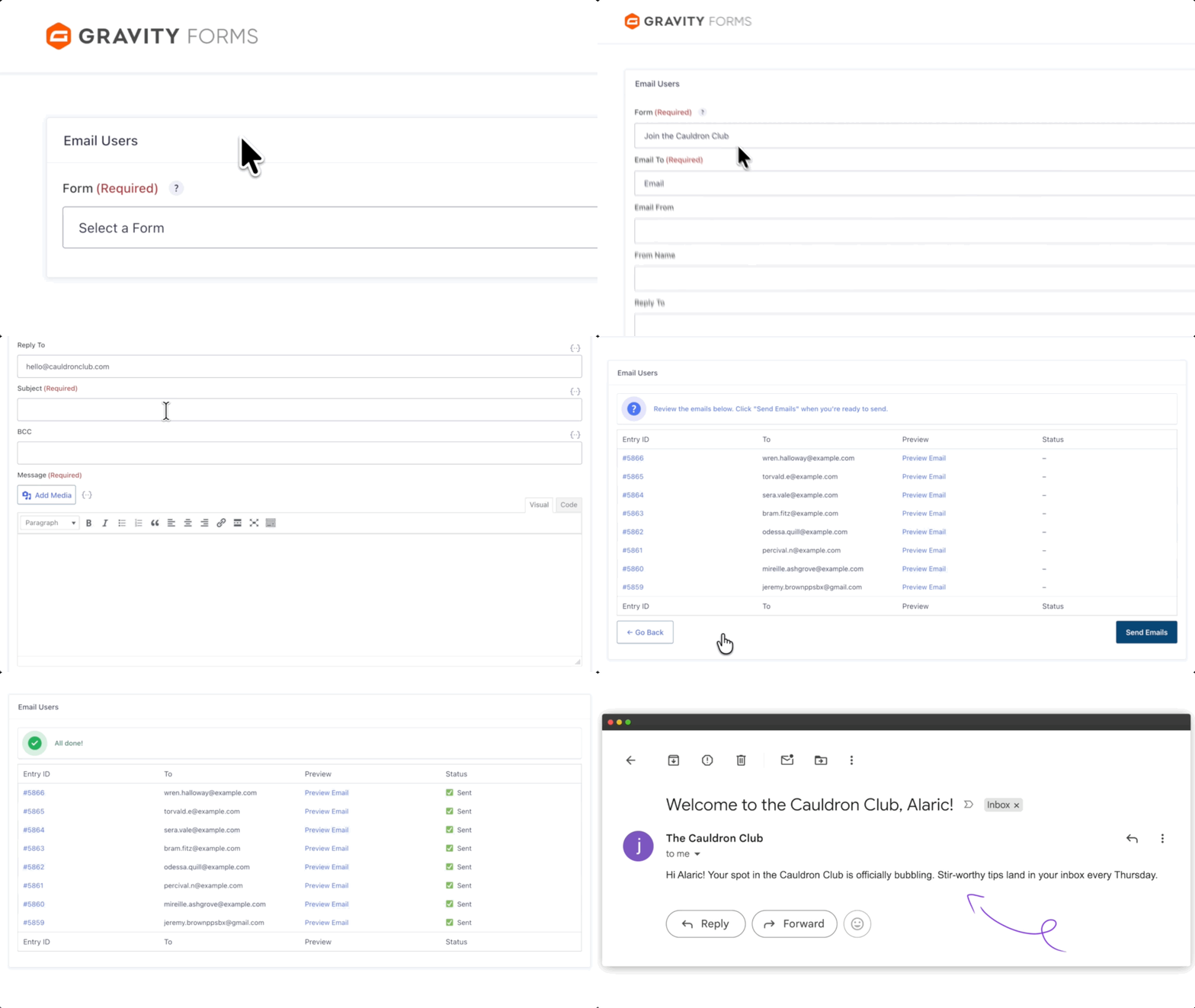
Write one email and send a personalized copy to everyone who submitted a form, or only to the entries you filter for.

Email form submitters
Send to the addresses collected in a form’s Email field.

Filter with conditional logic
Email only the entries that match your conditions.

Personalize with merge tags
Pull each person’s entry data into the subject and message.

Preview before sending
Check each recipient’s personalized email before it goes out.
Recipients
Filter Who Gets Your Email
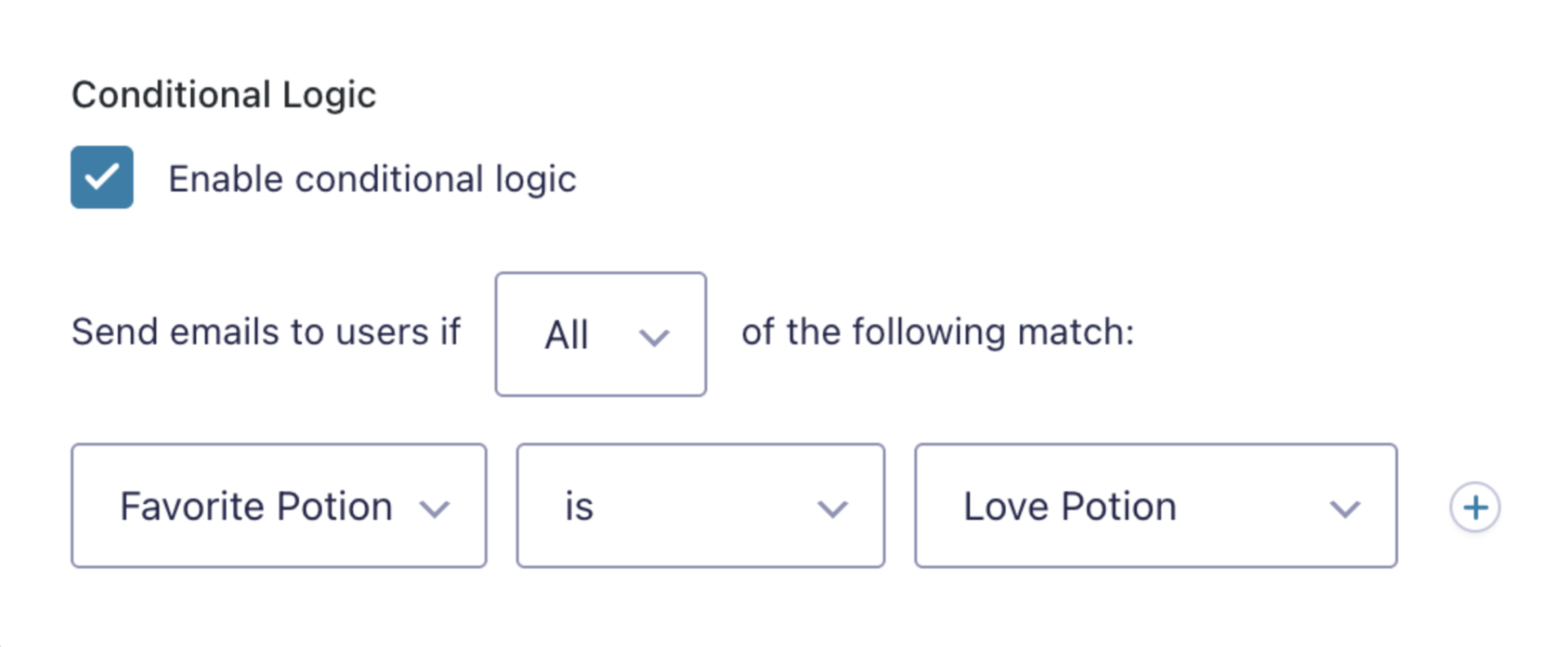
- Filter on any submitted value. Send only to people who chose a product, answered a survey question a certain way, or are a certain age.
- One email per entry by default. Someone with several entries gets one email per entry; skipping duplicates needs a snippet.
- Sends through WordPress mail. It’s built for lightweight sends. For thousands of emails, pair it with an SMTP service.
Personalization
Add Each Person’s Details to Every Email
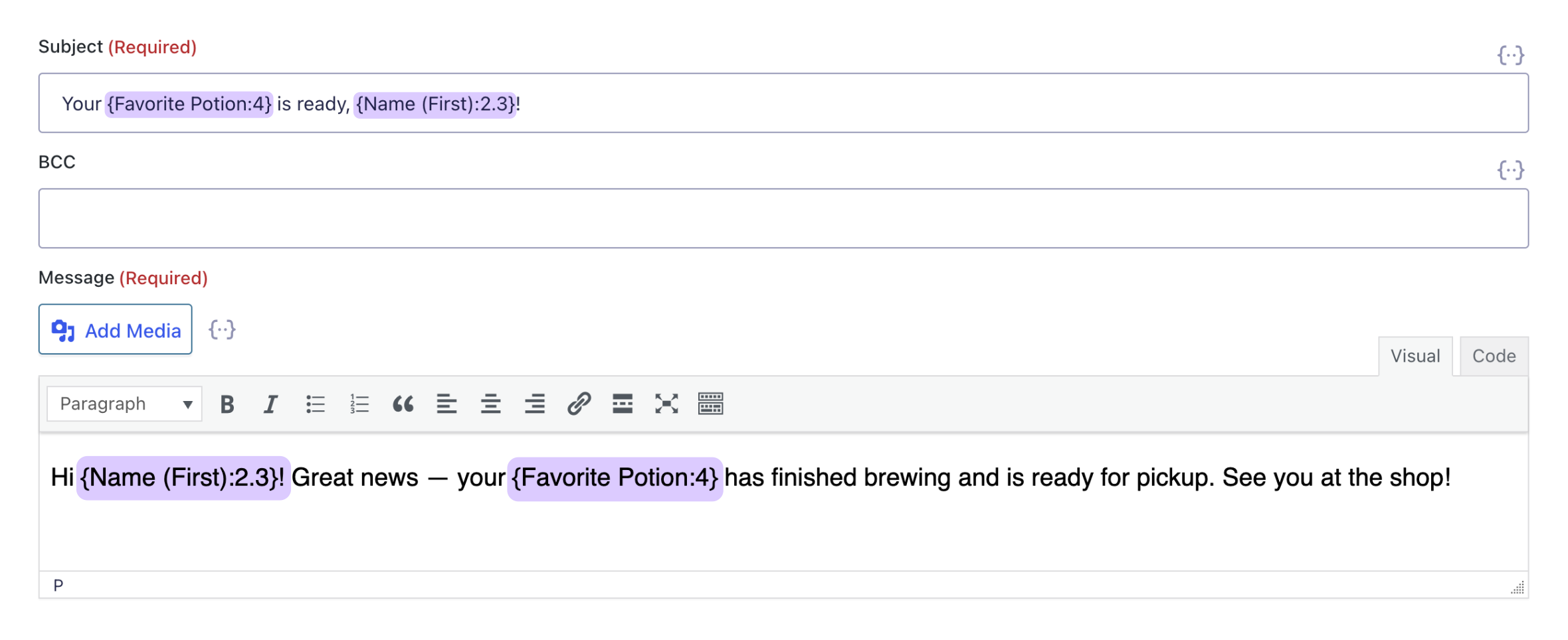
- Merge tags in every email field. Use entry data in the subject, message, from name, from address, reply-to, and BCC.
- Built-in unsubscribe link. Let recipients opt out with a dedicated merge tag.
- Rich text editor. Format messages with text styles, links, and images.
Review
Preview Every Email Before It Sends
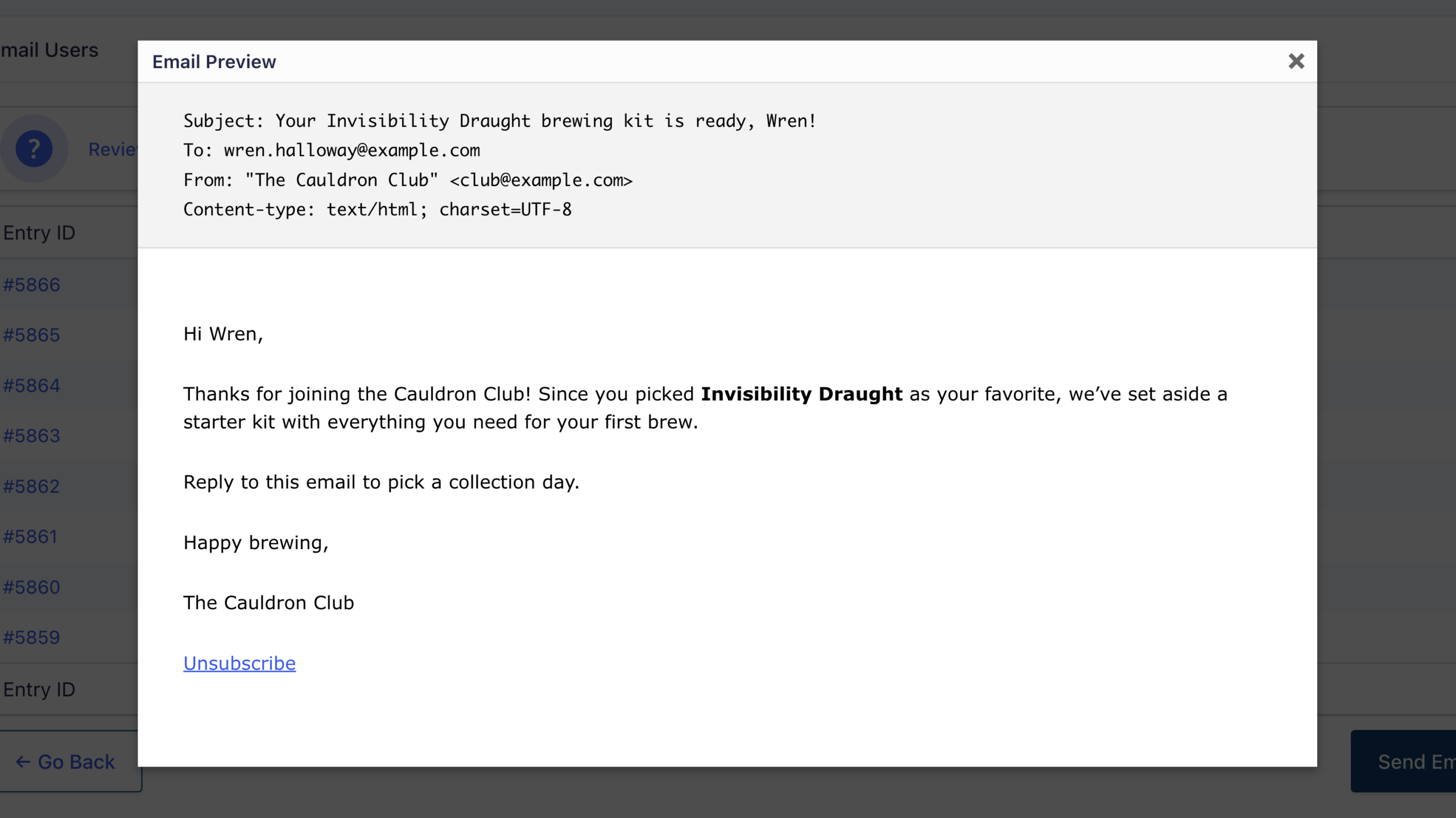
- Preview each recipient’s email. See every message with that person’s entry data filled in.
- Save drafts. Your email is saved when you review it, so you can come back and edit it later.
- Send from one screen. Pick the form, write, review, and send from Forms → Email Users.
Use cases
Email Users Works Well For:

Events and workshops
Send reminders, live links, and follow-ups to people who registered.

Fundraising campaigns
Keep donors updated on progress, or send different messages by donation amount.

Follow-up forms and surveys
Send previous submitters a survey, RSVP, or another form.

Why Gravity Wiz
Made by Certified Gravity Forms Developers 

Gravity Wiz provides the kind of support others only claim to provide in marketing materials.
Clay Asbury, Twelvetwo

Our founder helped build Gravity Forms.
And now, we’re certified developers.

Trusted on 150,000+ sites.
Building add-ons for 14 years and counting.

Legendary support from real experts.
See for yourself. We’ve got receipts.

Something new every week.
Across 70+ plugins, dozens of them free.
 Zero risk to use. Try it for 30 days or get your money back.

Get Email Users
Email Users is available with Gravity Perks — a suite of 48+ plugins for Gravity Forms.