
Limit Available Dates in the Date Picker
- Limit selectable dates. Choose which dates users can select in your Gravity Forms Date Picker fields.
- Set minimum and maximum dates. Use a specific date, the current date, or another Date field for either limit.
- Add date exceptions. Make a specific date available or unavailable.
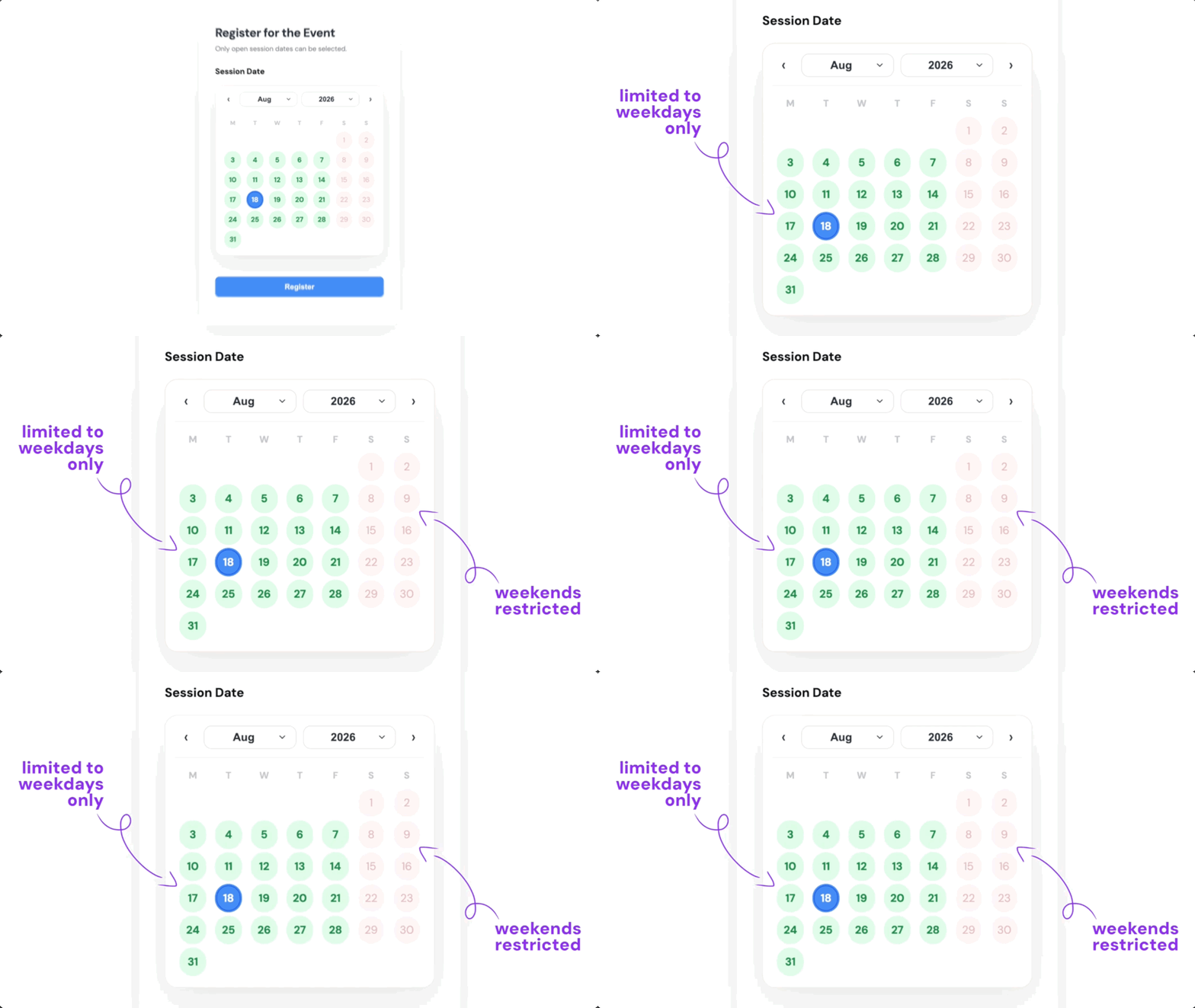
- Limit by day of the week. Allow weekdays only, weekends only, or any other combination of days.
- Link Date fields. Use the date chosen in one Date field to set the earliest or latest selectable date in another.
Limit Which Dates People Can Select
Use Limit Dates to choose which dates are selectable in a Gravity Forms Date Picker field, while restricted dates remain unavailable.
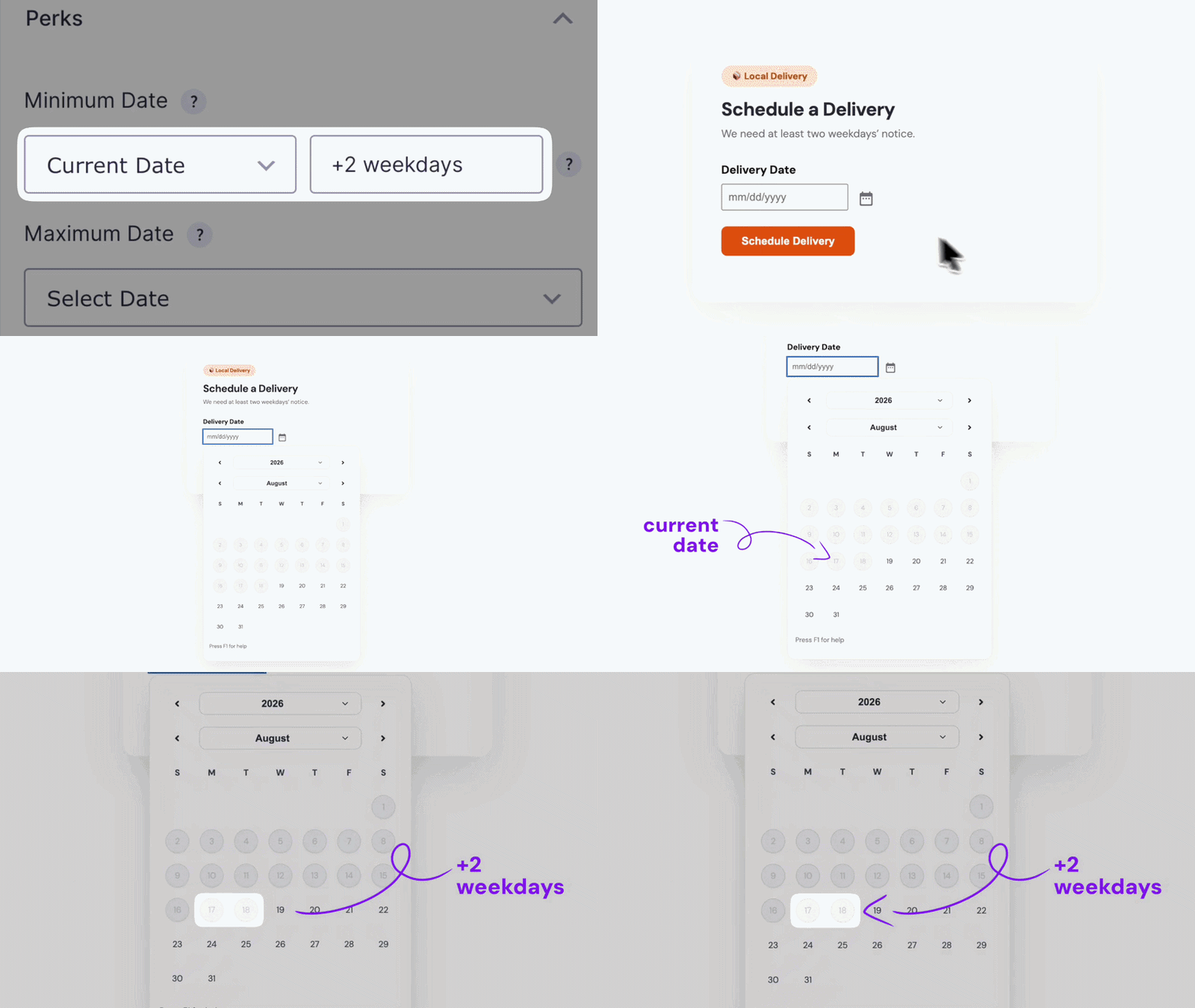
Set Date Limits Based on Today
Set the earliest or latest selectable date relative to today instead of a fixed date — like requiring a delivery date at least two weekdays from now.
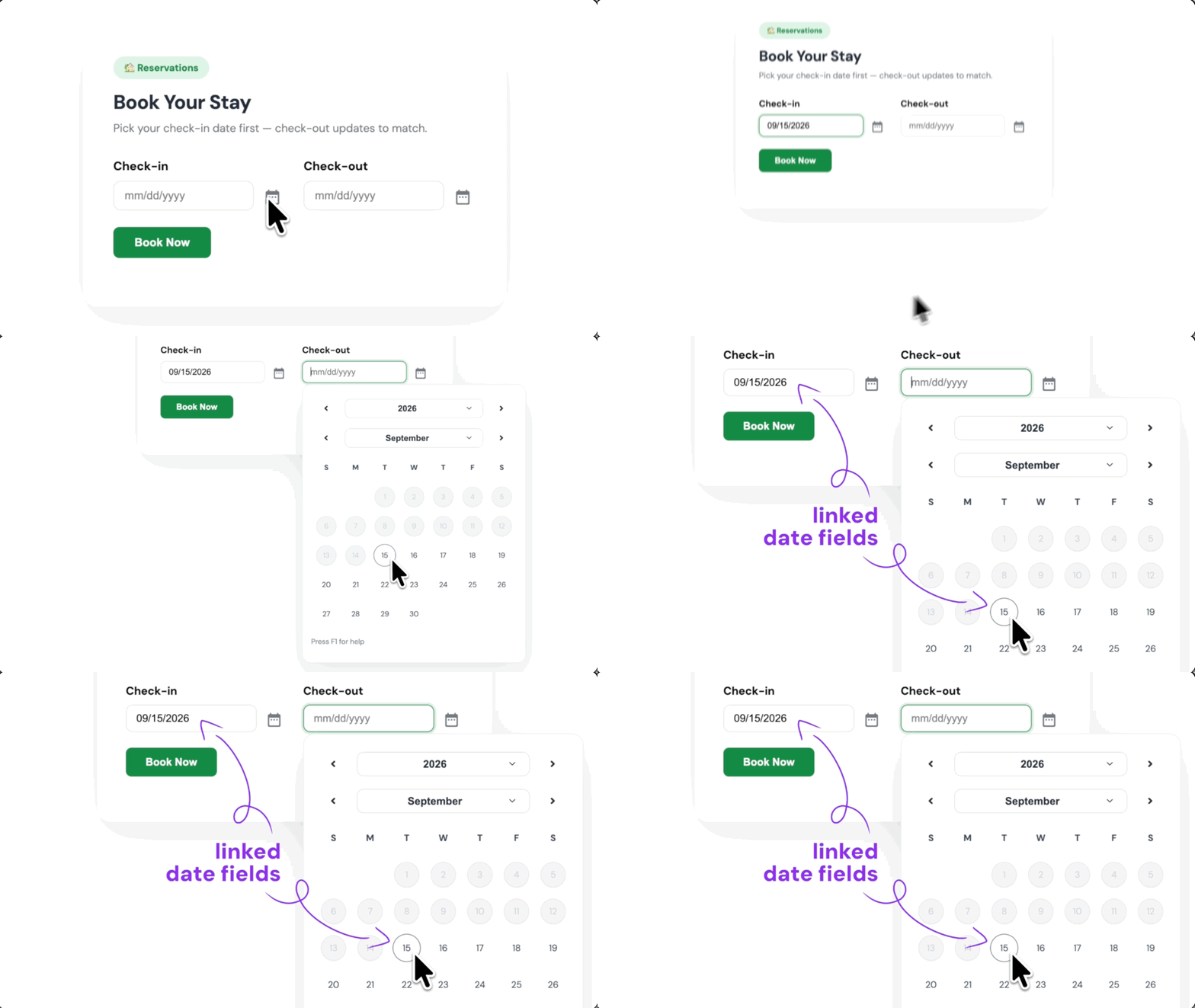
Limit End Dates Based on Start Dates
Link two Date fields so the start date sets the earliest selectable end date. Think check-in and check-out dates.
Limit Dates Works Well For:
- Incident reporting. Prevent users from selecting future dates when reporting an incident.
- Event registration. Limit registration to the specific dates of your event.
- Leave requests. Limit selectable dates to the current year, or whatever date range your leave policy allows.
Gravity Wiz Supports Over 150,000 WordPress Websites

Made by Gravity Forms Developers 
🧑💻 Our founder helped build Gravity Forms. And now, we’re certified developers.
🚀 Helping people do more with Gravity Forms since 2012.
🤝 Legendary support you can count on from real experts. See for yourself.
✨ Something new every week. New updates arrive weekly, with new Perks added regularly.
🛡️ Zero risk to use. Try Gravity Perks for 30 days with a 100% money-back guarantee.

Get Gravity Forms Limit Dates
Gravity Forms Limit Dates is part of the Gravity Perks suite — 48+ plugins to help you build more with Gravity Forms.