
Collect Repeatable Data in Gravity Forms
Nest one form inside another so users can add as many child entries as they need, all attached to a single parent entry.
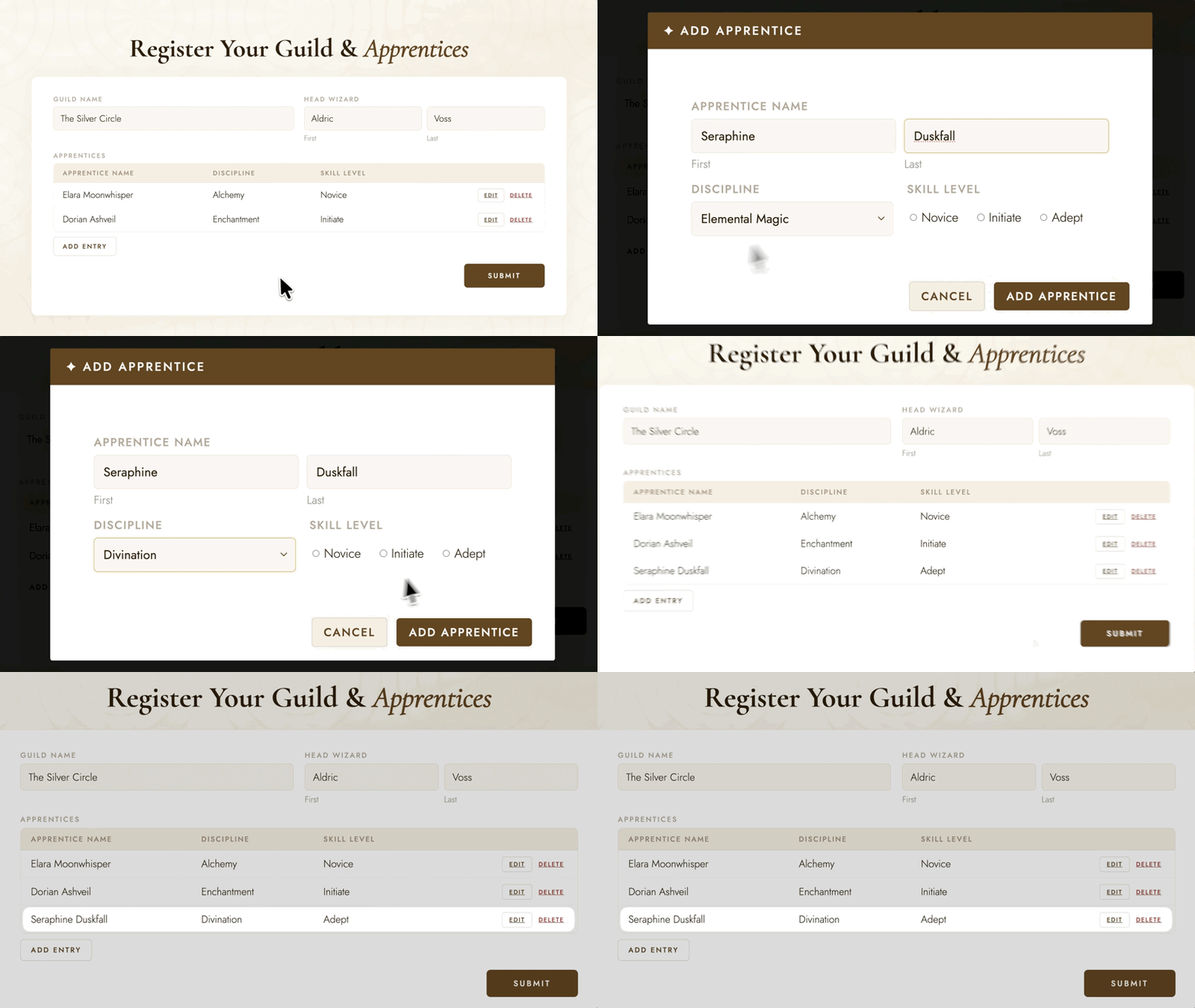

Add child entries in a modal
Users fill out the child form in a popup, and each entry joins a table.

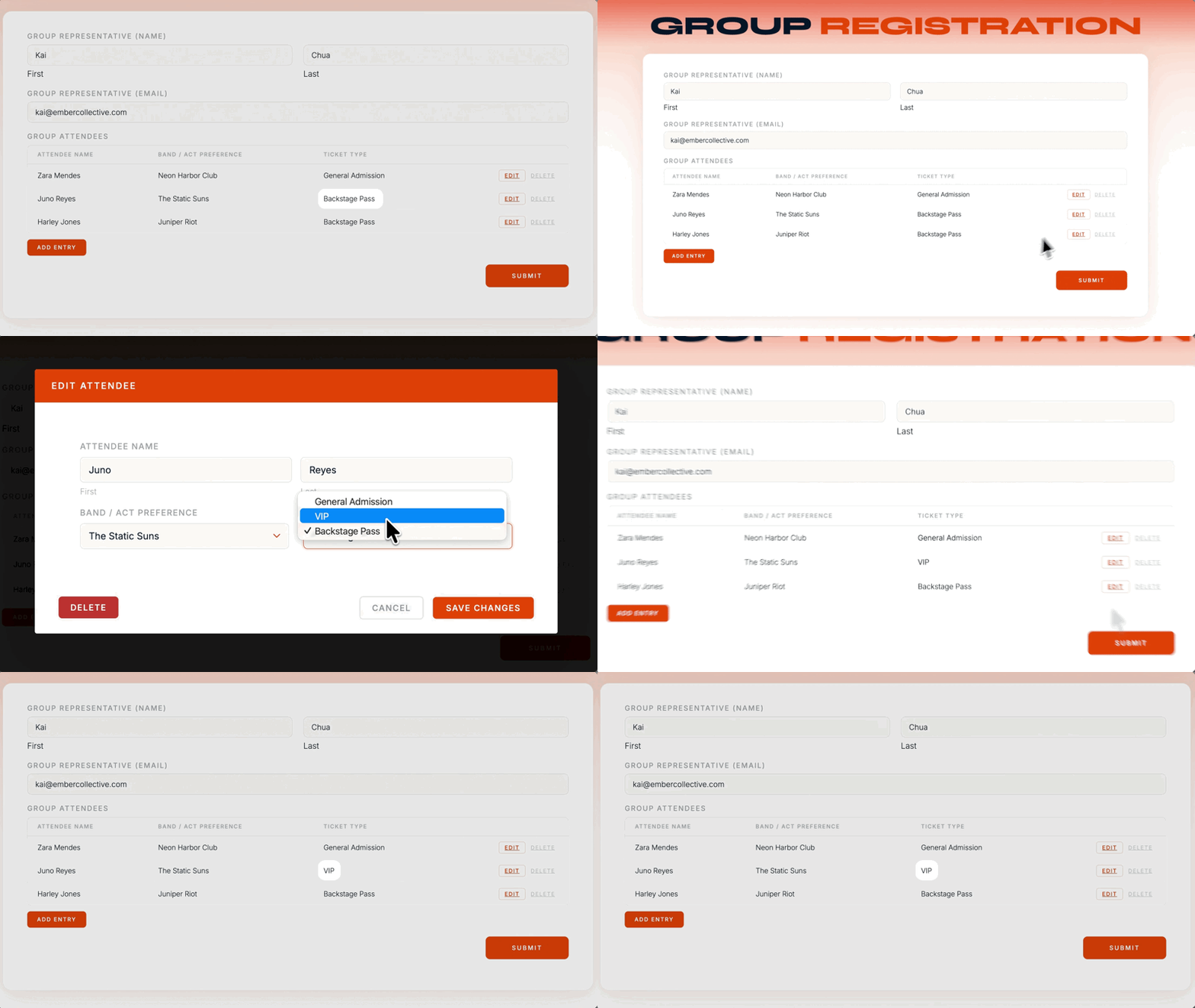
Pre-fill from the parent form
Use the {Parent} merge tag to copy parent values into child fields.

Count and total child entries
Use child entry counts, totals and sums in parent form calculations.

Export with the parent entry
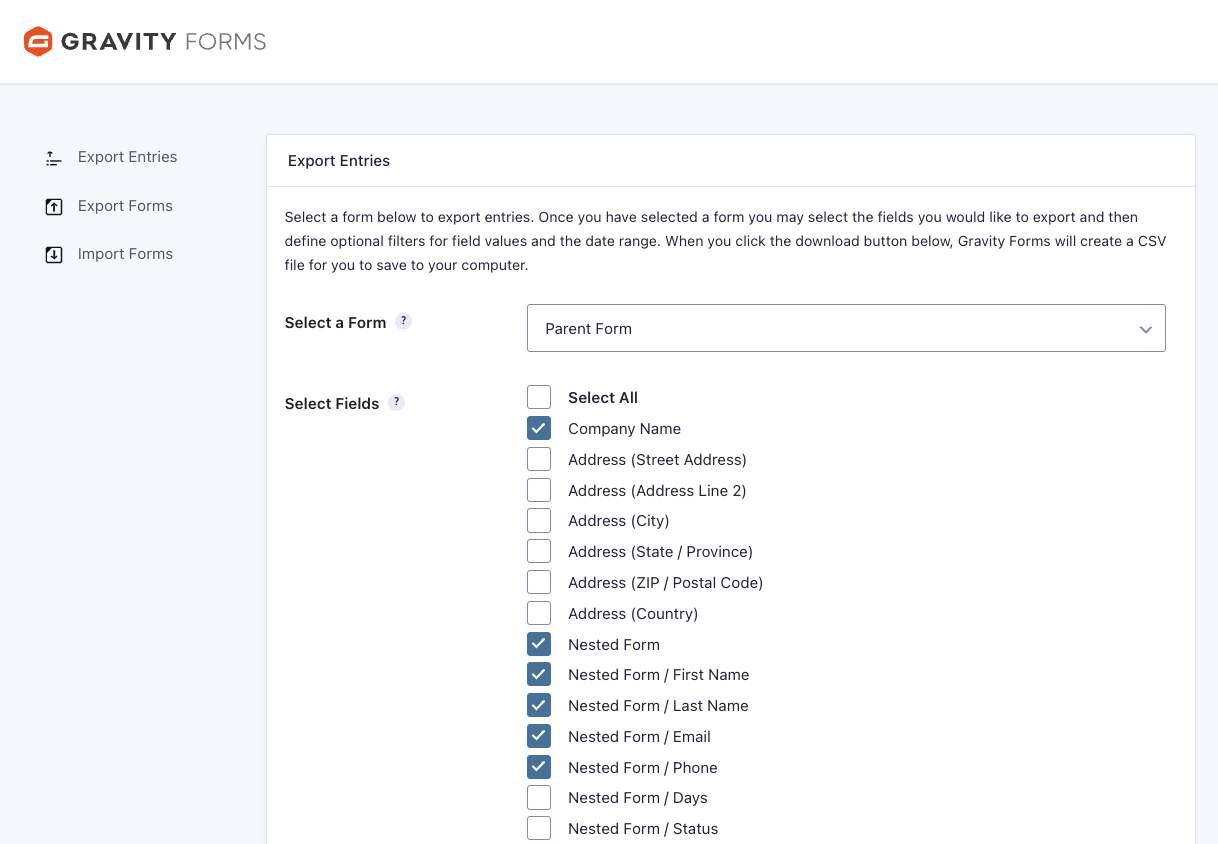
Pick which child fields to include when you export parent entries.
Child entries
Collect Multiple Entries in One Submission
- Add, edit and delete in a modal. Users manage each child entry without leaving the parent form.
- Pre-fill from the parent form. Copy values the user already entered on the parent form into each child entry.
- Entry limits. Set a minimum and maximum number of child entries, or require at least one.
- Keyboard and screen reader support. Every action in the field and modal works without a mouse.
Calculations
Use Child Entries in Parent Form Calculations
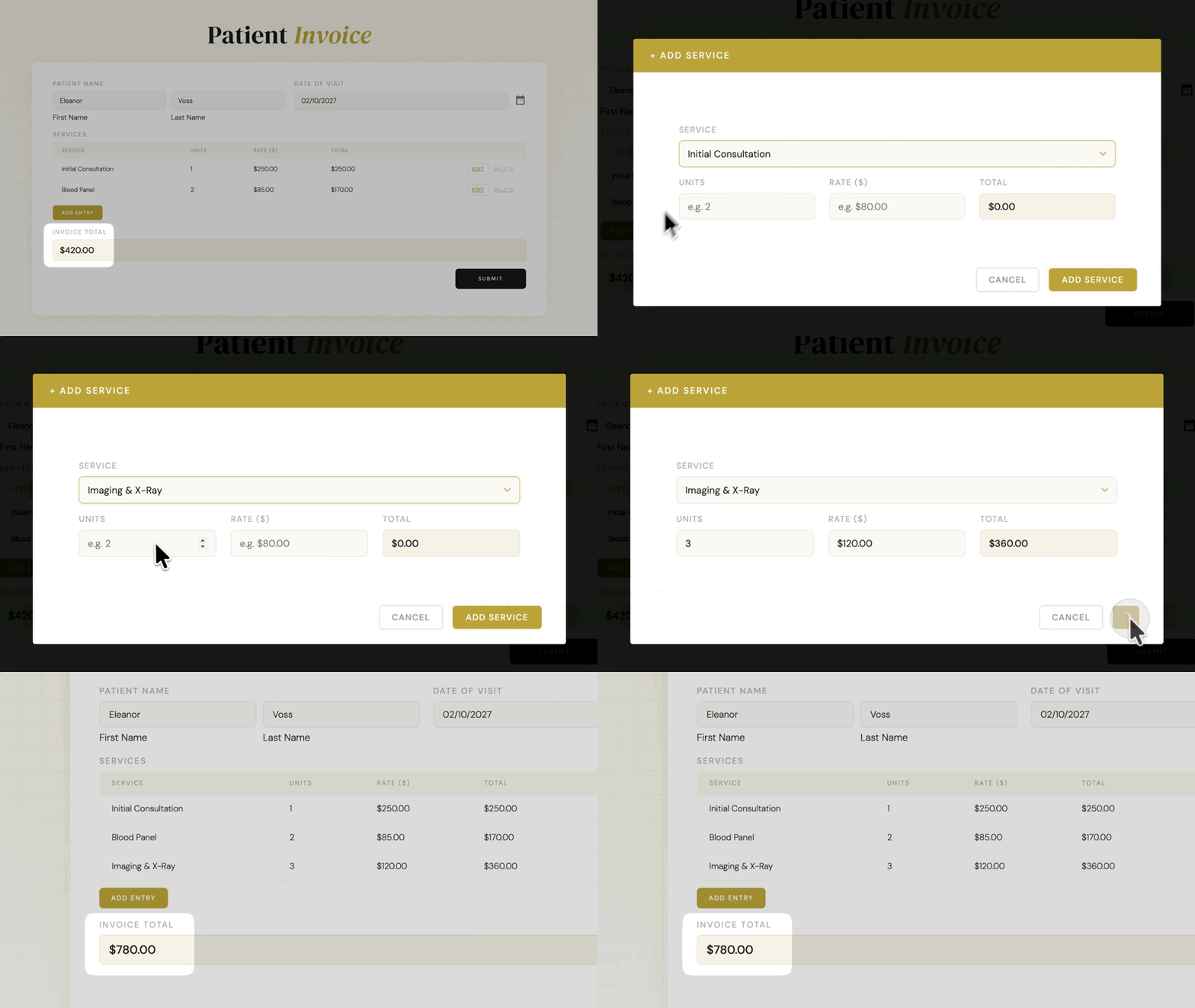
- Count entries. Use the number of child entries in any calculation, like charging per attendee.
- Sum any field. Add up one field across all child entries, like hours or quantities.
- Add child totals to the order total. Child entry prices roll into the parent form’s total.
Feeds and exports
Control When Child Feeds Run, and Export Entries Together
- Child feeds wait for the parent. Feeds on the child form run only after the parent form is submitted, so you can register a user for each child entry once the submission is final.
- Delayed until payment. If the parent entry needs payment first, child feeds wait until it’s paid.
- Export child entries with the parent. Pick which child fields to include when you export parent entries.
Use cases
Nested Forms Works Well For:

Team and event registration
Register a team and each player, or a group of attendees, in one submission.

Timesheets
Employees log multiple shifts with start and end times on a single timesheet.

Group enrollment
Enroll a company and its employees, or a parent and each child, and create a user account for each one.

Multi-item quotes
Quote several products, vehicles or insurance items from one form.
Why Gravity Wiz
Made by Certified Gravity Forms Developers 

Gravity Wiz provides the kind of support others only claim to provide in marketing materials.
Clay Asbury, Twelvetwo

Our founder helped build Gravity Forms.
And now, we’re certified developers.

Trusted on 150,000+ sites.
Building add-ons for 14 years and counting.

Legendary support from real experts.
See for yourself. We’ve got receipts.

Something new every week.
Across 70+ plugins, dozens of them free.
 Zero risk to use. Try it for 30 days or get your money back.

Get Nested Forms
Nested Forms is available with Gravity Perks — a suite of 48+ plugins for Gravity Forms.