Preview Gravity Forms Entries Before They’re Submitted
Show users everything they’ve entered on the last page of the form, so they can check it before submitting.

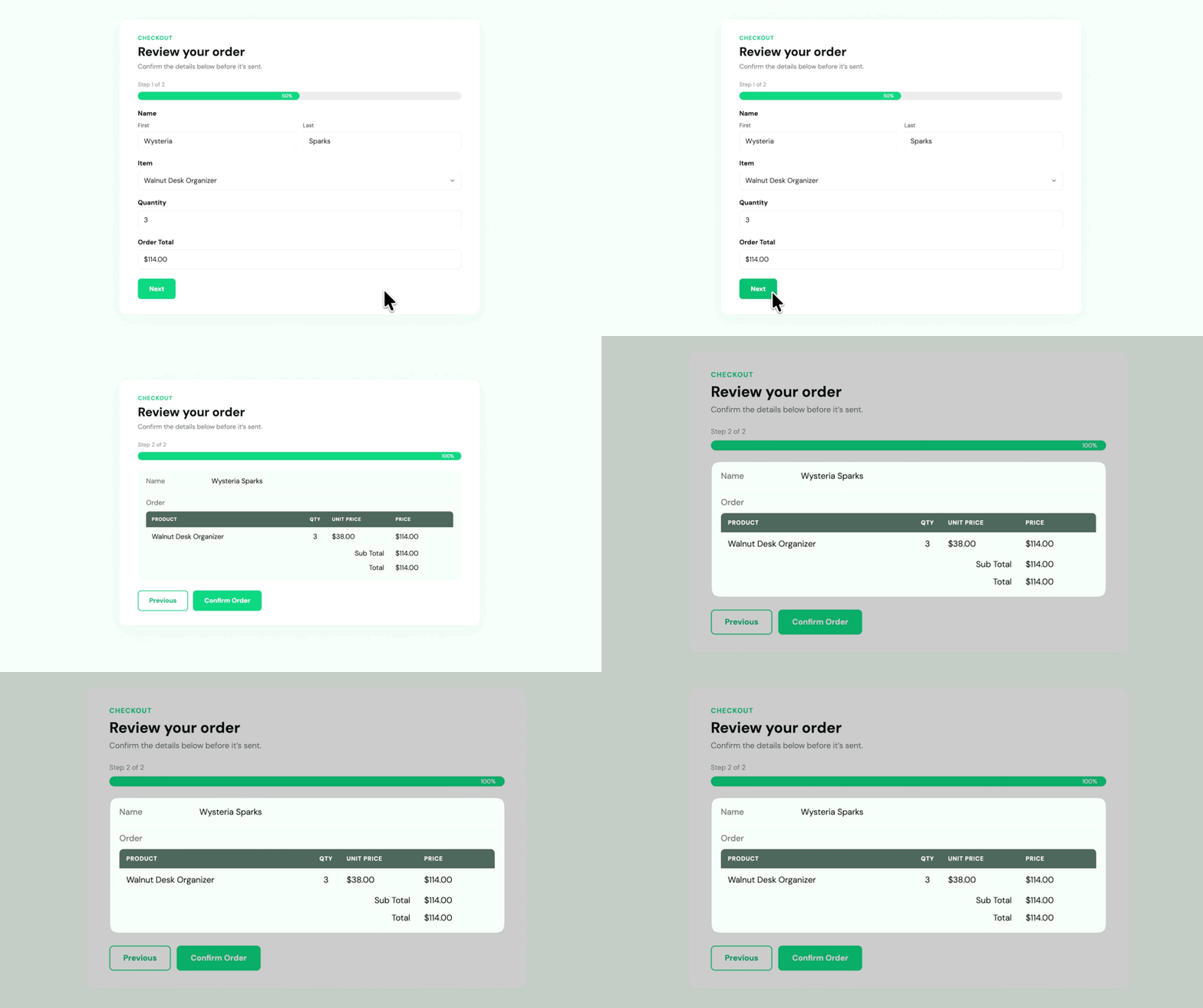
Preview the full submission
Every answer appears in one summary on the form’s last page.

Choose which fields to show
List every field, or only the answers that matter for review.

Lay out the preview your way
Add headings, notes, or your own HTML around the answers.

Carry answers to later pages
Pre-fill fields on later pages with answers from earlier ones.
Submission preview
Show Every Answer Before the Form Submits
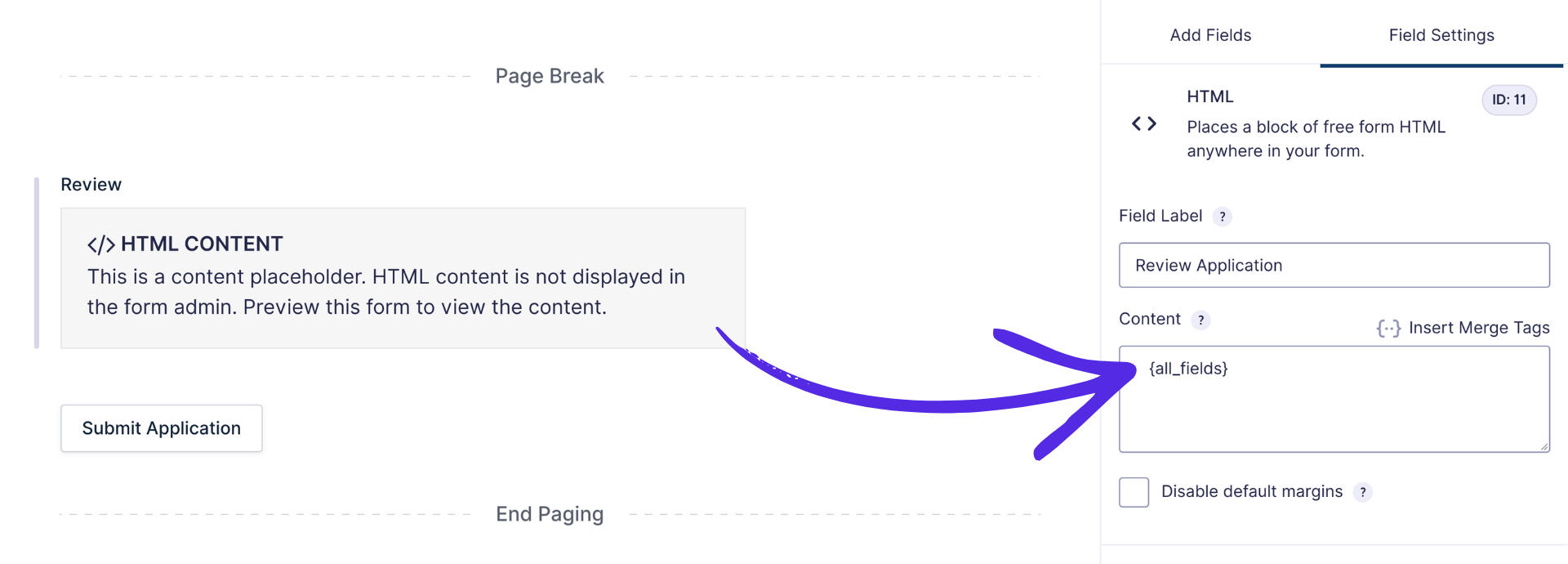
- One merge tag for the whole entry. Add All Submitted Fields to an HTML field and every answer appears in the preview.
- Built for multi-page forms. The preview sits on a later page; on a one-page form, add a Page Break first.
- Leave out Hidden fields. Keep internal values out of the full summary.
Custom previews
Build the Preview Layout You Want
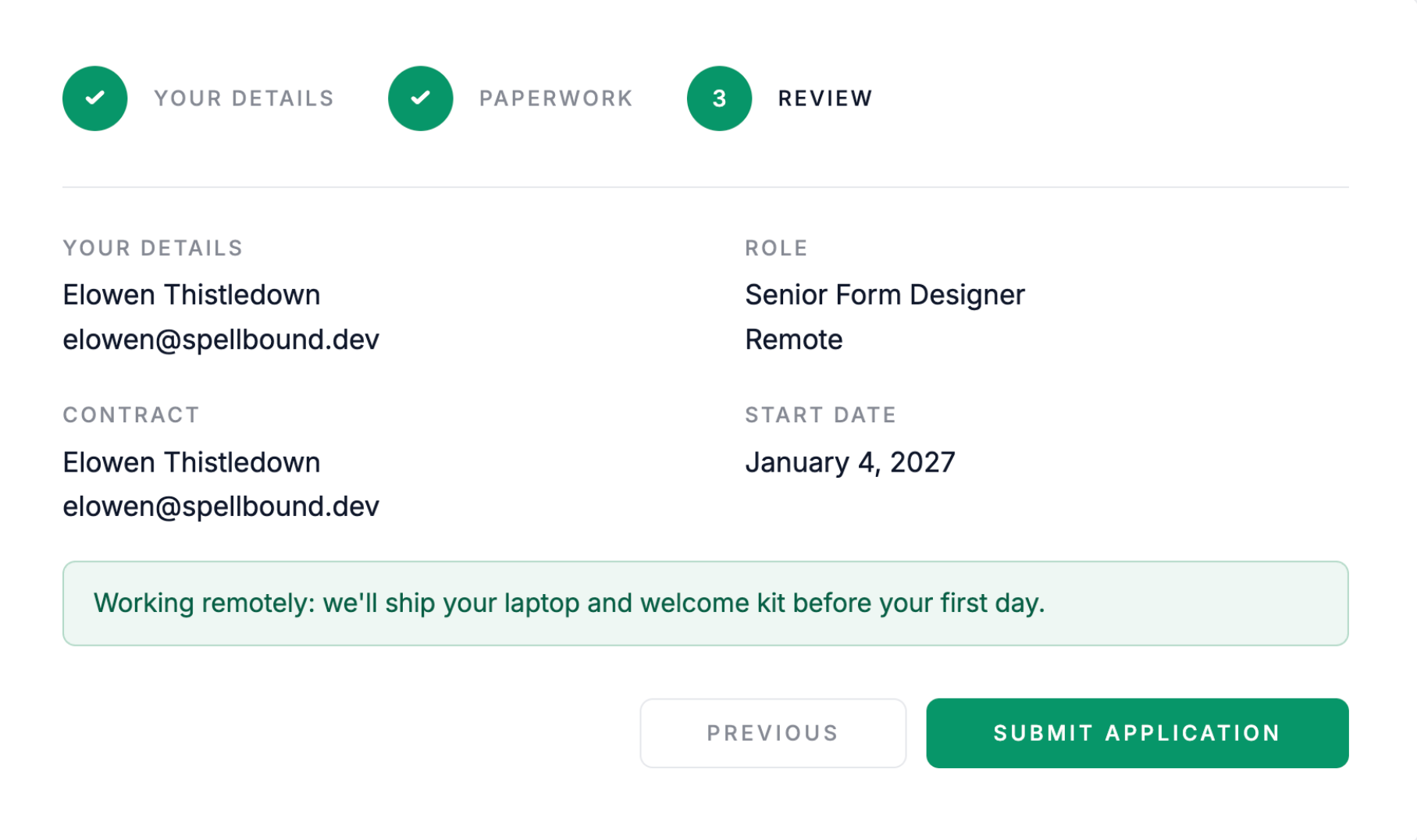
- Pick individual fields. Show just the answers you want by inserting each field’s merge tag.
- Add your own HTML. Wrap answers in headings, columns, or notes, since the preview is an HTML field.
- Show content conditionally. Gravity Forms’ conditional shortcode works in the preview, so a section appears only when an answer matches.
Pre-fill
Reuse Earlier Answers on Later Pages
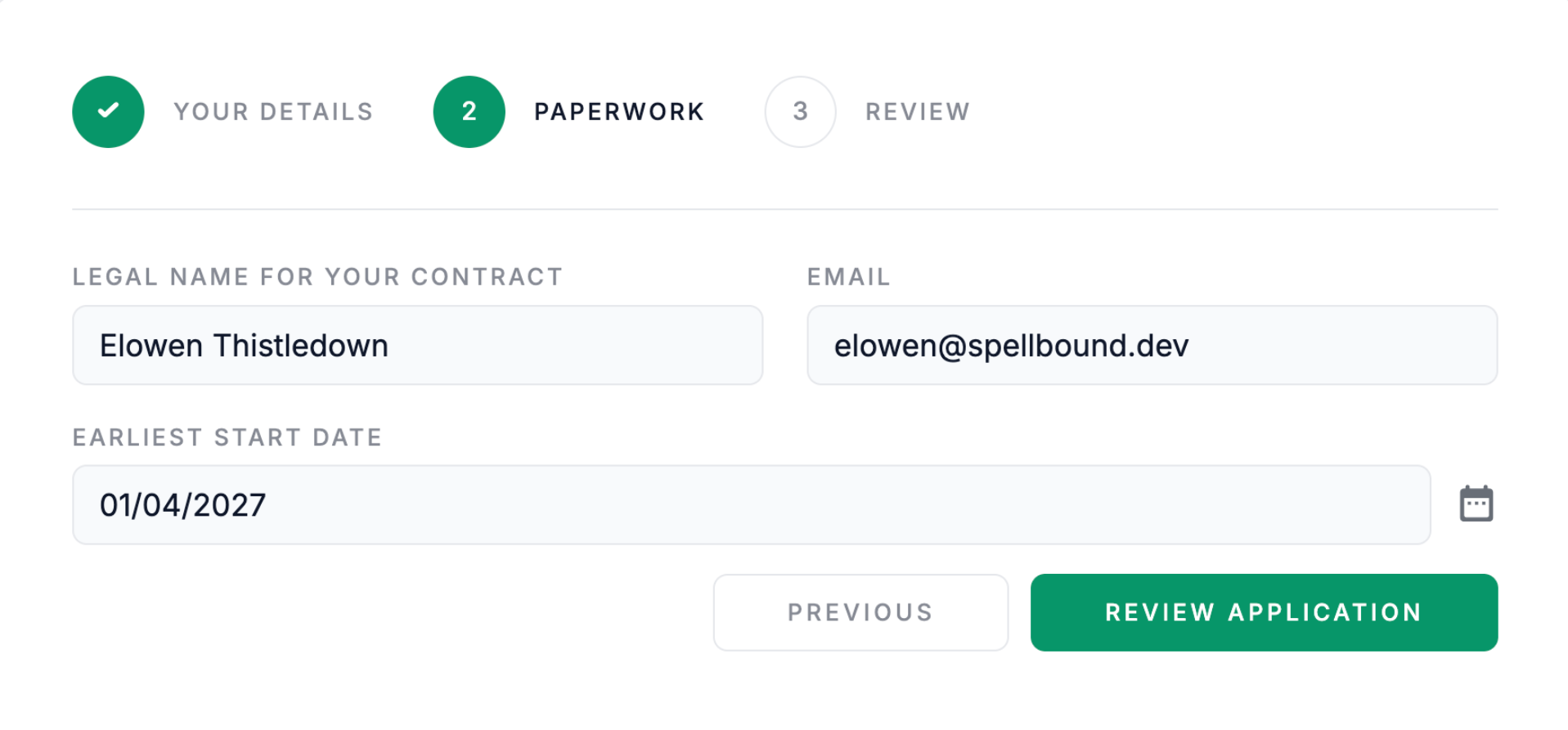
- Merge tags in Default Value. Any field’s Default Value can pull in an answer from an earlier page.
- Any later page. An answer carries forward to every page after the one it was entered on.
- Earlier pages only. To fill fields from answers on the same page, use Populate Anything.
Use cases
Preview Submission Works Well For:

Long applications
Let applicants check a long job or grant application before it’s sent.

Order forms
Show a “Review your order” summary of products, quantities, and the total before payment.

Event registrations
Lay out selected sessions, dates, and add-ons before the attendee confirms.

Multi-page surveys
Show every answer from every page in one review before the survey is submitted.
Why Gravity Wiz
Made by Certified Gravity Forms Developers 

Gravity Wiz is like “Pimp My Ride” for Gravity Forms! + Top Notch Support — one of the best in the WordPress Ecosystem, for sure! Pleased with them since 2021.
Marius Sonnentag, Web Designer

Our founder helped build Gravity Forms.
And now, we’re certified developers.

Trusted on 150,000+ sites.
Building add-ons for 14 years and counting.

Legendary support from real experts.
See for yourself. We’ve got receipts.

Something new every week.
Across 70+ plugins, dozens of them free.
 Zero risk to use. Try it for 30 days or get your money back.

Get Preview Submission
Preview Submission is available with Gravity Perks — a suite of 48+ plugins for Gravity Forms.