We’re excited to announce the new release of Gravity Forms v.2.4.10!
Inside this release, you’ll find:
- Added the Form block to the editor
- Added various bug fixes
Gravity Forms v2.4.10 is now available for auto-update from the WordPress plugins page and also on the downloads page in the account area.
Get started using Add Block in Gravity Forms
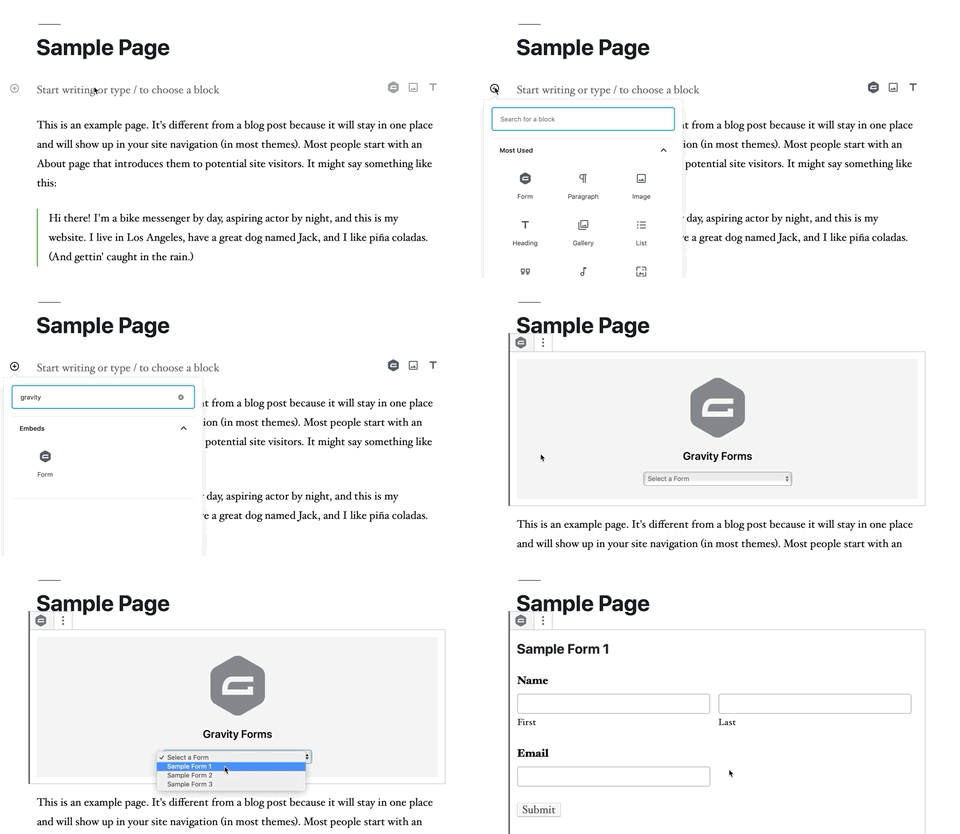
You can add a form to a page or post by using the block function that is a part of Gravity Forms core. This example assumes that you have already created a form.
Block Options
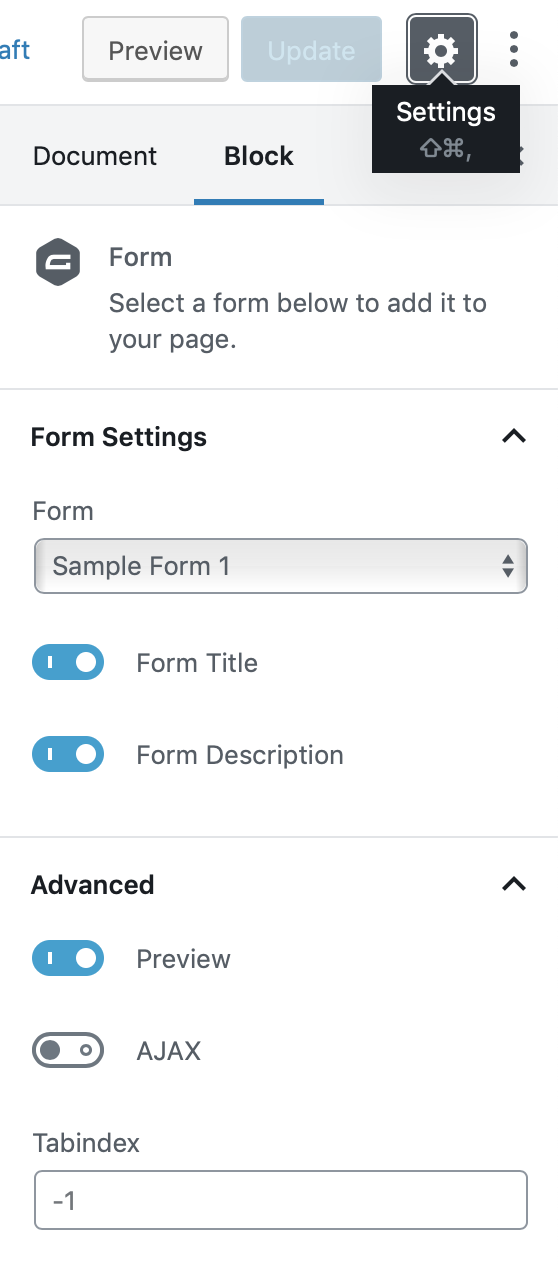
To edit the block options, select a form, and choose the appearance settings pane in the inspector.
Form Title: Will toggle appearance of the form title on or off.
Form Description: Will toggle appearance of the form description on or off.
Advanced > Preview: Toggles whether the full form is shown within the editor block, or just a marker for it.
Advanced > AJAX:Toggles embedding the form on the front-end using AJAX, allowing for confirmations and changing between form pages to happen without page reloads.
Advanced > Tabindex: Sets the tab index of the form element on the page.
You can visit our documentation to learn more about the Gravity Forms block.
Gravity Forms v2.4.10 Changelog
- Added the Form block to the editor.
- Updated the default scroll positions to display the error or confirmation message for AJAX forms.
- Updated the credit card field so, like other pricing fields, it is not editable on the entry detail page.
- Fixed a database error when getting REST API keys on a sub-site of a WordPress multi-site installation.
- Fixed the credit card type value being lost when the entry is updated from the entry detail page.
- Fixed a fatal error which occurs when using the widget_title filter with two or three arguments.