-
Image+
View Addon: Image+Connect Gravity Forms with Image+ to generate, enhance and continually optimize your images, to increase your clicks, leads and sales. Gravity Forms activity is used by Image+ to learn which images are working best, and to automatically show more of the images which result in more leads. Features ➜ Create better versions of your images using AI-powered image enhancements: Pan&Zoom, BackDrop, Captions, Particles, Slideshow, Cross-Fade…
-
wpDataTables integration for Gravity Forms
View Addon: wpDataTables integration for Gravity FormsA powerful tool that adds “Gravity Form” as a new table type in wpDataTables and allows you to create responsive, editable, sortable tables & charts based on Gravity Forms entries. Support Server-side processing that allows you to create a table from the form which has hundreds of thousands of entries. Allows you to create editable tables from entries with standard and popover editor. Support editing…
-
LeadBoxer for Gravity Forms
View Addon: LeadBoxer for Gravity FormsThe LeadBoxer for Gravity Form add-on allows you to connect your Gravity forms with LeadBoxer where you can enrich, qualify and manage your leads. In LeadBoxer you can see the complete online behaviour of your leads, including pageviews, email opens, email clicks, downloads and form submissions.
-
Google Analytics
View Addon: Google AnalyticsTrack Form Performance Easily track the performance of your forms with the Gravity Forms Google Analytics Add-On. Send form submission and form pagination related events to your Google Analytics service, allowing you to better understand the performance of your forms and how your audience interacts with them. Form Conversions Analyze newsletter signup form conversions, payment form completions, new subscriptions, survey submissions, and much much more –…
-
Count
View Addon: CountWith the GravityWP – Count Add-on for Gravity Forms you can display the number of entries of a single or all Gravity Forms (and filter them). Or you can count and display the total sum of a number field for multiple entries and show it on your website with the simple shortcode. Features Use a shortcode to count the number of entries or the sum…
-
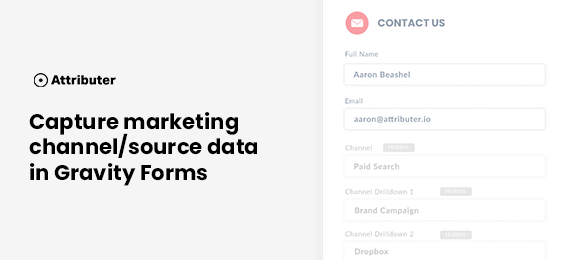
Attributer
View Addon: AttributerGravity Forms is a great tool for capturing leads on your website and sending them to your CRM, email marketing tool, etc. But have you ever wanted to know where those leads are coming from? Have you ever wondered how many leads you’re getting from your Facebook Ads? Or from organic Google Searches? or from Google Adwords? With Attributer you can capture this kind of…
-
GFChart Business Reports
View Addon: GFChart Business ReportsAutomatic Eliminate manual report production. Your data automatically feeds into the reports providing up-to-date insights. Easy to configure Intuitive user interface means no coding knowledge is required. Filter, segment and trend data with ease. Customise Choose your chart type and how you distribute. Display on webpages or in scheduled email reports. Ideal for reporting: Survey results Assessments Registrations Sales Operations