We’re pleased to announce the release of Gravity Forms 2.10. This update includes a variety of fixes and additions, including two brand new templates in the Gravity Forms template library…
- Added Agency Project Inquiry Form and School Enrollment Form templates to the templates library.
- Added the Background Notifications setting to the Forms > Settings page.
- Added logging when personal data is exported or deleted and when uploaded files are deleted.
The shortcut to smarter client intake
Our new Project Inquiry Form template is fully customizable – helping you qualify leads, capture essential project details, and start every client relationship on the right foot.
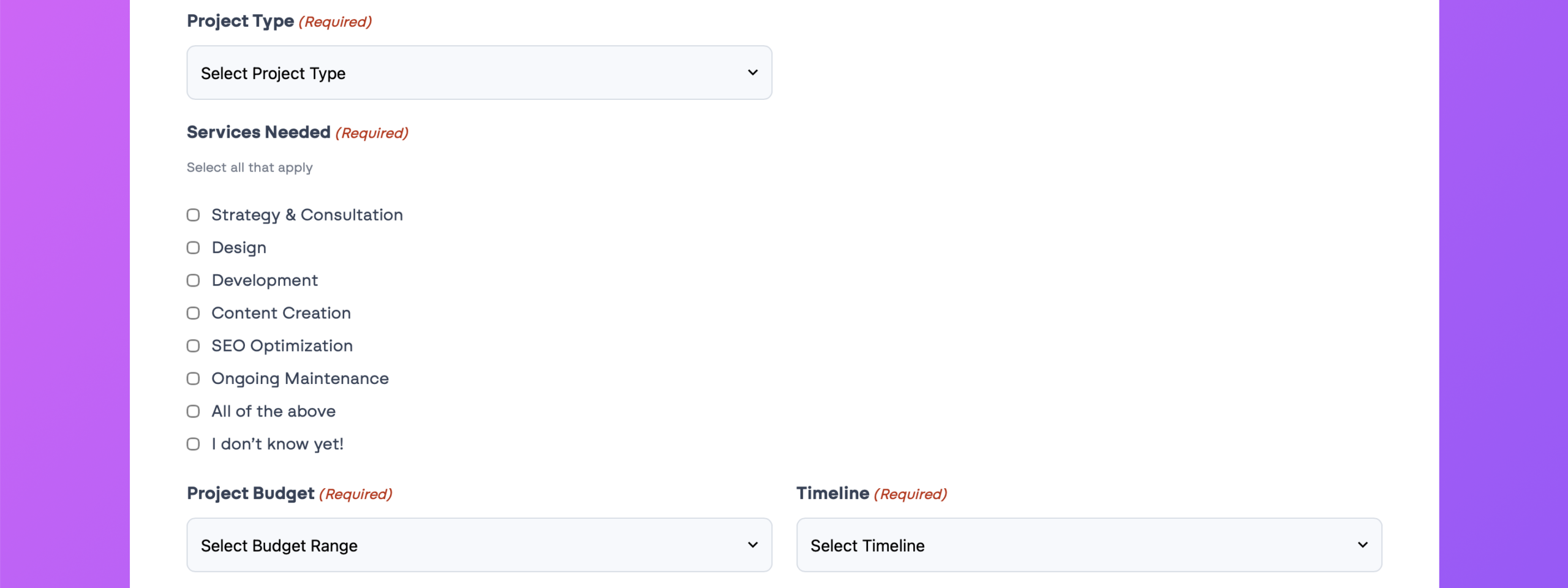
With built-in fields for project type, services needed, budget, timeline, and more, you can streamline your intake process and focus on the opportunities that matter most.
Tip: Pair this template with Gravity Flow to automatically route new inquiries directly to your sales team. Try a free demo of Gravity Flow today!
Collect enrollments with confidence
Streamline your admissions process with a School Enrollment Form template built to do more than gather information. Capture student details, manage applications, and accept payments with Square in one place.
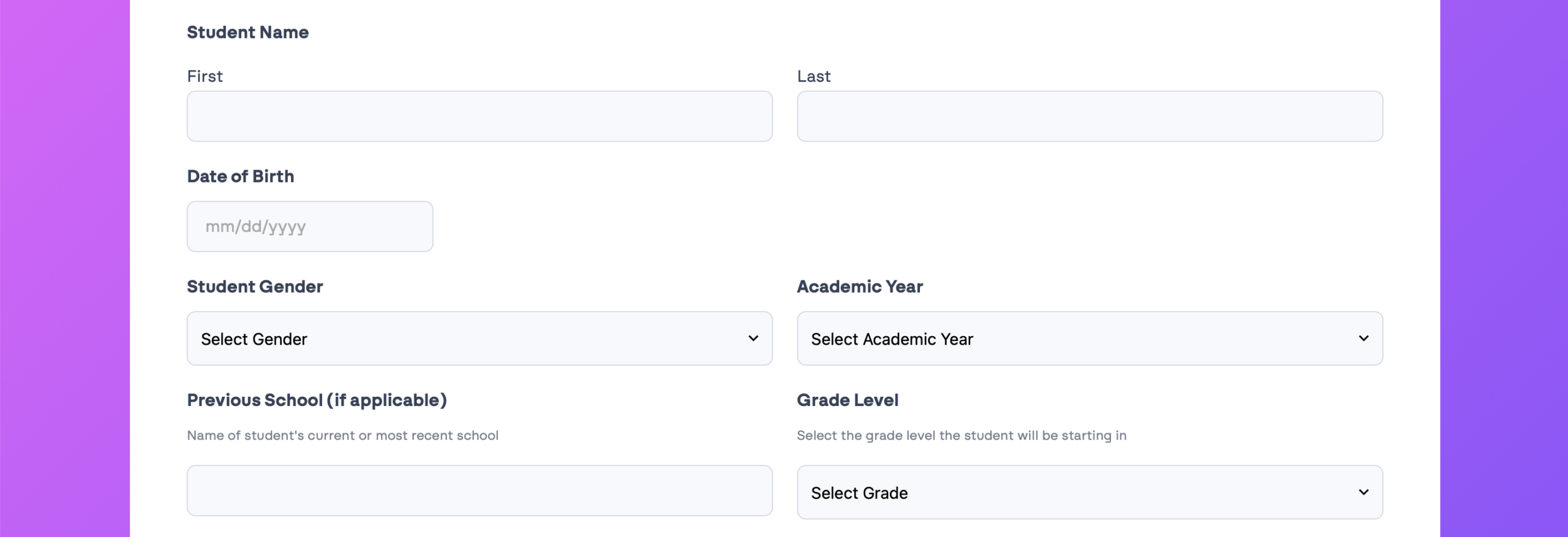
Collect contact information, grade level, program selection, supporting documents, and more in a structured workflow that keeps enrollment organized and easy to manage.
Note: The digital signature field is powered by the Gravity Forms Square Add-On, which is included with the Pro, Elite and Nonprofit licenses.
New setting: Background Notifications
Also new in 2.10, we’ve added a Background Notifications option to the Forms → Settings page.
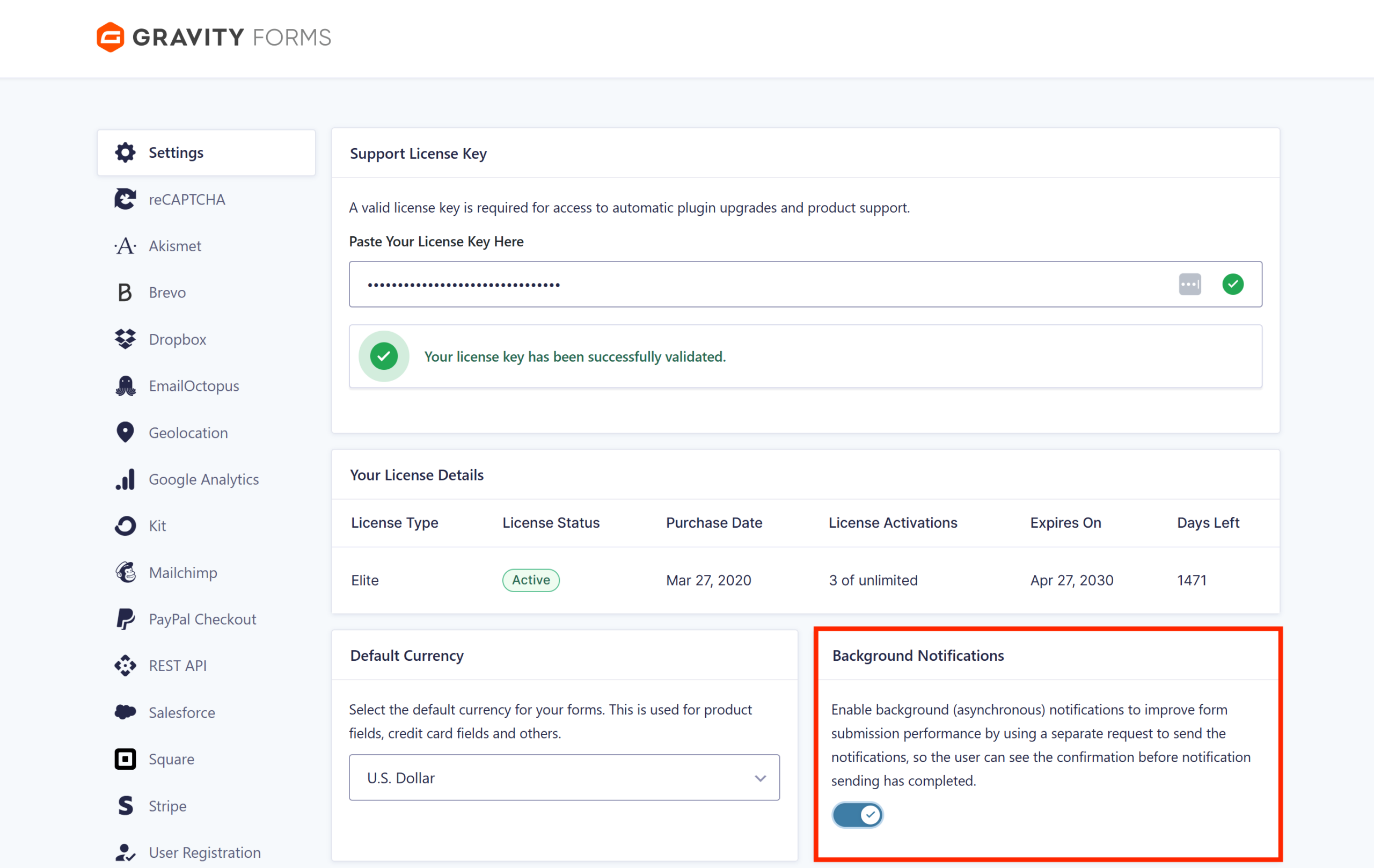
It’s turned on by default for new installs and helps your forms feel faster by sending notifications behind the scenes – so users see their confirmation right away, without waiting for emails to finish sending.
For more information on this and other Gravity Forms settings, visit our documentation.
More reasons to choose Gravity Forms:
- Intuitive form builder – Easily create custom forms using our visual drag-and-drop editor – no coding required.
- Ready-to-use templates – Get started fast with a collection of prebuilt, customizable form templates for common use cases.
- Powerful integrations – Extend your forms with add-ons that connect to leading CRMs, payment processors, email marketing tools, and more.
- Developer-friendly documentation – From basic tutorials to advanced customization guides, our comprehensive docs are here to help every step of the way.
- Responsive expert support – Have a question? Our knowledgeable support team is here to help you troubleshoot and succeed.
- Email reliability with Gravity SMTP – Improve email deliverability by connecting your WordPress site to trusted email services. Gravity SMTP is included free with the Elite license.
Want to try Gravity Forms before purchasing your license? Try a free online demo.
Gravity Forms 2.10 changelog
- Note: Under the new versioning system this is a minor release.
- Added Agency Project Inquiry Form and School Enrollment Form templates to the templates library.
- Added edit action links to the Entries list table.
- Added logging when personal data is exported or deleted and when uploaded files are deleted.
- Added support for configuring custom confirmations to be used for spam submissions.
- Added support for toggling the Multiple Files setting on File Upload fields (only those added to forms from this point onwards) even when the field has entry values.
- Added the Background Notifications setting to the Forms > Settings page. Enabled by default for new installs, it sends notifications via a separate request, improving form submission performance, so the confirmation can be displayed before sending is completed.
- Fixed an issue where the default data is shown instead of the saved data when you edit an existing API key.
- Fixed an issue with the Simple Contact form template that could result in column layout problems.
- Fixed a JavaScript error that occurs when a form has pricing fields and is using page conditional logic.
- Fixed a bug that prevents the About page from loading correctly when the site’s language is not English.
- Fixed an incorrect calculation result when the formula includes the merge tag for a choice-based pricing field and the selected choice has a price of zero.
- Fixed deprecation notices on the entry list page and feed settings page with PHP 8.5+.
- Fixed the accessibility of add-on icons on settings pages.
- Updated save and continue and resending entry notifications to support background notifications.
- API: Added GFAPI::send_notification() for sending a given notification (supports background notifications).
- API: Set the storageType property of new File Upload fields and existing fields with Multiple Files enabled to json, so both the single and multi-file uploaders store their values in the same way.
- API: Updated the new AJAX submission process to allow the submission result to be modified before markup is reloaded via the new gform/ajax/post_submission_request filter.

Newsletter
If you want to keep up-to-date with what’s happening on the blog sign up for the Gravity Forms newsletter!
"*" indicates required fields