We’re pleased to announce the release of Gravity Flow 3.1.
3.1 continues the quality-of-life work we started in 3.0, with two features built to make workflow management faster and less repetitive.
There’s a new Choice Routing step that branches your workflows automatically, based on the choice a submitter makes via a dropdown or radio field. And you’ll find a new Send to Step bulk action that lets you move multiple entries through your workflow in one go. Plus a handful of smaller improvements we’ll run through below.
Read on to find out what’s new in Gravity Flow 3.1, and how to update today…
Introducing Gravity Flow 3.1
Gravity Flow 3.0 was all about smoothing out the everyday friction of building and managing workflows – 3.1 keeps that going!
This release is smaller and more focused, but the two headline features tackle two of the most repetitive jobs in Flow: setting up branching logic, and moving entries around once a workflow is live.
Both save you clicks, and both scale better as your forms and your workflows grow.
New Choice Routing Step: Branch your workflows automatically
Gravity Flow could already branch a workflow. The trouble was that it usually meant a lot of conditional logic to set up and maintain.
This feedback from an early 3.1 beta tester summarizes just one of the many workarounds our customers have previously used…
“I’m looking forward to the new Choice Routing step! For years, I’ve “faked” that functionality by using a dummy Notification step that has no Notifications selected. I make the dummy Notification step conditional and set the Next Step to wherever I want the flow to go if the condition is met.”
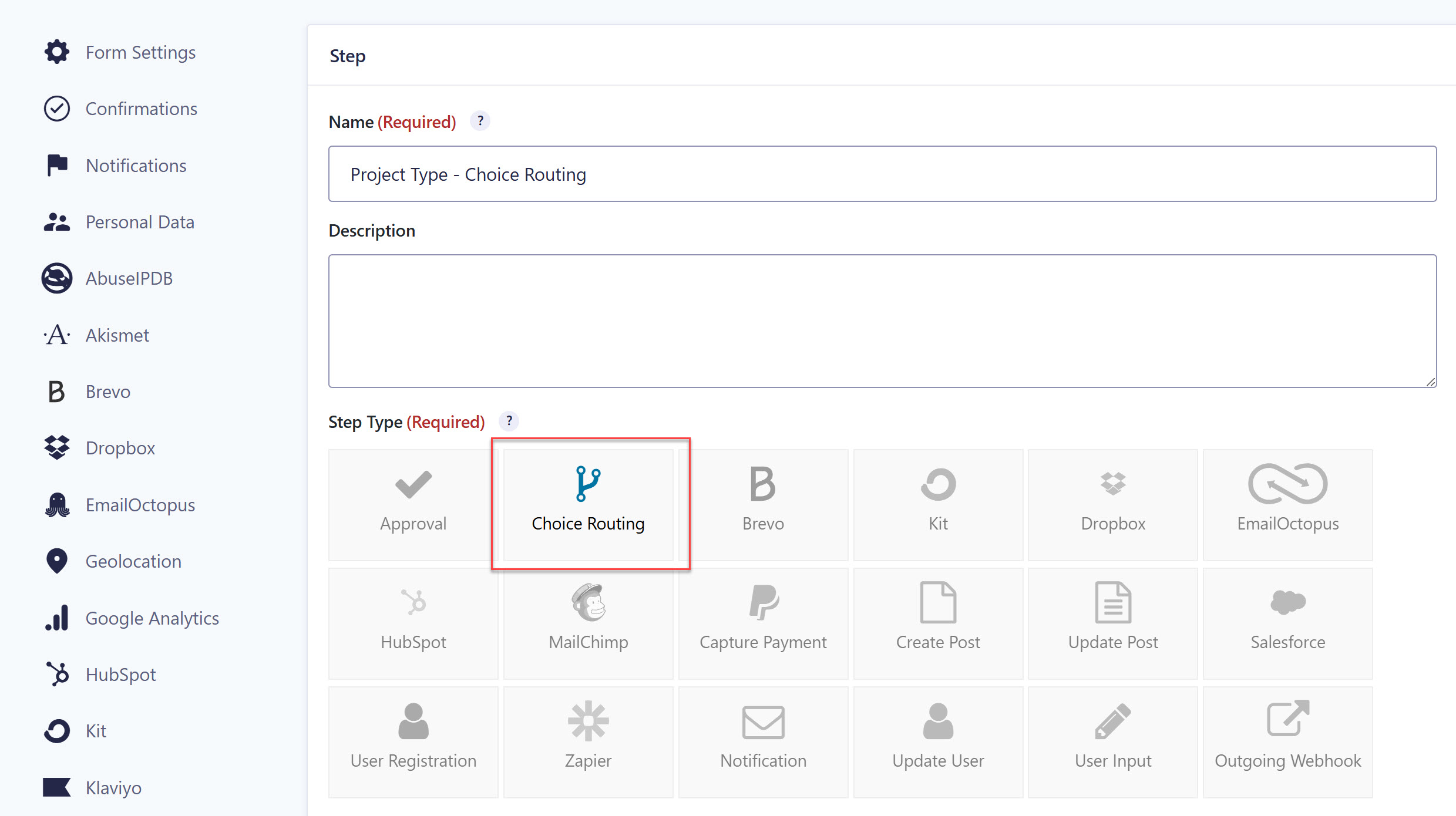
Fortunately, the new Choice Routing step gives us a simpler and more flexible way to set up routing logic going forward.
Using Choice Routing
With Gravity Flow 3.1, you can now send entries to different steps based on the choice a submitter selects in a dropdown or radio field. When an entry reaches the step, Flow checks the choice and sends it to the matching route, with no user interaction needed.
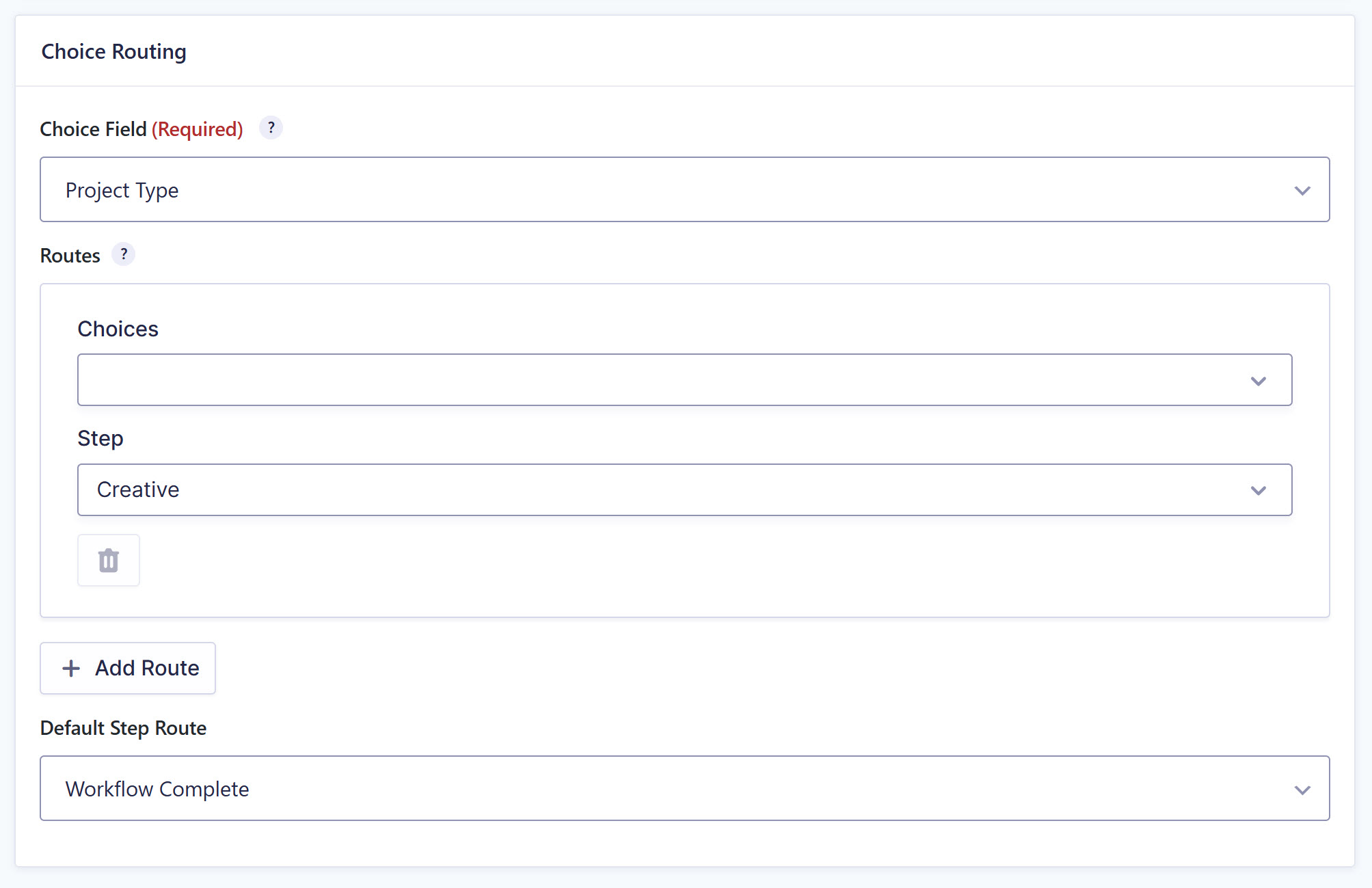
During setup, you can create as many routes as you need, and each route can send one choice or several to the same step.
Importantly, each choice can only belong to one route, so there’s no overlap, and your routing stays easy to maintain as the form evolves.
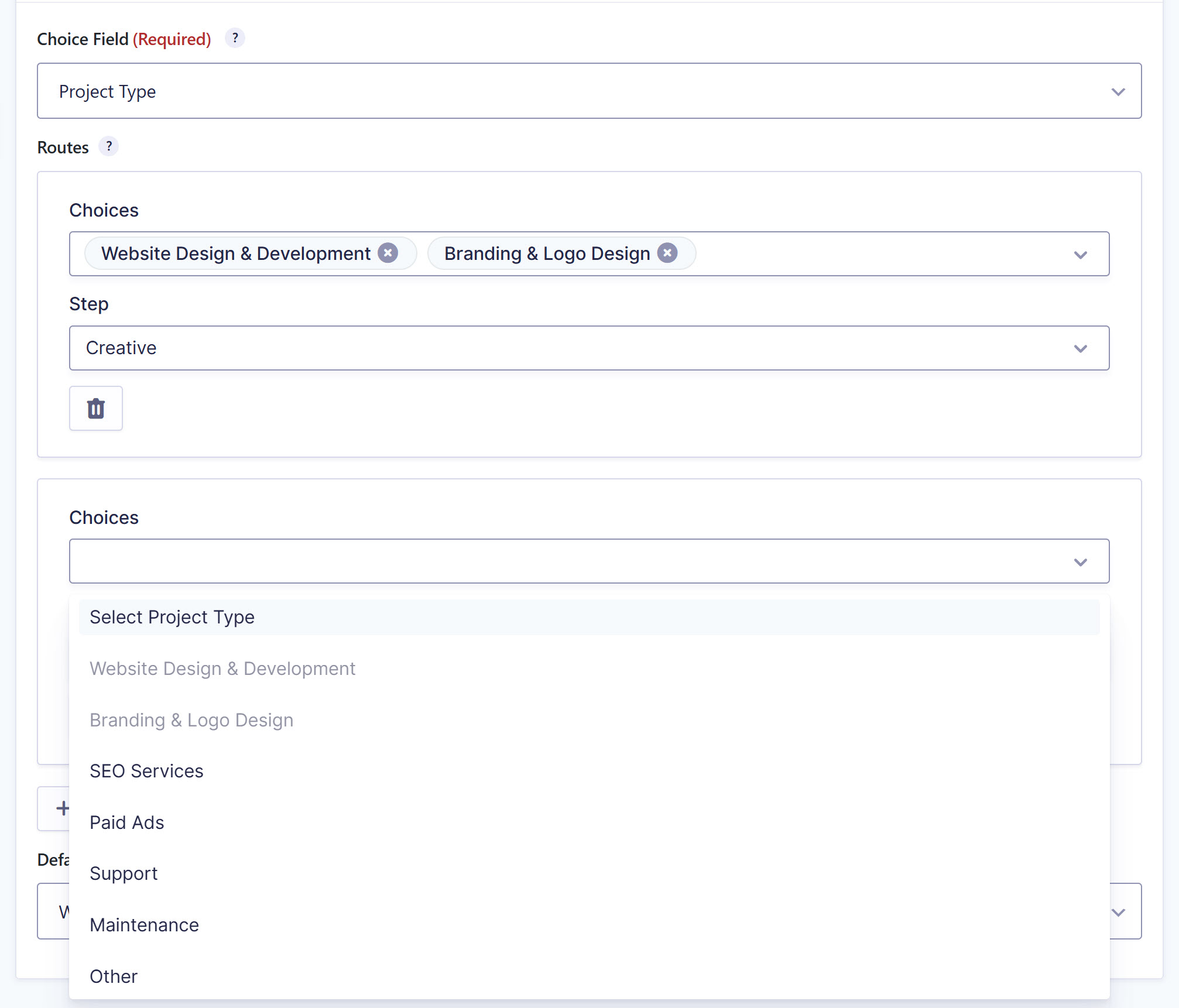
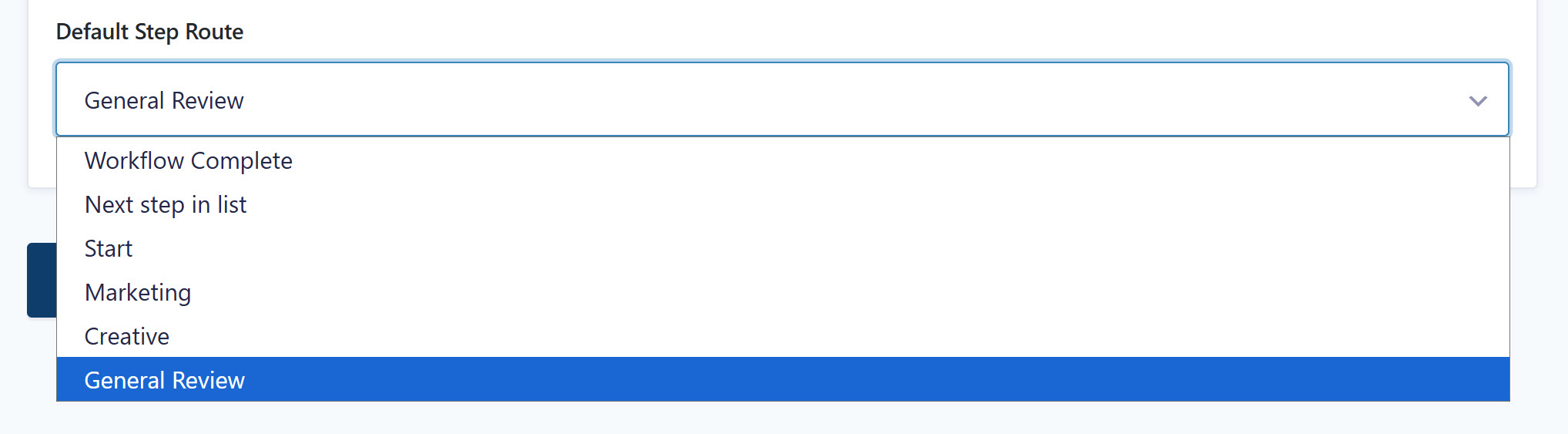
If an entry comes through with a choice that doesn’t match any of your routes, the Default Step Route is there to catch it, so nothing falls through the cracks.
Gravity Flow also logs every routing decision in the entry’s timeline, so you can always see which path an entry took and why.
A common example
For this example, an agency uses a single intake form for new client requests, and each project type needs to reach a certain team.
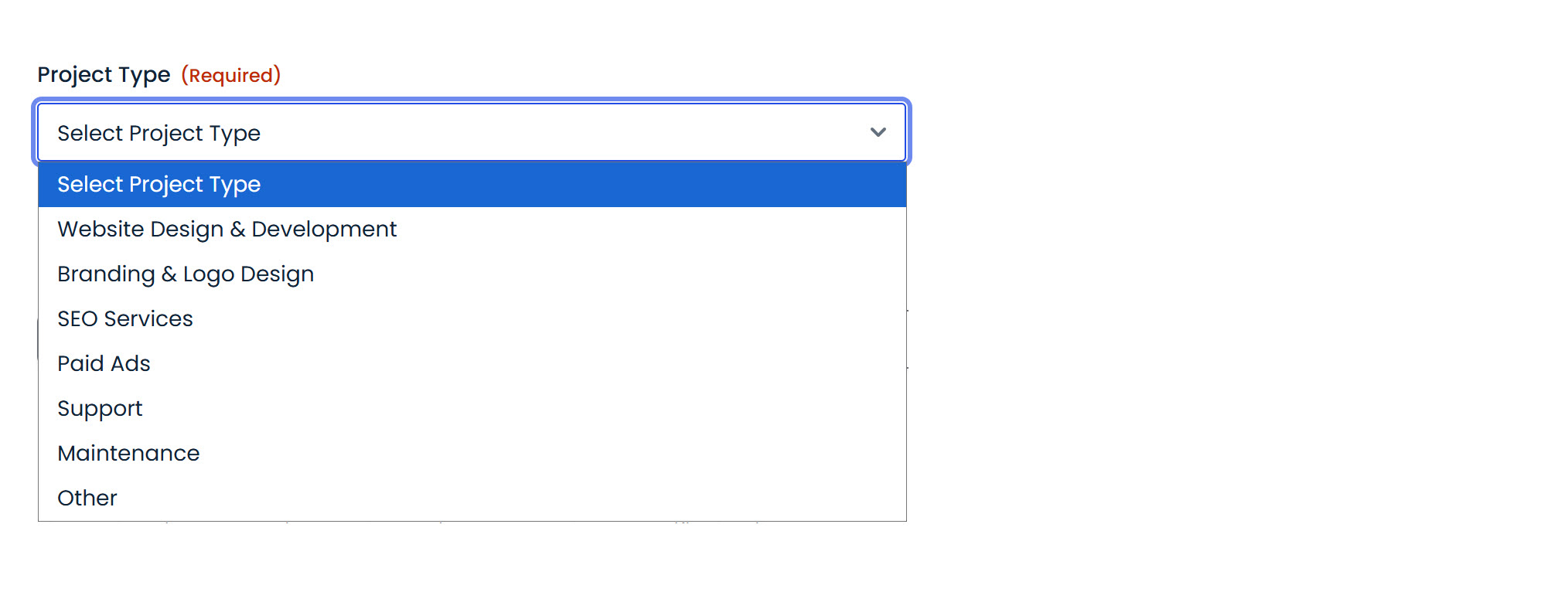
Using Conditional Routing, you can:
– Route Website Design and Branding inquiries to the Creative team.
– Send SEO and Paid Ads requests to the Marketing team.
– Point Support and Maintenance selections to the Support team.
– Anything that doesn’t match falls back to a General Review step.
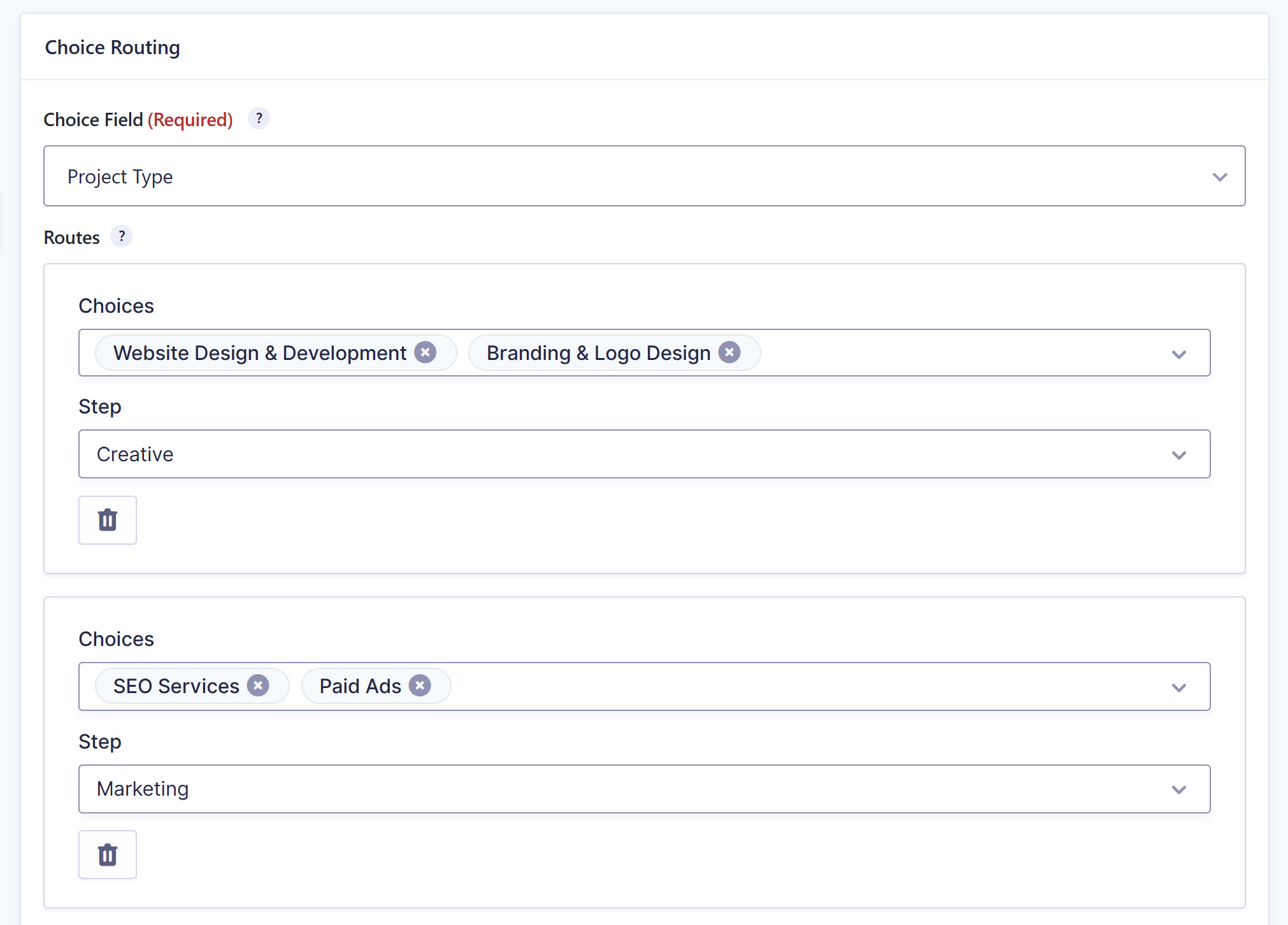
In the future, when a new project type is added to the form, only the Routes table will need to be updated – no new steps, no restructuring.
In the future, if a new project type is added to the form and its assignee matches to an existing step, only the Routes table will need to be updated. If it’s for a new step, you can focus on just setting up that one – no restructuring conditional logic on unrelated steps.
For more information on the Choice Routing step, check out the documentation.
Bulk Actions: Send multiple entries to a step in one go
Moving entries through a workflow by hand, one at a time, is fine when you have a handful. Across a big batch of entries, it gets old fast.
With Gravity Flow 3.1, you’ll find a new Send to Step bulk action, letting you select multiple entries and send them to a specific step in a single action.
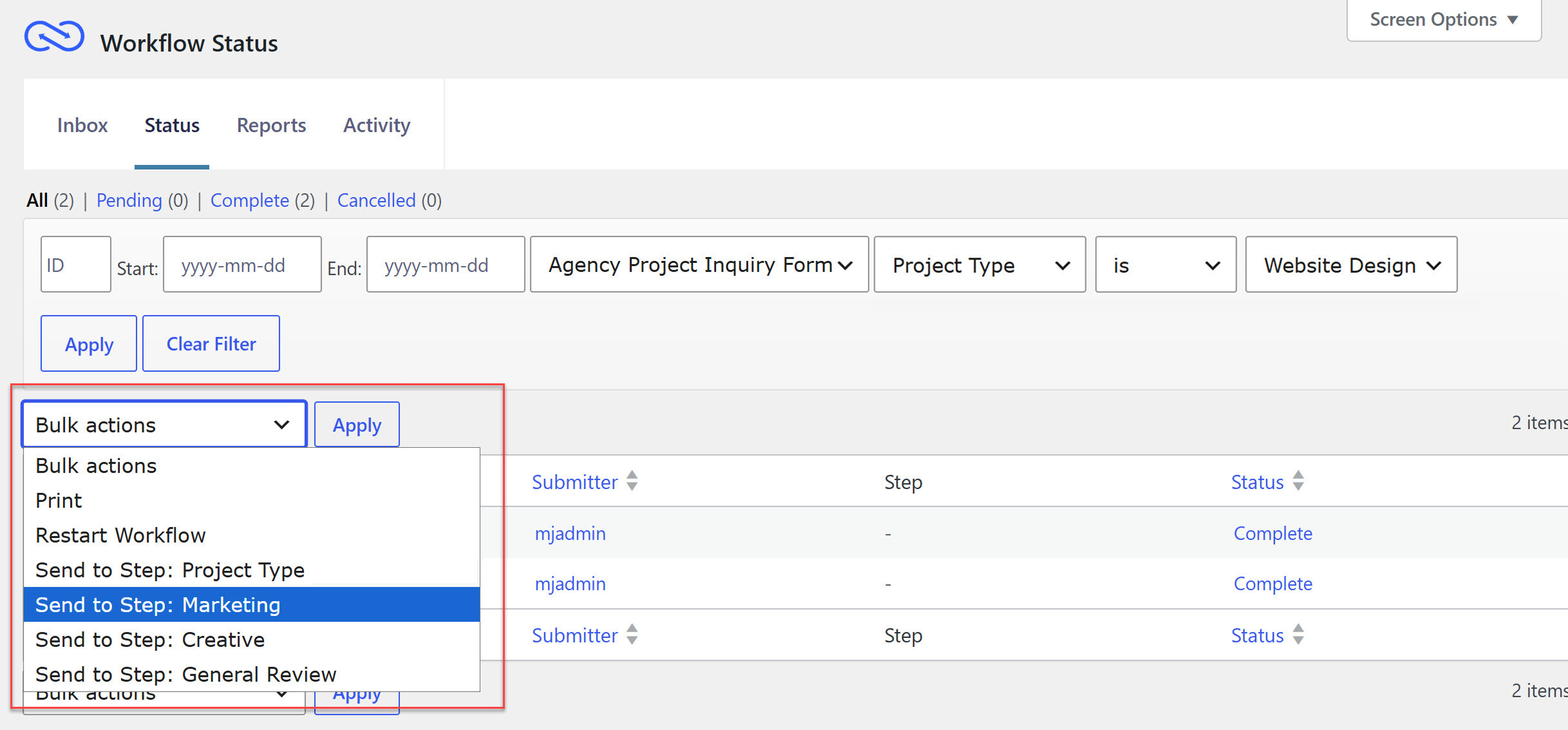
If a batch of entries is stuck waiting on an approval that’s already been handled elsewhere, or you need to push a group of submissions back to a User Input step for another look, simply bulk select them, choose the step, and Flow moves them in one go.
The available Send to Step options depend on the form, since every form has its own set of steps. For that reason, this action is available when the Status screen is filtered to a single form.
You’ll find the same Send to Step action in the Gravity Flow Status block too, so you can manage entries this way from the front end, not just the admin.
For more information on the new Send to Step bulk action, check out the Status page and the Blocks documentation.
More in 3.1
Alongside the two headline features, 3.1 includes a few improvements worth calling out.
- Background Notifications support – Flow now supports the Background Notifications feature introduced in Gravity Forms 2.10. Notifications can process in the background, so form submissions feel quicker for your users.
- Block API v3 for Workflow Blocks – The Gravity Flow blocks are now compatible with the WordPress Block API v3, in line with the same work in Gravity Forms 3.0. That means better compatibility with current themes and a smoother experience embedding your workflow blocks in the block editor.
- GravityView integration improvements – Flow’s workflow approval fields are now available in the GravityView field picker on both the Single Entry and Multiple Entries configuration tabs, and we’ve cleared up some deprecated filter warnings on the Workflow Detail and Workflow Approval links. Thanks to the team at GravityKit for their help here.
- Gravity Forms 3.0 compatibility – With the Gravity Forms 3.0 beta now open for testing, we’ve made sure the Assign To and Date Picker components render correctly when you’re running Gravity Forms 3.0.0 and newer.
Update to Gravity Flow 3.1
Gravity Flow 3.1 is available now to all customers with an active license.
If you have automatic updates enabled, you’re all set. If not, open your WordPress dashboard, head to your plugins page, and click to update to version 3.1. You can also download the latest version from within your Gravity Flow Account.
New to Gravity Flow? Head over to our pricing page to get started, or sign up for a personalized Gravity Flow 3.1 demo to see it in action.
Any questions about the new features or how to update? Our Support team is happy to help.
Gravity Flow 3.1 changelog
- Added Send to Step options to Bulk Actions in the Workflow Status screen. Accessible only when filtered to a specific form.
- Added a new step type, Choice Routing, which routes the workflow to different next steps based on the value of a selected form field (dropdown or radio).
- Added support for the Background Notifications feature available with Gravity Forms 2.10.0 and newer.
- Updated the workflow fields and entry detail/edit page for compatibility with the changes to GF_Field::get_value_entry_detail() and GFCommon::get_lead_field_display() in Gravity Forms 2.9.29.
- Updated the Workflow Blocks to be compatible with the WordPress Block API v3.
- Updated the GravityView integration to make Flow workflow approval fields available in the GravityView field picker on the Single Entry configuration tab as well as the Multiple Entries tab. Credit: the team at GravityKit.
- Updated the GravityView integration to address deprecated filter warnings for display of the Workflow Detail Link and Workflow Approval Links.
- Fixed an issue where the Request Field Values setting remained visible in the Outgoing Webhook step when switching the Request Body to Raw Request.
- Fixed some display issues with buttons in the admin entry details page for WordPress 7.0-beta.
- Fixed an issue where field-level conditional logic was not respected when using the “selected_fields” display option.
- Fixed an issue where blocks for Gravity Flow extensions were not showing in the block editor when viewing post.php.
- Fixed an issue where count_users() could run on every page load.
- Fixed an issue where trashed workflow entries could still be viewed or updated via direct links.
- Fixed an issue where the approval step could not be completed when AJAX submission is enabled.
- Fixed an issue where editing an Update User workflow step without sufficient permissions displayed the same error message twice.
- Fixed a PHP fatal error when conditional logic evaluates date field conditions.
- Fixed an issue where the Assign To and Date Picker components do not render when using Gravity Forms 3.0.0 and newer.
- API: Fixed the REST API V2 send to step endpoint rejecting entries with no active workflow step (for example, cancelled or complete).
- API: Added a new dynamic_choice_map setting type (Multiple to Single). A generic settings field that maps multiple “options” choices to a single “target” choice per row, with configurable column labels. Used by the Choice Routing step for routing rules.

Newsletter
If you want to keep up-to-date with what’s happening on the blog sign up for the Gravity Forms newsletter!
"*" indicates required fields