We’re pleased to announce the release of Gravity Forms 2.9.26. This update includes a variety of improvements, fixes, and additions – most notably the introduction of two brand new templates in the Gravity Forms template library…
- Added Support Request and Square Course Registration form templates to the templates library.
- Added a hidden input to the form footer with a value of the form’s currency code.
Simplify customer support with our new Support Request Form template
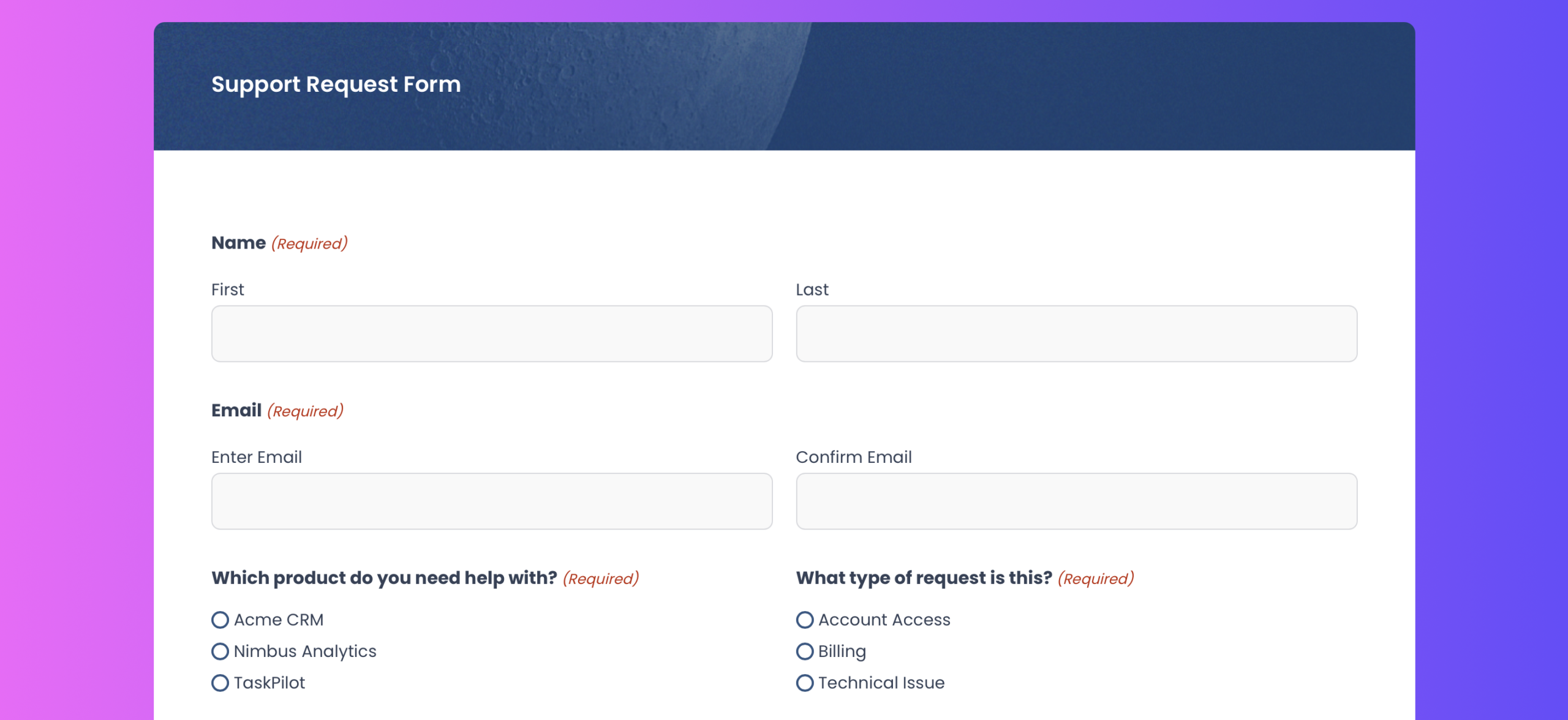
We’ve added a new Support Request Form template to the Gravity Forms template library. This template helps you collect clear, actionable support requests so your team can respond faster and more effectively.
The Support Request Form includes fields for contact details, product selection, request type, subject, and detailed issue descriptions. Optional file uploads allow users to attach screenshots or logs, giving your support team the context they need right away.
This template provides a clean, professional starting point that you can customize to match your support process and website design.
Tip: Pair this template with the Help Scout Add-On to automatically create support conversations from form submissions and keep your customer support workflow organized. The Help Scout Add-On is available with Gravity Forms Pro, Elite and Nonprofit licenses.
Course registration made simple with Square payments
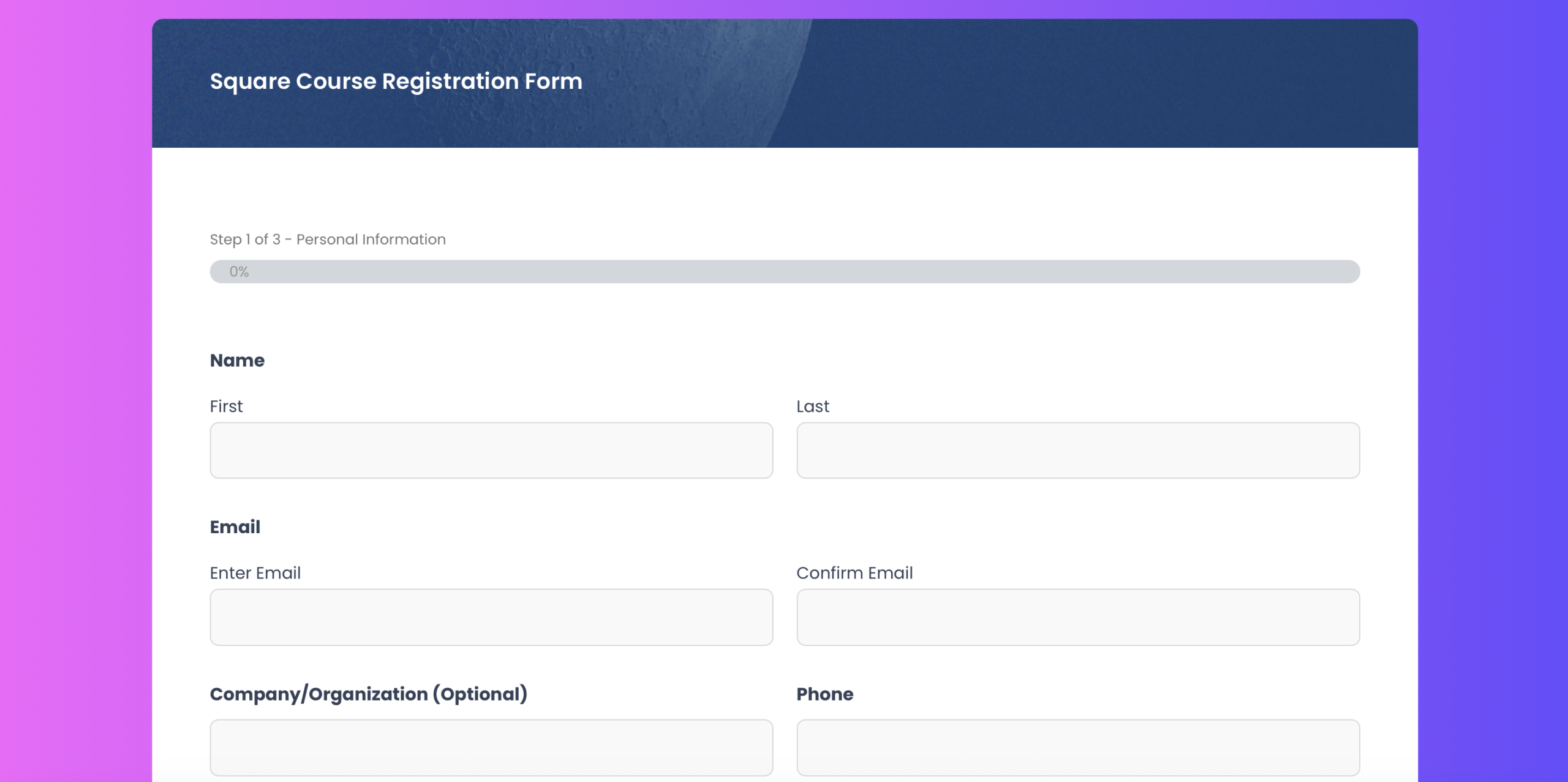
With the release of 2.9.26, we’ve also added a new Course Registration Form template to the Gravity Forms template library. This template helps you collect course sign-ups and payments in one streamlined, multi-step form.
The Course Registration Form captures essential details like contact information and course selection, with the option of accepting payments using Square – although you can also swap in any of our other supported payment processors, including Stripe, PayPal, and Mollie. By handling registration and payment upfront, you can reduce manual follow-ups and create a smoother experience for students.
This template gives you a flexible foundation you can customize to fit your courses, pricing, and branding.
Tip: Pair this template with the Square Add-On to accept one-time or recurring payments, manage subscriptions, and process refunds directly from WordPress. The Square Add-On is available with Gravity Forms Pro, Elite and Nonprofit licenses.
More reasons to choose Gravity Forms:
- Intuitive form builder – Easily create custom forms using our visual drag-and-drop editor – no coding required.
- Ready-to-use templates – Get started fast with a collection of prebuilt, customizable form templates for common use cases.
- Powerful integrations – Extend your forms with add-ons that connect to leading CRMs, payment processors, email marketing tools, and more.
- Developer-friendly documentation – From basic tutorials to advanced customization guides, our comprehensive docs are here to help every step of the way.
- Responsive expert support – Have a question? Our knowledgeable support team is here to help you troubleshoot and succeed.
- Email reliability with Gravity SMTP – Improve email deliverability by connecting your WordPress site to trusted email services. Gravity SMTP is included free with the Elite license.
Want to try Gravity Forms before purchasing your license? Try a free online demo.
Gravity Forms 2.9.26 changelog
- Added Support Request and Square Course Registration form templates to the templates library.
- Added a hidden input to the form footer with a value of the form’s currency code.
- Updated the gform/conditionalLogic/applyRules/end JS action so that if the field being processed is a page or section, the action passes the IDs of the fields within the page or section.
- Updated CLI detection to ensure JS hooks are loaded when necessary.
- Fixed a JS console error on the reCAPTCHA settings page in No-Conflict mode.
- Fixed an issue where the conditional logic and edit choices flyout closes unexpectedly when you release the mouse button outside it.
- Deprecated the gform_input_mask_script filter, which will be removed in Gravity Forms 3.0.
- API: Updated the frontend feed data to include the product ID mapped to a subscription’s setup fee.
- API: Fixed a layout issue so that the “Card” field type in the Settings API fills the width of the settings page.
- API: Fixed an issues with the gform.product.getPaymentAmount() method where a dynamically populated hidden product quantity is not taken into account when calculating the amount.
- API: Added client side logging functionality.

Newsletter
If you want to keep up-to-date with what’s happening on the blog sign up for the Gravity Forms newsletter!
"*" indicates required fields