
Form Data Vault automatically captures every Gravity Forms submission — including all field types, file uploads, and premium add-on data — and archives it into a secure, searchable cloud vault. No per-form configuration. No lost entries. No compliance gaps.
What it does:
- Automatic capture — Intercepts submissions from every form on your site the moment the plugin is activated. New forms are captured immediately with no setup required.
- Secure cloud archive — All submission data is encrypted in transit (TLS 1.3) and at rest (AES-256) in Microsoft Azure, giving you a permanent, tamper-evident record independent of your WordPress database.
- Full Gravity Forms field support — Text, select, radio, checkbox, date, time, email, phone, address, number, file upload, multi-file upload, signature (GF Signature add-on), survey fields (GF Survey), quiz answers (GF Quiz), and Repeater field data are all captured and stored.
- GDPR / CCPA compliance tools — Delete a contact’s data across every form in one action, with cryptographic deletion proof automatically generated and stored — so you can demonstrate compliance to auditors without manual work.
- Retention policies — Set automatic expiry rules by form or globally. Data is removed on schedule with an audit trail of what was deleted and when.
- Cross-platform search — Search and filter your entire submission history across every form, every WordPress site, and every other form tool (Typeform, Jotform, Formstack, Tally) connected to your account — from a single dashboard.
- Audit-ready exports — Export filtered submission sets to CSV or JSON, with cryptographic integrity hashes, for regulatory audits, legal requests, or data migrations.
- Team access controls — Role-based permissions let you give team members read-only, export-only, or full access to specific forms or all data.
- Multi-site support — Full WordPress multisite compatibility. Each site in a network can connect independently or share an account.
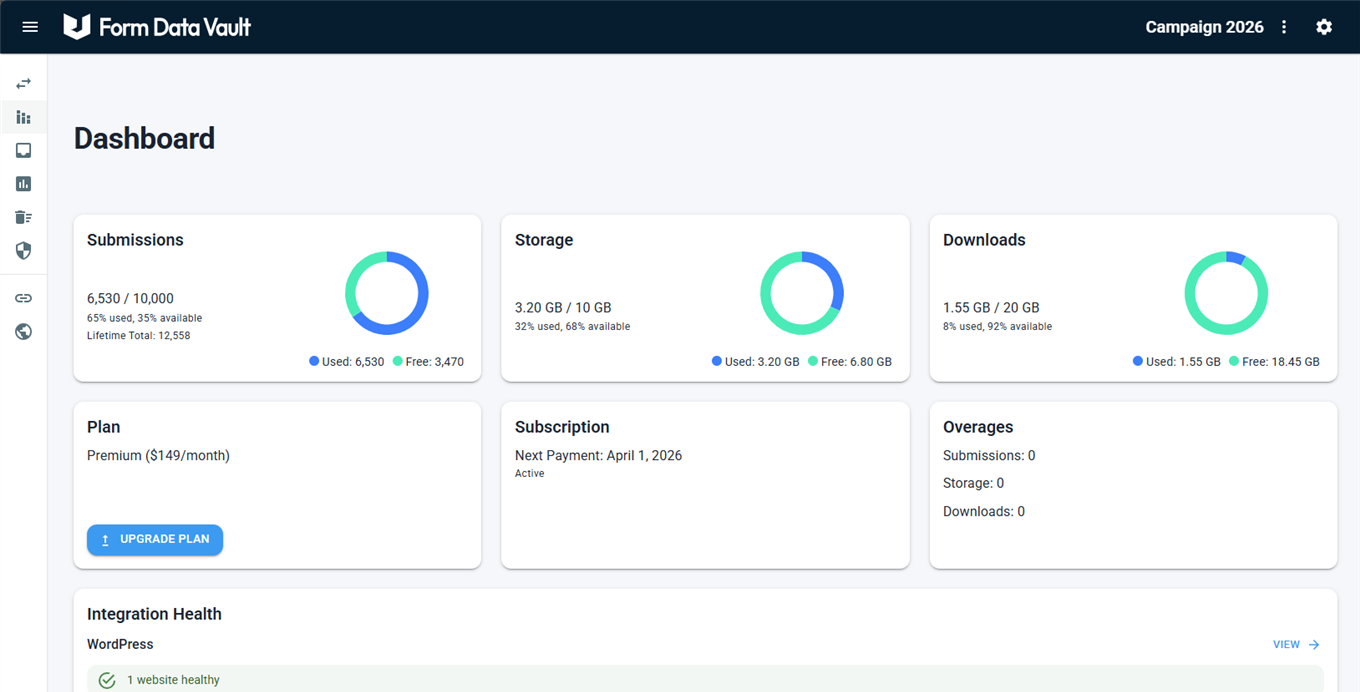
- Dashboard analytics — View submission volume, trends, and storage usage per site from the Form Data Vault admin dashboard inside WordPress.
Why teams use it alongside Gravity Forms:
Gravity Forms keeps entries inside your WordPress site, where they’re part of your hosting, backups, and database. Form Data Vault adds a secure external archive that operates completely outside WordPress, giving your submissions long‑term protection that isn’t tied to your site’s infrastructure.
Form Data Vault also provides the long‑term retention, GDPR/CCPA deletion workflows, audit history, and cross‑site search that many organizations need for compliance and governance. It’s a straightforward way to add durable, enterprise‑level data protection to the Gravity Forms ecosystem.
Getting started:
- Install and activate the Form Data Vault plugin
- Create an account at formdatavault.com
- Connect your site using the provided API key
- All Gravity Forms submissions are captured automatically
No Gravity Forms configuration changes needed.
Integration Instructions