
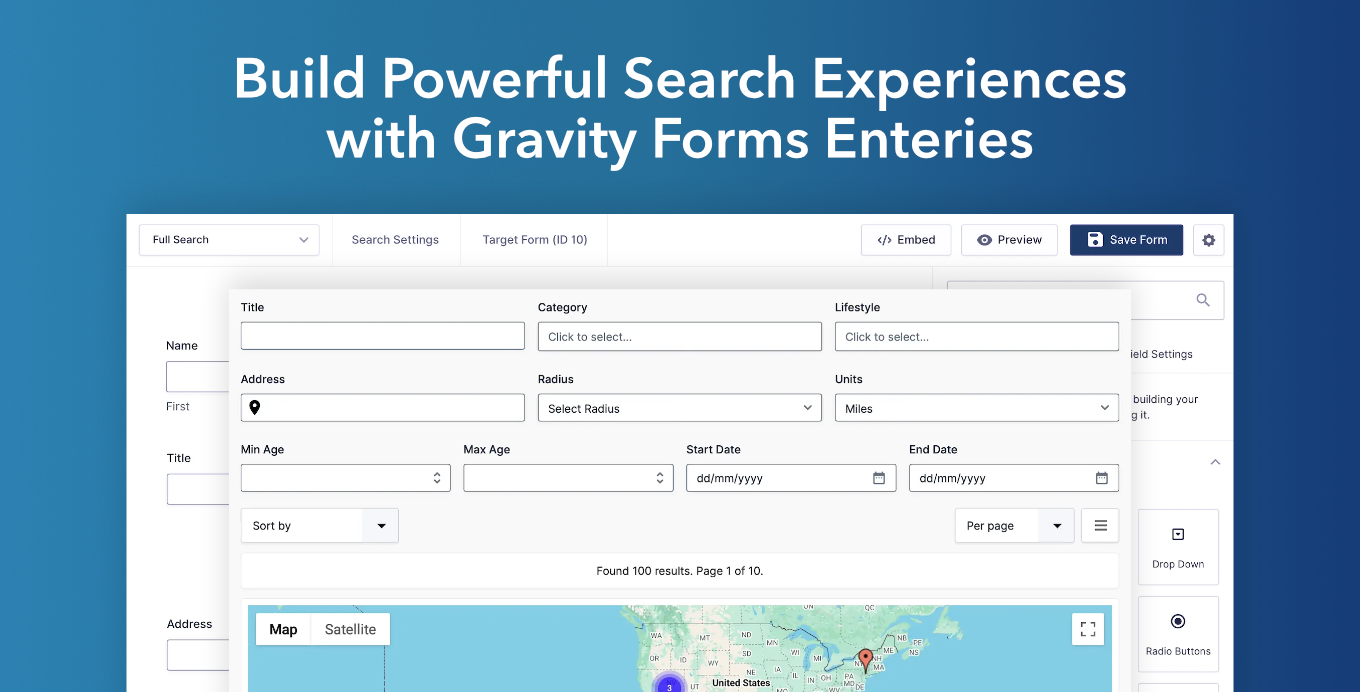
Gravity Search transforms your existing Gravity Forms entries into searchable front-end experiences. Build business directories, customer portals, store locators, property listings, employee databases, resource libraries, and more without migrating your data, creating custom post types, or learning another builder.
Simply build a Search Form using the native Gravity Forms builder, connect it to the Gravity Form whose entries you want to search, and start creating powerful search experiences without learning another builder or workflow.
What Can You Build?
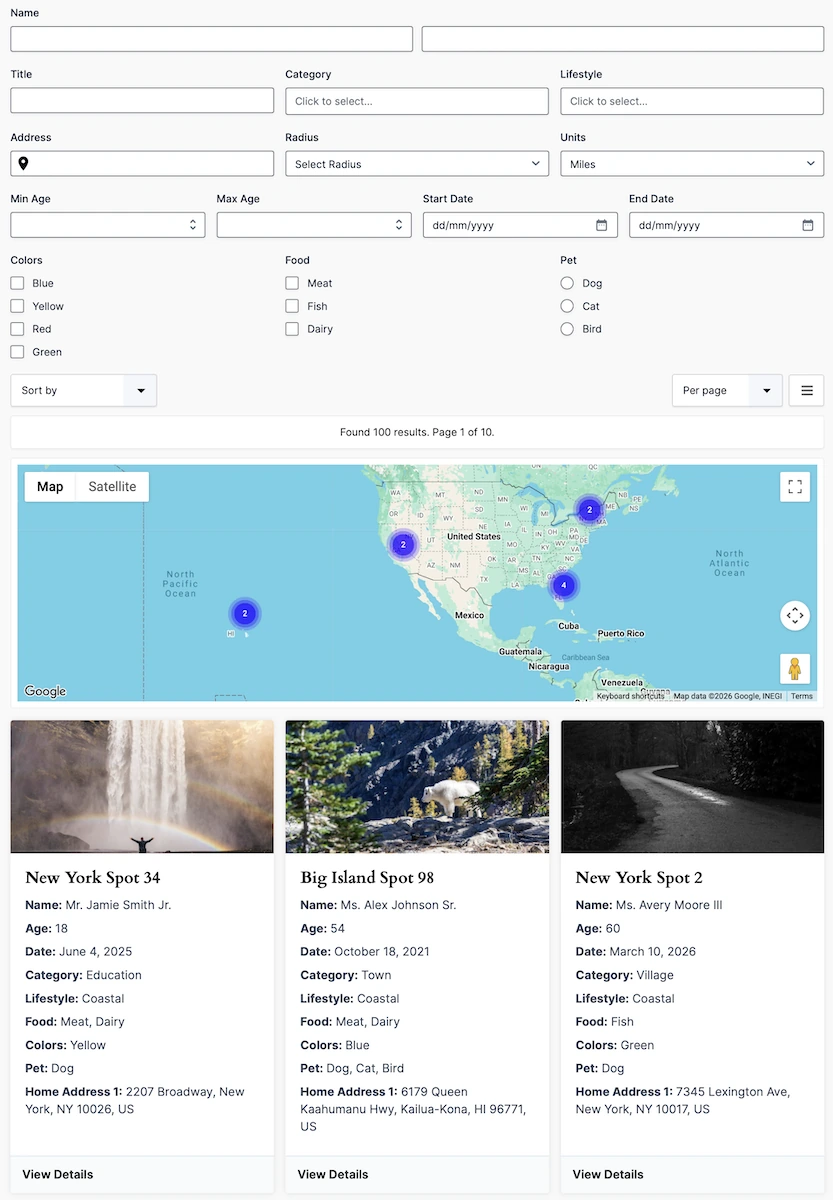
Gravity Search provides a flexible foundation for building searchable front-end applications using Gravity Forms.
- Business and Member Directories
- Store and Branch Locators
- Customer Portals
- Employee Directories
- Property Listings
- Resource Libraries
How Gravity Search Works
- Collect Data using your existing Gravity Forms.
- Search and Filter entries using form fields, entry properties, entry meta, dates, users, payment information, location data, and more.
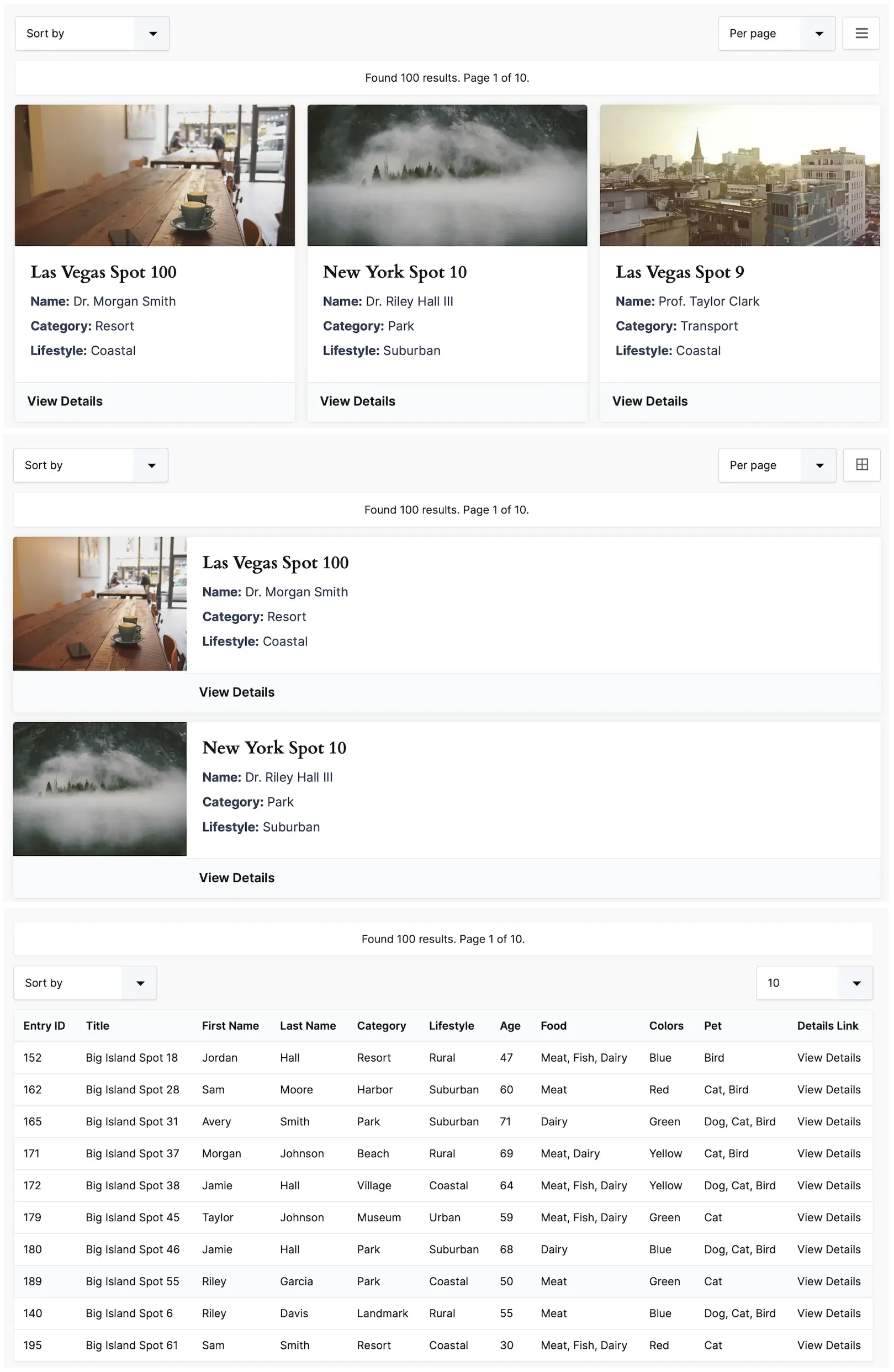
- Display Results as grids, lists, tables, or interactive maps.
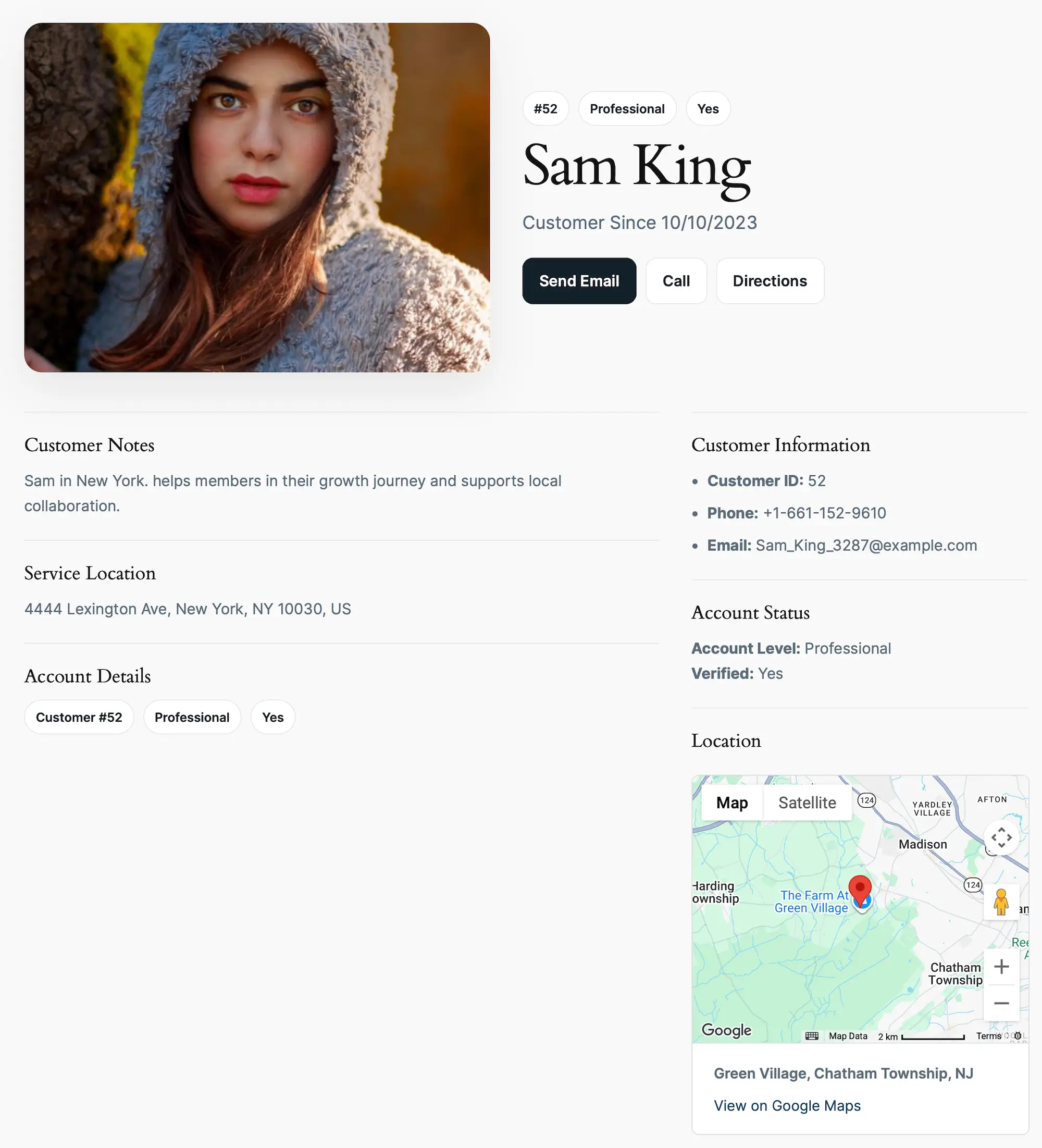
- View Details using dedicated entry pages with images, maps, entry data, and dynamic content.
Build Search Forms Using the Gravity Forms Builder
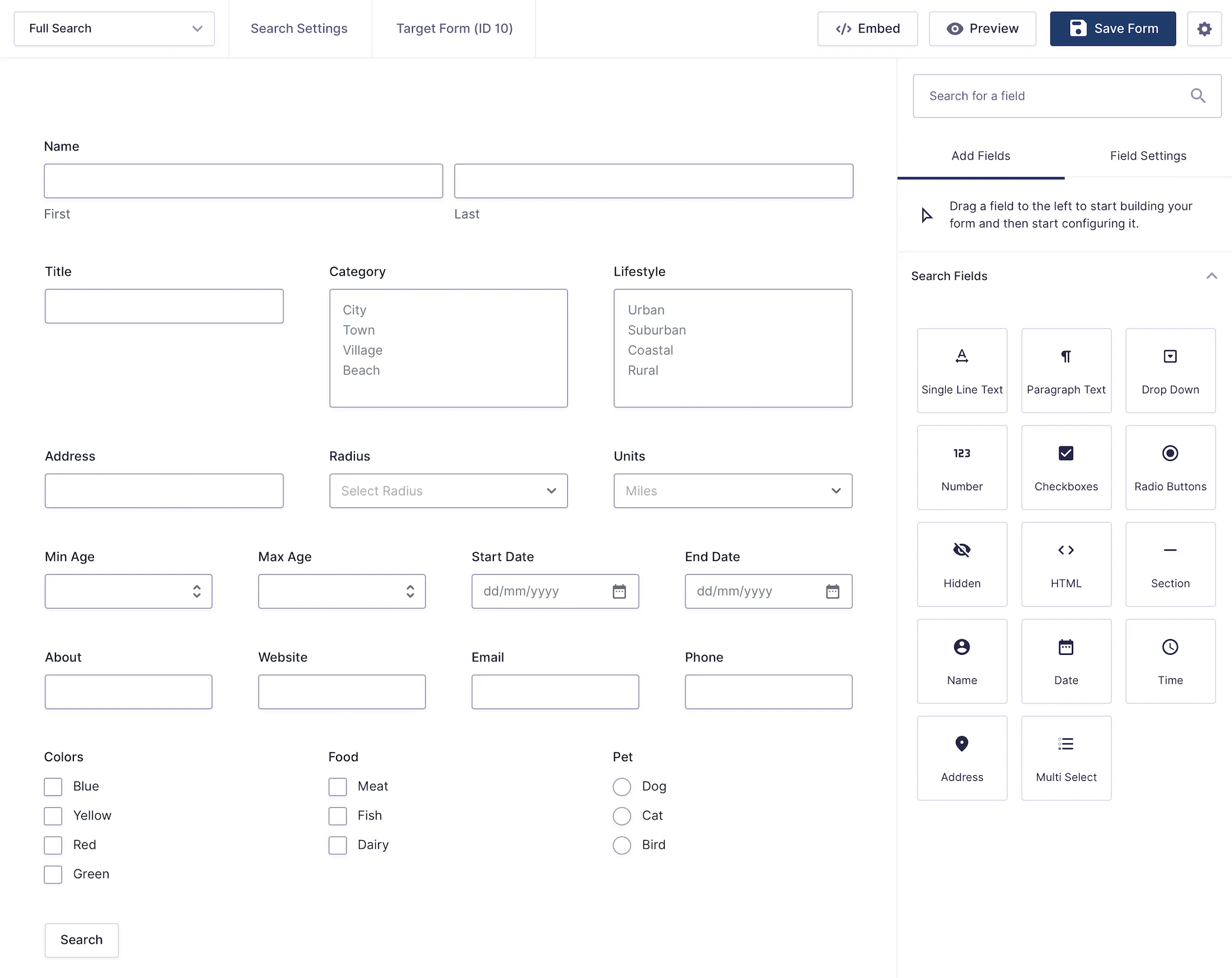
Gravity Search is built on the native Gravity Forms builder. Instead of introducing another proprietary interface, Search Forms are created using the same builder and workflow you already use to build your forms.
Every Search Form is connected to a target Gravity Form whose entries visitors will search. This allows you to create multiple search experiences from the same set of entries without duplicating or restructuring your data.
- Search form fields
- Search entry properties
- Search entry meta
- Search user information
- Search payment information
- Search dates and numeric values
- Search location data from multiple geolocation sources
No coding required. If you already know Gravity Forms, you already know how to build powerful search experiences.
Powerful Search and Filtering
Create everything from simple keyword searches to advanced multi-filter search experiences.
- Flexible field mapping
- Choice-based filtering
- Exact and partial matching
- Date and number comparisons
- Entry property and entry meta filtering
- Creator and user filtering
- Payment information filtering
- AND and OR search logic
Search Forms are built using familiar Gravity Forms field types, including text inputs, dropdowns, checkboxes, radio buttons, date fields, number fields, address fields, and multi-select fields.
Interactive Maps and Proximity Search
Combine powerful entry search with location-aware discovery.
- Address search
- Current-location search
- Radius search
- Distance filtering
- Multiple location sources
- Interactive markers and marker clusters
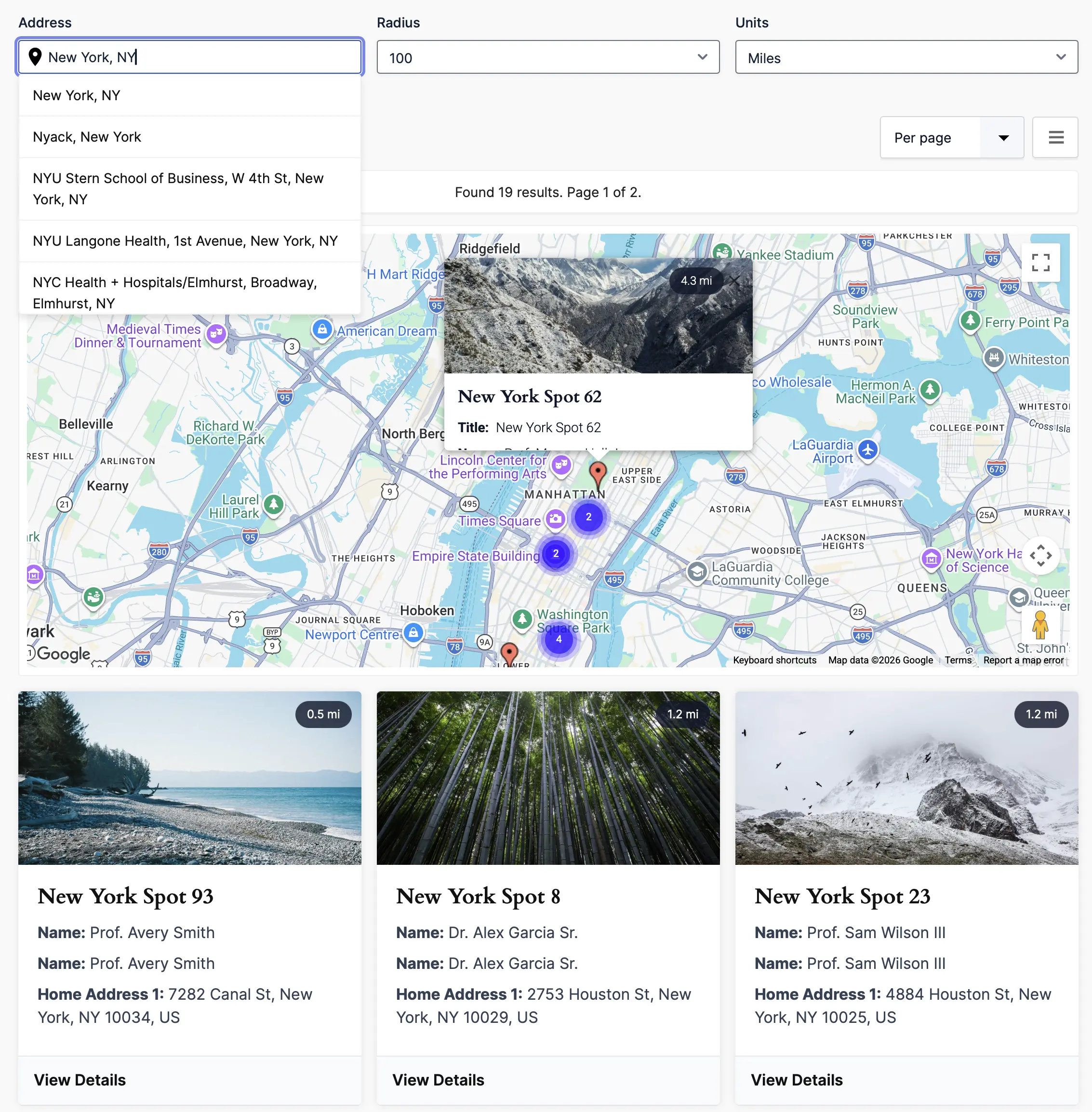
Maps automatically update as visitors search, filter, or perform proximity searches, keeping entry results and map markers synchronized.
Display Results Your Way
Present search results using the layout that best fits your project.
- Grid layouts
- List layouts
- Table layouts
- Structured templates
- Custom HTML templates
- Sorting controls
- Pagination and Load More
- Per-page result controls
- Map integration
Result templates can display form field values, entry properties, entry meta, images, location data, links, and other dynamic content.
Build Flexible Search Page Layouts
Gravity Search components, including the Search Form, results, map, and details view, can be displayed together or independently using dedicated shortcodes.
This makes it easy to create:
- Combined search, map, and results pages
- Split map and results layouts
- Results-only pages
- Map-first search experiences
- Custom landing pages
- Fully integrated applications
Gravity Search can be used with Gutenberg, Elementor, Bricks, Divi, Oxygen, and virtually any WordPress page builder that supports shortcodes.
Dedicated Entry Pages
Every search result can have its own dedicated details page displaying:
- Images
- Maps
- Contact information
- Entry data from your Gravity Form
- Entry properties and entry meta
- Location data
- Custom content
- Custom HTML layouts
- Gravity Forms merge tags
Dedicated entry pages are ideal for business profiles, employee records, customer portals, property listings, member profiles, and resource libraries.
Frequently Asked Questions
Can I use my existing Gravity Forms?
Yes. Gravity Search works directly with your existing Gravity Forms entries. No migration or custom post types are required.
Can I build a business directory?
Absolutely. Business directories, store locators, member directories, customer portals, employee databases, property listings, and resource libraries are all common use cases.
Does Gravity Search support Google Maps?
Yes. Interactive maps, proximity search, address search, radius search, marker clustering, and map-based results are supported.
Can I create custom result layouts?
Yes. Display results as grids, lists, tables, structured templates, or fully custom HTML layouts using Gravity Forms merge tags.
Can I create multiple search pages using the same Gravity Forms data?
Yes. Multiple Search Forms can connect to the same target Gravity Form, allowing you to create completely different search experiences using the same entries.
What can visitors search?
Visitors can search form fields, entry information, dates, user information, payment information, location data, and more depending on how you configure the Search Form.
Does Gravity Search require coding?
No. Most search experiences can be built using the familiar Gravity Forms interface without writing code. Developers can further customize Gravity Search using hooks, filters, templates, shortcodes, and custom markup.
Get Started
- Product Page: Learn more about Gravity Search
- Live Demo: Try the interactive demo
- Documentation: Browse the documentation
- Support: Get help from our support team
- Explore More: Discover additional Gravity Geolocation solutions.
- 14-Day Money-Back Guarantee: Try Gravity Search risk-free.