

Features
A reliable email sending solution.
Integrate your WordPress website with secure and reliable SMTP providers and API-based services.
Note: Gravity SMTP is currently only available with an active Gravity Forms Elite license or a Nonprofit license.

Ease of use
Quickly and easily integrate with the right email provider for your business to send and track emails with confidence.

SMTP and API-based services
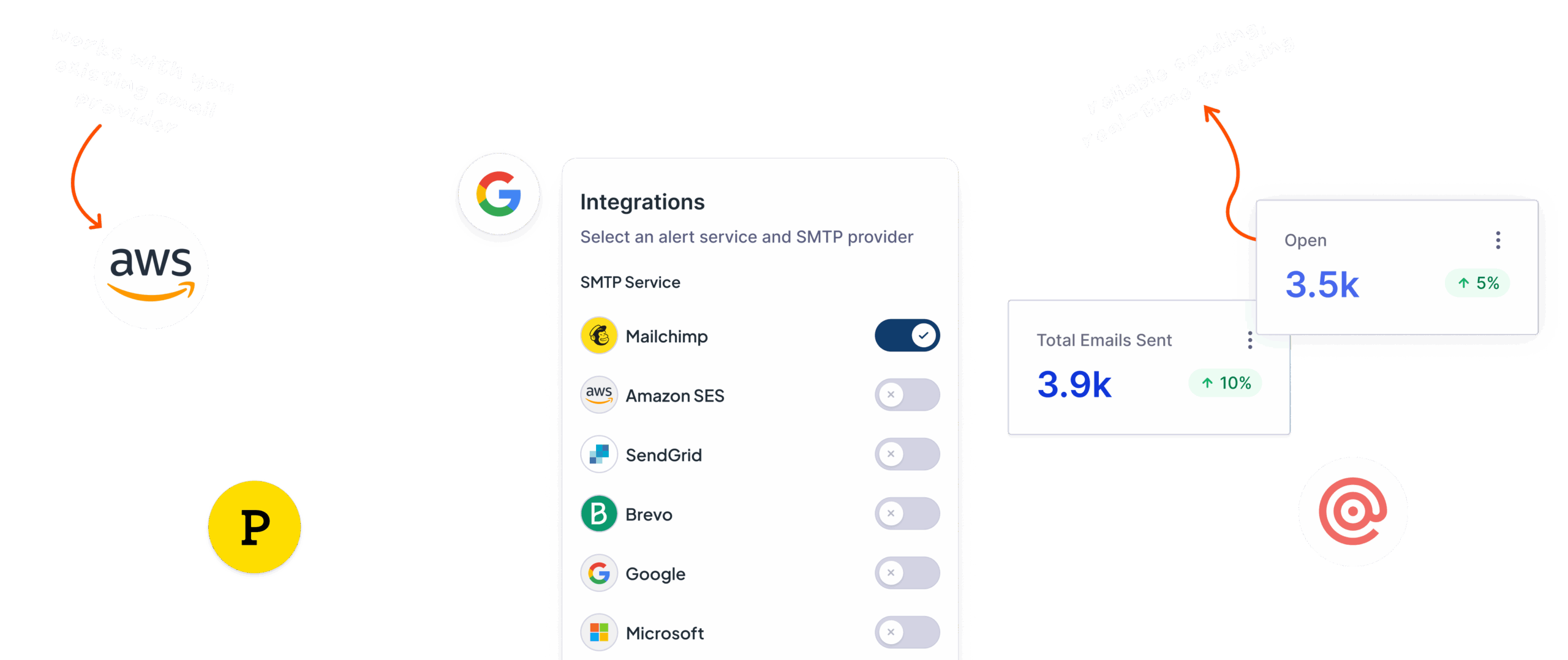
Send WordPress emails via SendGrid, Postmark, Mailgun, Brevo, Google, Microsoft, and other SMTP and API-based services.

Custom SMTP
Send emails from your website using the third-party SMTP service of your choice with our Custom SMTP feature.

Email logging and reporting
Detailed email logging and reporting lets you track messages sent, without needing to leave your WordPress dashboard.

Gravity Forms integration
Gravity SMTP integrates seamlessly with Gravity Forms, providing a reliable sending solution for all form notifications.

Alerts and Backups
Select a second email service to work as a backup, and set up real-time alerts so you’ll know if emails fail to send.
WordPress email in safe hands
Don’t rely on the default PHP Mail function used by WordPress. Let Gravity SMTP route your emails to the provider of your choice.

All the features you need to send and track emails with confidence
Having problems sending emails in WordPress? That ends with Gravity SMTP!

Services you trust
Easily integrate with the most trusted email providers, including:
SendGrid
Mailgun
Postmark
Brevo
Mircrosoft
As well as other SMTP and API-based services via the Custom SMTP feature.

Track your emails
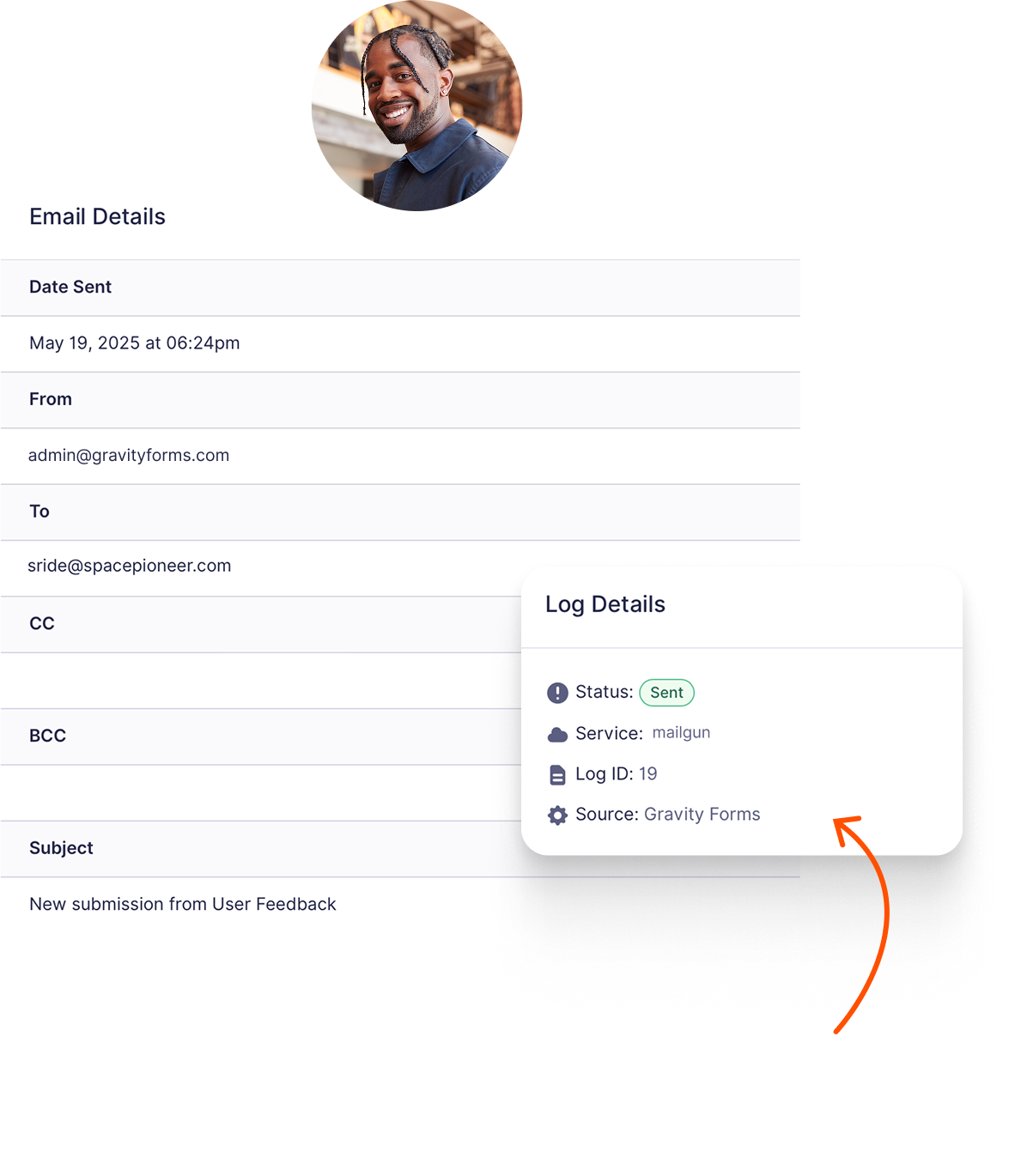
With Email Logging, you can track any email sent from your WordPress website. At a glance:
Check delivery
Date/time sent
Sender and recipient email addresses
And more!

Manage WordPress emails
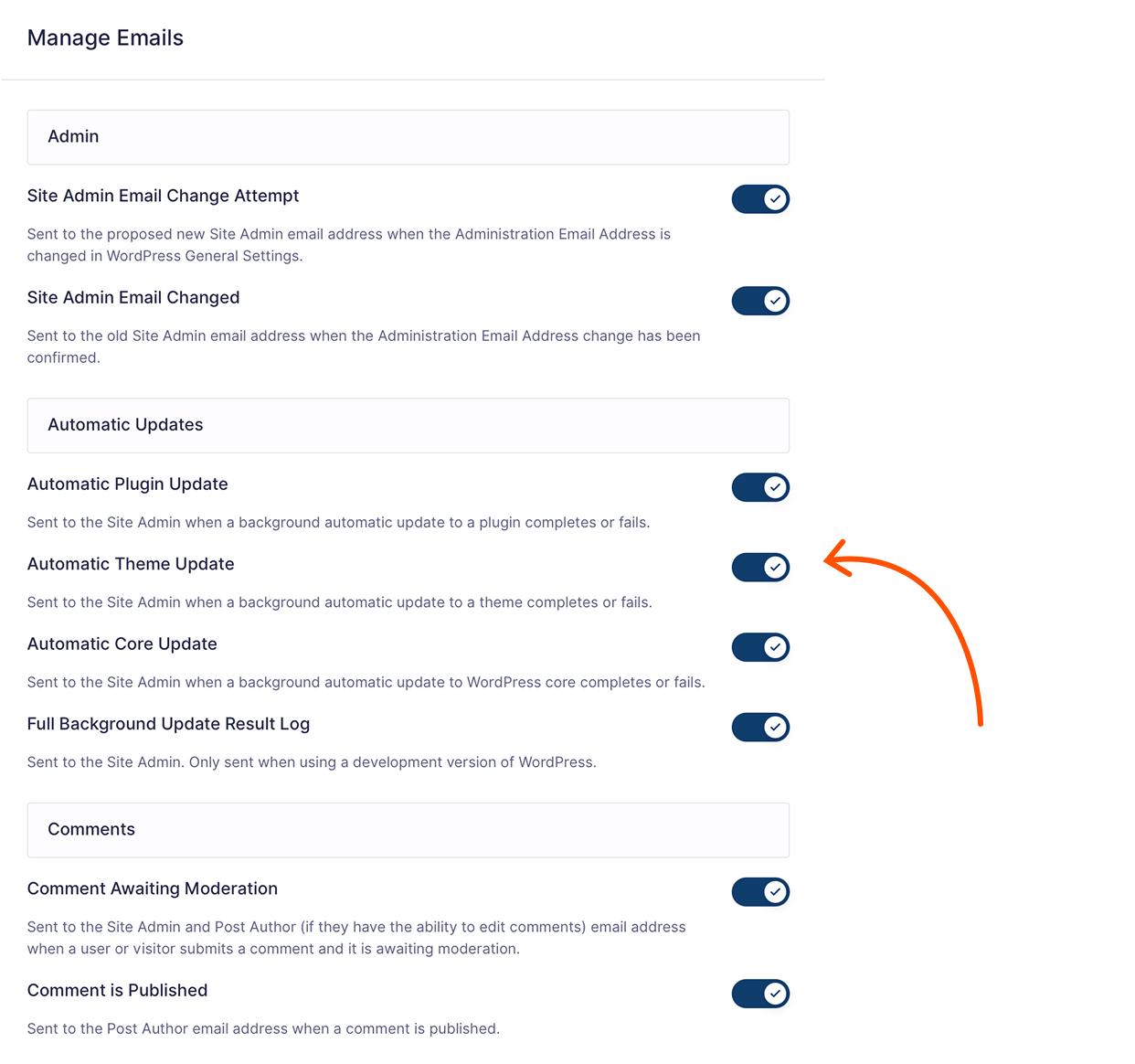
With our easy email management feature, you can turn off certain default email notifications sent by WordPress, giving you full control over the types of emails sent from your site.
Additionally you can:
Send test emails
Set up real-time email alerts
Select a backup email service
Create email suppression lists

View performance reports
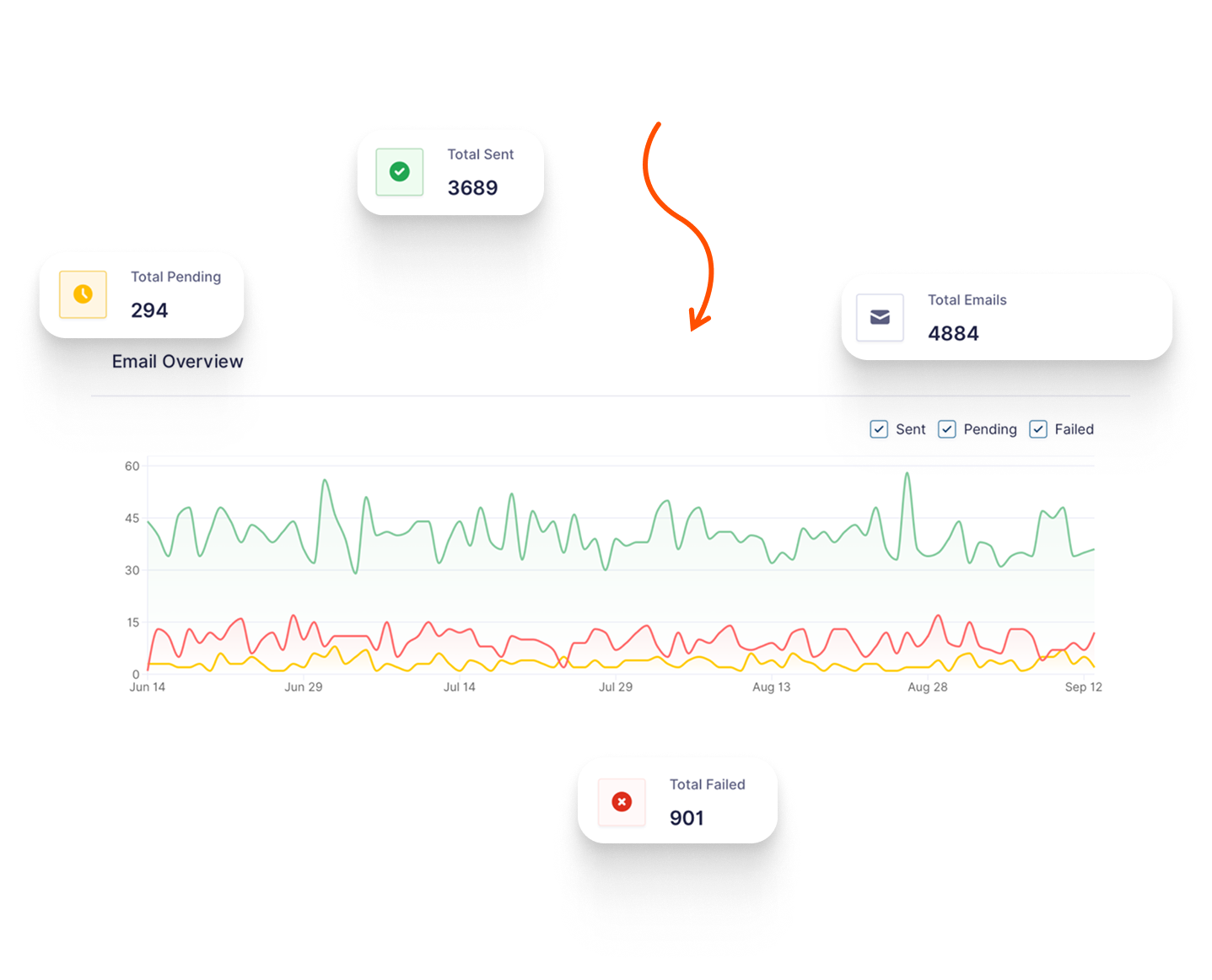
The reporting dashboard allows you to quickly check email delivery performance over time. View and filter email metrics, including:
Total number of emails sent
Top sources
And much more.












Get Gravity SMTP for free with a Gravity Forms Elite License!
Gravity SMTP is currently only available with the Elite Gravity Forms License.

 Buy Now
The Gravity Forms Elite License gives you unlimited access to the full suite of features, all of our add-ons, and Gravity SMTP!

Unlimited Sites

Priority Support

WordPress Multisite

User Registration Add-On
Conversational Forms
Partial Entries Add-On
Polls Add-On
Signature Add-On
Survey Add-On
Frequently Asked Questions.
Who makes Gravity SMTP?

Gravity SMTP is a new product from Rocketgenius, the inventors of Gravity Forms.
What does Gravity SMTP do?
The Gravity SMTP plugin enhances email deliverability for your WordPress site. Offloading email sending to a reliable SMTP service ensures that your emails reach recipients’ inboxes consistently. This is especially beneficial for critical communications or transactional emails your website needs to deliver reliably.
Does Gravity SMTP work for all emails sent from my site, or only emails sent by Gravity Forms?
It works for all emails sent from your WordPress site. Whether it’s user registrations, password resets, or notifications from other plugins, Gravity SMTP ensures reliable delivery across the board.
Which integrations does Gravity SMTP support?
Gravity SMTP seamlessly integrates with a variety of popular email service providers. Currently, we support:
- Amazon SES
- Brevo
- Cloudflare Email Service
- Elastic Email
- Emailit
- Google / Gmail
- Mailchimp Transactional
- MailerSend
- Mailgun
- Mailjet
- Mailtrap
- Microsoft 365 / Outlook
- Postmark
- Resend
- SendGrid
- SMTP2GO
- SMTP.COM
- SparkPost
- Zoho Mail
Gravity SMTP also offers a Custom SMTP option that lets you connect to any standard SMTP-enabled server.
Do I need Gravity Forms installed to run Gravity SMTP?
No. This new product is independent of Gravity Forms, so you do not need to have Gravity Forms installed on your website to install and use Gravity SMTP. That said, you do need an active Gravity Forms Elite license, a Nonprofit license, or a Developer license to download and activate the product.
Who can download Gravity SMTP?
The core Gravity SMTP plugin is currently available for free to all those who have an active Gravity Forms Elite, Nonprofit, or Developer license.
What does Gravity SMTP cost?
Gravity SMTP is available for free to all active Gravity Forms Elite, Nonprofit, and Developer license holders. You can download it from your Gravity Forms account dashboard. At the moment, Gravity SMTP is not available to buy as a standalone product.
Where can I find out more about Gravity SMTP?
Check out our extensive documentation site for more information on Gravity SMTP.