Restrict Dates in the Gravity Forms Date Picker
Set which dates people can pick in a Date field, so bookings, deliveries and requests only come in for dates you can honor.

Date range limits
Set the earliest and latest date from today or a fixed date.

Days of the week
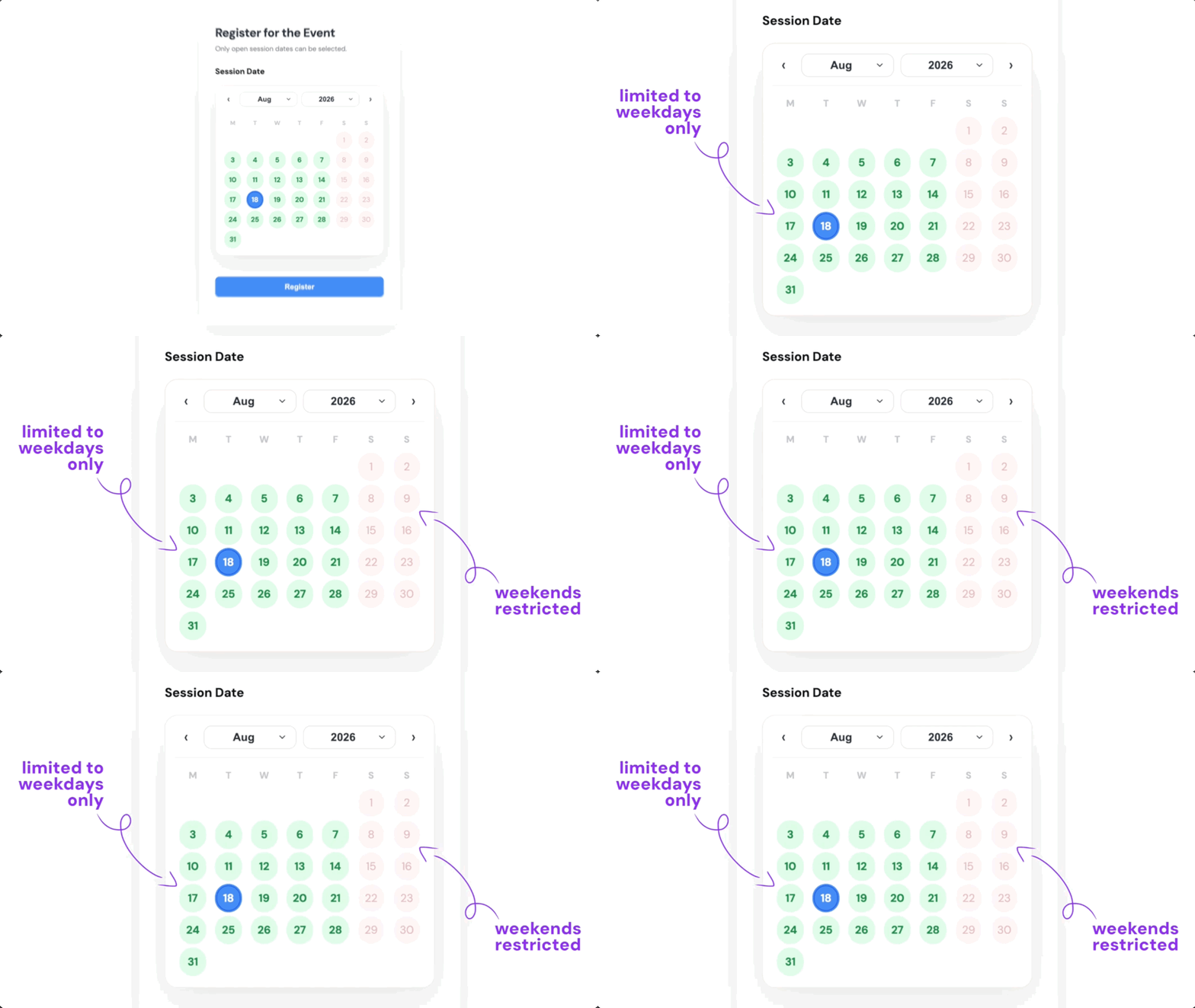
Allow weekdays only, weekends only, or any mix of days.

Date exceptions
Block a holiday or open one day outside your usual rules.

Linked Date fields
Let a start date set the earliest end date people can pick.
Relative dates
Set Date Limits Based on Today
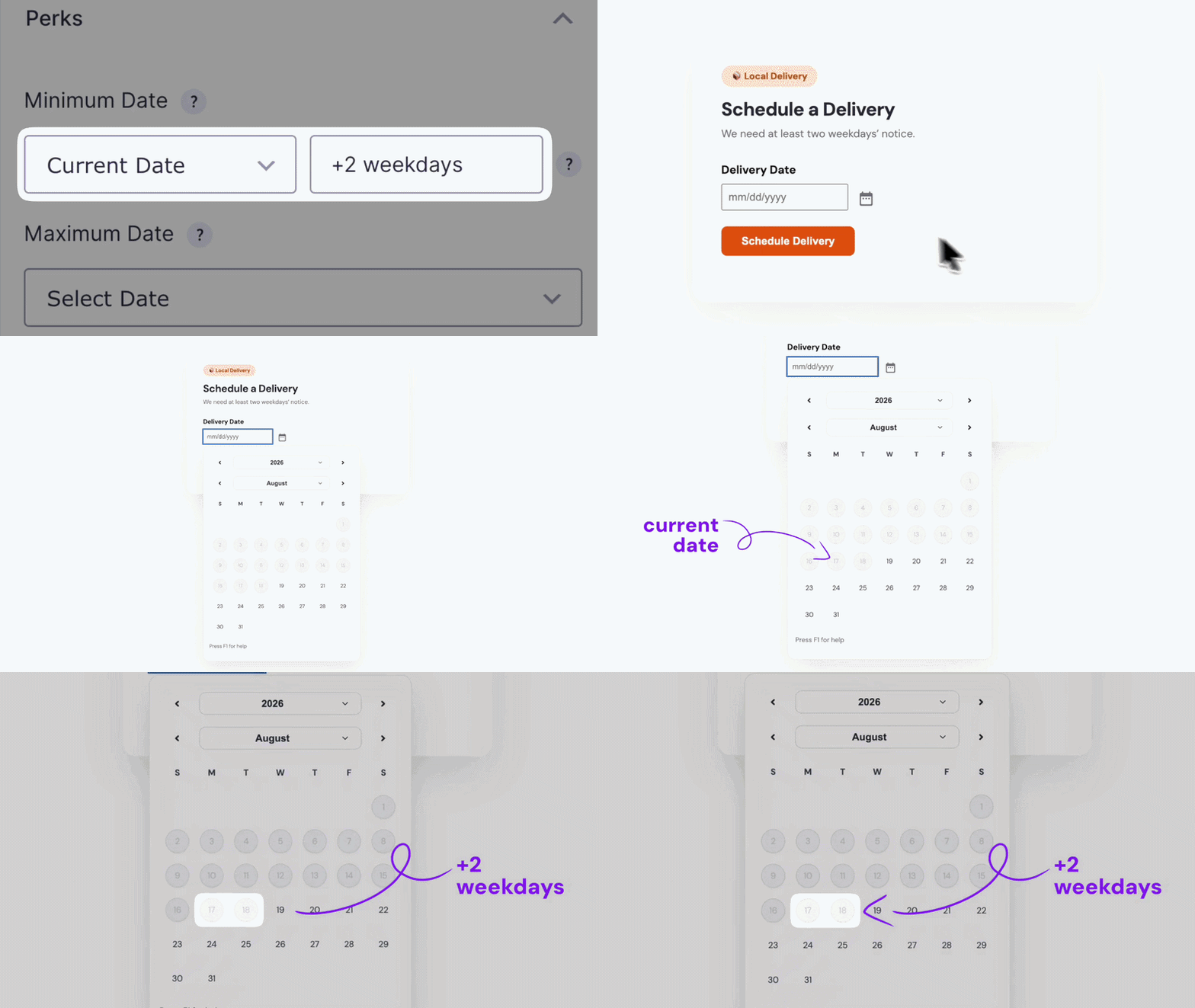
- Today as the minimum or maximum. Require a future date for bookings and deliveries, or a past date for incident reports.
- Add lead time. Add or subtract days, weekdays, weeks, months or years, like today + 2 weekdays.
- Limits that move each day. The range updates automatically, with no form edits.
- Your site’s timezone. “Today” uses your WordPress timezone, so visitors elsewhere can’t pick a day that’s already over for you.
Linked fields
Limit End Dates Based on Start Dates
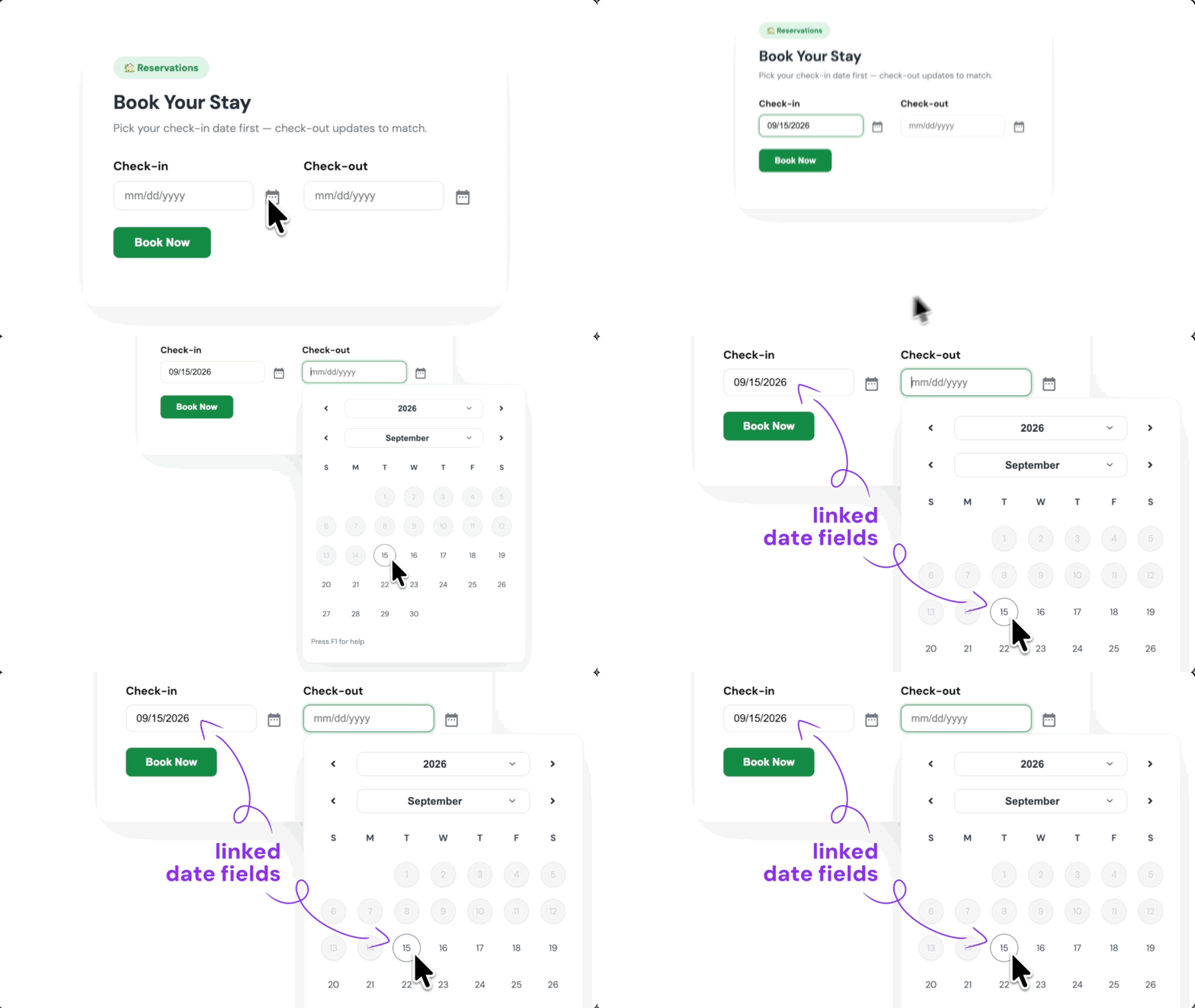
- Start date sets the earliest end date. Pick a check-in date and the check-out picker starts from it.
- Require a gap. Add a modifier for a minimum stay or rental length, like start date + 2 days.
- Set a latest date too. One Date field can also cap another, like a return within 30 days.
Days and exceptions
Block Weekends, Holidays, and Specific Dates
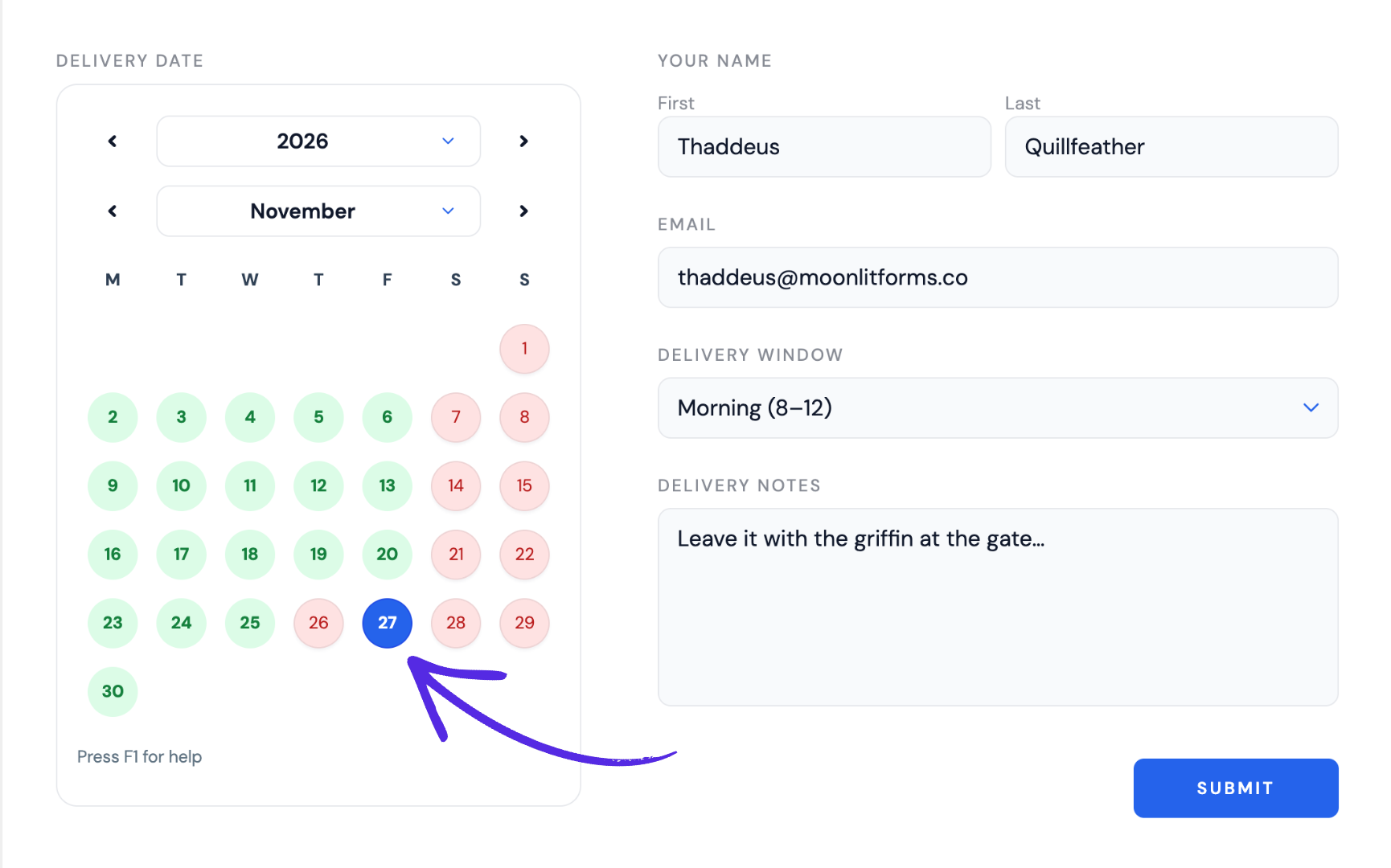
- Choose selectable days. Check the days of the week people can pick; the rest are disabled in the picker.
- Add exceptions. Block a single date, like a holiday, or open one, like a special Saturday.
- Fixed date windows. Limit the picker to a set range, like the dates of your event.
- Typed dates are checked too. If someone types a restricted date, the form returns a validation error on submit.
Use cases
Limit Dates Works Well For:

Restaurant and table reservations
Take bookings only on the days you’re open, up to 30 days ahead.

Event and service bookings
Block out dates you’ve already booked so new inquiries only land on open days.

Rentals and stays
Keep check-out after check-in and enforce a minimum stay.

Incident and claim reports
Stop people from reporting an incident with a future date.
Why Gravity Wiz
Made by Certified Gravity Forms Developers 

I have never been happier when buying a plugin. Your products are perfect but the support is even more perfect. I made a big project happen in a few hours.
Tasos Tiligadis, West SA

Our founder helped build Gravity Forms.
And now, we’re certified developers.

Trusted on 150,000+ sites.
Building add-ons for 14 years and counting.

Legendary support from real experts.
See for yourself. We’ve got receipts.

Something new every week.
Across 70+ plugins, dozens of them free.
 Zero risk to use. Try it for 30 days or get your money back.

Get Limit Dates
Limit Dates is available with Gravity Perks — a suite of 48+ plugins for Gravity Forms.