Tech stacks we love for WordPress agencies
 By Sarah Kirkwold
Published February 24, 2026
By Sarah Kirkwold
Published February 24, 2026

Most WordPress agencies are great at building websites. The real complexity tends to show up in the day-to-day: managing projects, chasing missing info, keeping teams aligned, and making sure nothing slips through the cracks.
Every new project introduces the same operational pressure points. Leads arrive with vague requirements. Sales teams chase missing details. Project managers re-collect information that already exists. Clients email files that get buried. Support requests arrive through inboxes, contact forms, and Slack, with no shared system of record.
The problem is not a lack of tools. It is the lack of a single operational layer that connects people, processes, and data across the agency lifecycle.
For WordPress agencies, that operational layer is Gravity Forms combined with purpose-built add-ons that turn forms into structured workflows. When forms are treated as infrastructure instead of simple contact tools, agencies gain control, visibility, and repeatability across every client engagement.
Why forms are the foundation of agency operations
Every meaningful agency interaction starts with a form.
- A prospect submits a project inquiry.
- A signed client completes onboarding.
- A stakeholder uploads brand assets.
- A customer requests support.
- A happy client leaves a testimonial.
Forms are the gateway between external communication and internal action. When that gateway is unstructured, agencies rely on email threads, shared documents, and manual follow-up.
That works for a small number of projects, but it breaks quickly as volume increases.
Modern agencies need forms that do more than collect data. A submission should immediately trigger routing, permissions, notifications, workflows, and integrations without manual intervention.
Gravity Forms provides that foundation inside WordPress, while remaining flexible enough to match how your specific agency actually works.
The agency forms you need on your WordPress website
Project inquiry form for qualifying new leads
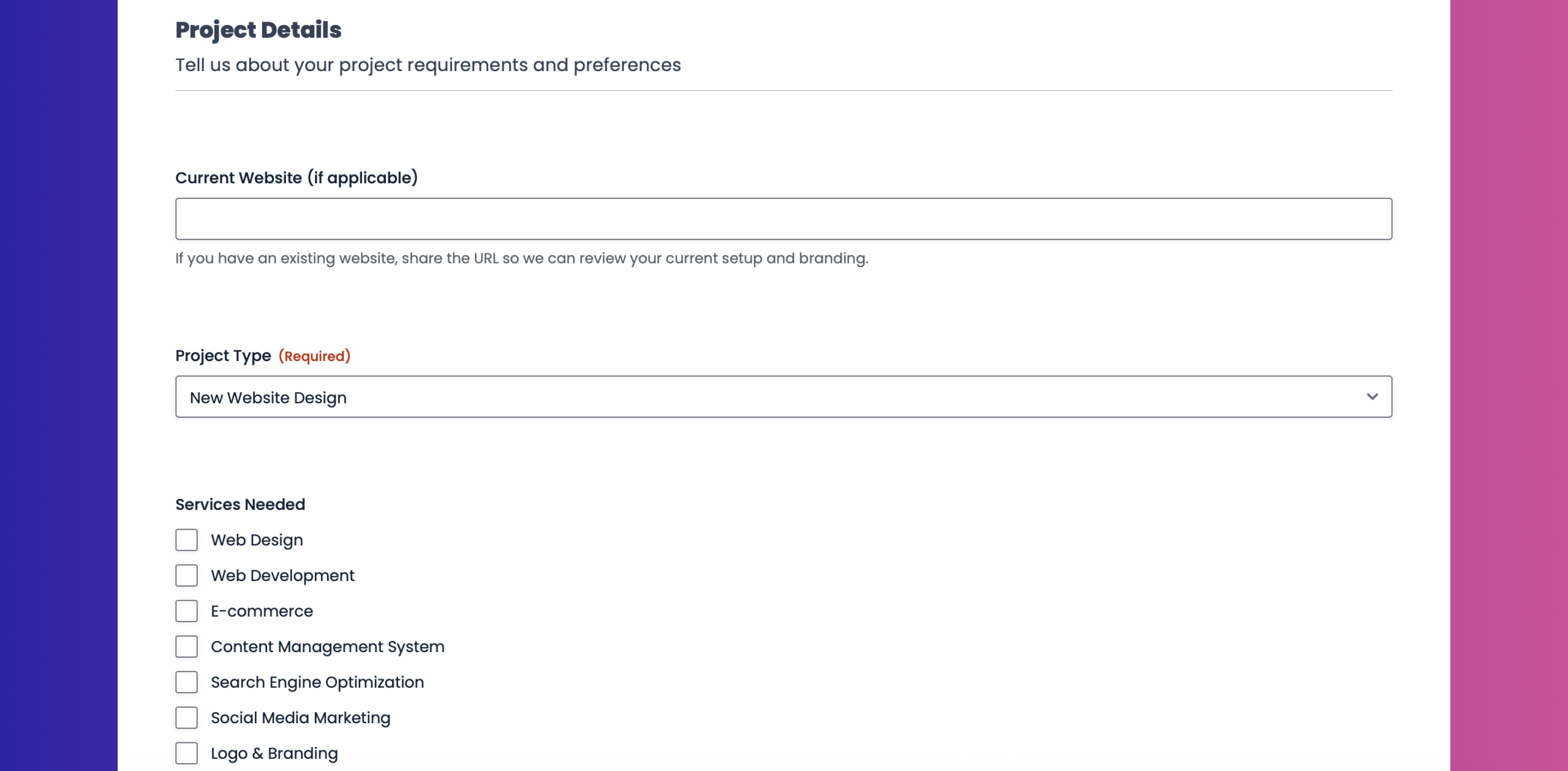
A project inquiry form is the first filter in your agency pipeline. Its job is not to collect everything. Its job is to qualify.
With Gravity Forms, an inquiry form can dynamically adjust questions based on responses. Budget ranges, timelines, project types, and service needs can all be revealed using conditional logic. This keeps the form short for low-fit leads and detailed for high-intent prospects.
Behind the scenes, submissions can route notifications based on criteria like project size or service category, ensuring the right team sees the inquiry immediately. This ensures your agency avoids generic inboxes and speeds up response times without adding administrative overhead.
Project onboarding form for comprehensive client intake
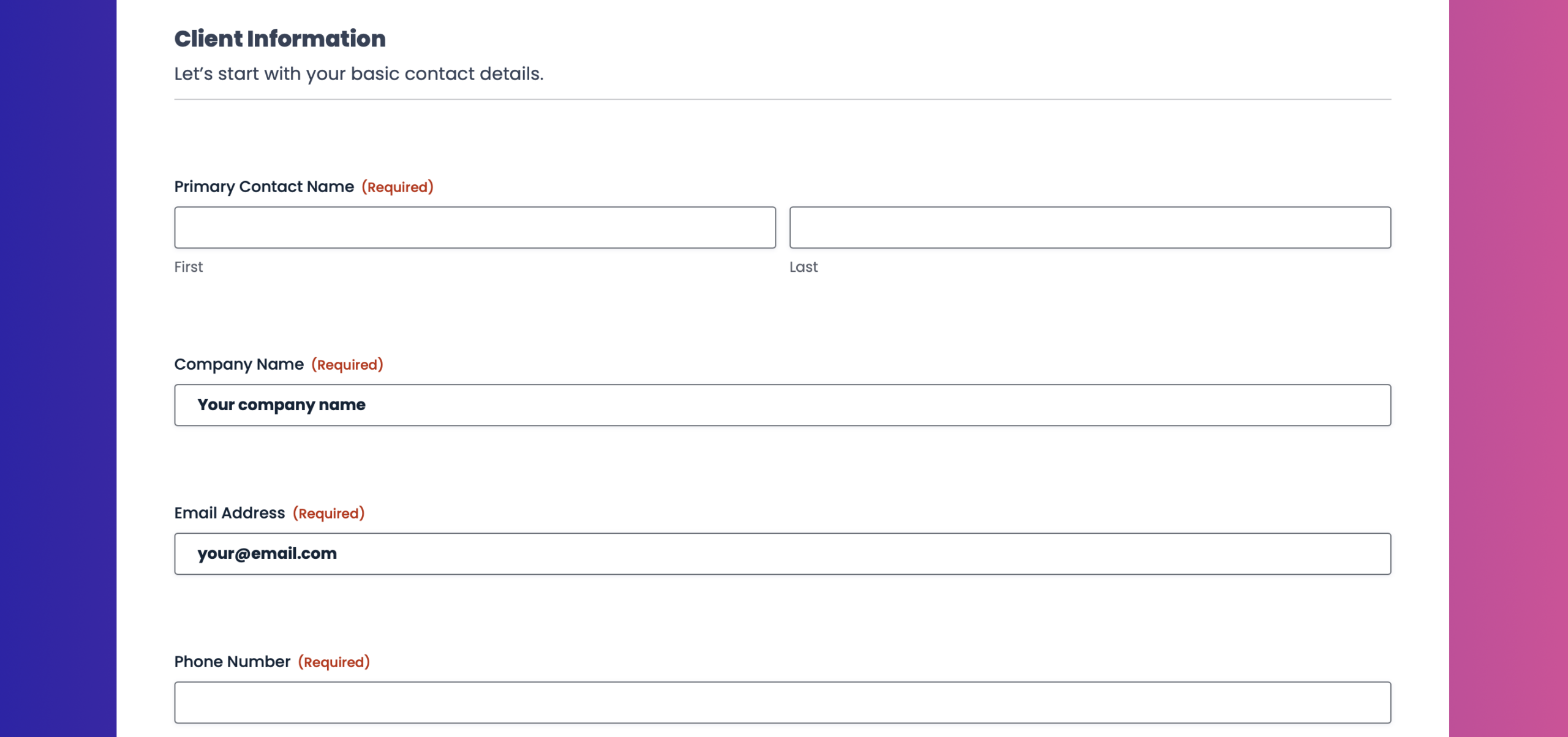
Once a project is approved, onboarding requires structure. Client intake forms often span branding details, technical access, content ownership, hosting preferences, and legal confirmations.
Gravity Forms supports long, complex onboarding through multi-step forms, file uploads, and saved progress. Clients can upload brand guidelines, logos, content documents, and contracts directly into the form, keeping everything tied to a single entry.
Internally, onboarding submissions can trigger workflows that assign tasks, notify team members, and help move projects into active production. No re-keying. No scattered documents. One source of truth.
Client testimonial form for feedback collection
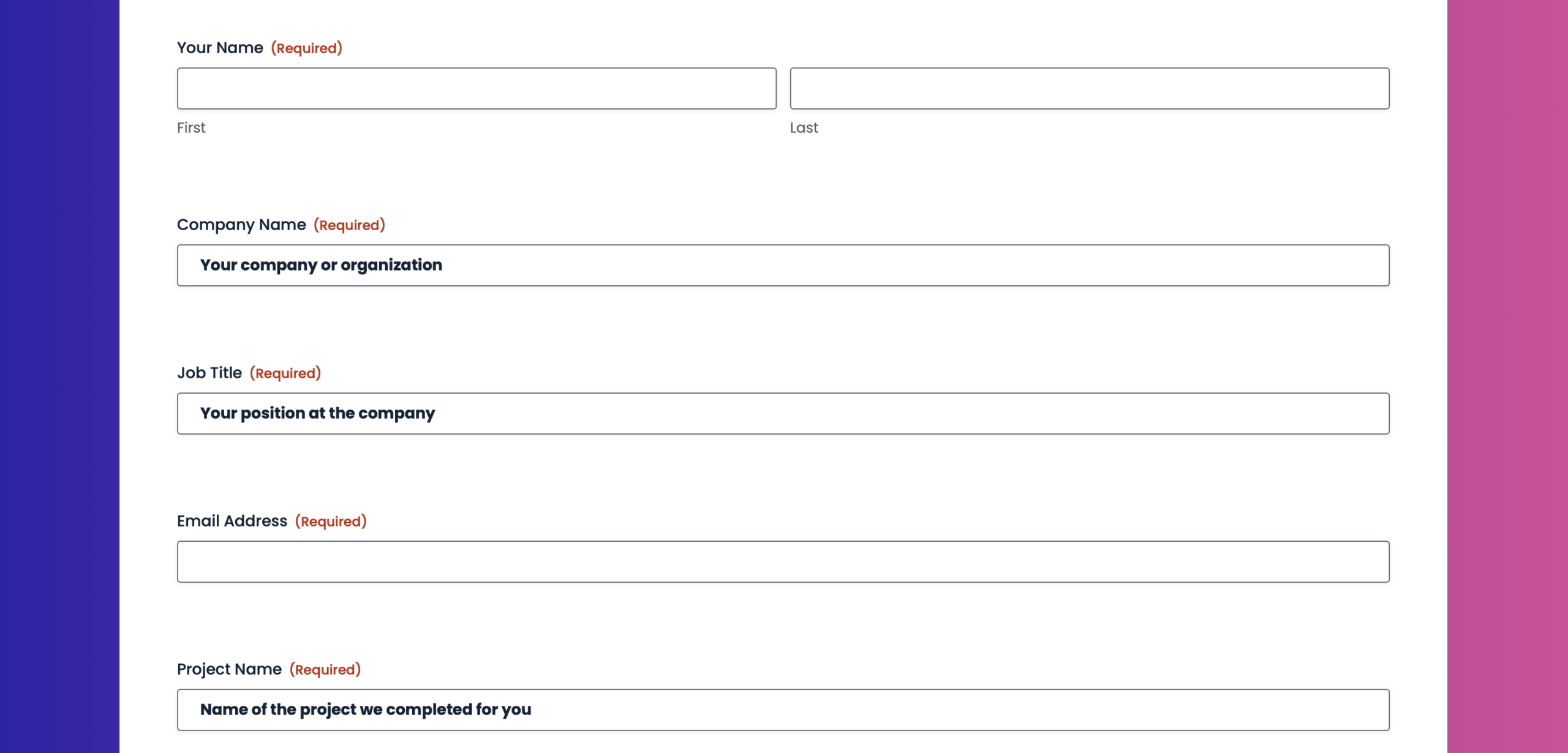
Testimonials are easiest to collect when the process is simple and intentional. A dedicated testimonial form allows agencies to gather structured feedback at the right moment in the project lifecycle.
Conditional logic can adapt questions based on the type of engagement, and testimonials can be routed to marketing teams for review and publishing. File uploads can support headshots or permission confirmations, keeping approvals attached to the original submission.
Website support request form for structured support tickets
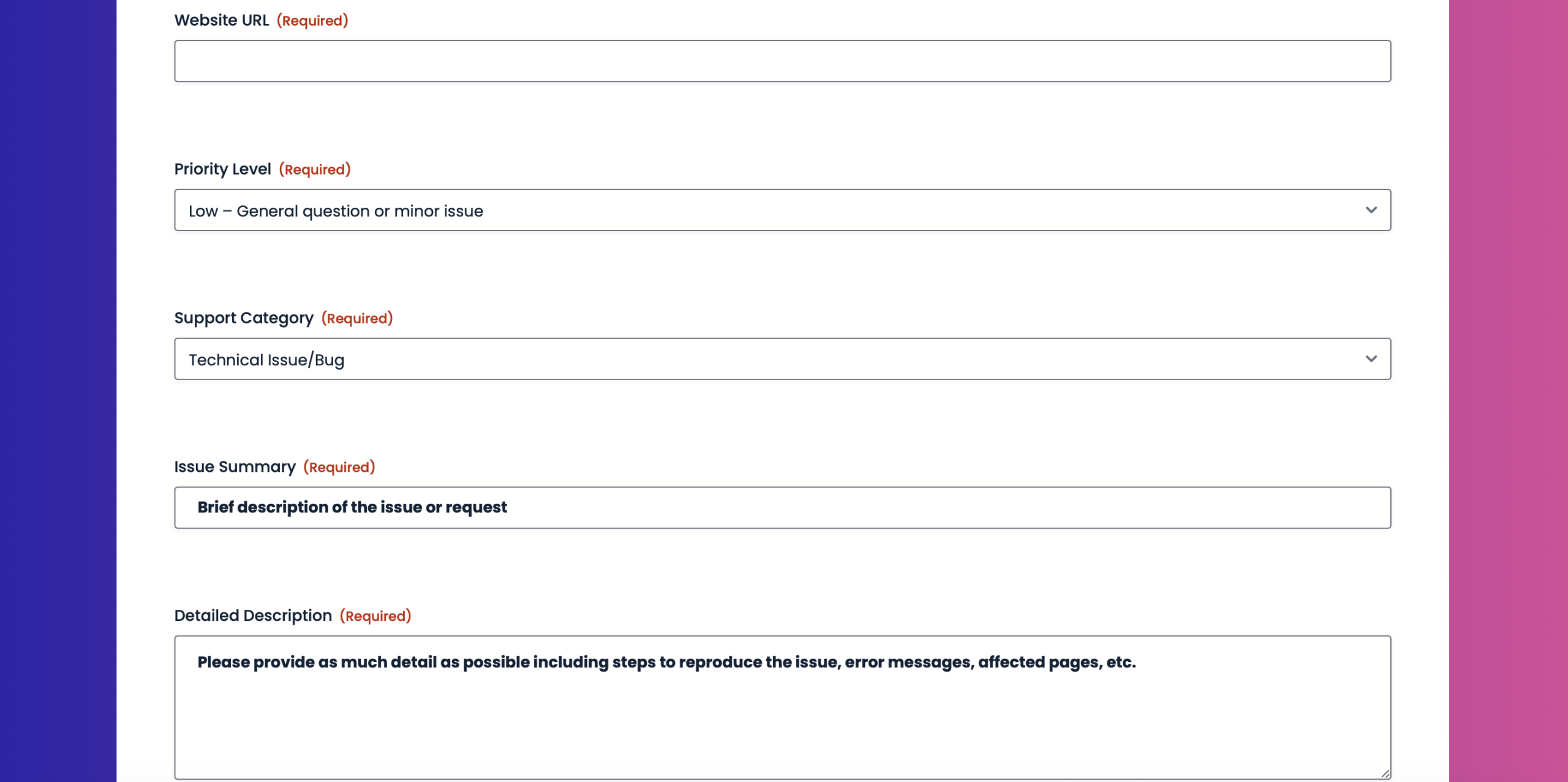
Support requests arrive fast and often without context. A structured support request form creates clarity without adding friction for clients.
With Gravity Forms, agencies can capture priority levels, affected URLs, login details, screenshots, and attachments in one streamlined submission. Conditional logic keeps the form clean and relevant. From there, entries can be automatically pushed into a support platform like Help Scout, so tickets are created with full context and assigned to the right team.
This replaces ad-hoc email threads with a system that scales as support volume grows.
Start faster with pre-built form templates, designed with WordPress agencies in mind
Browse our GitHub form template library of ready‑to‑use Gravity Forms JSON templates to import proven form structures instead of starting from scratch. These templates provide a solid foundation for common agency use cases as described above, while remaining fully customizable to match branding, services, and internal processes.
Here are some dos to keep in mind:
- Use these forms as a starting point – Treat these templates as a foundation. Feel free to add, remove, or rearrange fields to suit your workflow.
- Review the form before publishing – These templates are designed to get you started fast, not to be used blindly. Always preview the form and confirm that the fields, conditional logic, confirmations, and notifications fit your specific use case.
- Customize labels, copy, and branding – Update field labels, descriptions, and other field settings, so the form matches your site’s tone, branding, and user expectations.
- Check notifications and confirmations – After importing, verify email notifications and confirmations are set up and read correctly for your site and email environment.
- Install and connect any add-ons as needed – If the template you import uses an add on, you’ll need to install and connect it, as well as set up any feeds. If you’re using a payment add-on, you’ll also need to add the appropriate payment field to the form.
- Test the form end-to-end – Submit a few test entries to make sure everything works as expected – especially payment fields, file uploads, and conditional logic.
Here are some don’ts to avoid
- Publish without testing – Imported forms may reference placeholders, example email addresses, or generic confirmations that need updating.
- Assume integrations are connected – Third-party integrations (payments, CRMs, automation tools) are not automatically configured. You’ll need to install and connect the add-ons and set up any necessary feeds.
- Rely on sample copy – Any instructional text, field labels, or confirmations are examples only and should be reviewed for accuracy and compliance.
- No backup – If you’re importing templates to a live website, we always recommend that you backup first.
- Forget permissions and privacy requirements – If the form collects personal data, ensure it complies with your privacy policy, consent requirements, and local regulations.
The tools that power agency workflows
The real strength of an agency tech stack comes from how well systems stay connected. These add-ons turn Gravity Forms into an operational backbone for WordPress agencies.
Gravity Flow
Agencies run on approvals, handoffs, and accountability, and the same is true for the sites that are built and managed for clients. Any process that involves multiple people, decisions, or follow-up needs structure to avoid dropped balls and invisible work.
Gravity Flow brings that structure directly into WordPress by turning form submissions into defined, trackable workflows. Instead of relying on inboxes, spreadsheets, or tribal knowledge, every step lives in a shared system of record.
Project inquiries can require internal review before acceptance. Client onboarding submissions can move through approval stages. Support requests can progress through clearly defined statuses with full visibility and audit trails. Because each step remains tied to the original form entry, agencies and clients gain clarity, accountability, and consistency without introducing disconnected tools or custom systems.
Learn more about Gravity Flow, or sign up for a free demo and try automation for yourself.
Gravity SMTP
When email fails, your processes break. Project confirmations, onboarding instructions, account notifications, and support alerts all rely on consistent delivery – across your agency and every client site you manage.
Default WordPress email is unreliable at scale. Messages can be dropped, delayed, or flagged as spam without warning, creating panic and confusion for clients and forcing agencies into reactive support and manual follow-up mode.
Gravity SMTP makes reliable email delivery a baseline expectation, not a gamble. By ensuring all WordPress emails are sent consistently, it supports internal agency workflows and every client site alike. Whether your website handles leads, payments, memberships, donations, or support requests, messages arrive when they’re supposed to, handoffs stay intact, and trust is preserved across the entire portfolio.
Learn more about Gravity SMTP and how to get started with more reliable WordPress email.
Stripe
Agencies often collect deposits, setup fees, or recurring payments tied to projects and retainers. The Stripe Add-On enables secure one-time and recurring payments directly within Gravity Forms.
Payments stay connected to client data, project details, and onboarding workflows. Once a payment completes, forms can trigger confirmations, unlock onboarding steps, create users, or notify finance teams automatically.
Learn more about the Gravity Forms Stripe Add-On and how to set it up.
User Registration
Client portals, staging access, and support systems all rely on user accounts. The User Registration Add-On creates WordPress users automatically after form submission or payment.
Roles can be assigned based on form inputs, allowing agencies to provision access only when prerequisites are met, like whether a payment has been completed. This removes manual account setup and keeps permissions aligned with project status.
Learn more about the Gravity Forms User Registration Add-On and how to set it up.
Advanced Post Creation
If your clients’ sites depend on user submissions – guest posts, directory listings, job postings, testimonials, event entries – manual publishing quickly becomes a bottleneck.
The Gravity Forms Advanced Post Creation Add-On eliminates the need for copy-pasting. When a form is submitted, Gravity Forms can automatically create a WordPress post, page, or any registered custom post type – fully structured and ready to publish.
Learn more about the Gravity Forms Advanced Post Creation Add-On, and how to set it up.
Webhooks
For agencies with custom systems or advanced technical requirements, webhooks provide complete control.
Every form submission can send structured JSON data to external endpoints in real time. This enables integrations with proprietary dashboards, internal APIs, or bespoke client systems while keeping Gravity Forms as the front-end data collection layer.
Learn more about the Gravity Forms Webhooks Add-On, and how to set it up.
Features that help agency forms scale
These Gravity Forms features are what transform forms into systems that support agency growth, whether they’re used on forms that support internal or client processes.
- Conditional logic keeps forms efficient and relevant for both clients and internal teams.
- File uploads centralize assets, documents, and approvals inside each entry.
- Multi-step workflows break complex processes into manageable stages without overwhelming users.
- Custom notifications ensure the right people see the right information at the right time.
- Form reuse allows agencies to standardize processes while adapting them per client or project.
Together, these features reduce friction, eliminate duplication, and create consistency across every engagement.
Build your agency tech stack with Gravity Forms
WordPress agencies succeed when operations are repeatable and flexible at the same time. Gravity Forms provides the structure agencies need, while remaining adaptable to different clients, services, and workflows.
A single form can qualify a lead, collect payment, onboard a client, provision access, route approvals, and notify the right team members automatically. That is the difference between an agency that grows smoothly and one that constantly fights its own processes.
The strongest agency tech stacks are not built on complexity. They are built on reliable, well-connected forms that do the work behind the scenes.
Try a free Gravity Forms Elite demo to explore advanced features and add‑ons, or jump‑start your next campaign with our ready‑to‑use nonprofit JSON form templates – simply download, import, and customize in minutes.

If you want to keep up-to-date with what’s happening on the blog sign up for the Gravity Forms newsletter!