Tech stacks we love for education
 By Sarah Kirkwold
Published February 23, 2026
By Sarah Kirkwold
Published February 23, 2026

Education is built on progression. Students move through programs, courses, evaluations, and milestones. Behind every one of those moments is an administrative process that either supports learning or quietly slows it down.
Education operations work best when systems stay out of the way of learning. Enrollment should feel clear. Registration should feel intuitive. Feedback should feel meaningful. Internally, staff should have visibility, confidence, and time to focus on outcomes instead of cleanup.
Too often, education teams are forced to manage enrollment, registration, payments, and feedback across disconnected systems. The real challenge is the absence of an integrated system that connects these moving parts. Without that connective layer, even well-designed programs struggle under operational complexity.
For WordPress-based education websites, Gravity Forms provides that connective layer. When paired with the right add-ons and features, forms become more than intake tools. They become the infrastructure that keeps students informed, staff aligned, and operations moving forward without friction.
A modern education tech stack does not start with an LMS or a payment gateway. It starts at the moment a student raises their hand and says, “I want to enroll.”
Why forms are the foundation of education operations
Nearly every critical education workflow begins with a form. Forms are where intent becomes action and where accurate data matters most.
When forms are treated as isolated data collection tools, teams spend hours reconciling information and chasing follow-ups. When forms are treated as systems, they power enrollment, payments, communication, and internal workflows automatically.
Well-built forms allow education teams to:
- Capture complete and accurate student data.
- Reduce administrative overhead.
- Automate confirmations, access, and communication.
- Create consistent experiences for students, parents, and staff.
The education forms you actually need on your WordPress website
Student enrollment form
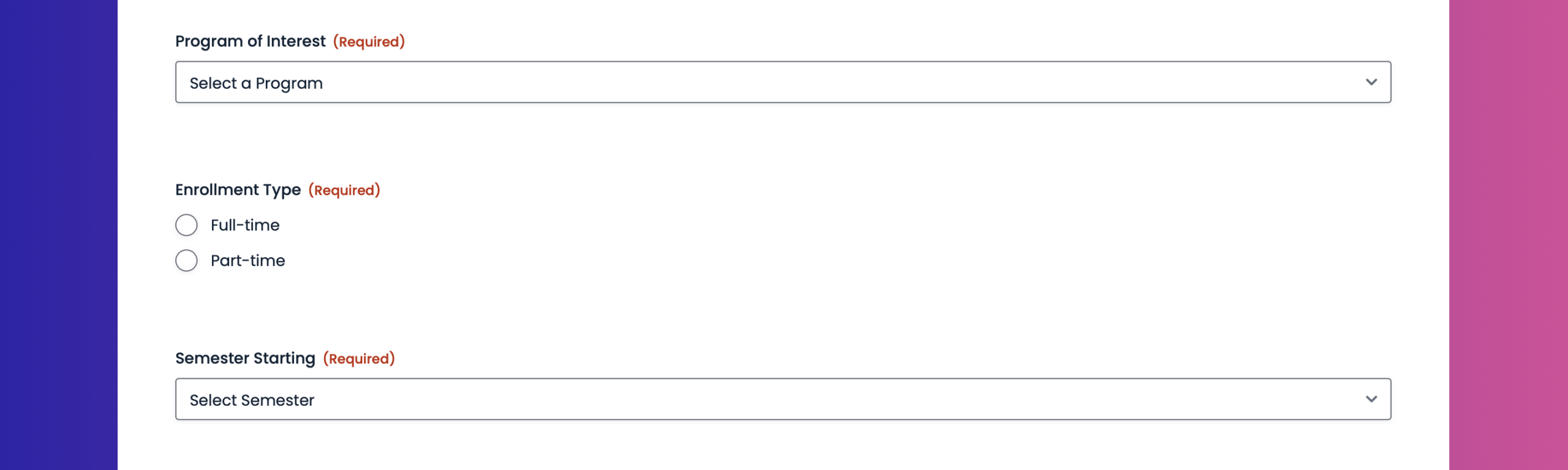
Full program enrollment often requires more than basic contact information. A student enrollment form should capture emergency contacts, program or grade selection, service preferences, and any required documentation.
With multi-page layouts and conditional logic, long enrollment forms stay manageable and relevant. Save and continue allows families to complete enrollment over time without losing progress. File uploads make it easy to collect transcripts, consent forms, or identification securely.
Once submitted, enrollment data can automatically create user accounts, trigger onboarding emails, and route entries through internal review workflows when approval is required.
Course registration form
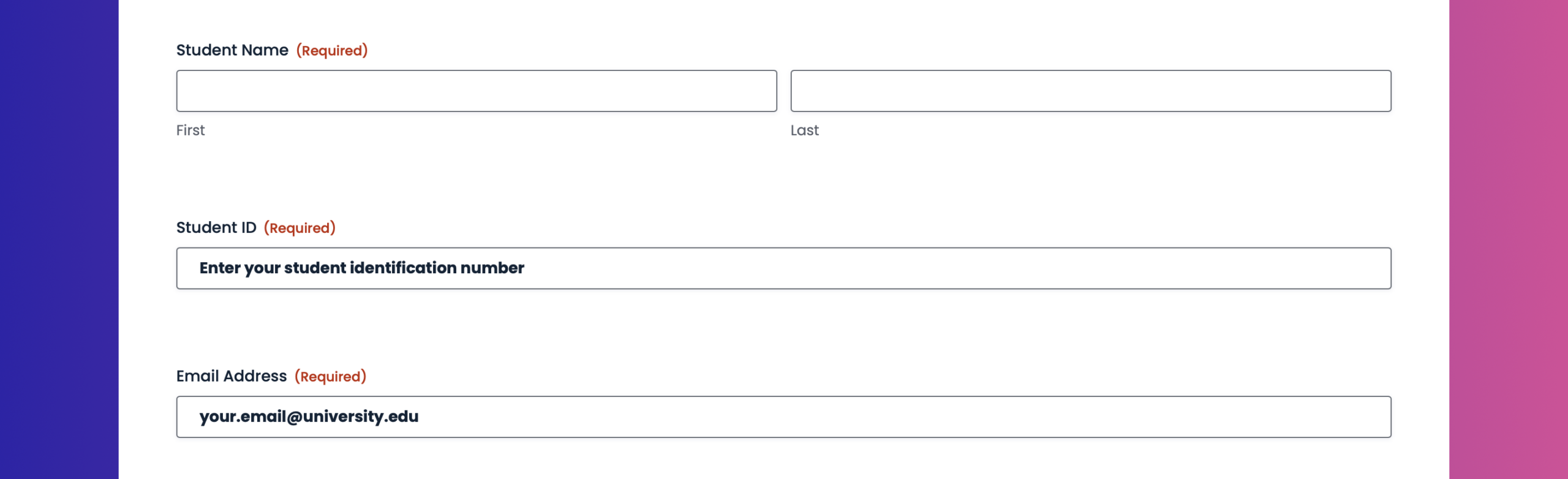
Course registration needs to balance flexibility with accuracy. Students may need to select courses based on academic level, choose a payment method, and request special accommodations.
Gravity Forms allows course registration forms to dynamically show available courses based on grade level or prerequisites, calculate fees automatically, and accept payments in the same flow. Payment confirmation can immediately trigger access, receipts, and notifications to instructors or administrators.
Everything stays connected to the student record, eliminating manual reconciliation between registration, payments, and rosters.
Course feedback form
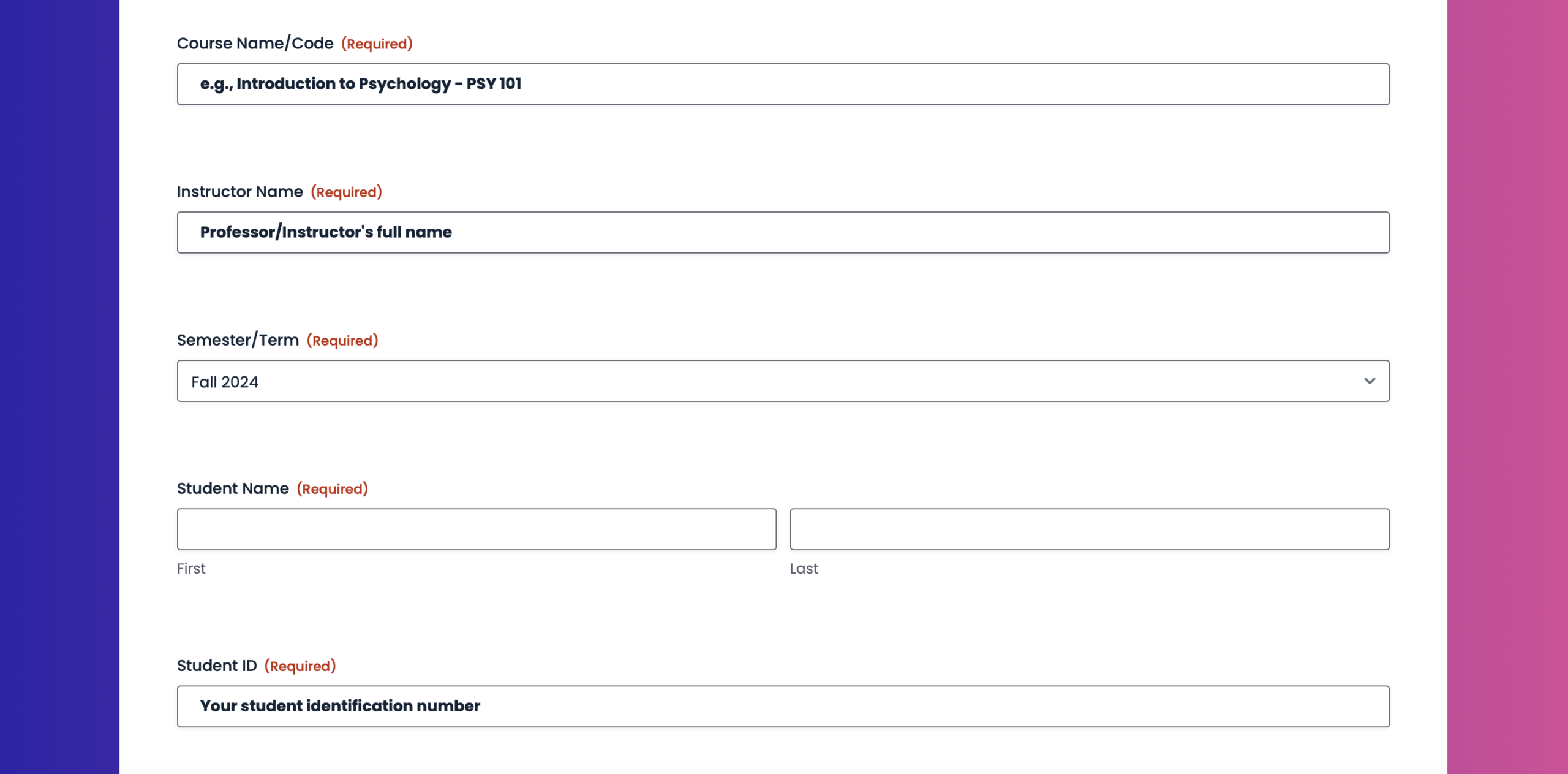
Feedback only creates value when it is structured and actionable. A course feedback form can use Likert scale ratings to measure instructor effectiveness, content quality, and overall satisfaction.
Survey data can trigger alerts for low scores, inform instructor reviews, and feed long-term reporting without manual data cleanup. When paired with email integrations, follow-up communication can be tailored based on feedback responses.
Start with pre-built templates for real education workflows
Browse our GitHub form template library of ready‑to‑use Gravity Forms JSON templates to import proven form structures instead of starting from scratch. These templates provide a solid foundation for common education use cases as described above, while remaining fully customizable to match branding and internal processes.
Here are some dos to keep in mind:
- Use these forms as a starting point – Treat these templates as a foundation. Feel free to add, remove, or rearrange fields to suit your workflow.
- Review the form before publishing – These templates are designed to get you started fast, not to be used blindly. Always preview the form and confirm that the fields, conditional logic, confirmations, and notifications fit your specific use case.
- Customize labels, copy, and branding – Update field labels, descriptions, and other field settings, so the form matches your site’s tone, branding, and user expectations.
- Check notifications and confirmations – After importing, verify email notifications and confirmations are set up and read correctly for your site and email environment.
- Install and connect any add-ons as needed – If the template you import uses an add on, you’ll need to install and connect it, as well as set up any feeds. If you’re using a payment add-on, you’ll also need to add the appropriate payment field to the form.
- Test the form end-to-end – Submit a few test entries to make sure everything works as expected – especially payment fields, file uploads, and conditional logic.
Here are some don’ts to avoid
- Publish without testing – Imported forms may reference placeholders, example email addresses, or generic confirmations that need updating.
- Assume integrations are connected – Third-party integrations (payments, CRMs, automation tools) are not automatically configured. You’ll need to install and connect the add-ons and set up any necessary feeds.
- Rely on sample copy – Any instructional text, field labels, or confirmations are examples only and should be reviewed for accuracy and compliance.
- No backup – If you’re importing templates to a live website, we always recommend that you backup first.
- Forget permissions and privacy requirements – If the form collects personal data, ensure it complies with your privacy policy, consent requirements, and local regulations.
The tools that power modern education tech stacks
The real strength of Gravity Forms in education comes from native add-ons that connect forms to user management, payments, communication, and workflows.
User Registration
Education platforms often require student and/or parent accounts. The User Registration Add-On can automatically create WordPress users after enrollment or registration, assign roles, and update profiles. This ensures access is provisioned correctly without manual account setup.
Learn more about the Gravity Forms User Registration Add-On and how to set it up.
Signature
Consent and acknowledgment are often required in education. The Signature Add-On allows students or guardians to sign enrollment agreements, policies, or waivers directly within the form, creating a clear audit trail without printing or scanning.
Learn more about the Gravity Forms Signature Add-On and how to set it up.
Survey
For evaluations and assessments, the Survey Add-On provides structured reporting, Likert scales, and data visualization tools that turn feedback into insights instead of raw entries.
Learn more about the Gravity Forms Survey Add-On and how to set it up.
Stripe
Stripe provides a flexible payment engine for tuition, course fees, and program deposits. The Stripe Add-On supports one-time and recurring payments, modern payment methods, and clean payment data that stays connected to each submission. Payments can trigger confirmations, receipts, and access workflows instantly.
Learn more about the Gravity Forms Stripe Add-On and how to set it up.
PayPal Checkout
Some families prefer PayPal for online payments. The PayPal Checkout Add-On offers a trusted alternative while keeping students on your site and maintaining full visibility into payment and form data.
Learn more about the Gravity Forms PayPal Add-On and how to set it up.
MailerLite or Mailchimp
Email communication is essential in education. These integrations automatically add students or parents to the right lists or segments based on enrollment, registration, or feedback responses. Orientation emails, reminders, and updates can start automatically the moment a form is submitted.
Learn more about the Gravity Forms MailerLite and MailerLite Add-Ons, and MailerLite.
Gravity Flow and Gravity SMTP
Many education processes require review and approval. Gravity Flow adds structure to workflows like enrollment approvals, accommodation requests, or instructor reviews, keeping everything tied to the original form entry.
Gravity SMTP ensures enrollment confirmations, payment receipts, and account emails are delivered reliably. Consistent email delivery protects trust and prevents missed communication at critical moments.
Learn more about MailerLite and MailerLite.
Features that make education forms effective
Smart education forms reduce friction while supporting complex requirements. These features transform forms into dependable systems:
- Multi-page forms break long submissions into clear, manageable steps.
- Conditional logic ensures students only see relevant fields.
- Save and continue supports longer enrollment and application workflows.
- File uploads handle documents securely and efficiently.
- Accessibility-ready forms ensure every student can participate.
Build your education tech stack on WordPress with Gravity Forms
When forms are connected to user accounts, payments, email communication, workflows, and approvals, education teams stop reacting and start guiding. A single submission can enroll a student, collect payment, provision access, notify instructors, and trigger follow-up automatically. Nothing is lost, delayed, or duplicated.
That is what separates fragmented education systems from ones that scale gracefully.
The strongest education tech stacks are not built on complexity. They are built on reliable, accessible, and well-integrated forms that support every step of the student journey. Get that foundation right, and everything built on top of it becomes easier for students and staff alike.
Try a free Gravity Forms Elite demo to explore advanced features and add‑ons, or jump‑start your next campaign with our ready‑to‑use nonprofit JSON form templates – simply download, import, and customize in minutes.

If you want to keep up-to-date with what’s happening on the blog sign up for the Gravity Forms newsletter!