Tech stacks we love for collecting online payments
 By Sarah Kirkwold
Published February 17, 2026 · Updated February 13, 2026
By Sarah Kirkwold
Published February 17, 2026 · Updated February 13, 2026

Online payments are rarely just about taking money. They involve invoices, subscriptions, product fulfillment, renewals, receipts, internal approvals, and follow-up across multiple systems.
Too often, payment data lives in silos. An invoice gets paid, but accounting never sees the file upload. A subscription starts, but user access is not provisioned. A product order comes in, but no workflow confirms inventory, shipping, or notifications.
The problem is not payment processors. The problem is everything around the payment.
For WordPress-based businesses, Gravity Forms provides a flexible foundation for capturing intent and turning it into action. With the right add-ons and features, forms become the control center for payments, workflows, and the operational steps that follow every submission.
Why forms are the foundation of collecting online payments on WordPress
Every online payment starts with a decision and a form.
A customer chooses a plan. A client pays an invoice. A buyer orders a product. That moment of intent is where accuracy, trust, and automation matter most.
A payment form should do more than charge a card. It should:
- Collect the right contextual data alongside the payment
- Apply pricing logic and discounts automatically
- Trigger confirmations, receipts, and internal processes
- Create or update user records and subscriptions
- Send clean, structured data to downstream systems
Gravity Forms treats payments as part of a workflow, not a standalone checkout – an approach that makes it possible to support complex payment scenarios.
The online payment forms you actually need on your WordPress website
Invoice payment form
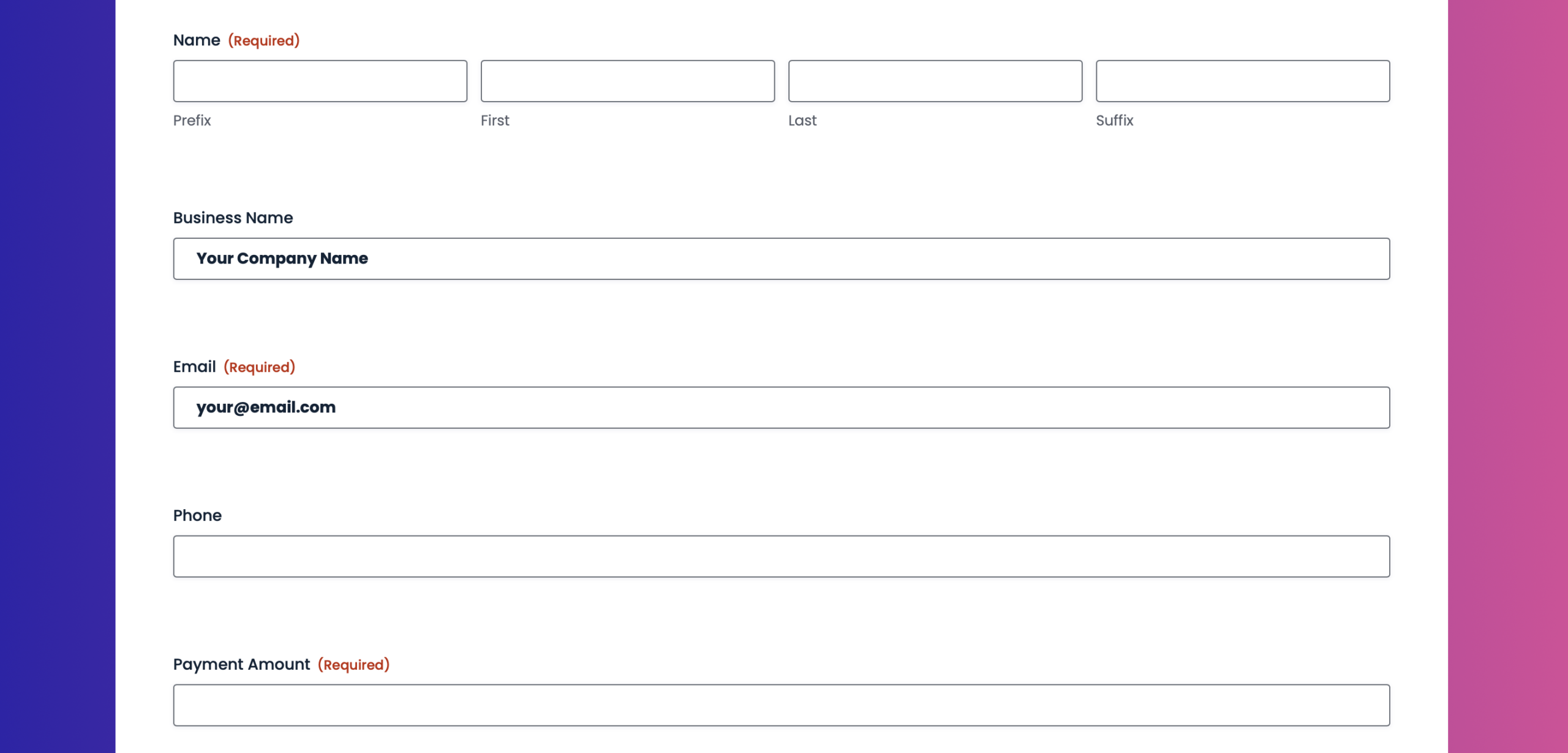
Invoice payments often require flexibility. Clients may need to pay custom amounts, attach documentation, or reference an invoice number.
With Gravity Forms, an invoice payment form can include:
- A custom amount field tied to calculations
- File uploads for invoice PDFs or receipts
- Reference fields for invoice or account numbers
- Secure payment collection through Stripe, PayPal, Square, or Mollie
Payments stay connected to the full invoice context, reducing back-and-forth and reconciliation work.
Membership signup form
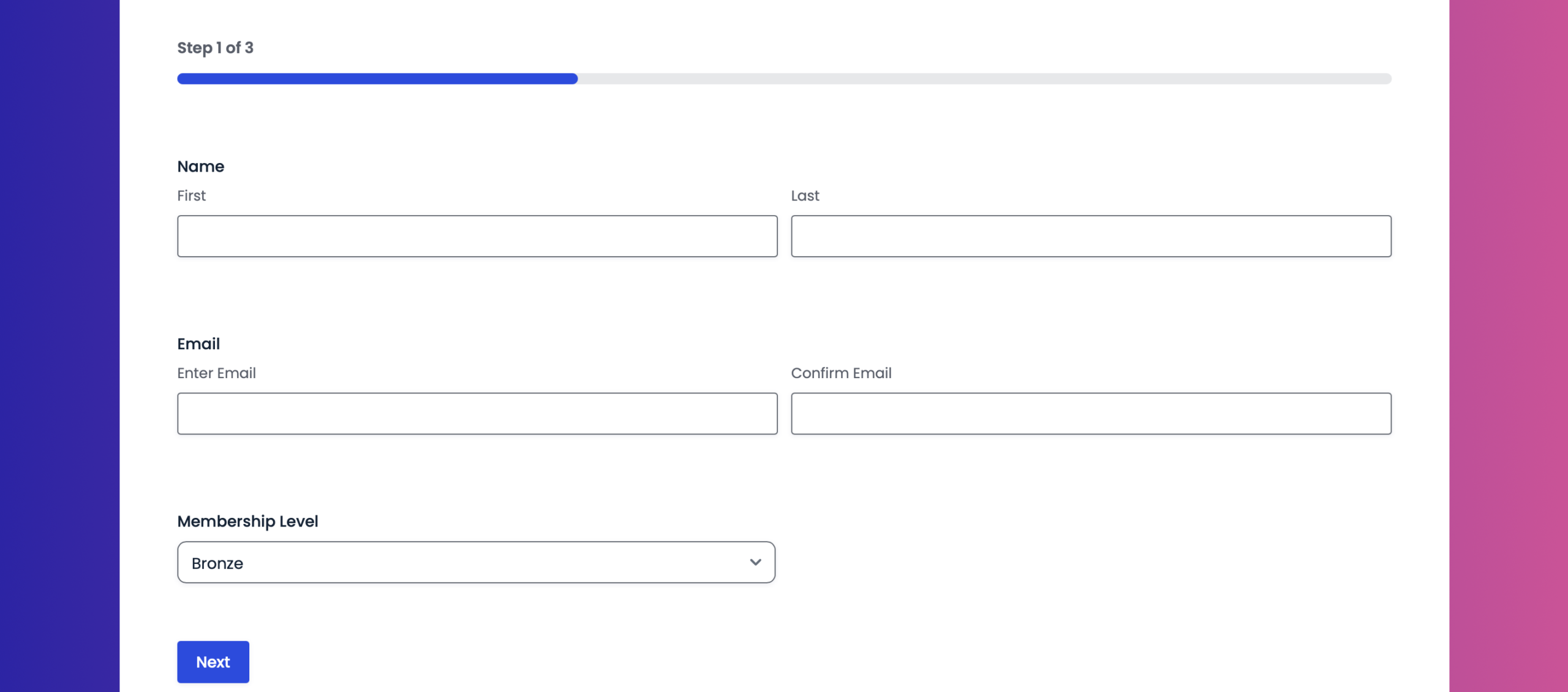
Membership and subscription businesses need more than a simple checkout. Plans, billing cycles, and access all need to stay in sync.
A membership signup form can support:
- Monthly and yearly plan options
- One-time setup fees plus recurring billing
- Conditional logic to display plan-specific fields
- Automatic user account creation after payment
Once submitted, payments can trigger user registration, role assignment, email onboarding, renewal workflows, and more, automatically.
Product order form
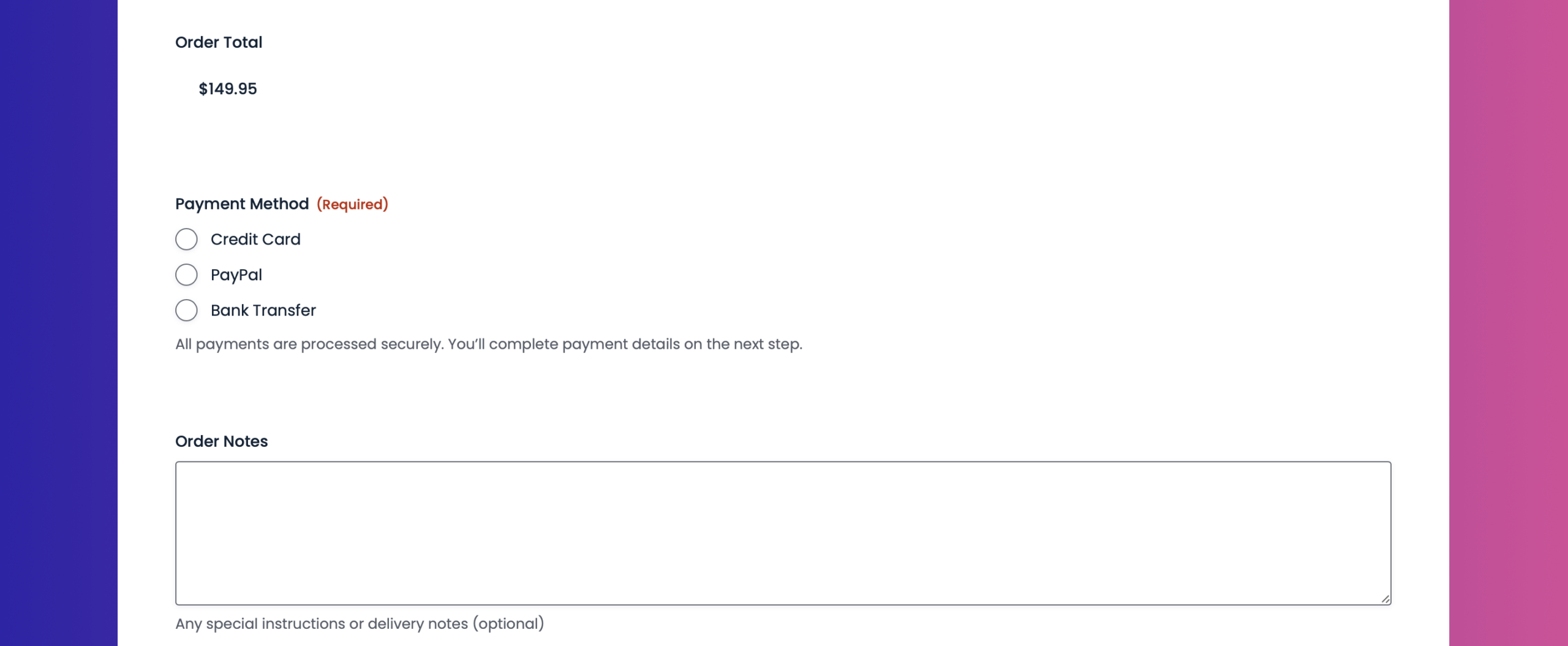
Product sales often require more structure than just a basic cart. Quantities, addresses, and fulfillment details matter.
A product order form built with Gravity Forms can include:
- Product fields with quantity selection
- Shipping and billing address fields
- Calculated totals, taxes, and shipping fees
- Multiple payment methods in a single form
Everything needed to process, fulfill, and track the order is captured at the point of purchase.
Start with a pre-built form template and start collecting online payments today
Browse our GitHub form template library of ready‑to‑use Gravity Forms JSON templates for collecting online payments, download what you need, and import them directly into your WordPress site in minutes. No rebuilding, no guesswork – just premade forms you can customize to match your mission.
Here are some dos to keep in mind:
- Use these forms as a starting point – Treat these templates as a foundation. Feel free to add, remove, or rearrange fields to suit your workflow.
- Review the form before publishing – These templates are designed to get you started fast, not to be used blindly. Always preview the form and confirm that the fields, conditional logic, confirmations, and notifications fit your specific use case.
- Customize labels, copy, and branding – Update field labels, descriptions, and other field settings, so the form matches your site’s tone, branding, and user expectations.
- Check notifications and confirmations – After importing, verify email notifications and confirmations are set up and read correctly for your site and email environment.
- Install and connect any add-ons as needed – If the template you import uses an add on, you’ll need to install and connect it, as well as set up any feeds. If you’re using a payment add-on, you’ll also need to add the appropriate payment field to the form.
- Test the form end-to-end – Submit a few test entries to make sure everything works as expected – especially payment fields, file uploads, and conditional logic.
Here are some don’ts to avoid
- Publish without testing – Imported forms may reference placeholders, example email addresses, or generic confirmations that need updating.
- Assume integrations are connected – Third-party integrations (payments, CRMs, automation tools) are not automatically configured. You’ll need to install and connect the add-ons and set up any necessary feeds.
- Rely on sample copy – Any instructional text, field labels, or confirmations are examples only and should be reviewed for accuracy and compliance.
- No backup – If you’re importing templates to a live website, we always recommend that you backup first.
- Forget permissions and privacy requirements – If the form collects personal data, ensure it complies with your privacy policy, consent requirements, and local regulations.
The add-ons that power modern payment stacks
The real power of a payment stack is not the checkout itself. It is what happens immediately after a payment is made. These Gravity Forms integrations ensure payment data flows cleanly into the tools and processes that depend on it, turning payments into automated, end-to-end workflows.
Stripe, PayPal Checkout, and Square Add-Ons
Accepting online payments should be simple, secure, and flexible. These payment add-ons let businesses collect one-time and recurring payments directly through Gravity Forms for products, services, subscriptions, and deposits, while keeping customers on your website.
Payment data is captured alongside customer details, synced to your CRM or accounting tools, and used to trigger receipts, confirmations, and follow-up workflows automatically. Square also supports in-person payments, making it easier to manage online and offline transactions in a single system.
Learn more about the Gravity Forms online payment Add-Ons and how to set them up.
Mollie Add-On
For businesses operating across Europe, Mollie provides localized payment methods and regional flexibility. When paired with Gravity Forms, it enables secure payments while preserving all submission data alongside the transaction.
Learn more about the Gravity Forms Mollie Add-On and how to set it up.
Coupons Add-On
Discounts should not require manual math or custom code. The Coupons Add-On allows you to apply promo codes as flat-rate or percentage-based discounts, calculated automatically at checkout.
You can control when coupons are valid by setting start dates, expiration dates, and usage limits, and decide whether coupons can be stacked or restricted to a single discount per order. Coupons integrate directly with product fields, calculations, and payment totals, ensuring discounts are applied accurately and transparently every time.
Learn more about the Gravity Forms Coupons Add-On and how to set it up.
User Registration Add-On
Payments and accounts often go hand in hand. The User Registration Add-On can create WordPress users automatically after successful payment, assign roles, and update profiles. This is essential for memberships and subscription-based access.
Learn more about the Gravity Forms User Registration Add-On and how to set it up.
Zapier Add-On
Not every system has a native integration. Zapier fills those gaps by sending payment and form data to thousands of external tools. You can create invoices in accounting software like QuickBooks and Xero, add rows to spreadsheets, or notify internal tools without requiring custom development.
Learn more about the Gravity Forms Zapier Add-On, and how to set it up.
Gravity Flow
Many payment processes involve approvals and internal steps. Gravity Flow adds structure to those workflows. Orders can require review before fulfillment. High-value invoices can be routed for approval. Refund requests can move through defined stages with full audit trails. All activity remains tied to the original payment entry.
Learn more about Gravity Flow, or sign up for a free demo and try automation for yourself.
Gravity SMTP
Payment confirmations and receipts only work if they are delivered. Gravity SMTP improves deliverability for all WordPress emails, including payment notifications, invoices, and account messages. Reliable email delivery protects customer trust and ensures every transaction is acknowledged properly.
Learn more about Gravity SMTP and how to get started with more reliable WordPress email.
Features that make payment forms flexible and reliable
The core Gravity Forms features are what separate simple payment forms from payment systems. Instead of treating transactions as isolated events, they allow you to build flexible, reliable payment experiences that adapt to pricing models, customer choices, and downstream workflows as your business grows.
- Product fields support quantities, options, and pricing variations. They form the backbone of order forms, subscriptions, and invoices.
- Calculations handle totals, taxes, shipping, setup fees, and dynamic pricing automatically. This reduces errors and manual adjustments.
- Conditional logic keeps forms focused and relevant. Customers only see fields related to their selections, improving completion rates and accuracy.
- One-time and recurring payments, or a combination of both, are all supported.
Together, these features ensure every payment is accurate, contextual, and connected. As pricing evolves and processes become more complex, your forms continue to work as infrastructure, not obstacles.
Build your online payment stack with Gravity Forms
When your forms are deeply integrated with your workflows, user management, and automation, collecting online payments stops being a bottleneck.
A single form can collect payment, apply discounts, create users, trigger approvals, send receipts, and notify external systems instantly.
That is the difference between patchwork checkout solutions and a payment stack that scales with your business.
Gravity Forms gives you the flexibility to design payment experiences that match how your business actually operates, while keeping everything connected behind the scenes.
Try a free Gravity Forms Elite demo to explore advanced features and add‑ons, or jump‑start your next campaign with our ready‑to‑use nonprofit JSON form templates – simply download, import, and customize in minutes.

If you want to keep up-to-date with what’s happening on the blog sign up for the Gravity Forms newsletter!