Brand new release: Advanced Post Creation Add-On 1.6
 By Gravity Forms
Published December 16, 2025 · Updated December 22, 2025
By Gravity Forms
Published December 16, 2025 · Updated December 22, 2025
We’re pleased to introduce a significant update to the Advanced Post Creation Add-On. Version 1.6.0 adds support for user editing, allowing contributors to update their own posts whenever they need to.
User editing has been a frequently requested feature from our community, and will provide site owners with more flexibility when building user-driven content workflows, community-driven websites, or any project that relies on contributors submitting and managing their own content.
To support user editing on the front end, APC 1.6 also introduces the new APC Post List block. This block gives contributors an easy way to access the posts they’ve created, allowing them to view, edit, and manage their content in one place.
Ready to find out more? Let’s jump in…
What’s new in APC 1.6: Post editing
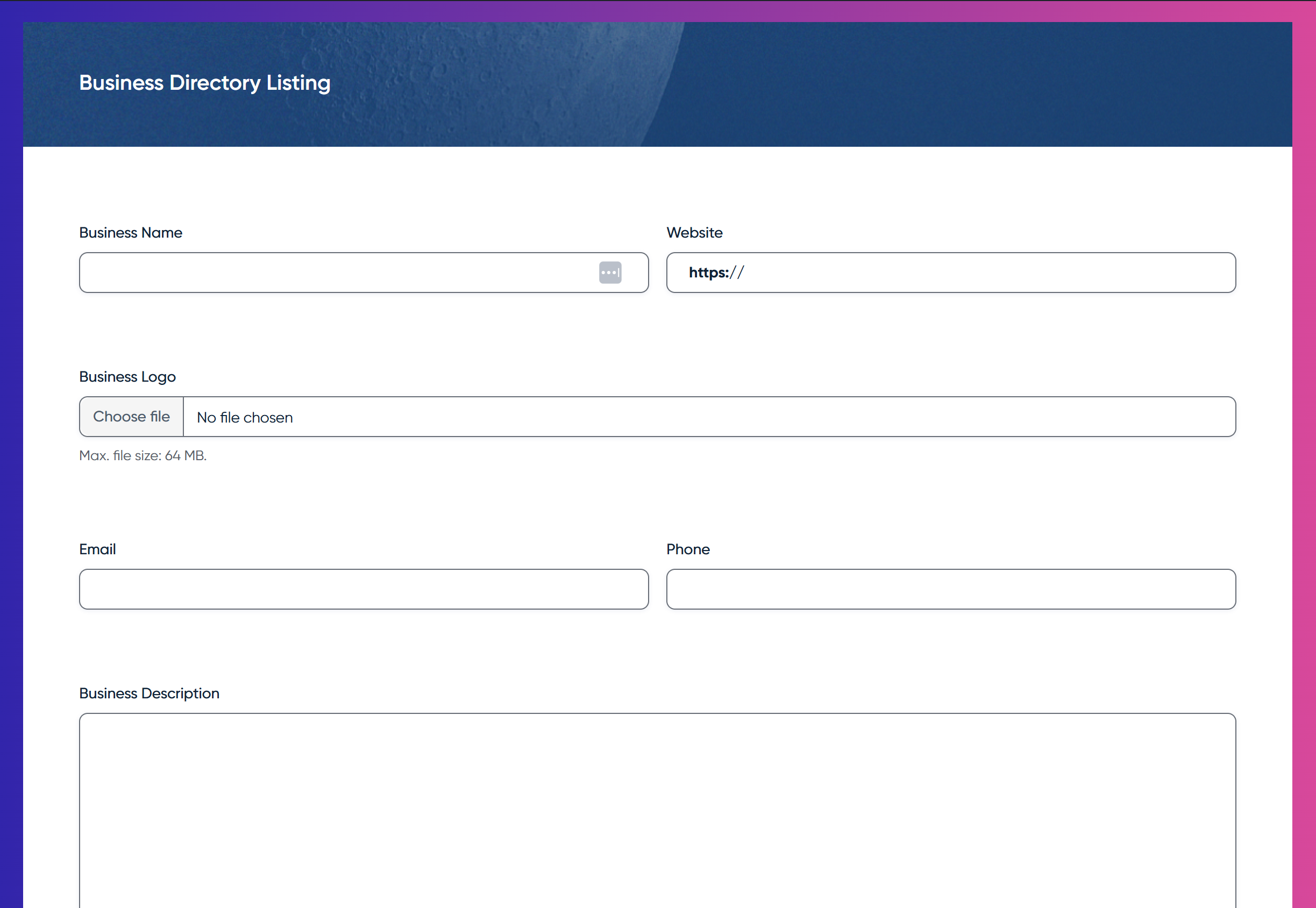
With the release of Advanced Post Creation 1.6, websites that rely on user-generated content, such as directories, multi-author blogs, classified listings, community hubs, membership sites, and event submissions, will now be able to streamline their content workflows and support more self-service editing.
Giving users the ability to edit their own posts allows them to manage updates as their information or circumstances change, keeping their submissions accurate and up to date.
User editing also removes much of the workload for site owners and admins who would otherwise need to make these changes manually. And as submission volumes grow, user editing helps sites scale more efficiently by reducing the amount of hands-on content management required.
Introducing Post Editing Settings
Advanced Post Creation Add-On v1.6 introduces a new Post Editing Settings tab, which lets you control how and where users can edit their posts.
Within the Post Editing Settings, you can select the page/form used for editing – this must be the same form that the user initially used to submit their information.
You can also choose which fields users are allowed to edit. For example, you may want contributors to update descriptions or images, but not change emails, titles, or other key details.
By selecting only the fields that make sense for your workflow, you can maintain consistency across your content while still giving users the ability to manage their own posts.
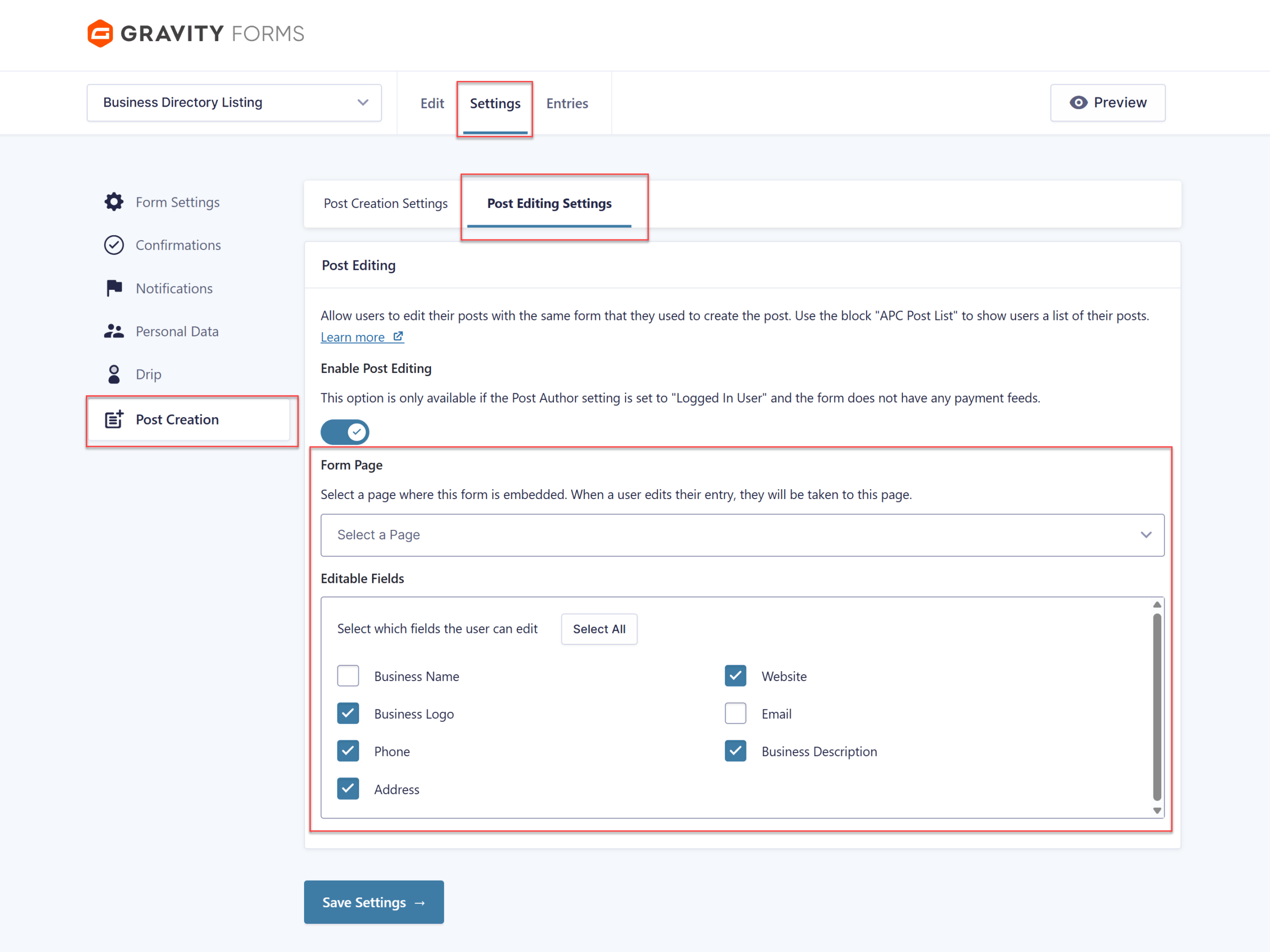
It’s important to note that the Post Editing Settings are only available if the Post Author setting is set to Logged In User in the Post Creation Settings tab, and the form does not have any payment feeds.
For more information on Post Editing Settings, check out this article – Creating a Feed for the Advanced Post Creation Add-On.
Introducing the APC Post List block
The new APC Post List block supports a complete, front-end content management experience for your users.
Instead of requiring dashboard access or having admin manually update submissions, users can now view and edit all of the posts they’ve created in one convenient place.
You can add the APC Post List bock to any page – such as a user account area, member dashboard, or profile page. When a user is logged in, the Post List block will display an automatically generated list of the posts they’ve created.
Each entry in the list includes links to view the post and to edit it using the same pre-populated form that created it, providing a consistent, familiar workflow for contributors. Whether they’re refining text, adding new details, or updating images, users can quickly and easily make the changes they need.
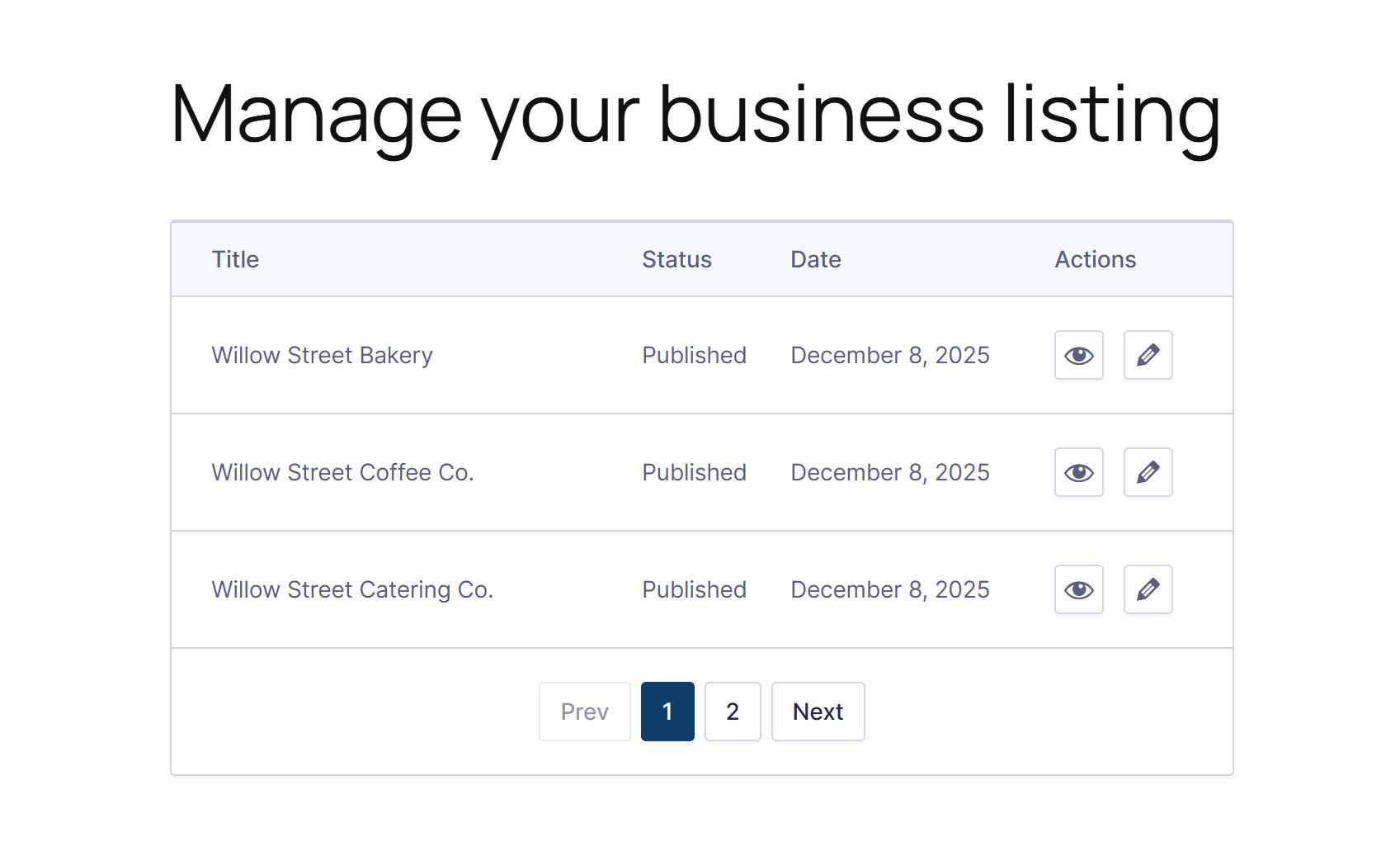
The APC block includes several customization options in the editor, allowing you to choose which form’s posts to show, adjust the number of posts per page, hide or show post details, select a light or dark style, and alter the button color. You can also set a custom message for visitors who aren’t logged in.
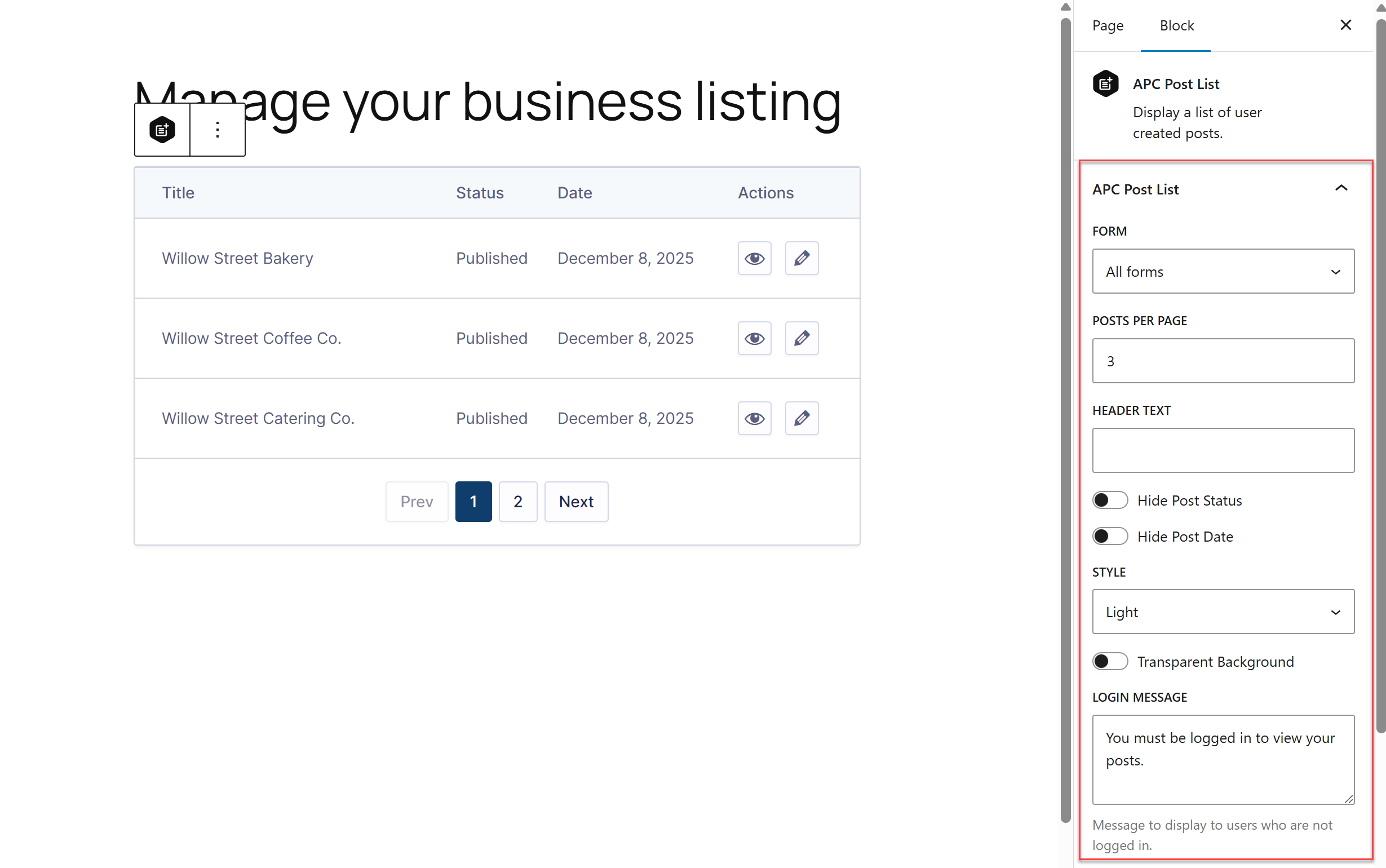
The APC Post List block ties the entire editing experience together. It gives users a clear starting point for managing their content, while giving site owners more control over how and where submitted posts are accessed.
If you aren’t using the block editor, you can still show the post list table by using the APC posts shortcode. The shortcode includes all the same parameters as the APC block, so you can still change the number of posts per page, hide or show post details, select either dark or light mode for the style, and much more.
Learn more about editing posts with the Advanced Post Creation Add-On.
New filters
APC 1.6 also introduces two new filters that make it easier for developers to tailor the post-editing experience by controlling which fields users can edit and which field types should be automatically excluded.
gform_advancedpostcreation_editable_fields– Modify the list of editable field IDs used by the Advanced Post Creation Add-On when updating an existing post.gform_advancedpostcreation_editable_fields_excluded_types– Modify the list of field types excluded from being editable in the Advanced Post Creation Add-On.
Note: The Advanced Post Creation Add-On is available with the Gravity Forms Elite and Nonprofit licenses. Visit our pricing page for more information on the features and other add-ons available on each plan.
Advanced Post Creation Add-On 1.6 changelog
- Added the ability to edit posts created by APC.
- Added the APC posts list block and
apc_posts_listsshortcode action to display a list of user-created posts. - Added new notification events for when a post is created and updated.
Advanced Post Creation Add-On 1.6.1 changelog
- Fixed a bug that caused JavaScript errors when forms are embedded using non-standard methods.
If you are a Gravity Forms Elite, or Nonprofit license holder, the Advanced Post Creation Add-On v1.6.1 can be updated manually or via automatic updates in your WordPress dashboard, or downloaded manually from your Gravity Forms account.